

Description
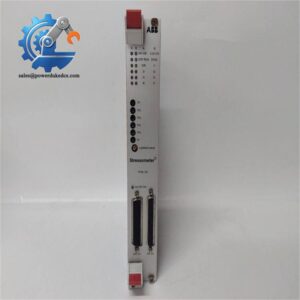
- Model: DAPI100
- Order Number: 3AST000929R109
- Brand: ABB
- Series: Advant OCS / Industrial Automation Communication
- Core Function: Provides Ethernet communication for ABB control systems
- Type: Ethernet communication interface module
- Key Specs: Ethernet communication; 24 V DC supply is reported by secondary sources; built-in cabinet installation is reported by secondary sources
- Condition: Confirm New Original (New Surplus) or refurbished status before purchase
Product Introduction
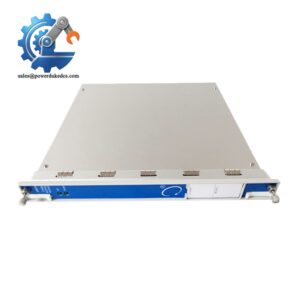
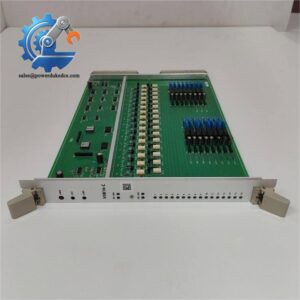
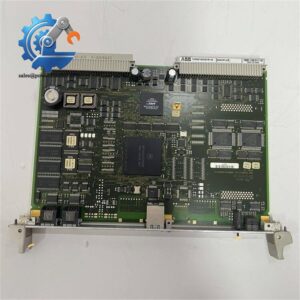
ABB DAPI100 3AST000929R109 is listed by multiple industrial automation suppliers as an Ethernet Communicator Interface. It is used as a communication interface within ABB automation and control environments, with available product listings associating it with Advant OCS systems.
For maintenance teams, this is the kind of spare where interface identification matters more than appearance. Secondary technical listings report Ethernet communication and a 24 V DC supply, but the available sources do not provide a sufficiently authoritative ABB datasheet for every electrical and protocol parameter. Verify the installed system, hardware revision, wiring, and communication configuration against the applicable ABB documentation before replacement.
Key Technical Specifications
| Parameter | Value |
|---|---|
| Manufacturer | ABB |
| Model | DAPI100 |
| Order Number | 3AST000929R109 |
| Product Type | Ethernet Communicator Interface |
| Product Family | Advant OCS / ABB automation communication |
| Communication | Ethernet |
| Reported Supply | 24 V DC ±10%* |
| Installation | Built-in cabinet installation* |
| Reported Dimensions | 112.5 × 27 × 234 mm* |
| Reported Net Weight | Approximately 0.182 kg* |
| Condition | New / Used depending on supplier stock |
| Warranty | Supplier-dependent |
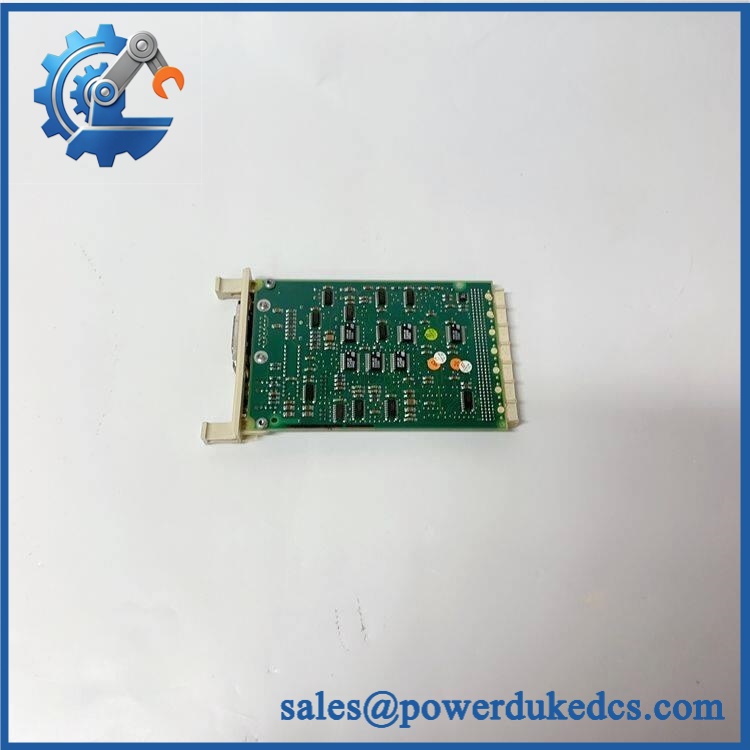
ABB DAPI100 3AST000929R109
*These values come from secondary supplier listings rather than a verified ABB datasheet. One source reports 24 V DC ±10%, while another lists 112.5 mm width, 27 mm height, and 234 mm depth. Treat them as reference values only until confirmed from ABB documentation.
Installation & Configuration Guide
Phase 1: Pre-Installation — 10–15 minutes
⚠️ Safety first.
- Notify production about the planned maintenance window.
- Place the control system in a safe state.
- Follow the site’s approved shutdown and isolation procedure.
- Isolate relevant control power.
- Verify the absence of hazardous voltage.
- Wear an ESD wrist strap.
- Record the existing DAPI100:
- Full ordering number
- Serial number
- Hardware revision
- Firmware revision, if accessible
- Ethernet cable connection
- Power wiring
- Photograph the wiring and module position.
Do not rely on memory when reconnecting an older communication module.
Phase 2: Remove Existing Module — 5–10 minutes
- Confirm power isolation.
- Label every cable.
- Photograph the Ethernet and power connections.
- Disconnect the cables carefully.
- Release the module’s mounting hardware.
- Remove the unit without twisting the connectors.
- Inspect the mating connectors for contamination or physical damage.
Keep the old identification label with the maintenance record.
Phase 3: Install Replacement — 5–10 minutes
- Check the complete part number: DAPI100 / 3AST000929R109.
- Compare the replacement with the removed unit.
- Check connector locations.
- Confirm the power requirements from the applicable ABB manual.
- Install the module in the specified cabinet position.
- Reconnect power and Ethernet wiring.
- Check that connectors are fully seated.
- Verify cable routing and shielding.
Do not assume that a physically similar ABB communication module has the same pinout.
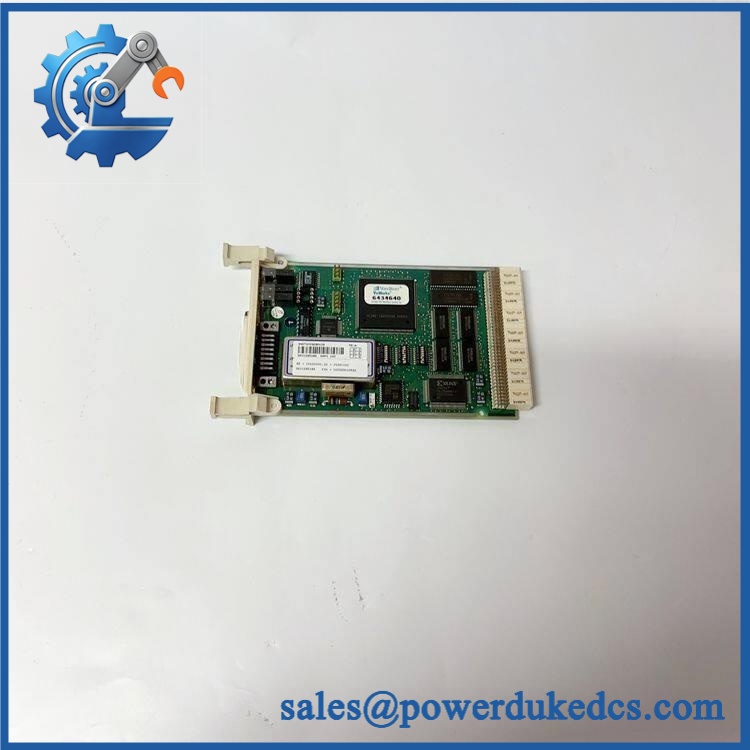
ABB DAPI100 3AST000929R109
Phase 4: Power-On & Communication Test — 10–20 minutes
- Inspect all connections.
- Verify the supply voltage according to the approved ABB documentation.
- Restore power.
- Observe status indicators.
- Check the communication interface from the control system.
- Verify network parameters.
- Confirm communication with the connected ABB controller or supervisory system.
- Check diagnostic messages.
- Run the approved control-system functional test.
- Monitor the system for at least the site’s required observation period.
Record the replacement date, serial number, hardware revision, and communication test result.
Quality Inspection SOP
1. Incoming Inspection
- Verify the packing list.
- Check DAPI100 / 3AST000929R109 identification.
- Record the serial number.
- Inspect the label for alteration or damage.
- Check the housing for corrosion, cracks, and repair marks.
- Inspect Ethernet and power connectors.
- Record the condition with photographs.
2. Live Functional Test
A live test should only be claimed when a suitable ABB test environment is available.
Recommended records:
- Test rack/system used
- Supply voltage
- Power-on result
- LED status
- Ethernet communication result
- Controller communication result
- Diagnostic status
- Test duration
- Technician
- Test date
Do not claim a 24-hour load test unless the module was actually tested for that period.
3. Electrical Testing
Where technically applicable and permitted by the ABB documentation:
- Supply voltage verification
- Ground continuity
- Insulation testing
- Connector inspection
Use the manufacturer’s specified test limits.
4. Firmware / Configuration Verification
Record:
- Firmware revision
- Hardware revision
- Network parameters
- Serial number
- Configuration data
- Existing system version
Save configuration records with the warehouse item.
5. Final QC & Packing
- QC inspection completed
- ESD bag sealed
- Anti-static protection installed
- Shock protection added
- Outer carton secured
- QC label attached
- Inspection photos retained
Customer-facing test videos or photos should show the actual unit being shipped, where available.
Common Questions
1. What is ABB 3AST000929R109?
It is identified by secondary industrial automation sources as an Ethernet Communicator Interface for ABB automation systems. Some listings associate it with the Advant OCS control environment.
2. Is an Ethernet communication module?
Yes. Multiple supplier records describe 3AST000929R109 as an Ethernet communication interface or Ethernet communicator interface.
3. Can I directly replace my existing ?
Usually, the same full ordering number is the correct starting point, but do not install it based on model text alone.
Check:
- Full part number
- Hardware revision
- Existing system configuration
- Power requirements
- Network configuration
- Connector arrangement
A replacement can be physically correct but still fail communication because of configuration differences.
4. My replacement powers up but does not communicate. What should I check?
Use this order:
Power → physical connection → network parameters → controller configuration → firmware/hardware revision → diagnostics.
Do not immediately reprogram the unit. Preserve the original settings first.
5. What should I check when buying surplus stock?
Ask the supplier for:
- Actual product photos
- Full label photo
- Serial number
- Hardware revision
- Condition
- Functional test evidence
- Packaging photos
- Warranty terms
A supplier listing may describe the item as “new,” but condition should be verified against the actual unit supplied.
6. Is 24 V DC definitely the correct supply?
Secondary sources report 24 V DC ±10%, but this should not be treated as the final commissioning specification without checking ABB documentation for the exact hardware version.
That distinction matters. A wrong supply assumption can turn a simple spare replacement into an expensive failure.
7. How many units should I keep in inventory?
For a production-critical legacy communication interface, start with:
| Inventory Level | Recommendation |
|---|---|
| Minimum | 1 unit |
| Maximum | 1–2 units |
| Reorder Point | When stock reaches minimum |
| Storage | ESD-controlled location |
| Review Cycle | Every 6–12 months |
If consumption is near zero, avoid excessive stock. The right decision is based on downtime cost, lead time variability, lifecycle status, and total cost of ownership, not simply the purchase price.



 Start Chat


