

Description
Module 2: The 10-Second Procurement Snapshot
- Brand: ABB Bailey
- Full Model Number: IMMFP12
- Lifecycle Status: Legacy / Obsolete
- Core Function: Executes control logic and process calculations
- Product Type: Multifunction Processor Module
- Top 3 Technical Specs: INFI 90 Module Bus; 16-bit processor; programmable control functions
- System: ABB Bailey INFI 90
- Processor Role: Control, sequencing, data acquisition, and calculation
- Mounting: INFI 90 Module Mounting Unit
- Stock & Condition: New Surplus / Tested Refurbished; physical stock confirmation required
Module 3: Supply Chain & Technical Deep Dive
When an INFI 90 controller loses its processor module, the problem is rarely solved by buying a generic CPU. The IMMFP12 is part of the Bailey INFI 90 multifunction processor family and performs control, calculation, sequencing, and data-processing tasks within the system. For plants retaining legacy INFI 90 equipment, an exact spare can avoid an unnecessary control-system migration.
From a TCO perspective, the value is tied to preserving the existing application rather than replacing an entire control platform. The module is built around a 16-bit processor architecture and communicates through the INFI 90 system architecture. Exact memory allocation, firmware revision, I/O capacity, and communication specifications vary by module revision and application, so these details should be checked against the applicable ABB Bailey documentation before purchase.
Module 4: Migration, Compatibility & Field Traps
Replacement Matrix
| Replacement Scenario | Assessment | Engineering Action |
|---|---|---|
| Exact IMMFP12 replacement | Direct replacement candidate | Match model, revision, and configuration |
| IMMFP11 / earlier MFP variant | Not automatically interchangeable | Verify firmware and application compatibility |
| Newer INFI 90 MFP variant | Compatibility review required | Check configuration and firmware |
| Generic PLC CPU | Not compatible | Different architecture and system bus |
| Hardware modification | Not normally required for exact replacement | Preserve existing rack architecture |
⚠️ Field Traps
1. Firmware mismatch can stop the system from running correctly.
Record the firmware revision from the existing module before removal. A replacement with a different revision may require configuration or firmware work.
2. Save the configuration before pulling the old board.
Back up the application and document module settings. Photograph every switch and jumper. It takes two minutes; recovering an undocumented legacy configuration can take much longer.
3. Do not confuse processor variants.
The INFI 90 family contains multiple processor and interface modules with similar-looking model numbers. Match the complete model number and hardware revision, not just the IMMFP prefix.
4. ESD protection matters.
Use an antistatic wrist strap and ESD-safe work surface. Handle the PCB by its edges and avoid touching the card-edge contacts.
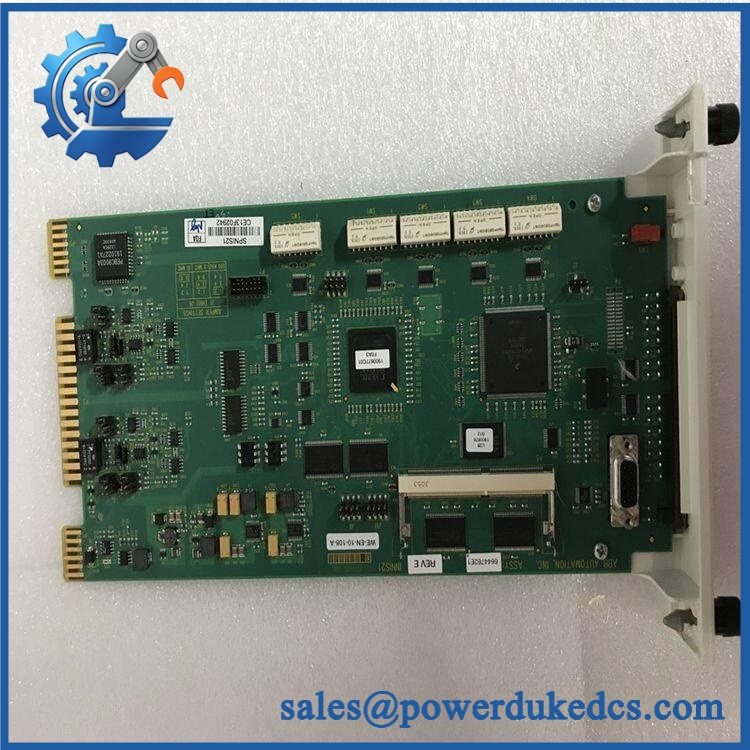
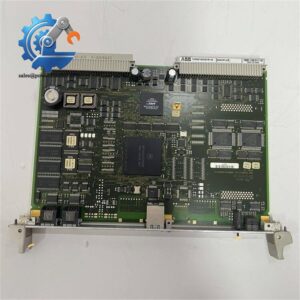
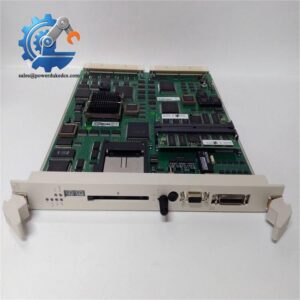
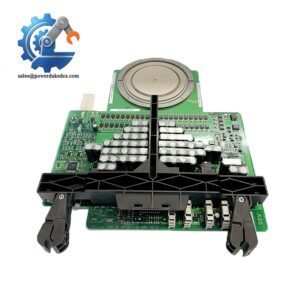
ABB IMMFP12
Module 5: Quality Assurance & Testing SOP
A legacy processor should not be classified as tested simply because the front-panel LEDs illuminate. The unit needs identification, electrical inspection, controlled startup, and system-level verification.
1. OEM Identity Inspection
- Verify ABB Bailey IMMFP12
- Record serial number
- Record hardware revision
- Photograph the complete nameplate
- Perform OEM anti-counterfeit visual inspection
- Check PCB condition
- Inspect edge connectors
- Check for corrosion, oxidation, burn marks, or repair traces
2. Configuration Inspection
- Photograph DIP switches and jumpers, if fitted
- Record switch positions
- Photograph configuration labels
- Inspect connectors
- Compare the board against an approved reference unit
3. Electrical Pre-Test
- Inspect the power-input circuitry.
- Check for visible short circuits.
- Inspect the card-edge connector.
- Check grounding and connector condition.
- Record pre-test measurements.
Sensitive electronic modules should not be subjected to arbitrary high-voltage testing. Follow the applicable ABB procedure.
4. Power-On Self-Test
Install the module in an approved ABB Bailey INFI 90 test rack.
- Apply controlled system power.
- Check startup sequence.
- Monitor RUN/ERR/status indications.
- Verify stable power consumption.
- Watch for abnormal temperature rise.
- Record the startup result.
5. Processor and Communication Test
Where the appropriate INFI 90 test environment is available:
- Establish communication with the processor.
- Verify module identification.
- Load an approved test configuration.
- Execute basic control logic.
- Verify data exchange with associated modules.
- Check diagnostic information.
- Monitor operation for intermittent faults.
6. Extended Observation
- Run the module continuously under controlled conditions.
- Monitor diagnostic status.
- Check communication stability.
- Record temperature and test readings.
- Generate a serial-number-linked Test Report.
7. Final QC and Packaging
- QC technician signs the inspection record.
- Photograph the tested module.
- Seal it in an ESD-safe bag.
- Protect the card-edge connector.
- Add shock-absorbing packaging.
- Use a rigid shipping carton.
- Apply QC Passed identification and test date.
Test photographs and the Test Report can be provided for procurement review.
Module 6: Procurement-Driven FAQ
1. Is ABB IMMFP12 physically in stock, and can it ship overnight?
Physical inventory should be confirmed against the actual warehouse unit before order release. For an emergency DCS replacement, request the actual module photograph, complete nameplate, condition, serial number, test status, and confirmed dispatch time.
An inventory listing alone is not enough for a shutdown-critical spare.
2. How do you verify the condition of an obsolete IMMFP12?
The unit should pass:
- OEM identity inspection
- PCB and connector inspection
- Electrical pre-test
- Controlled power-on
- INFI 90 communication testing
- Control-logic testing
- Extended observation
The serial number should connect the physical module to its Test Report.
3. What warranty should I require?
Specify the warranty period and return procedure before purchase. The serial number should appear on the quotation and Test Report.
For a critical processor, clarify coverage for DOA, functional failure, incorrect part shipment, and return freight.
4. Are firmware compatibility issues important when replacing ?
Yes. Firmware and application compatibility should be checked before installation.
Record the existing firmware revision and application configuration before removing the old processor. If the replacement revision differs, have the engineering team confirm compatibility before downloading the plant configuration.
5. Can I substitute another INFI 90 processor for ?
Not automatically. Processor modules may share the same physical rack architecture while differing in firmware, memory, processing functions, or application compatibility.
For procurement approval, provide + the complete nameplate photograph + existing firmware revision + INFI 90 system information. This is the safer basis for confirming a replacement.



 Start Chat


