

Description
Module 2: The 10-Second Procurement Snapshot
- Brand: ABB Bailey
- Full Model Number: IMSED01
- Product Type: Digital Input Module
- System Family: INFI 90 / Network 90
- Lifecycle Status: Legacy / stock-dependent
- Core Function: Reads discrete field signals into the control system
- Top 3 Technical Specs: 16 digital inputs; 24 VDC nominal field signals; single-width module
- Signal Type: Discrete / digital input
- Application: Industrial process control and plant instrumentation
- Stock & Condition: New surplus / tested used, subject to availability
Module 3: Supply Chain & Technical Deep Dive
A failed digital-input module can create a surprisingly awkward maintenance problem: the controller may remain online while alarms, permissives, limit switches, or equipment-status signals disappear from the control system. ABB Bailey IMSED01 is a legacy digital-input module associated with the INFI 90 / Network 90 control architecture, so the correct replacement needs to match the installed system rather than simply the number of input channels.
From a TCO standpoint, an exact spare is often preferable to redesigning an old I/O circuit around a newer platform. The IMSED01 is commonly identified as a 16-channel digital input module for the Bailey control family. Exact field-voltage and input-threshold specifications should be confirmed from the applicable ABB Bailey manual before installation; older Network 90 and INFI 90 configurations can differ. Do not use a generic 24 VDC input specification as the sole approval criterion.
Module 4: Migration, Compatibility & Field Traps
Replacement Matrix
| Replacement Type | Assessment | Engineering Action |
|---|---|---|
| Drop-in Replacement | Conditional | Match IMSED01 and the installed I/O configuration |
| Software Compatible | Normally expected within the same system architecture | Verify module configuration |
| Hardware Modification | Not expected for an exact match | Confirm rack, termination, and field wiring |
| Cross-Reference Replacement | Engineering approval required | Do not substitute based on channel count alone |
⚠️ Field Trap 1: Input Wiring
Do not move the wires from the old module to the new one by memory.
Take clear photographs before removal. Record every wire number, terminal position, common connection, and field-device designation. A misplaced permissive signal can prevent equipment from starting even though the module itself is healthy.
⚠️ Field Trap 2: Signal Voltage
The field circuit must be checked against the actual ABB input specification for your system revision.
Measure the field signal before connecting the replacement. Do not assume that every 24 VDC-looking circuit has the same threshold, polarity, or common arrangement.
⚠️ Field Trap 3: Old Network 90 Hardware
If the module is being installed in an older Network 90 installation, verify the MMU and module-bus arrangement before insertion. Legacy Bailey systems can have hardware configurations that differ from later INFI 90 installations.
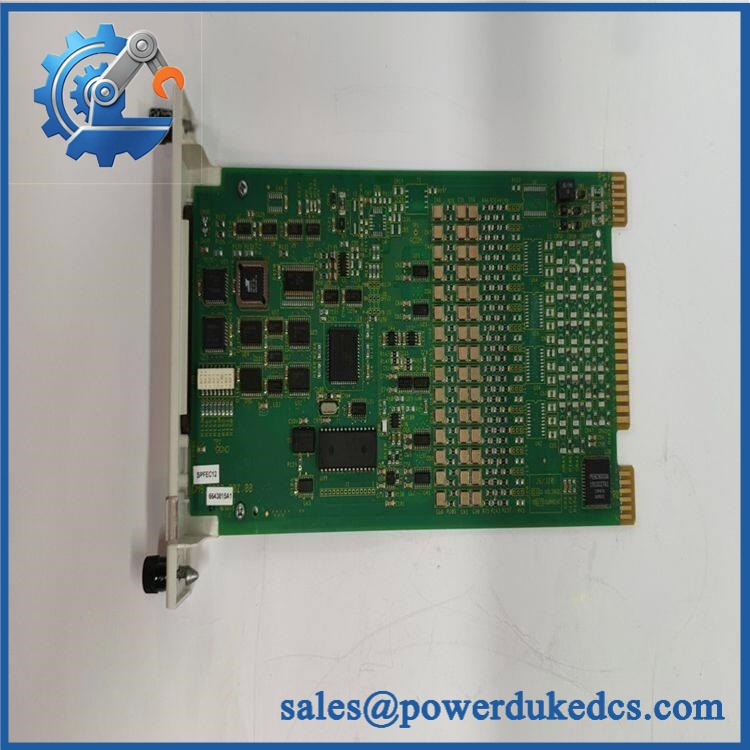
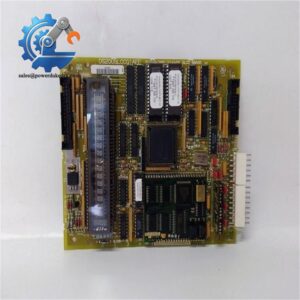
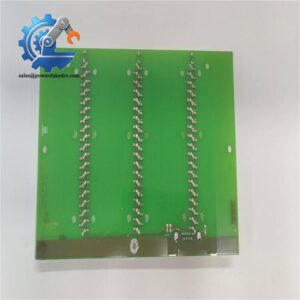
ABB IMSED01
Module 5: Quality Assurance & Testing SOP
1. Incoming Identity Inspection
- Verify ABB Bailey marking.
- Confirm IMSED01.
- Record serial number and revision where available.
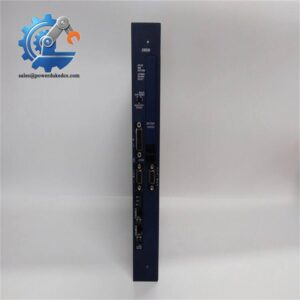
- Compare the faceplate with the purchase order.
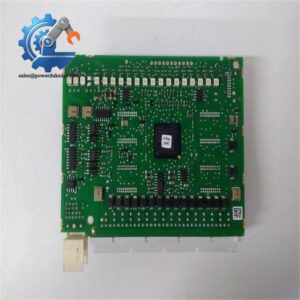
- Inspect the PCB and housing.
- Check the card-edge connector.
- Inspect terminals for oxidation or mechanical damage.
- Check for corrosion, burn marks, or repair traces.
- Perform OEM marking and anti-counterfeit visual inspection.
2. Electrical Inspection
Before applying power:
- Inspect the module connector.
- Check accessible power circuits.
- Inspect input terminals.
- Check for obvious shorts.
- Verify grounding provisions.
- Compare the hardware configuration with the approved reference unit.
Use the applicable ABB Bailey service documentation for electrical acceptance limits.
3. Power-On Test
On a compatible Bailey test rack:
- Install the module in the correct slot.
- Apply the specified system power.
- Observe module status LEDs.
- Check module recognition.
- Verify system diagnostics.
- Record startup behavior.
4. Digital Input Test
A functional test should cover the actual purpose of the module:
- Apply controlled digital input signals.
- Test each applicable input channel.
- Verify ON/OFF state recognition.
- Check signal transitions.
- Confirm corresponding status changes in the control system.
- Record abnormal channels.
For critical stock, bench power alone is not enough. Input-channel verification provides much stronger evidence that the board is ready for service.
5. Extended Test
Where the test setup allows:
- Run repeated input-state changes.
- Monitor module status.
- Check for intermittent signals.
- Monitor temperature.
- Record the test duration.
- Generate a Test Report.
6. Final QA and Packaging
- Record part number.
- Record revision.
- Record serial number.
- Save test results.
- Photograph the tested module.
- Apply QC status.
- Seal in an ESD shielding bag.
- Add shock protection.
- Use a moisture-resistant outer package where appropriate.
Module 6: Procurement-Driven FAQ
1. Is ABB IMSED01 available for immediate shipment?
Legacy Bailey modules are normally handled as stock-dependent spare parts. Actual availability depends on warehouse quantity and condition.
For an urgent order, confirm physical stock, exact identification, condition, and dispatch cutoff before releasing the PO.
2. How do you verify the condition of a surplus ?
The process starts with the part number and physical inspection.
We check the faceplate, PCB, connectors, terminal condition, revision, serial information, corrosion, overheating, and evidence of previous repair. Tested units should also receive power-on and applicable digital-input testing.
New surplus and tested used stock should never be treated as the same condition.
3. Can I replace with another 16-channel digital input module?
Not automatically.
The channel count is only one part of the compatibility check. Input voltage, threshold, polarity, common arrangement, terminal assignment, rack architecture, and system configuration must also match.
For a production system, approve the replacement against the installed ABB documentation rather than channel count alone.
4. Are there firmware compatibility issues with ?
Firmware is usually not the main concern for this type of I/O module. System generation and hardware configuration are more important.
Before replacement, record the existing rack type, module position, termination arrangement, field voltage, and module revision. If the replacement revision differs, verify it against the applicable ABB documentation.
5. What should my engineer check before installing it?
Use this field checklist:
- Photograph the existing module and wiring.
- Record every terminal and wire number.
- Confirm the exact reference.
- Verify the field-signal voltage.
- Check the rack and module position.
- Use ESD protection during handling.
- Restore wiring one circuit at a time.
- Test each digital input after power-up.
For an aging INFI 90 installation, that discipline matters. The board may be easy to replace; proving every field signal is correct takes longer.



 Start Chat


