

Description
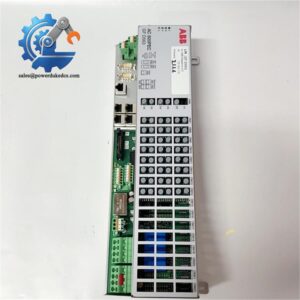
- Model: PBA800
- Brand: ABB
- Series: Symphony Plus / Harmony Rack HN800
- Part Type: HN800 Process Bus Adaptor
- Core Function: Provides the interface between the HN800 bus architecture and compatible NKTUxx equipment
- System Integration: Used by Symphony Plus controllers and HN800 remote I/O arrangements
- Dimensions: Approximately 243.84 × 170.18 × 73.66 mm
- Lifecycle: Appears in ABB’s current Symphony Plus product documentation; confirm site-specific configuration before stocking.
Product Introduction
In the Symphony Plus architecture, the PBA800 sits at the bus-interface level rather than acting as a standalone controller or I/O card.
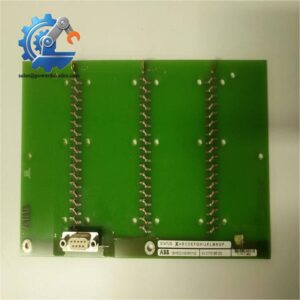
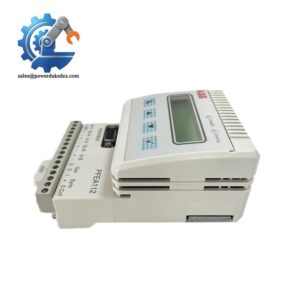
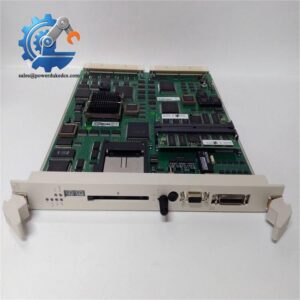
The ABB PBA800 is identified by ABB as an HN800 Process Bus Adaptor, with the long description “For HN800 Bus and NKTUxx Connection.” ABB documentation shows the PBA800 used with BRC410 controllers for communication, while Symphony Plus bundled remote-I/O configurations also list PBA800 together with termination and cable hardware. This makes the adapter an important spare for legacy and continuing installations where a failed bus interface can interrupt an otherwise healthy controller and remote-I/O path.
For New Surplus or replacement procurement, match the exact PBA800 designation and the installed rack/bus configuration rather than selecting by enclosure dimensions alone.
Core Technical Specifications
| Parameter | Value |
|---|---|
| Manufacturer | ABB |
| Model | |
| Product Type | Control System Accessory |
| Catalog Description | Process Bus Adaptor |
| Long Description | For Bus and NKTUxx Connection |
| Product Family | ABB Symphony Plus / Harmony Rack |
| Related Controller Architecture | BRC410 / |
| Application | Process-bus interface for equipment |
| Net Length / Depth | 243.84 mm |
| Net Width | 170.18 mm |
| Net Height | 73.66 mm |
| Battery Content | None |
| WEEE Category | Category 5 |
| HS Code Reference | 853890 |
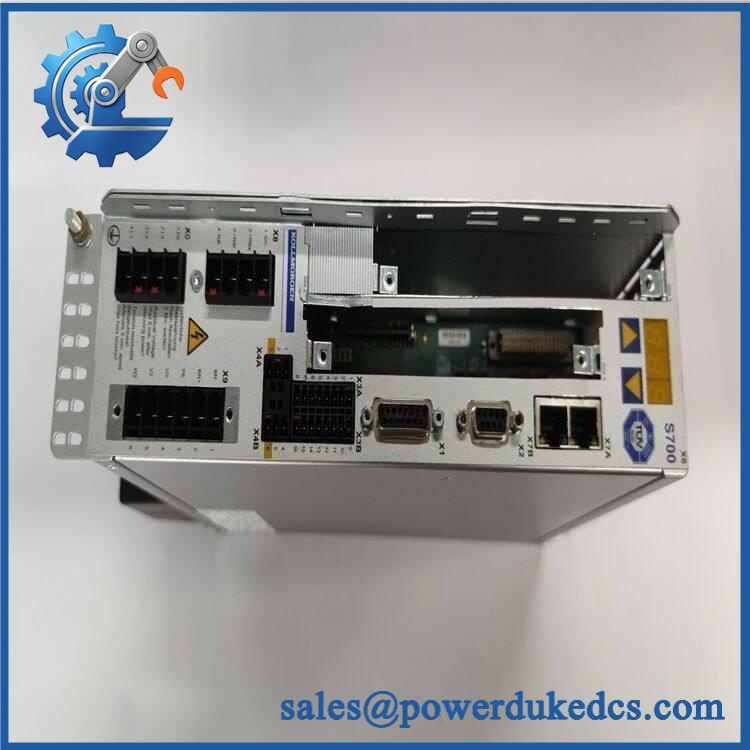
ABB PBA800
ABB product data and current reseller records agree on the identification, /NKTUxx function, and approximately 243.84 × 170.18 × 73.66 mm physical dimensions. Weight figures published by secondary suppliers are inconsistent, so they should not be used as a definitive OEM shipping specification.
Application Scenarios & Pain Points
A remote-I/O node suddenly disappears from the control system. In a Symphony Plus installation, a failed can break the interface path between the controller-side architecture and the network. The practical response is to verify the adapter, cabling, and bus termination before replacing the controller itself.
For retrofit work, the is useful where existing infrastructure remains in service. ABB’s documentation shows in remote rack I/O bundles together with fiber termination hardware, bus terminators, and cables.
A shutdown inventory strategy changes when the network is still production-critical. Keeping one tested spare on site can reduce recovery time when the interface fails during an outage window.
In water, power, and process plants, compatibility checks should be done before the module reaches the cabinet. The is an interface accessory, so the installed controller family, architecture, NKTUxx equipment, cable arrangement, and termination scheme all matter.
Common Error Symptoms & Diagnostic Symptoms
Symptom: remote I/O communication is lost while the controller remains operational
→ Diagnosis: Check power/interface status, cabling, connectors, and bus termination before assuming a BRC410 controller fault.
→ Action: Isolate the bus path and replace the with a verified compatible spare if the adapter is confirmed defective.
Symptom: Remote rack or node fails to initialize after maintenance
→ Diagnosis: A wrong cable, loose interface connection, or incorrect bus termination can produce the same field symptom as a failed process-bus adapter.
→ Action: Verify the complete connection path, including the and termination hardware, before returning the system to service.
Symptom: No -specific fault code can be verified from public ABB documentation
→ Diagnosis: Troubleshooting is normally performed from the controller/network diagnostic information and physical bus status rather than from a universal front-panel error code.
→ Action: Use the applicable Symphony Plus/ diagnostic procedure and substitute a tested when hardware failure is isolated.
Cross-Reference & Lifecycle Migration
The replaced the older PBA200 in ABB’s Symphony Plus development path. ABB presentation material states that PBA200 was transitioning to Classic and was replaced by , with a redesigned physical layer. That means a should not be treated as a casual pin-for-pin substitution for every older PBA200 installation; the surrounding bus hardware and physical-layer arrangement must be checked.
For current systems, ABB’s Symphony Plus product catalog continues to reference the in architecture, including BRC410 and remote-I/O configurations. This supports treating as an established/currently documented spare rather than an unidentified obsolete board.
Firmware note: No -specific firmware-flashing requirement was verified in the public ABB references reviewed for this page. Do not assume firmware migration is required; verify the installed controller and system revision if the replacement is going into an older Symphony Plus configuration.
Field Engineer’s Tech Notes
1. Don’t blame the controller too early.
When communication drops, check the interface, bus cable, connectors, and termination first. A failed interface path can look like a controller or remote-I/O failure from the operator’s perspective.
2. Watch the physical layer during migration work.
The older PBA200-to- change involved a redesigned physical layer, so legacy hardware should be checked as a complete interface arrangement rather than by model name alone. Photograph the existing cabling and termination before pulling the old assembly.
Strict QA & Testing SOP
Step 1 — Inbound identification
Verify the ABB designation, product labeling, serial/traceability information where present, connector condition, housing integrity, and signs of corrosion or storage damage.
Step 2 — Visual and mechanical inspection
Check mounting points, connector alignment, latch/retention features, PCB condition where accessible, and evidence of impact or contamination.
Step 3 — Electrical inspection
Check the module’s supply/interface circuits with an approved test setup. Avoid arbitrary high-voltage testing on electronic bus hardware; use the OEM-approved limits and test procedure.
Step 4 — Live rig test
Install the in a compatible Symphony Plus/ test arrangement. Verify controller recognition, communication, and stable exchange with the associated test hardware. Where applicable, test the NKTUxx connection path and remote-I/O communication.
Step 5 — Network and termination check
Confirm cable seating and the associated termination arrangement. A good can still appear defective when the external bus path is incorrectly terminated.
Step 6 — Final QC and packaging
Record the test result, photograph the tested unit, protect connectors against mechanical damage and contamination, and package the module with ESD precautions appropriate for electronic control hardware.
Test reports, inspection photographs, and test videos are available upon request.
Buyer’s FAQ
Is a controller?
No. ABB classifies as a control-system accessory / Process Bus Adaptor. It provides the interface required for bus and NKTUxx connection within the Symphony Plus architecture.
Can replace the older PBA200 directly?
was introduced as the replacement for PBA200, but ABB’s documentation indicates a new physical layer. Check the complete installed bus architecture, cabling, termination, and controller-side hardware before calling it a direct drop-in replacement.
Can the original ABB unit be supplied as New Surplus?
Supply condition depends on the physical unit offered. Request confirmation that the material is New Original / New Surplus (NSFP), together with photographs of the label, traceability information, and available test documentation.
What about warranty and replacement support?
Warranty depends on the supplier’s quoted condition and test status. For a shutdown-critical order, specify quantity, destination, required condition, and required ship date so the exact stock, inspection status, warranty, and lead time can be confirmed before the PO.



 Start Chat


