

Description
- Brand: ABB
- Full Model Number: PPD113 B01-10-151000
- ABB Article Number: 3BHE023784R1032
- Related Identifier Supplied: PPD103B01 / 3BH020455R0001 — verify separately before substitution
- Lifecycle Status: Legacy AC 800PEC platform / field-service spare
- Core Function in System: High-speed AC 800PEC control for power-electronics and excitation applications
- Top 3 Hardcore Specs: 750 MHz RISC CPU; 64-bit IEEE floating-point unit; control cycle capability down to 100 µs
- Optical I/O Capacity: Up to 36 bidirectional fiber-optic PowerLink connections within the AC 800PEC architecture
- Programming Environment: ABB Control Builder; MATLAB/Simulink-based development supported
- Condition & Lead Time: Factory-sealed or tested inventory subject to stock confirmation; emergency dispatch targeted within 24 hours after order approval
Module 3: Technical Intro & Downtime Impact
A failed AC 800PEC controller can stop the control chain that governs high-speed power-conversion or excitation functions. On a generating unit, converter, or traction system, the result may be more than a controller alarm: permissives can drop, firing control can be interrupted, and the affected process may remain unavailable until the control hardware is restored. The ABB PPD113 B01-10-151000, article 3BHE023784R1032, belongs to the PP D113 AC 800PEC controller family, where the controller integrates processor resources with optical I/O, fieldbus, and upper-level control interfaces. ABB documentation identifies PP D113 as the AC 800PEC controller architecture rather than a conventional analog-output card.
For MTTR reduction, the important numbers are processing speed and interface compatibility. The documented PP D113 architecture uses a 750 MHz RISC processor with a 64-bit IEEE floating-point unit, while the AC 800PEC platform supports control cycles down to 100 µs and fast optical I/O. The controller architecture also accommodates AnyIO interfaces and multiple optical connections, allowing the replacement unit to restore an established control topology without redesigning the application. In practice, firmware, application backup, interface population, and exact hardware revision must be matched before energization — a faster CPU does not compensate for an incorrect system configuration.
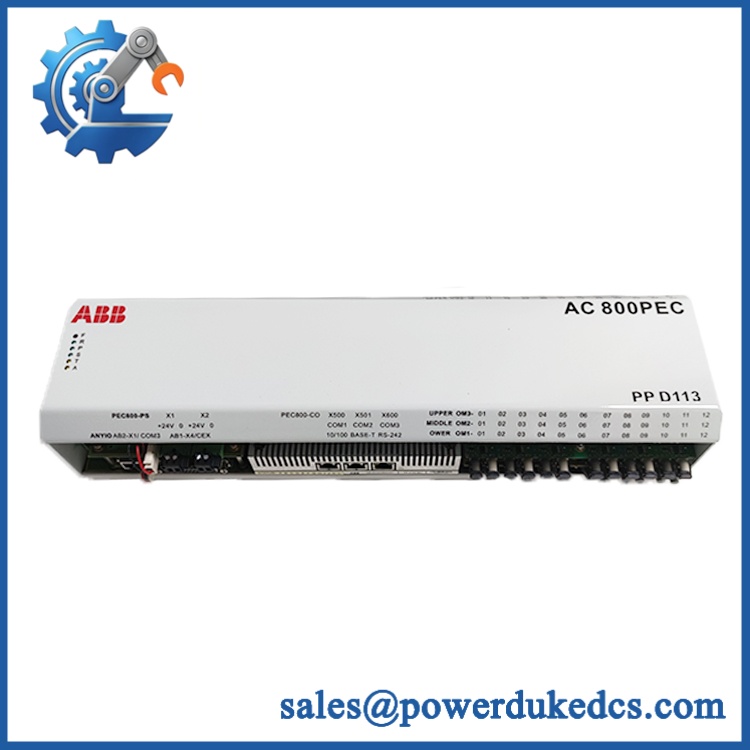
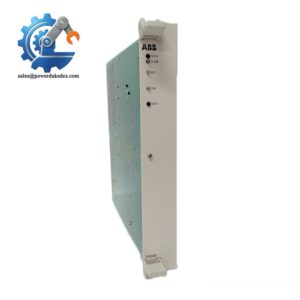
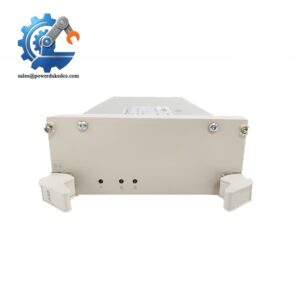
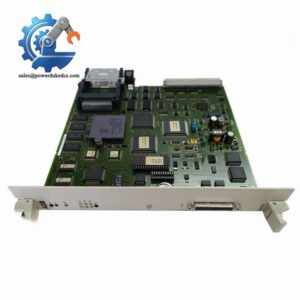
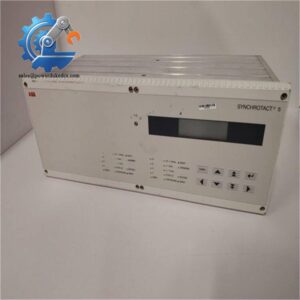
ABB PPD113 B01-10-151000
Module 4: Dynamic Emergency Swap & Configuration Guide
1. Pre-Swap Prep — Isolate the Control Power
Do not treat this controller as a live plug-in spare. ABB service documentation for an AC 800PEC installation specifies a controlled shutdown, interruption of the 24 V supply, and completion of the IPC shutdown before removal. Use LOTO procedures, an ESD wrist strap, insulated hand tools, the approved cabinet drawings, and a current configuration backup. For PCS6000 applications, ABB specifically documents approximately five minutes of IPC shutdown time before continuing.
2. Removal — Label Every Optical and Electrical Connection
Photograph the installed PP D113 from several angles before touching the wiring. Tag each communication and I/O connection, then disconnect the cables only after the DC supply has been verified de-energized. Release the controller from its installed AC 800PEC carrier/backplane arrangement and remove it without stressing the fiber-optic connectors. ABB’s service procedure explicitly calls for disconnecting all cables and detaching the unit while preserving clear identification for reconnection.
3. Installation & Configuration — Match Hardware Revision First
Seat the replacement controller into the same AC 800PEC mounting position and reconnect every interface according to the recorded cabinet drawing. Verify the article number, hardware revision, AnyIO arrangement, optical interface population, CEX/RS-422 requirements where fitted, and the approved application image. Do not assume that PPD103B01 / 3BH020455R0001 is interchangeable with PPD113 B01-10-151000 / 3BHE023784R1032 merely because both identifiers appear in the same spare-parts list. Treat them as separate part identifiers until ABB documentation or the site’s approved BOM confirms equivalency.
4. Power-On Self-Test — Confirm Controller Health Before Enabling the Process
Restore the approved control power and observe the controller diagnostics before returning the process to service. Check the expected RUN/healthy indication, confirm that no persistent fault or ERR condition remains, then verify optical I/O communication and the upper-level control connection. Load or restore the approved application only after the hardware identity and interface configuration have been confirmed. Finally, perform controlled I/O and control-loop checks. ABB documentation identifies the PP D113 architecture as supporting optical peripheral I/O, fieldbus, and upper-control interfaces, so communication validation is a critical part of the restart sequence.
Module 5: Quality Assurance & Testing SOP
Every PPD113 unit should be processed as a controlled automation spare rather than shipped on visual appearance alone.
- OEM anti-counterfeit visual inspection: Verify ABB markings, article number, revision identifiers, PCB/casing condition, connector geometry, labels, and traceability records.
- Identity verification: Record PPD113 B01-10-151000 / 3BHE023784R1032 and compare the hardware revision against the customer’s approved BOM or failed-unit photographs.
- Mechanical inspection: Check mounting points, carrier interfaces, connectors, fiber-optic ports, retaining hardware, and signs of impact or corrosion.
- Power integrity test: Apply the specified control power under controlled bench conditions and monitor startup current and abnormal heating.
- Power-on self-test (POST): Check processor startup, status indications, fault indications, and diagnostic response before proceeding.
- Communication verification: Exercise applicable Ethernet, serial, AnyIO, CEX, and optical communication paths according to the populated configuration.
- I/O full-range simulation: Simulate the connected process interfaces across their approved operating range and verify acquisition, command generation, and diagnostic response.
- Application/configuration verification: Where the customer’s approved backup is supplied, restore it in a controlled test environment and confirm startup behavior and I/O mapping.
- Thermal observation: Run an extended functional test while monitoring abnormal temperature rise — especially important for older cabinet installations with restricted airflow.
- Final QC record: Capture serial number, hardware revision, test date, measured values, photographs, configuration status, and final inspection approval before packing.
The AC 800PEC product family is documented by ABB as a high-speed control platform with optical communication, FPGA-assisted processing, IEC 61131-3 engineering, and integration with System 800xA.
Module 6: Maintenance & Reliability FAQ
Is this a direct drop-in replacement, or does it require a firmware flash?
Not automatically. A physical replacement may fit the established AC 800PEC architecture, but controller revision, installed interface configuration, application software, and firmware compatibility must be checked against the failed unit. The safest procedure is to capture the original hardware identifiers and configuration before removal, then restore the approved software image after confirming hardware compatibility. ABB identifies PP D113 as a configurable controller architecture with processor, optical, fieldbus, and upper-control interfaces.
Is it safe to hot-swap the PPD113 while the system is running?
Do not assume that it is. The ABB service procedure available for an AC 800PEC installation requires a controlled shutdown, removal of the relevant 24 V supply, completion of the shutdown sequence, and then cable disconnection and controller removal. That makes a planned power-down the appropriate default unless your site-specific ABB procedure explicitly authorizes another method.
Will replacing this controller cause my current program to be lost?
The replacement itself should not be treated as a substitute for a configuration backup. Before removing the failed unit, preserve the application, controller configuration, communication settings, and any site-specific parameters that can be recovered. After installation, restore the approved image and verify I/O mapping and diagnostics before releasing the process. The AC 800PEC is programmable through ABB Control Builder and also supports MATLAB/Simulink-based control development.
What should I verify before purchasing against PPD103B01 3BH020455R0001?
Verify the complete ABB article number and hardware revision rather than matching only the family name. B01-10-151000 / 3BHE023784R1032 and PPD103B01 / 3BH020455R0001 should not be considered interchangeable without documented confirmation from the applicable system BOM, ABB documentation, or an engineering-approved cross-reference.
What are the warranty terms if the unit fails after installation?
For an independent industrial spare-parts supplier, the warranty should be stated against the tested unit’s serial number and condition at shipment. A typical commercial term is 12 months from shipment, subject to the supplier’s inspection and installation conditions. Before commissioning, retain the test report, serial-number photographs, installation record, and initial diagnostic results; these documents make any post-installation failure claim substantially easier to evaluate.



 Start Chat


