

Description
- Brand: ABB
- Full Model Number: PSRAFC094AE02 / HIEE200130R0002
- Lifecycle Status: Legacy / Sustainment Spare; current catalog availability requires verification
- Core Function in System: ARCnet operator/control panel for industrial automation and excitation/control cabinets
- Top 3 Hardcore Specs: ARCnet communication | 24 VDC supply reported by multiple supplier references | 285 mm × 21 mm × 8 mm; 1.2 kg
- Condition & Lead Time: New/surplus inventory subject to stock confirmation; emergency dispatch available from stocked units
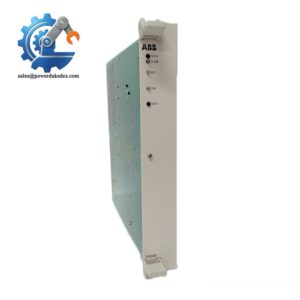
ABB’s catalog identification lists HIEE200130R0002 as AF C094 AE02 ARCnet control panel, with 285 mm length, 21 mm width, 8 mm height, and 1.2 kg net weight.
Module 3: Technical Intro & Downtime Impact
A failed operator panel can turn a running cabinet into a difficult field-service problem. Loss of local display, operator input, or ARCnet communication may force technicians to work from the upstream control system while critical equipment remains unavailable. ABB identifies HIEE200130R0002 as the AF C094 AE02 ARCnet control panel, intended for panel-level control and operator interaction. The exact AE02 suffix matters; do not assume AE01 or AE03 is interchangeable without checking the original cabinet documentation and wiring.
For maintenance planning, the useful hard data are the physical envelope and electrical interface. Published product data specifies approximately 285 × 21 × 8 mm and 1.2 kg net weight; other supplier documentation reports 24 VDC input and ARCnet communication. There is no dependable public evidence for a CPU-style memory capacity or MTBF figure for this panel, so those values should not be invented for a replacement decision. A pre-matched spare can cut MTTR substantially because the replacement task is primarily mechanical installation, cable/interface matching, and functional verification rather than application-program recovery.
Module 4: Dynamic Emergency Swap & Configuration Guide
1. Pre-Swap Prep
Isolate the cabinet according to the plant LOTO procedure. Verify the panel’s supply is de-energized before disconnecting its interface cable. Photograph the existing AFC094AE02 label, connector orientation, cable routing, and any cabinet-side addressing or configuration information. Have a multimeter, insulated hand tools, ESD protection, and the cabinet wiring drawing available.
2. Removal
Remove the cabinet-door or panel retaining hardware without pulling on the communication cable. Support the old panel as the last fastener is released; the published ABB dimensions show a narrow 285 mm × 21 mm × 8 mm assembly, so avoid twisting the panel against the enclosure opening. Disconnect the cable by the connector body, not the wire bundle.
3. Installation & Configuration
Fit PSRAFC094AE02 / HIEE200130R0002 into the original panel position and reuse the approved retaining hardware. Reconnect the cable exactly as documented. Do not alter ARCnet termination, node/address settings, or cabinet wiring unless the original drawing explicitly requires it. The AE02 designation must match. Public product information identifies this part specifically as an AF C094 AE02 ARCnet control panel.
4. Power-On Self-Test (POST)
Restore power and observe the panel for normal startup behavior, display initialization, and operator-key response. Confirm ARCnet communication from the associated controller or drive system, then verify actual status information rather than relying only on a lit power indicator. A field note: published secondary sources disagree on some electrical details, so the cabinet drawing and original ABB documentation should take precedence over generic online listings.
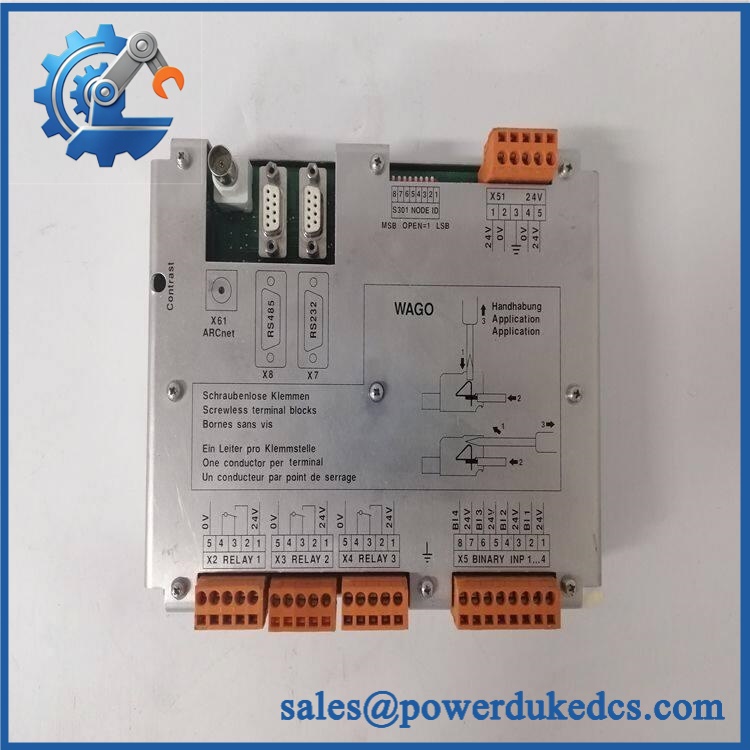
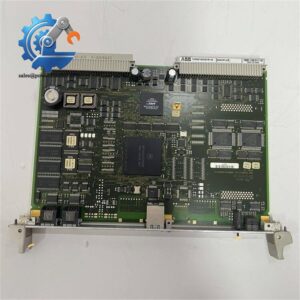
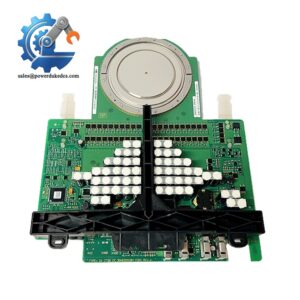
ABB PSRAFC094AE02 HIEE200130R0002
Module 5: Quality Assurance & Testing SOP
Before shipment, each available ABB PSRAFC094AE02 / HIEE200130R0002 should be processed through a documented inspection sequence:
- OEM anti-counterfeit visual inspection — verify ABB markings, part number, AF C094 AE02 designation, labels, connector condition, board or panel construction, and manufacturing markings.
- Part-number reconciliation — compare PSRAFC094AE02, HIEE200130R0002, and the customer’s supplied cabinet/BOM information.
- Mechanical inspection — confirm enclosure condition, mounting points, connector integrity, and dimensional compatibility.
- Power-up test — apply the specified cabinet supply and check normal startup behavior, display operation, and indicator status.
- Communication test — verify ARCnet communication with a compatible test environment where equipment is available.
- Operator-interface test — check display functions, keypad or control inputs, and fault/status indications across the available operating functions.
- I/O and interface verification — simulate applicable input conditions and verify expected panel responses; record any unavailable functions rather than marking them as tested.
- ESD-safe handling audit — inspect connectors and exposed electronics after testing and package the unit using ESD-protective materials.
- Final QC record — retain photographs of the identification label, test setup, measured supply voltage, communication result, and final packed condition.
Because this is an operator/control panel rather than a programmable CPU, a conventional CPU firmware-load test or application-memory test is not the primary acceptance criterion. Functional communication and interface verification are more relevant.
Module 6: Maintenance & Reliability FAQ
Is this a direct drop-in replacement, or does it require a firmware flash?
The mechanical and identification target is AF C094 AE02 / HIEE200130R0002, but “drop-in” should not be assumed solely from the base part number. Verify the exact AE02 suffix, cabinet type, connector arrangement, and system documentation before installation. Public ABB product data identifies the part specifically as an AF C094 ARCnet control panel.
Is it safe to hot-swap this panel while the system is running?
Do not assume hot-swapping is permitted. This is a panel-level device with cabinet power and communication connections, and the available public documentation does not establish a universal hot-swap procedure for every host cabinet. For an emergency replacement, de-energize the applicable circuit under the plant’s approved procedure unless the OEM cabinet documentation explicitly permits energized replacement.
Will replacing this panel cause my current program to be lost?
The panel itself is not the same as replacing the main application CPU. Replacing it should not be treated as an application-program transfer operation. Even so, back up controller programs, parameters, alarms, configuration files, and communication settings before any cabinet intervention. That separates a panel replacement from a much larger recovery event if an unrelated controller fault occurs.
What warranty terms apply if the unit fails after installation?
Warranty depends on the supplying inventory condition and the purchase agreement. For example, some current supplier listings advertise 12-month coverage for this part, but that is supplier-specific rather than an ABB warranty commitment. Confirm the exact warranty period, DOA policy, and return procedure on the quotation before purchase.
What should I verify before ordering an emergency spare?
Send the supplier the HIEE200130R0002 number, AF C094 AE02 designation, clear photographs of the existing label and connectors, and the host cabinet or system model. This is especially important because public listings contain inconsistent descriptions of dimensions, supply voltage, and mounting arrangements. The ABB product record itself is the strongest reference for the part identity and its 285 mm × 21 mm × 8 mm, 1.2 kg physical data.



 Start Chat


