

Description
- Brand: ABB
- Full Model Number: PU519
- ABB Article Number: 3BSE018681R1
- Product Type: Real-Time Accelerator (RTA) board
- Product Family: ABB Advant Master / Advant OCS
- Core Function in System: Host-workstation interface for real-time communication with ABB Advant control systems
- Host Platform: Advant Station 500 series workstation
- Bus Interface: PCI
- Communication: Dual-channel MasterBus 300 / MB300
- USB Interface: Integrated USB port
- Installation: PCI expansion slot
- Published Dimensions: Approx. 2.5 × 12.7 × 5.1 cm
- Published Weight: Approx. 0.3 kg
- Condition & Lead Time: Stock condition subject to inspection; emergency dispatch available subject to order confirmation
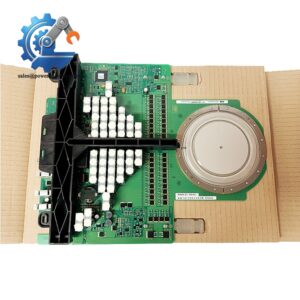
ABB documentation identifies PU519 as a Real-Time Accelerator board installed in a PCI slot in the Advant Station 500 series, with MasterBus 300/300E communication. ABB’s spare-parts documentation also identifies PU519 with article number 3BSE018681R1.
Module 3: Technical Intro & Downtime Impact
A failed RTA board can sever the workstation’s real-time connection to a legacy ABB control network, leaving the operator station unable to exchange required process data even though the underlying controllers remain operational. ABB PU519, 3BSE018681R1, is an Advant Master Real-Time Accelerator board installed in a PCI slot of an Advant Station 500-series workstation. Its role is tied to MasterBus 300/300E communications, making the exact board and host PCI configuration important during emergency restoration.
For MTTR, the key factor is interface compatibility rather than raw processor capacity. PU519 is documented as a PCI-based RTA board with dual-channel MB300 communication and an integrated USB interface. One vendor record lists approximately 0.3 kg and 2.5 × 12.7 × 5.1 cm, but physical dimensions should be verified against the actual board before cabinet or transport planning. Public secondary sources conflict on detailed electrical and thermal specifications, so values such as operating temperature, power consumption, and PCI signaling voltage should be taken from the installed Advant Station documentation rather than assumed.
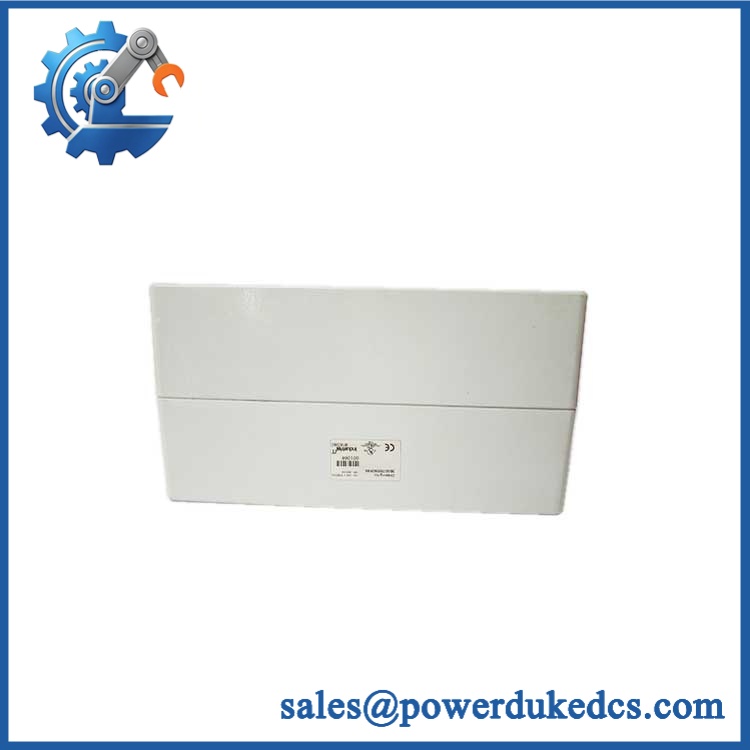
ABB PU519 3BSE018681R1
Module 4: Dynamic Emergency Swap & Configuration Guide
1. Pre-Swap Prep — Preserve the Host Workstation State
Shut down the Advant Station and perform the site’s approved electrical isolation procedure before opening the workstation chassis. Record the PU519 / 3BSE018681R1 identification, PCI slot position, cable routing, MB300 channel assignments, USB connection, and operating-system or Advant software configuration. Photograph the rear connectors and internal card position. Use a grounded ESD wrist strap throughout the replacement.
2. Removal — Release the PCI Card and Dual-Channel Connections
is a PCI-slot RTA board, so treat the replacement as an internal workstation card rather than a DIN-rail or rack-mounted control card. ABB’s MasterNet documentation shows the installed in a PCI slot in an Advant Station 500-series workstation. Disconnect both MB300 communication connections and the USB connection where fitted, remove the PCI retaining screw, and withdraw the board vertically from the PCI connector. Do not pull on the communication cables while extracting the card.
3. Installation & Configuration — Match Slot and Network Channels
Inspect the replacement for the exact / 3BSE018681R1 designation before installation. Insert it into the same PCI slot and secure the retaining bracket. Reconnect the two MB300 channels exactly as documented. ABB’s MasterNet guide depicts Channel 1 and Channel 2 connections associated with the RTA installation.
After hardware installation, restore the original Advant Master communication configuration and verify that the installed workstation software recognizes the RTA interface. Do not substitute configuration values from a different RTA family merely because the boards use PCI; ABB lists multiple RTA products with different platform and interface arrangements.
4. Power-On Self-Test (POST) — Confirm Both MB300 Paths
Start the workstation and watch the system BIOS and operating-system hardware enumeration for PCI errors. Launch the applicable Advant Master/ software and confirm that the RTA interface is recognized. Test both communication channels independently, checking controller polling, process-data updates, and diagnostic counters.
A successful workstation boot does not prove the RTA repair. The acceptance test is end-to-end: both configured paths should exchange valid data without repeated communication errors. (A single active channel can conceal a second-channel fault until redundancy or network loading is required.)
Module 5: Quality Assurance & Testing SOP
Each ABB / 3BSE018681R1 should receive controlled board inspection and a compatible Advant workstation communication test before shipment.
- OEM anti-counterfeit visual inspection: Verify ABB labeling, designation, 3BSE018681R1 article number, PCB markings, connector construction, component placement, and board workmanship.
- Exact part-number verification: Confirm and 3BSE018681R1 against the inventory record and physical board.
- Mechanical inspection: Check PCB edges, PCI connector fingers, mounting bracket, screws, communication connectors, USB interface, corrosion, contamination, and signs of previous repair.
- PCI interface test: Install the board in a compatible PCI test workstation and confirm correct hardware enumeration without PCI resource conflicts.
- Power-on self-test (POST): Verify workstation startup, PCI detection, RTA initialization, and applicable Advant software diagnostics.
- Dual-channel test: Establish controlled communication through Channel 1 and Channel 2, confirming stable data exchange on each path.
- Communication fault test: Verify detection of an intentionally interrupted communication path and confirm that diagnostics identify the affected channel.
- USB interface inspection: Where the installed configuration uses the board’s USB connection, verify enumeration and expected software recognition.
- Network-load test: Exercise repeated message exchange while monitoring communication errors, timeouts, and data integrity.
- Host-system test: Confirm compatibility with the applicable Advant Station software environment before release.
- Final QC record: Record serial/board identification, hardware revision, PCI slot tested, channels tested, diagnostic results, test duration, photographs, technician sign-off, and packaging condition.
Module 6: Maintenance & Reliability FAQ
1. Is ABB a direct drop-in replacement, or does it require a firmware flash?
is a Real-Time Accelerator board, so there is no basis for assuming that a conventional PLC-style firmware flash is the primary replacement procedure. The critical checks are the exact 3BSE018681R1 article number, Advant Station compatibility, PCI slot configuration, channel assignment, and installed Advant software environment. ABB’s documentation specifically places in the Advant Station 500-series PCI architecture.
2. Is it safe to hot-swap while the workstation is running?
No. is an internal PCI expansion board. Unless the exact workstation hardware documentation explicitly supports live PCI replacement, shut down the Advant Station, isolate power as required, and apply ESD controls before removing the board.
3. Will replacing cause my current program or communication configuration to be lost?
The RTA board itself is primarily a communication interface, while application and workstation configuration are maintained in the host software environment. Nevertheless, back up the Advant Master configuration, communication definitions, node information, and workstation settings before replacement. Record the original PCI slot and both channel assignments as well.
4. What should I verify before commissioning the replacement?
Verify , 3BSE018681R1, the Advant Station model, PCI compatibility, channel wiring, and software support. ABB documentation shows as an RTA board for the Advant Station 500 series and identifies its MasterBus 300/300E connectivity. Then test both channels independently and confirm actual controller data exchange rather than relying only on PCI detection.
5. What are the warranty terms if the unit fails after installation?
Warranty coverage should be stated on the quotation or sales order for the specific serialized board. Retain the incoming inspection record, board photographs, PCI enumeration results, channel test results, software diagnostics, and commissioning report. For legacy RTA hardware, this evidence is especially useful when distinguishing a board problem from an incompatible workstation PCI environment or communication fault.



 Start Chat


