

Description
- Brand: ABB
- Full Model Number: PVD164A2059
- ABB Part Number: 3BHE014340R2059
- Lifecycle Status: Legacy AC 800PEC series spare; current availability requires stock verification
- Core Function in System: High-performance AC 800PEC control unit for power-electronics and rectifier applications
- Top 3 Hardcore Specs: 100 μs fast-control cycle; 25 ns FPGA-level tasks; IEC 61131-3 engineering environment
- Control Architecture: Dual-core processor plus FPGA-based high-speed processing
- Communication: ABB Fast Optical Link, DriveBus/DDCS, Modbus TCP and other configurable interfaces
- Application: High-power rectifiers, excitation systems, drives, and fast power-electronics control
- Form Factor: AC 800PEC control-system hardware
- Condition & Lead Time: New/unused replacement stock subject to physical verification; emergency dispatch based on confirmed inventory
ABB-related technical documentation identifies PVD164A2059 / 3BHE014340R2059 as part of the AC 800PEC high-performance control system family. The AC 800PEC architecture is designed for high-power rectifier and other power-electronics applications, with fast control cycles down to 100 μs and FPGA tasks down to approximately 25 ns.
Module 3: Technical Intro & Downtime Impact
When an AC 800PEC controller fails, the problem is not limited to a conventional PLC scan fault. High-speed current, voltage, firing, excitation, or converter-control loops can be interrupted while the associated power hardware remains physically intact.
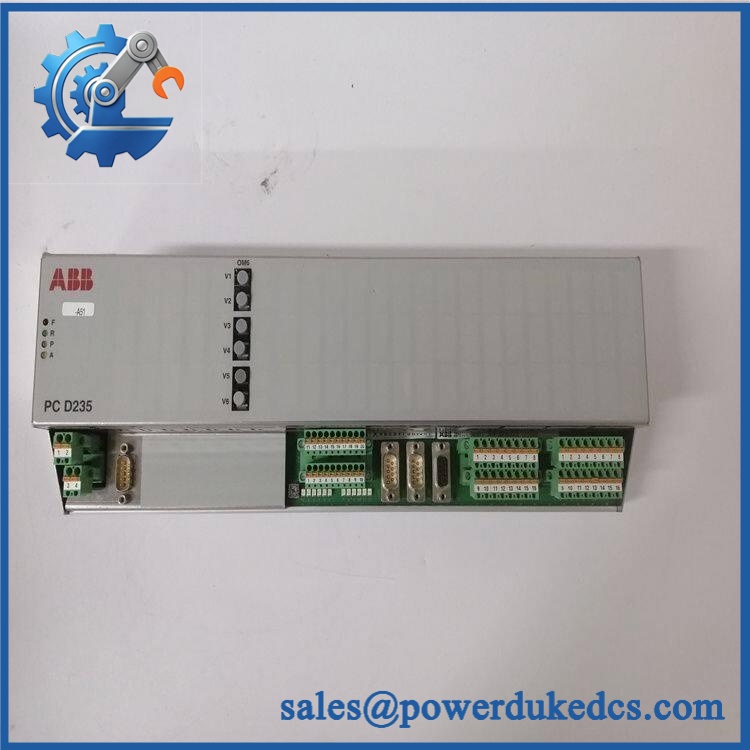
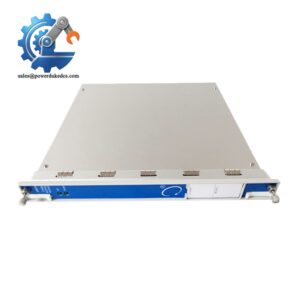
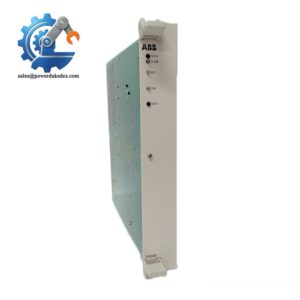
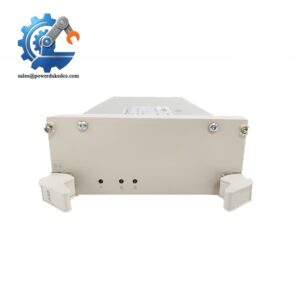
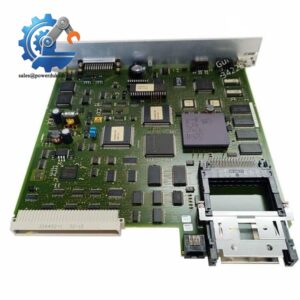
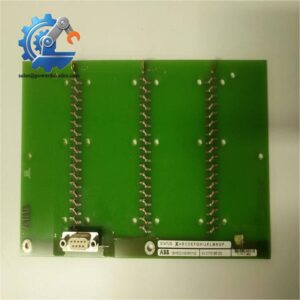
ABB PVD164A2059 3BHE014340R2059
For MTTR reduction, the important published figures are a 100 μs fast-control cycle, FPGA processing capability down to approximately 25 ns, and IEC 61131-3-based engineering support. The platform can also communicate through ABB Fast Optical Link, DriveBus/DDCS, Modbus TCP and other configured interfaces. Public records do not provide a reliable universal figure for RAM capacity, exact supply voltage, or operating temperature for every PVD164A2059 build, so those values should not be used as purchasing assumptions. —Match the replacement by complete part number, hardware revision, option population, firmware, and application configuration.
Module 4: Dynamic Emergency Swap & Configuration Guide
1. Pre-Swap Prep — Capture the AC 800PEC configuration
- Place the rectifier, excitation system, or converter in the approved maintenance state.
- Complete lockout/tagout and verify the controller cabinet is electrically safe.
- Allow all stored energy to discharge according to the host-equipment procedure.
- Photograph the installed PVD164A2059 from the front, rear, and connector sides.
- Record 3BHE014340R2059, hardware revision, firmware revision, and serial identification.
- Document every optical-fiber connection and external communication interface.
- Back up the current AC 800PEC application and configuration before removal.
- Use ESD protection throughout board handling.
2. Removal — Protect the optical and backplane interfaces
- Confirm absence of hazardous voltage before accessing the controller.
- Label each copper and fiber connection before disconnecting.
- Handle optical connectors carefully; cap exposed fiber interfaces to prevent contamination.
- Release the controller’s mounting hardware or card-retention mechanism.
- Withdraw the controller evenly from its mating interface.
- Do not pull the unit by optical cables or terminal wiring.
- Inspect the backplane and adjacent connectors for contamination, bent contacts, corrosion, or heat damage.
3. Installation & Configuration — Preserve the original build
- Verify PVD164A2059 / 3BHE014340R2059 against the removed controller.
- Confirm hardware revision and configured option population.
- Install the replacement in the identical orientation and secure its retaining hardware.
- Reconnect optical links exactly as documented.
- Restore DriveBus/DDCS, Modbus TCP, or other communication connections according to the project configuration.
- Restore documented addressing, parameters, application software, and controller settings.
- Verify that the replacement firmware is compatible with the existing AC 800PEC application.
- Do not load a configuration from a different hardware revision without engineering verification.
4. Power-On Self-Test (POST) — Validate fast-control operation
- Power the controller according to the approved AC 800PEC startup procedure.
- Observe controller status and diagnostic indicators during initialization.
- Confirm there are no persistent CPU, FPGA, communication, or application faults.
- Verify optical communication links and configured fieldbus connections.
- Confirm the controller is recognized by the host control system.
- Verify critical fast I/O before enabling the power stage.
- Run the application’s prescribed control-loop or I/O diagnostic test.
- Return the converter to service only after controlled functional verification.
AC 800PEC documentation describes a three-level processing architecture: FPGA tasks for extremely fast functions, fast controller tasks around 100 μs, and slower tasks around the millisecond range. This means a replacement controller must be validated against the actual application timing requirements, not just powered on and declared operational.
Module 5: Quality Assurance & Testing SOP
A should be released only after both hardware identity and application compatibility have been checked. A powered-up controller with the wrong software or option configuration is not a successful spare replacement.
1. OEM identity verification
- Verify ABB
- Verify
- Verify 3BHE014340R2059
- Compare product label, hardware revision, connector arrangement, and internal configuration
- Perform OEM anti-counterfeit visual inspection
- Photograph all identification markings
2. Physical inspection
- Inspect housing, mounting points, connectors, and PCB areas for damage
- Check optical interfaces for contamination or cracked housings
- Inspect copper connectors for bent or recessed contacts
- Check for corrosion, contamination, thermal discoloration, and unauthorized rework
- Confirm all installed option boards or modules match the required configuration
3. Electrical screening
- Verify applicable supply-path continuity using the approved test procedure
- Check protective earth continuity where applicable
- Inspect connector pin integrity
- Check for obvious short circuits where the architecture permits meaningful screening
- Do not apply arbitrary insulation or hipot voltages directly to populated high-speed electronic assemblies
4. Functional testing
- Power the controller in an approved AC 800PEC test environment
- Perform power-on self-test
- Check RUN/ERR or equivalent diagnostic indicators
- Verify CPU initialization
- Verify FPGA-related diagnostics where exposed
- Test configured optical communications
- Verify DriveBus/DDCS and/or Modbus communication where applicable
- Perform I/O full-range simulation on supported channels in the installed test configuration
- Verify fast-I/O response and control-loop behavior where a suitable test fixture is available
- Record firmware, hardware revision, test conditions, measured values, and final result
5. Final QC release
- Independent QC sign-off
- ESD-safe packaging
- Optical-port caps and connector protection
- Final cross-check of
- Retain inspection photographs, software/configuration records, and functional-test results
AC 800PEC supports high-speed I/O and multiple communications technologies, including optical links and configurable fieldbus interfaces. Because the actual interfaces depend on the installed configuration, testing should reproduce the customer’s required configuration rather than relying on a generic controller power-up test.
Module 6: Maintenance & Reliability FAQ
Q1. Is ABB 3BHE014340R2059 a direct drop-in replacement, or does it require a firmware flash?
Do not treat it as an unconditional drop-in replacement. Hardware revision, firmware, option population, and application configuration all need to match the existing AC 800PEC installation. The correct procedure is to back up the existing application first, verify the replacement revision, then restore the appropriate software and parameters.
Q2. Is it safe to hot-swap the while the system is running?
Do not assume so. AC 800PEC controllers are used in power-electronics and high-power rectifier applications, where the surrounding equipment can contain hazardous stored energy. Unless the exact installation documentation explicitly provides a live-replacement procedure, isolate the equipment before removing the controller.
Q3. Will replacing the cause my current program or configuration to be lost?
The safest approach is a complete application and parameter backup before removal. Record firmware version, hardware revision, communication settings, optical-link assignments, I/O configuration, and application parameters. After installation, restore the verified configuration and test the application before enabling the power stage.
Q4. What makes different from a conventional PLC controller?
AC 800PEC combines conventional control processing with FPGA-based high-speed tasks and fast I/O. ABB-related documentation describes FPGA functions down to approximately 25 ns and fast control cycles down to 100 μs, making the platform suitable for demanding rectifier, converter, excitation, and other power-electronics applications.
Q5. What should I verify before ordering a replacement?
Verify , 3BHE014340R2059, hardware revision, firmware revision, option population, optical connections, communication interfaces, and the exact host-system application. Also confirm whether the controller is installed in a rectifier, excitation, drive, or another AC 800PEC application. Public product records describe several possible application areas, so system-specific configuration remains the final compatibility check.



 Start Chat


