

Description
- Brand: ABB
- Full Model Number: SPA-ZC400
- Product Type: Ethernet Adapter / Communication Gateway
- Lifecycle Status: Inactive; ABB states the product has not been active since 2022
- Core Function in System: Ethernet connectivity between ABB 500-series protection IEDs and station networks
- Top 3 Hardcore Specs: IEC 61850-8-1; Modbus TCP/IP; SPA TCP/IP
- Compatible IED Families: REF 541/543/545; REM 543/545; RET 541/543/545
- Network Interface: Ethernet
- Optional Fiber: Plastic-core or glass-fiber SPA/LON communication variants
- Mounting: DIN rail
- Configuration Tool: ABB Communication Engineering Tool (CET)
- Condition & Lead Time: New or refurbished replacement stock subject to hardware-variant verification; emergency dispatch based on confirmed inventory
ABB identifies SPA-ZC 400 as an Ethernet and IEC 61850 communication adapter for REF 541/543/545, REM 543/545, and RET 541/543/545 protection and control devices. ABB also states that the product is not an active product since 2022.
Module 3: Technical Intro & Downtime Impact
A communication adapter failure can leave the protection relay operational at the local level while simultaneously cutting its connection to the station network. ABB SPA-ZC400 bridges the older SPA-based relay environment to Ethernet networks and can provide connectivity for IEC 61850, SPA TCP/IP, and Modbus TCP/IP. That makes it a critical communications component when relay measurements, status, commands, or disturbance information must reach the control system.
For MTTR reduction, the key facts are protocol compatibility and exact relay-family matching rather than CPU or memory capacity. SPA-ZC400 supports IEC 61850 station-bus communication, including GOOSE applications, while also providing SPA-over-TCP/IP and Modbus/TCP connectivity. It uses a compact DIN-rail form factor, and certain variants add simultaneous dual-port fiber communication for SPA or LON. —The exact optical variant matters: SPA-ZC400, SPA-ZC400-MMP, and SPA-ZC400-MMG should not be assumed interchangeable without checking the installed fiber interface.
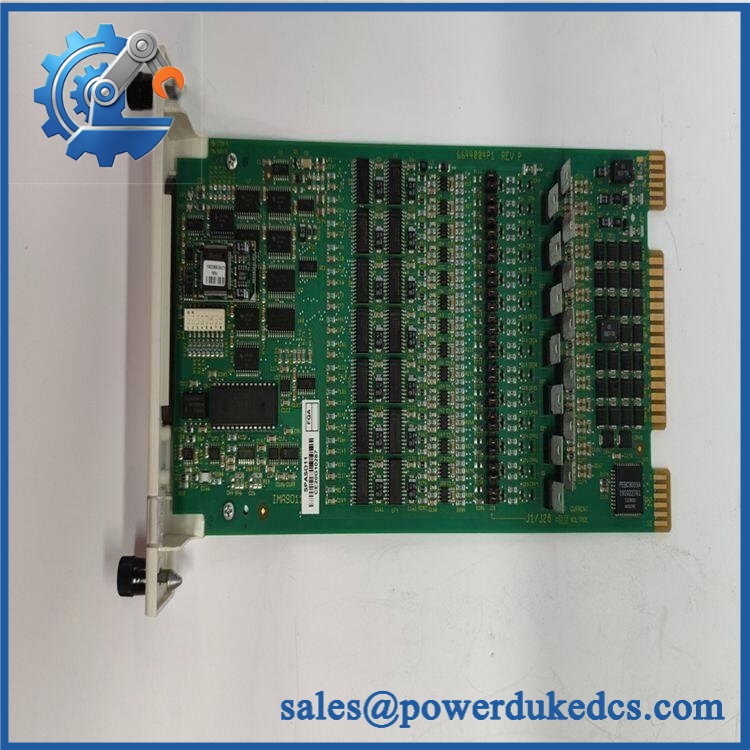
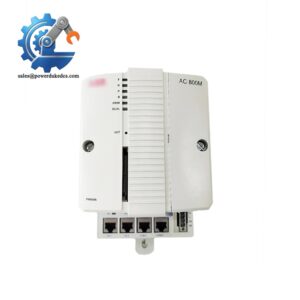
ABB SPA-ZC400
Module 4: Dynamic Emergency Swap & Configuration Guide
1. Pre-Swap Prep — Capture the network configuration
- Place the affected protection and control system in the approved maintenance state.
- Confirm that the associated relay protection functions remain available during the communication outage.
- Record the exact hardware variant and relay model.
- Document the Ethernet IP address, subnet configuration, gateway, and station-network port assignment.
- Record IEC 61850 configuration, Modbus/TCP settings, or SPA/TCP parameters as applicable.
- Photograph the front panel, DIN-rail mounting position, relay connection, Ethernet connection, and any fiber interfaces.
- Save the existing CET configuration/project data where available.
- Use ESD precautions before removing the adapter.
2. Removal — DIN-rail communication adapter
- Isolate auxiliary power to the according to the installation procedure.
- Disconnect the Ethernet cable from the LAN interface.
- Disconnect the relay-side interface.
- For fiber-equipped versions, release the optical connection carefully and immediately protect the fiber connector from contamination.
- Release the DIN-rail retaining mechanism.
- Remove the adapter from the rail without applying force to the connectors.
- Inspect the mounting rail, relay-side interface, and network connectors for damage or contamination.
3. Installation & Configuration — Restore network identity
- Verify the replacement and exact optical/interface variant.
- Mount the adapter securely onto the DIN rail.
- Reconnect the relay interface.
- Reconnect copper Ethernet or the specified optical interface.
- Restore the documented IP configuration.
- Restore the applicable IEC 61850, Modbus TCP/IP, or SPA TCP/IP configuration.
- Verify relay communication mapping and device identification.
- Confirm time synchronization settings where configured.
- Do not copy configuration from another installation unless its relay model and network architecture are identical.
ABB documentation states that configuration of the is performed using the Communication Engineering Tool (CET), and that the adapter can provide IEC 61850 data mapping and Ethernet access to supported relays.
4. Power-On Self-Test (POST) — Check communications, not just power
- Restore auxiliary power.
- Verify the POWER indication.
- Check LINK status after connecting Ethernet.
- Verify TX/RX activity during communication.
- Check the DIAG indication for persistent faults.
- Confirm the connected REF, REM, or RET relay is detected.
- Verify IEC 61850 station-bus communication where configured.
- Test Modbus/TCP or SPA/TCP communications where applicable.
- Confirm relay measurements, status points, and commands are correctly transported.
- Verify event or disturbance-record access where that function is used.
The front panel provides POWER, LINK, TX, RX, and DIAG indications, giving technicians a direct first-level diagnostic path after replacement.
Module 5: Quality Assurance & Testing SOP
For a legacy communication gateway, QA should focus on exact hardware variant, protocol behavior, connector integrity, and network configuration. A powered device without verified communication is not an accepted spare.
1. OEM identity verification
- Verify ABB
- Verify
- Confirm the exact hardware/interface variant
- Compare front-panel markings, connector arrangement, labels, and revision information
- Perform OEM anti-counterfeit visual inspection
- Photograph all identification markings
2. Mechanical inspection
- Inspect housing for cracks, deformation, contamination, and impact damage
- Check DIN-rail retention hardware
- Inspect Ethernet connector and relay-side interface
- Check fiber connectors on optical variants
- Inspect for corrosion or thermal discoloration
- Verify front-panel LEDs and service-pin area are physically intact
3. Electrical screening
- Verify auxiliary supply according to the applicable installation documentation
- Check connector continuity where appropriate
- Verify protective-earth continuity where applicable
- Inspect Ethernet and serial interface pins
- Do not apply arbitrary insulation or hipot voltages to the populated communication electronics
4. Functional testing
- Apply the approved auxiliary supply
- Perform power-on self-test
- Verify POWER indication
- Establish Ethernet link and verify LINK
- Generate controlled traffic and verify TX/RX
- Check DIAG status
- Connect to a compatible REF/REM/RET relay test environment
- Verify IEC 61850 communication
- Test SPA TCP/IP communication where required
- Test Modbus TCP/IP communication where required
- Validate configured data mapping
- Verify event and disturbance-record transfer where supported
- Test GOOSE functions where the application requires them
- Record IP settings, communication results, hardware revision, and test conditions
5. Final QC release
- Independent QC sign-off
- Configuration backup retained with test records
- ESD-safe packaging
- Fiber connectors capped and protected where applicable
- Ethernet and relay connectors protected from impact
- Final cross-check of
- Release only after protocol and network tests pass
ABB specifically lists IEC 61850 connectivity, GOOSE communication, disturbance-recorder file upload, SPA TCP/IP, and Modbus TCP/IP among capabilities. Certain variants also support simultaneous dual-port communication for fiber-optic SPA or LON.
Module 6: Maintenance & Reliability FAQ
Q1. Is ABB a direct drop-in replacement, or does it require a firmware flash?
There is no PLC application program involved, but configuration is still critical. Match the relay family, hardware variant, Ethernet interface, optical option, and installed firmware/configuration. After replacement, restore the documented network and protocol settings rather than relying on factory defaults.
Q2. Is it safe to hot-swap the while the system is running?
Do not assume that it is. The adapter interfaces with protection relays and station communication networks. Follow the equipment-specific maintenance procedure and isolate auxiliary power unless the exact installation explicitly provides an approved live-replacement method. The protection relay may remain active while its remote communication path is unavailable.
Q3. Will replacing the cause my current program or configuration to be lost?
The relay application itself is not stored in the . The main replacement risk is loss of communication configuration: IP address, IEC 61850 settings, Modbus parameters, SPA/TCP configuration, mappings, and time synchronization settings. Back up the CET project and record the network configuration before replacement.
Q4. Which ABB relays can the connect to?
ABB specifies the adapter for REF 541/543/545, REM 543/545, and RET 541/543/545 protection and control devices. The exact communication capability depends on the selected variant and configured protocol.
Q5. What should I verify before ordering a replacement?
Verify the complete designation, connected relay model, Ethernet connector type, fiber option if present, required protocol, existing IP configuration, and hardware revision. Also verify whether the installation uses IEC 61850, Modbus TCP/IP, SPA TCP/IP, or simultaneous fiber communication. ABB lists as inactive since 2022, so exact legacy hardware-variant matching is especially important when sourcing a replacement.



 Start Chat


