

Description
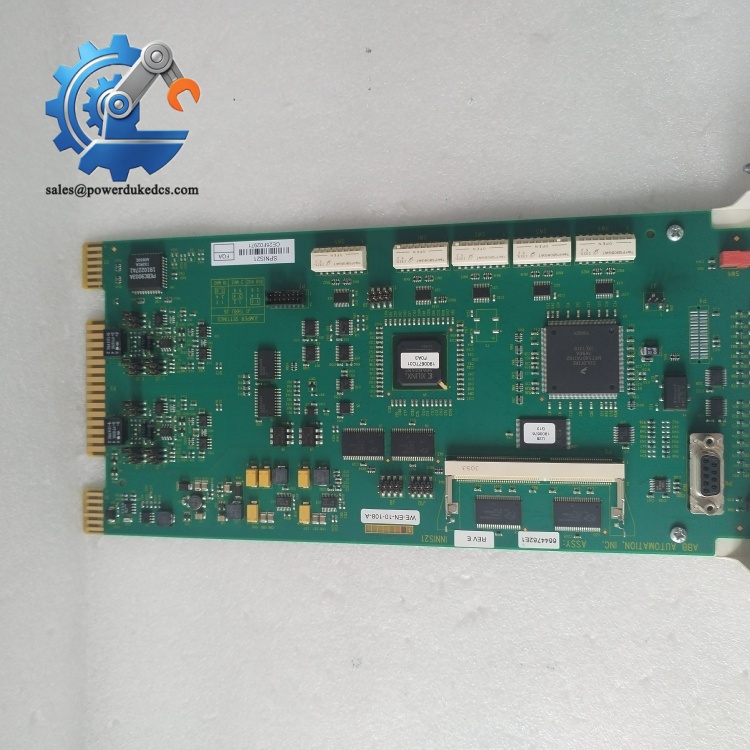
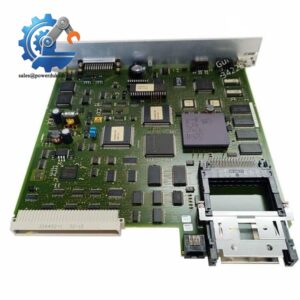
- ABB SPNIS21 | Industrial Grade EMC Compliant Communication Interface Unit In Stock
Product Core Brief
- Model: SPNIS21
- Brand: ABB
- Series: Symphony INFI90 DCS System
- Core Function: Acts as slave network interface to process and transmit plant loop data between DCS nodes
- Type: Network Interface Slave Module
- Key Specs: High-speed loop communication; industrial EMC resistance; hot-swap capable; standard rack mounting
- Condition: New Original, factory sealed, non-refurbished
Product Introduction
Key Technical Specifications
| Parameter Item | Technical Data |
|---|---|
| Part Number | SPNIS21 |
| System Compatibility | ABB Symphony INFI90 DCS Platform |
| Device Role | Slave Network Interface Module |
| Communication Type | Plant Loop High-speed Data Transmission |
| Functional Feature | System network synchronization & data forwarding |
| Hot Swap Support | Yes, allows online replacement |
| EMC Performance | Compliant with industrial substation interference standards |
| Mounting Type | Standard Symphony Rack Plug-in Installation |
| Operating Temperature | 0°C to +60°C |
| Storage Temperature | -40°C to +70°C |
| Protection Grade | IP20 (cabinet internal use) |
| Application | Power plant, chemical and process industry DCS network loops |
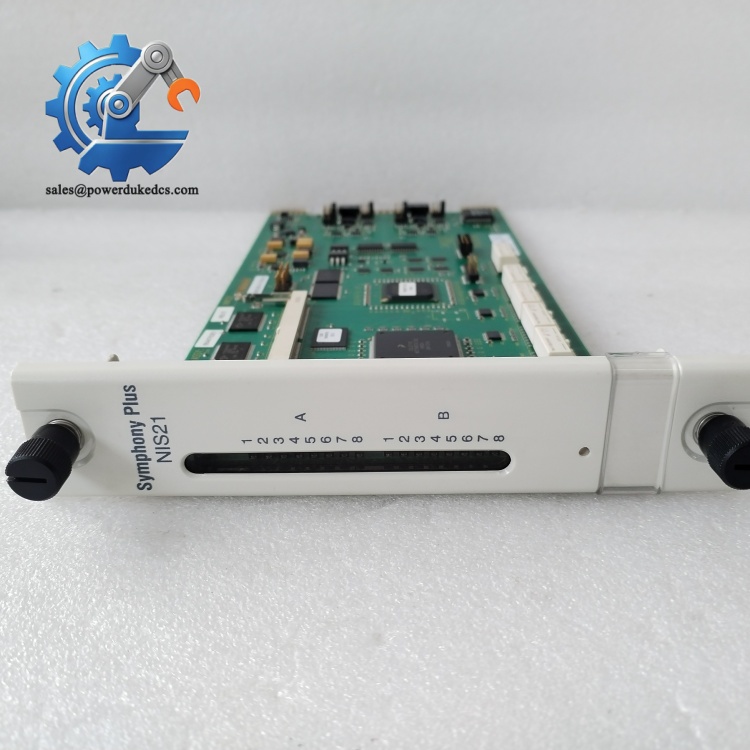
ABB SPNIS21
Installation & Configuration Guide
Stage 1: Pre-Installation Preparation (10 mins)
Cut off local rack auxiliary power and wait 5 minutes for full capacitor discharge.
Prepare tools: ESD wrist strap, insulated screwdriver, digital camera and multimeter. Back up network configuration parameters and photograph original module wiring and switch settings.
Stage 2: Old Module Removal (12 mins)
Do not bend or tilt the board to prevent backplane pin damage. Clean rack slot gold fingers with anti-static cloth to remove dust and oxidation residues.
Stage 3: New Module Installation (15 mins)
Replicate all DIP switch and jumper configurations exactly as recorded. Insert the module into the rack guide rails and push firmly until the latch locks.
Restore communication cables following original labeling to avoid loop polarity errors.
Stage 4: Power-On & Network Commissioning (25 mins)
Connect DCS engineering software to verify network node identification and loop synchronization status.
Check real-time data transmission between controllers and field I/O nodes. Confirm no packet loss or communication timeout errors.
Run continuous network monitoring for 30 minutes. Keep stable loop operation with no network alarms to complete commissioning.
Frequently Asked Questions (FAQ)
Yes. It supports hot-swap operation under maintenance mode. Still set the DCS loop to offline maintenance status first to prevent temporary network fluctuation.
It exclusively matches ABB Symphony INFI90 DCS systems. It cannot work with newer Symphony Plus platforms without rack structure upgrades.
Mismatched DIP switch settings or reversed loop cables are the top causes. Always copy original switch configurations and double-check cable TX/RX directions.
No extra programming is needed in most cases. The module automatically syncs with the existing plant loop parameters after correct installation.
Abnormal flashing usually indicates unstable loop handshake. Check for poor backplane contact or aging communication cables. Dust buildup on gold fingers also leads to signal instability.
Classified as critical slow-moving spare part. Maintain 1 unit on-site buffer stock to avoid long shutdown delays. Adopt vendor consignment stock to reduce carrying costs.



 Start Chat


