

Description
- Brand: ABB
- Full Model Number: SPNIS21S+
- Product Type: Network Interface Slave (NIS)
- Lifecycle Status: Legacy ABB/Bailey control-system spare; exact revision and system compatibility require verification
- Core Function in System: Cnet/INFI-NET network interface between Harmony/INFI 90 controllers and the control network
- Top 3 Hardcore Specs: Cnet / INFI-NET communication | 2 Mbaud or 10 Mbaud network operation | Harmony rack card-edge installation
- System Compatibility: ABB Symphony Plus HR Series / Bailey INFI 90 / Net 90 architectures
- Power: Rack backplane supplied
- Physical Form: Rack-mounted printed circuit board
- Condition & Lead Time: New, refurbished, or surplus inventory subject to revision and stock verification; expedited dispatch for stocked units
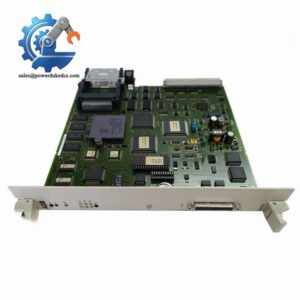
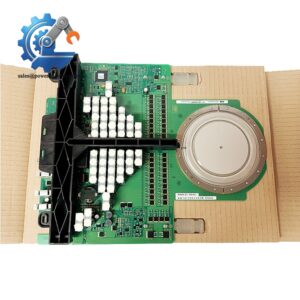
The SPNIS21S+ is identified by available technical listings as a Network Interface Slave associated with ABB Symphony Plus/Harmony Rack and legacy Bailey INFI 90 / Net 90 systems. The available documentation describes it as a Cnet/INFI-NET communication interface rather than a general-purpose Ethernet interface.
Module 3: Technical Intro & Downtime Impact
A failed NIS card can isolate a controller or I/O portion of a legacy DCS from the plant control network. The problem may first appear as lost controller communication, stale process values, unexplained node failures, or a section of the operator network disappearing while field electronics remain powered. ABB SPNIS21S+ is associated with the Network Interface Slave function in Harmony/INFI 90 architectures, providing the network-side communication path required by these older control-system installations.
For emergency replacement, matching the physical card alone is insufficient. Available technical data identifies 10 Mbaud or 2 Mbaud selectable communication, rack backplane power, and card-edge connections, while secondary sources associate the card with Cnet/INFI-NET architectures. Public sources do not provide enough authoritative evidence to assign a reliable MTBF, exact current draw, or universal operating-temperature specification to the SPNIS21S+ itself. Those figures should therefore be taken from the installed system documentation or the card’s original technical manual, not guessed. The practical MTTR gain comes from having a correctly matched spare with the same network configuration and hardware revision ready for controlled exchange.
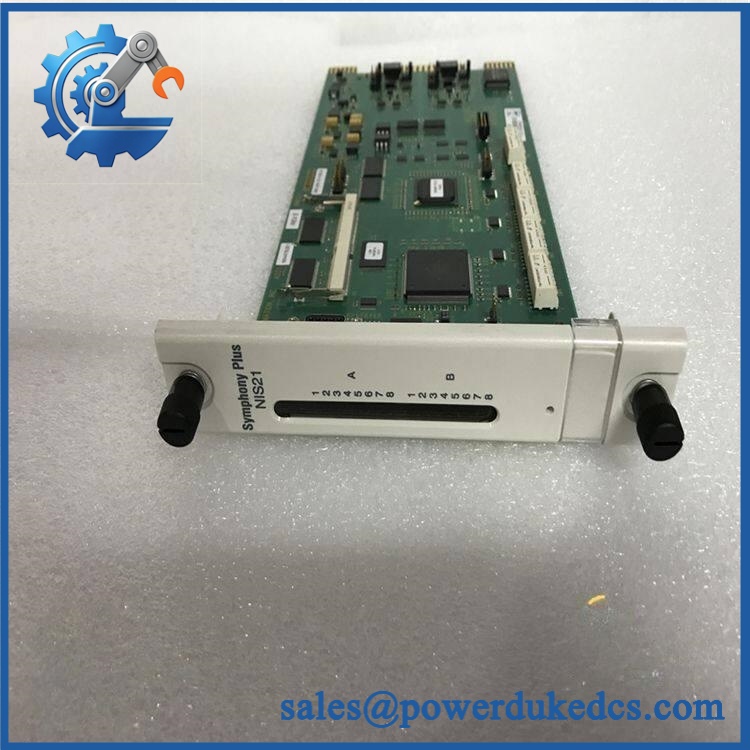
ABB SPNIS21S+
Module 4: Dynamic Emergency Swap & Configuration Guide
1. Pre-Swap Prep — Capture Network Identity Before Shutdown
Apply the plant’s approved LOTO and DCS maintenance procedure. Record the card’s complete SPNIS21S+ identification, rack location, network/node information, switch or jumper settings, cable connections, and any diagnostic indicators. Photograph the front and rear of the installed card before removal.
Because this is a rack-mounted communication card, an ESD wrist strap and an antistatic work surface should be part of the preparation. Do not handle the exposed PCB by its circuitry.
2. Removal — Extract the Rack Card Without Flexing the PCB
After the applicable system section has been safely isolated, disconnect the network cable or interface wiring attached to the NIS assembly. Release the card’s rack retention hardware or ejector mechanism, then withdraw the PCB evenly from the card guides.
Keep the card aligned with the rack guides. A partially withdrawn board should not be twisted, because the card-edge connector is part of the electrical interface to the Harmony rack backplane.
3. Installation & Configuration — Match Network Mode and Hardware Revision
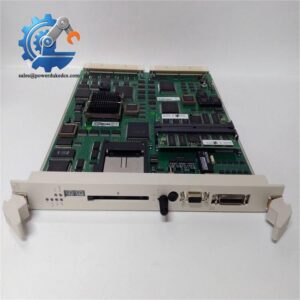
Inspect the replacement SPNIS21S+ before insertion. Confirm the identification label, PCB revision, connector arrangement, and configuration settings match the removed card. Insert the replacement squarely into the same rack position and fully engage the card-edge connector before securing the retention hardware.
Where the installation uses configurable network-speed or addressing settings, reproduce the original configuration exactly. Available secondary documentation lists 2 Mbaud and 10 Mbaud operating rates, so do not assume the faster setting is correct for every legacy installation.
A field note: the “+” suffix should be treated as significant. Some supplier descriptions characterize + as an enhanced version of SPNIS21, but that claim is not sufficiently supported by ABB primary documentation retrieved here. Verify the exact hardware revision against the existing card before ordering.
4. Power-On Self-Test (POST) — Verify Network Recovery, Not Just Card Power
Restore the rack under the approved commissioning procedure and observe the card’s diagnostic/status indicators. Confirm the expected startup condition before reconnecting normal process operation.
Then verify controller-to-network communication, expected node visibility, network diagnostics, and data exchange with the associated control system. A card that powers up but fails to reappear on Cnet/INFI-NET should be investigated for addressing, network-speed selection, cabling, termination, and firmware/hardware compatibility rather than being declared serviceable based only on a power indicator.
Module 5: Quality Assurance & Testing SOP
Each available should pass a documented inspection and communication test sequence before shipment:
- OEM anti-counterfeit visual inspection — verify ABB markings, + identification, PCB labeling, connectors, card-edge contacts, ejector hardware, and manufacturing markings.
- Part-number reconciliation — compare the physical card against and the customer’s Harmony/INFI 90 BOM.
- Revision inspection — photograph and record the PCB revision, date code, configuration switches, jumpers, and any option identifiers.
- Connector inspection — examine the card-edge contacts and communication connectors for oxidation, contamination, bent contacts, cracked solder joints, or evidence of rework.
- Power-on self-test (POST) checking for diagnostic LEDs — power the card from a compatible rack test fixture and record every startup indicator state.
- Network-speed verification — where the laboratory fixture supports it, verify the configured 2 Mbaud or 10 Mbaud communication mode against the applicable system specification.
- Cnet / INFI-NET communication test — connect the card to a compatible ABB/Bailey network test environment and verify node recognition and stable network traffic.
- Controller communication test — verify that a compatible controller can exchange diagnostic and process data through the NIS interface.
- Network fault simulation — where supported by the test rack, disconnect and restore the communication path and confirm the card reports the expected network fault and recovery behavior.
- Configuration retention check — power-cycle the test assembly and verify that hardware-selected settings remain unchanged.
- Thermal observation — operate the card under sustained network traffic while checking for abnormal temperature rise or unstable communication.
- Final QA record — retain identification photographs, revision data, configuration settings, POST results, communication test results, and final packaging photographs.
The available documentation supports identifying this device as a Network Interface Slave, but does not provide sufficient primary-source evidence for claiming a universal MTBF or exact electrical consumption figure. Those parameters should remain configuration-specific rather than being fabricated for a product listing.
Module 6: Maintenance & Reliability FAQ
Is the ABB + a direct drop-in replacement, or does it require a firmware flash?
Physically, it is intended for a compatible Harmony/INFI 90 rack environment, but a blind substitution is not recommended. Verify the exact hardware revision, rack compatibility, network configuration, addressing, and software/firmware compatibility first. Secondary technical listings describe + as compatible with Symphony Plus HR and legacy Bailey INFI 90/Net 90 systems.
Is it safe to hot-swap the + while the system is running?
Do not assume so. Whether a particular NIS card can be extracted from an energized Harmony rack depends on the exact rack design, redundancy arrangement, and approved maintenance procedure. For an emergency replacement, use the site’s documented DCS isolation procedure unless the applicable ABB documentation explicitly authorizes live extraction for that configuration.
Will replacing the + cause my current control program to be lost?
The NIS is a communication-interface card rather than the primary application controller. Replacing the card should not normally constitute replacement of the controller’s application database. Network configuration is still critical, however. Before removal, capture node/address settings, communication mode, diagnostics, and any card-specific configuration so the replacement returns to the same network identity.
What should I verify before ordering an emergency +?
Provide the supplier with the complete identification, a clear photograph of the card label, the Harmony rack model, rack position, existing network connections, and the current NIS configuration. Confirm whether the installation is running 2 Mbaud or 10 Mbaud, since available technical listings identify both operating rates. Do not rely on “SPNIS21” alone when the installed unit is marked “+.”
What are the warranty terms if the unit fails after installation?
Warranty depends on the supplying party and the condition of the inventory. Confirm the warranty period, DOA coverage, test scope, and return procedure before shipment. Keep the pre-shipment inspection report, PCB photographs, revision record, and communication-test results. For a legacy network-interface card, those records help distinguish a defective spare from an incorrect rack configuration or a pre-existing Cnet/INFI-NET fault.



 Start Chat


