

Description
Product Core Brief
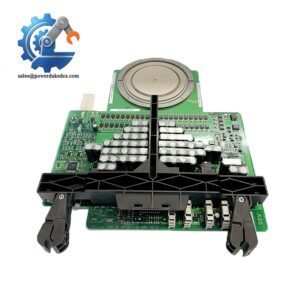
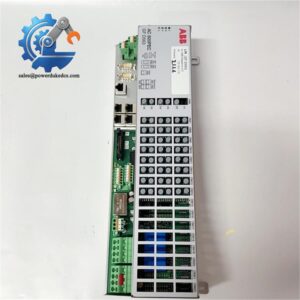
- Model: TB820V2
- Brand: ABB
- Order Code: 3BSE013208R1
- Series: S800 I/O, compatible with AC800M / 800xA DCS
- Core Function: Convert electrical Modulebus signals to fiber optic links for distributed I/O clusters
- Type: Modulebus Cluster Modem (Communication Module)
- Key Specs: Dual fiber optic ports; Support max 7 optical clusters; DIN rail mounting; Built-in cluster address rotary switch
Condition: New Surplus, non-refurbished
⚠️ ABB maintains production; spare inventory for legacy DCS projects is readily available
Product Introduction
Key Technical Specifications
| Parameter | Specification |
|---|---|
| Model | TB820V2 |
| Part Number | 3BSE013208R1 |
| Application Platform | S800 I/O, AC800M Controller, 800xA System |
| Communication Bus | Modulebus (electrical + optical) |
| Fiber Ports | 2 optical ports (Tx / Rx), multimode fiber |
| Max Local I/O Modules | 12 units on electrical Modulebus |
| Maximum Optical Clusters | 7 clusters in one optical loop |
| Cluster Address Setting | Rotary switch, range 1 ~ 7 |
| Power Supply | 24 V DC, typical consumption 100 mA |
| Mounting Method | Standard DIN rail (35 mm) |
| Operating Temperature | -20 ℃ ~ +60 ℃ |
| Storage Temperature | -40 ℃ ~ +85 ℃ |
| Dimension | 170 mm × 58 mm × 122 mm |
| Weight | 0.34 kg |
| Redundancy Support | Non-redundant version |
| Included Accessories | Power connector + TB807 Modulebus terminator |
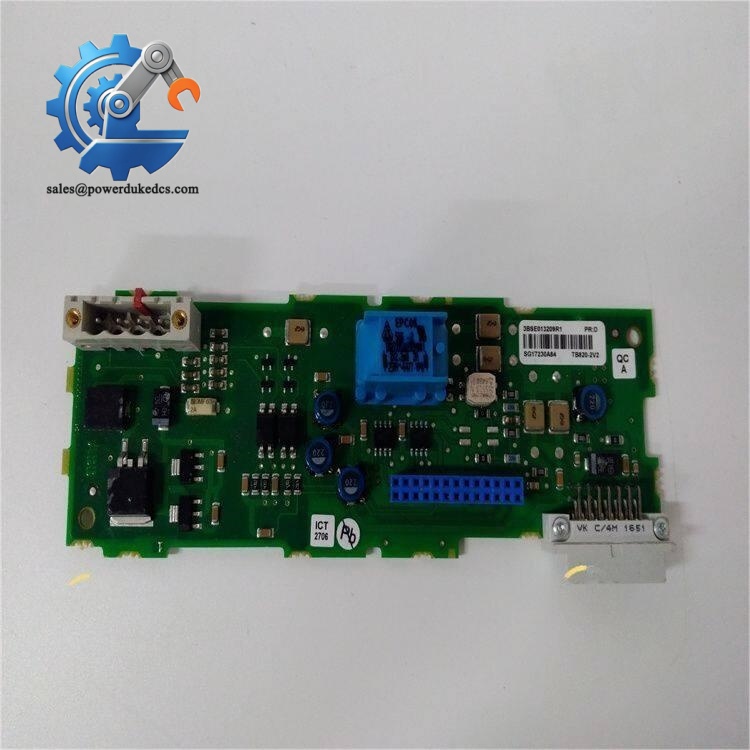
ABB TB820V2 3BSE013208R1
Installation & Configuration Guide
Phase 1: Pre-Installation (Estimated 18 min)
- Complete lockout-tagout procedures and cut off all control power
- Confirm fiber cable minimum bending radius, avoid sharp folds
- Strict ESD protection required during module handling
- Prepare terminator TB807 for the end of electrical Modulebus
- ESD wrist strap and anti-static mat
- PH1 cross screwdriver
- Digital multimeter
- Mobile phone for recording existing rotary switch setting and fiber wiring
- Record original cluster address before removing old unit
- Photograph fiber Tx/Rx wiring sequence to avoid reversal
- Confirm fiber cable type matches multimode transceiver inside TB820V2
Phase 2: Old Module Removal (Estimated 14 min)
- Switch off 24 V DC auxiliary power feeding the modem
- Carefully unplug fiber optic jumpers; do not touch fiber end faces
- Disconnect the 24V power terminal connector
- Release DIN rail locking latch and slide the unit outward
- Inspect DIN rail and cabinet mounting space for dust and corrosion
Phase 3: New Module Installation (Estimated 20 min)
- Wear anti-static equipment before unpacking TB820V2
- Adjust front rotary switch to match the original cluster address
- Clip the modem onto DIN rail and lock the latch
- Reconnect 24 V DC power cable, observe polarity strictly
- Install TB807 terminator at the last slot of electrical Modulebus
- Plug fiber cables according to recorded Tx/Rx mapping
[ ] Cluster address matches project configuration
[ ] TB807 terminator installed at Modulebus end
[ ] No fiber overbending
[ ] Power wiring polarity correct
[ ] DIN rail lock fully engaged
Phase 4: Power-On & Commissioning (Estimated 32 min)
- Switch on auxiliary power; check front panel LED indicators
- Verify optical link status, clear fiber communication alarms
- Connect Control Builder M software to scan all S800 I/O modules on this cluster
- Confirm all I/O channels are detected without module fault codes
- Run signal test for analog and digital I/O points
- Maintain continuous monitoring for over 30 minutes with no intermittent alarms
- Optical link failure: Clean fiber end faces, check Tx/Rx crossover, verify fiber length limits
- Cannot detect I/O modules: Missing TB807 terminator or broken electrical Modulebus backplane
- Random communication dropouts: Exceed maximum quantity of 7 optical clusters
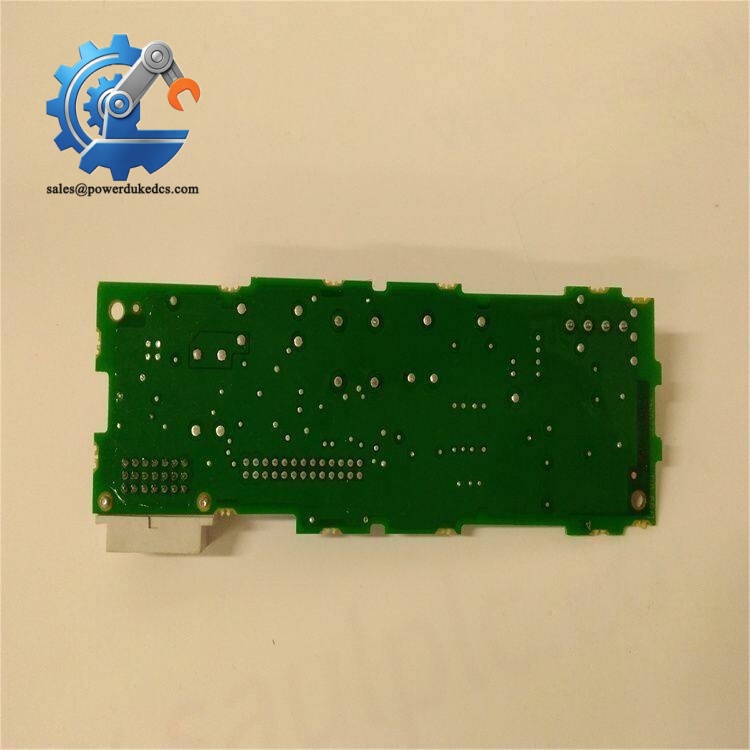
ABB TB820V2 3BSE013208R1
Frequently Asked Questions (FAQ)
-
Can TB820V2 support hot swapping while the system remains energized?
Hot swap is not supported. Removing the modem disconnects all I/O signals on this cluster and triggers process alarms. All replacement must be arranged during planned shutdown.
-
Is TB820V2 interchangeable with TB820?
TB820V2 is the updated hardware revision. Physical installation is compatible, but verify system firmware version before direct replacement. Some older AC800M firmware releases require upgrade.
-
Can I use single-mode fiber for TB820V2 communication?
The built-in transceivers only support multimode fiber. Single-mode cables cannot establish valid optical links.
-
How many TB820V2 modems can be deployed within one optical Modulebus loop?
Maximum limit is 7 clusters. Setting more than 7 addresses will lead to bus conflict and partial I/O offline.
-
Does this module support redundant optical communication paths?
TB820V2 is non-redundant modem. For redundant fiber networks, select alternative hardware solutions and adjust system architecture.
-
What happens if two modems use the same cluster address?
Address conflict makes both clusters invisible to the controller. The system cannot identify associated I/O modules. Always confirm unique rotary switch settings.
-
Warranty terms for stocked TB820V2 units?
We provide 12-month warranty under standard industrial operating conditions. Damage caused by reversed power polarity, fiber physical damage, ESD shock or incorrect wiring voids warranty coverage.



 Start Chat


