

Description
- Model: TB840A
- ABB Product ID: 3BSE037760R1
- Brand: ABB
- Series: S800 I/O
- Part Type: ModuleBus Optical Port Module
- Core Function: Provides the optical ModuleBus interface used for communication between an S800 I/O station and its controller architecture.
- Key Specs: Optical ModuleBus connection, support for redundant communication architecture, S800 I/O platform compatibility, and TB840A terminal/interface design.
- Primary Application: S800 I/O communication, AC 800M control systems, redundant I/O installations, and distributed industrial control cabinets.
Product Introduction
A communication fault in an S800 I/O station can look like a controller problem when the actual issue sits at the ModuleBus interface. For maintenance teams, the interface module is therefore just as important as the I/O modules connected downstream.
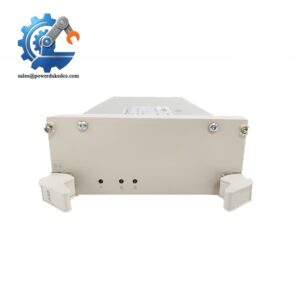
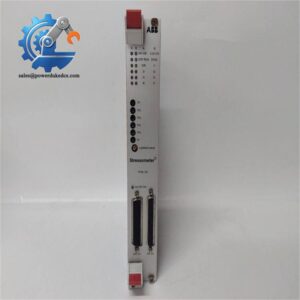
The ABB TB840A 3BSE037760R1 is an optical ModuleBus port module used within the ABB S800 I/O architecture. It provides the interface between the electrical I/O station and the optical ModuleBus communication path.
In redundant I/O installations, the TB840A plays an important role in maintaining the communication architecture between the controller and distributed I/O. The exact arrangement depends on the applicable I/O configuration and controller architecture, so the installed bus topology should be checked before replacement.
Core Technical Specifications
| Parameter | Value |
|---|---|
| Manufacturer | ABB |
| Model | TB840A |
| Product ID | 3BSE037760R1 |
| Product Family | I/O |
| Product Type | ModuleBus Optical Port Module |
| Main Function | Optical ModuleBus interface |
| Communication Medium | Optical fiber |
| Bus System | ModuleBus |
| Redundancy | Supports redundant ModuleBus configurations |
| Application | Distributed I/O |
| Controller Environment | ABB AC 800M / I/O architecture |
| Installation | I/O station |
| Module Category | I/O Communication Interface |
| Mounting | I/O mounting arrangement |
| Application Class | Industrial Process Automation |
| Replacement Use | Communication Interface Replacement |
| Product Family Status | Legacy / Established platform |
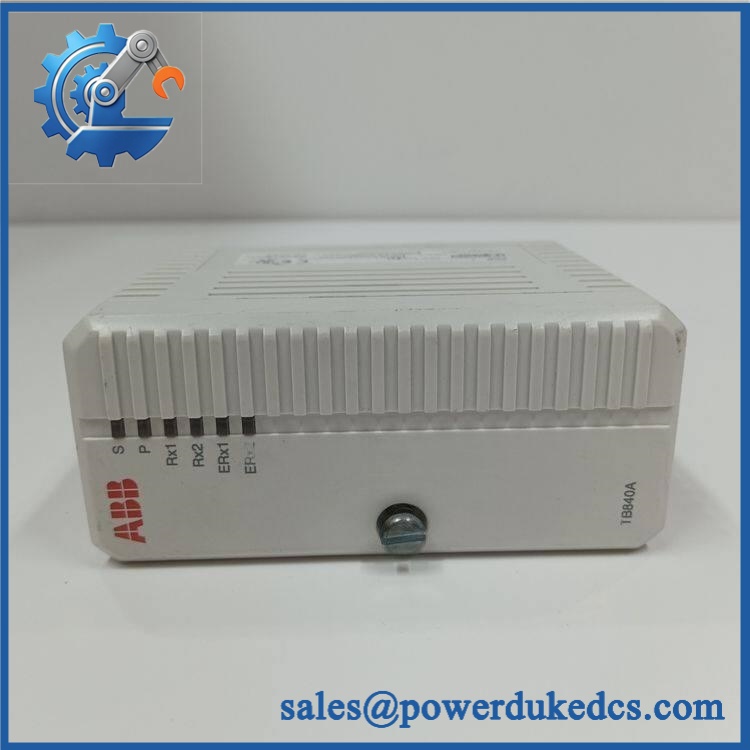
ABB TB840A 3BSE037760R1
Application Scenarios & Pain Points
In a large process plant, distributed I/O stations can be installed close to field equipment rather than concentrating every I/O point inside the main control room. TB840A provides the optical ModuleBus interface needed for this type of distributed architecture.
For redundant control installations, maintaining the communication path is critical because a bus-interface failure can affect an entire I/O station rather than just one signal channel. A correctly matched spare can reduce recovery time during maintenance.
Within oil and gas facilities, optical communication can be useful where distributed control cabinets are separated by significant distances or where electrical noise makes fiber-based communication advantageous.
During a planned DCS maintenance outage, technicians can replace the while checking the associated fiber connections, terminal arrangement, I/O module status, and controller-side communication. A complete communication-path inspection is usually more productive than replacing the interface module alone.
At cabinet temperatures above 50°C, inspect the module, fiber connectors, ventilation, and adjacent equipment for signs of thermal stress. Communication problems that appear intermittently during high-temperature operation deserve particular attention.
Common Error Codes & Diagnostic Symptoms
Symptom/Code: ModuleBus communication lost
→ Diagnosis: Check the status indication, optical connections, fiber routing, connector cleanliness, power supply, and controller-side communication.
→ Action: Verify the complete optical path and replace the if the communication fault follows the module.
Symptom/Code: I/O station unavailable from controller
→ Diagnosis: Inspect the ModuleBus topology, installation, optical connections, I/O station addressing/configuration, and controller diagnostics.
→ Action: Restore the communication path or replace the defective interface module.
Symptom/Code: Intermittent I/O communication
→ Diagnosis: Examine fiber connectors for contamination or mechanical stress and check for unstable module power or poor physical connections. Fiber contamination can produce intermittent communication behavior that resembles an electronic-module failure.
→ Action: Clean and inspect the optical path, then replace the if the module is identified as the source of the fault.
Cross-Reference & Lifecycle Migration
Product Identification
The primary procurement reference is:
- ABB Model:
- ABB Product ID: 3BSE037760R1
- Product Family: I/O
- Function: Optical ModuleBus interface
- Application: Distributed I/O communication
The complete 3BSE037760R1 number should be retained in purchase orders and maintenance records. TB840-family hardware should not be substituted solely because another unit has a similar optical-interface function.
Related Architecture
The operates as part of the I/O ModuleBus architecture. Replacement planning should therefore consider the complete communication path:
Controller → ModuleBus interface → Optical fiber → / I/O station → I/O modules
When replacing a unit, verify the corresponding I/O station design, optical topology, controller configuration, and redundancy arrangement.
Lifecycle Strategy
The I/O platform is a mature ABB automation architecture used across many installed process-control systems. For plants that continue to operate I/O, maintaining spare communication-interface modules can reduce downtime caused by aging hardware.
Recommended buffer-stock records include:
- part number
- Hardware revision
- Installed I/O station
- Controller type
- Optical topology
- Fiber connection arrangement
- Redundancy configuration
- Replacement date
- Functional test results
Firmware flashing is not normally the primary replacement activity for an I/O communication-interface module. Correct hardware identification and matching of the existing ModuleBus architecture are the main considerations.
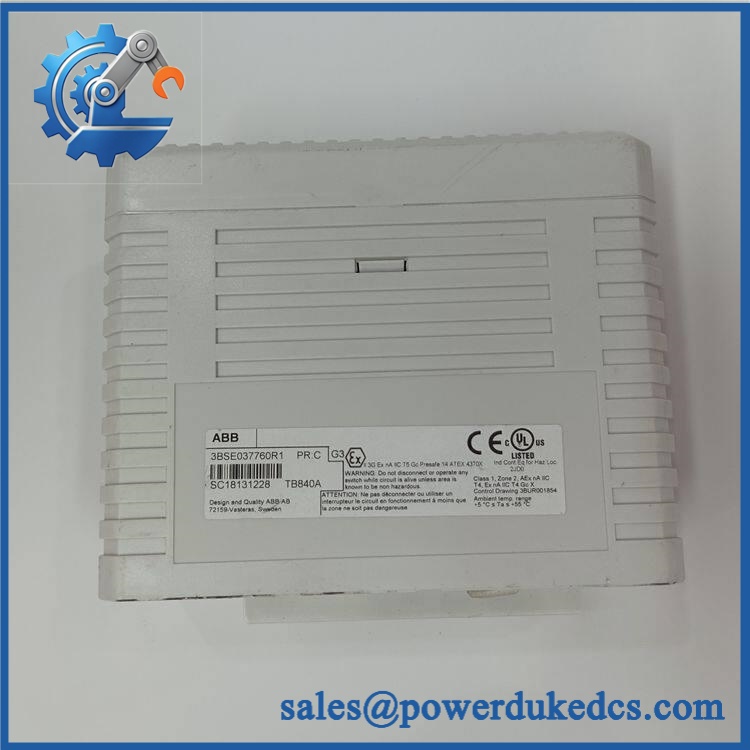
ABB TB840A 3BSE037760R1
Field Engineer’s Tech Notes
Tech Note 1 — Inspect the fiber before replacing the electronics.
Do not immediately condemn the when the I/O station disappears from the controller. Check fiber connectors, routing, bending radius, contamination, and physical damage first. A dirty optical connector can create exactly the type of intermittent communication problem that sends technicians looking for a failed module.
Tech Note 2 — Record the redundancy arrangement.
Before removing the existing interface, photograph the optical connections and document which communication path is primary and which is redundant. The replacement should reproduce the installed topology rather than simply matching the physical mounting position.
Strict QA & Testing SOP
- Part Number Verification
Confirm / 3BSE037760R1 against the purchase order and product label. - Visual Inspection
Inspect the housing, PCB assembly, mounting points, connectors, labels, and terminals. - Revision Check
Record the hardware revision and identification markings. - Optical Port Inspection
Inspect optical interfaces for contamination, scratches, damaged connectors, or foreign material. - Electrical Inspection
Check the applicable power connections and perform pre-energization measurements according to the installation procedure. - Controlled Power-Up
Energize the module using an appropriate I/O test arrangement. - Status Verification
Observe module status indicators during startup. - Optical Communication Test
Connect the unit to a suitable I/O test configuration and verify optical ModuleBus communication. - Redundancy Test
Where applicable, verify communication behavior through the redundant path. - I/O Station Test
Confirm that the associated I/O station is correctly recognized and communicates with the controller. - Extended Run Test
Monitor communication stability during an extended operating period. - Fiber Inspection After Test
Recheck optical connections and confirm secure routing. - QA Documentation
Record part number, serial information, test configuration, communication results, and test date. - Protective Packaging
Use ESD-safe and impact-resistant packaging suitable for electronic automation equipment.
Test videos can be provided when available, together with product photographs and inspection records.
Buyer’s FAQ
Q1. Can be hot-swapped?
Do not assume hot-swapping capability. Follow the applicable ABB I/O installation procedure and site maintenance rules before removing the module. If the associated I/O station is active, place the affected control section into the required maintenance state first.
Q2. What does do?
is an optical ModuleBus interface module used within the ABB I/O architecture. It provides the optical communication interface for the associated I/O station and supports distributed I/O communication arrangements.
Q3. Is the same as other TB840 variants?
Use the complete ABB identification when ordering. 3BSE037760R1 is the requested configuration, and similar TB840-family designations should be checked against the installed I/O architecture before substitution.
Q4. What should I check if the I/O station suddenly disappears?
Start with the communication path: check the status, module power, optical connectors, fiber condition, controller diagnostics, and the configured ModuleBus topology. This sequence helps separate a fiber fault from an interface-module failure.
Q5. Does require firmware configuration?
Replacement normally focuses on correct hardware identification and restoration of the existing I/O communication architecture. Controller-side configuration and redundancy settings should be checked after installation according to the system engineering documentation.
Q6. What should I request when purchasing a replacement?
Specify ABB 3BSE037760R1, required quantity, product condition, and destination. For critical DCS applications, request actual nameplate photographs, hardware-revision information, test documentation, warranty terms, and return conditions with the quotation.



 Start Chat


