

Description
Module 2: The 10-Second Procurement Snapshot
- Brand: ABB
- Full Model Number: UFC092BE01 HIEE300910R0001
- Short Model: UFC092BE01
- Lifecycle Status: Legacy / availability dependent
- Core Function: Industrial control and signal processing
- Product Type: Electronic control module
- Top 3 Technical Specs: UFC092BE series; HIEE300910R0001; ABB industrial automation application
- System Compatibility: Verify against the installed ABB system and hardware revision
- Stock & Condition: New Surplus; physical stock confirmation required
Module 3: Supply Chain & Technical Deep Dive
When a legacy ABB control module fails, the main procurement problem is rarely the physical size of the board. It is identification. A replacement must match the installed system, hardware revision, firmware requirements, and interface configuration. UFC092BE01 HIEE300910R0001 should therefore be purchased against the complete nameplate rather than a shortened UFC092 reference.
The TCO case is strongest when the existing control system remains serviceable and only the electronic module has failed. Replacing the exact spare can avoid a larger cabinet retrofit and the associated engineering, commissioning, and production-loss costs. Public technical information for this exact assembly is limited, so values such as processor type, memory, supply voltage, communication protocol, I/O capacity, and environmental ratings should not be guessed. Confirm them against the original ABB documentation or the installed system before approving the purchase.
Module 4: Migration, Compatibility & Field Traps
Replacement Matrix
| Replacement Scenario | Assessment | Required Action |
|---|---|---|
| Same UFC092BE01 / HIEE300910R0001 | Drop-in Replacement Candidate | Match the complete part number and revision |
| Same hardware with different firmware | Software Compatibility Check | Compare installed and replacement firmware |
| Related UFC092BE family module | Not Automatically Compatible | Verify system BOM and technical documentation |
| Different connector or hardware revision | Hardware Modification May Be Required | Engineering review before installation |
⚠️ Field Traps: Watch Out
Exact identification matters: Record both UFC092BE01 and HIEE300910R0001 from the existing module. Do not approve a substitute based only on the UFC092BE family designation.
Firmware mismatch: Before removal, record the installed firmware revision if it can be accessed through the control software. A hardware match does not automatically establish software compatibility.
Configuration loss: Photograph DIP switches, jumpers, connector positions, and cabinet location before disconnecting the old module. Save the current system configuration separately.
ESD exposure: Use an antistatic wrist strap and ESD-safe work surface. Keep the replacement sealed until installation.
⚠️ Do not power the replacement before verifying the supply voltage and connector pinout from the applicable ABB documentation.
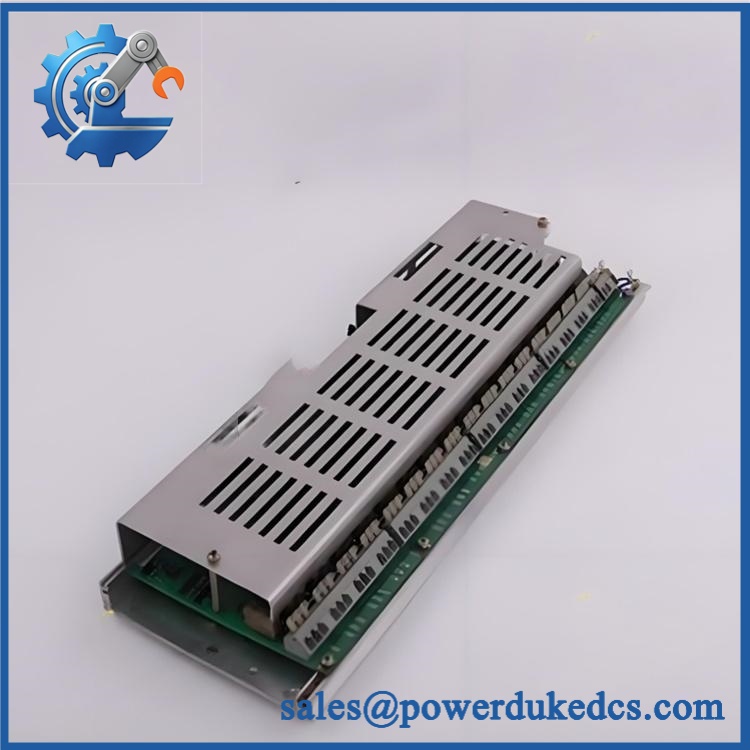
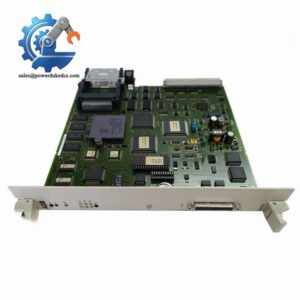
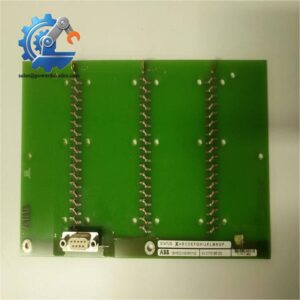
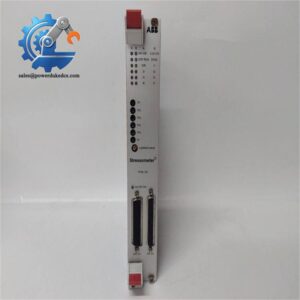
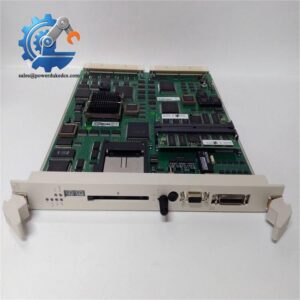
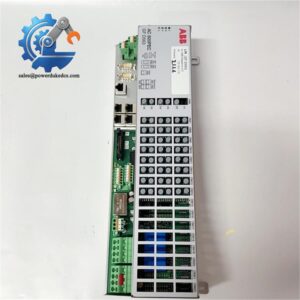
ABB UFC092BE01 HIEE300910R0001
Module 5: Quality Assurance & Testing SOP
1. Incoming Inspection
- Verify ABB identification.
- Confirm UFC092BE01 marking.
- Confirm HIEE300910R0001 part number.
- Record serial and revision information where available.
- Inspect PCB surfaces and connectors.
- Check for corrosion, cracks, burn marks, or repair evidence.
- Photograph the complete nameplate.
2. OEM Authenticity Inspection
- Inspect ABB labels and markings.
- Compare PCB layout with an approved reference unit.
- Verify connector arrangement.
- Check component placement and board revision.
- Review available traceability information.
- Record any discrepancies before shipment.
3. Power-On Self-Test
Using a compatible ABB test environment:
- Apply the manufacturer’s specified supply.
- Monitor startup behavior.
- Check available RUN / ERR / diagnostic LEDs.
- Confirm controller initialization.
- Record diagnostic codes.
- Monitor abnormal current consumption where measurable.
The exact power requirement and LED interpretation should be taken from the applicable ABB manual for this specific hardware revision.
4. Functional Testing
Where an appropriate test rack is available:
- Verify module initialization.
- Check system recognition.
- Test supported communication interfaces.
- Verify applicable input and output functions.
- Check control or signal-processing behavior.
- Monitor diagnostic status.
I/O load testing should only be performed on interfaces confirmed to exist on this exact hardware version.
5. Extended Run Test
Where the correct ABB test environment permits:
- Operate the module continuously under controlled conditions.
- Monitor temperature.
- Check communication stability.
- Monitor intermittent faults.
- Record firmware revision.
- Document test duration and results.
The Test Report should contain the complete part number, serial number, firmware revision, test equipment, test date, and measured results.
6. Final QC & Packaging
- QC inspection completed and signed.
- ESD-safe packaging applied.
- Connector protection installed where appropriate.
- Shock protection added.
- QC label attached.
- Test records retained with the inventory file.
Test photographs or video can be supplied when available.
Module 6: Procurement-Driven FAQ
1. Is HIEE300910R0001 physically in stock?
Physical availability should be confirmed against the actual warehouse unit before order release. For an urgent replacement, request confirmation of the exact part number, revision, condition, test status, quantity, and dispatch cutoff.
2. How do you verify a surplus unit before shipment?
The inspection should cover the nameplate, PCB, connectors, components, board revision, and available traceability information. Where a compatible ABB test setup exists, power-on and functional testing should be completed before shipment.
3. What warranty should I request for this legacy ABB module?
Request a written warranty period and defective-unit procedure. The terms should specify the claim window, required failure evidence, return process, and replacement or refund conditions.
4. Could firmware differences affect replacement compatibility?
Yes. Record the existing firmware before removing the original module. Compare the replacement revision with the installed system requirements and confirm compatibility before commissioning.
5. Can another UFC092BE module replace this exact unit?
Not automatically. The identification should be matched against the system BOM, hardware revision, firmware requirements, connector arrangement, and ABB technical documentation. A similar model prefix is not sufficient evidence for direct interchangeability.



 Start Chat


