

Description
- Brand: Emerson
- Full Model Number: A6370D/DP
- Lifecycle Status: Active in current Emerson AMS 6300 documentation
- Core Function: One-channel overspeed protection monitoring with display and Profibus DP
- Top 3 Technical Specs: 24 VDC nominal / +19 to +31.2 VDC; speed signal 0 to 20 kHz; Profibus DP-V0 up to 12 Mbit/s
- Stock & Condition: Supplier inventory subject to live confirmation; New Surplus or tested inventory; dispatch after QC verification
Supply Chain & Technical Deep Dive
For plants retaining an AMS 6300 SIS installation, an unavailable A6370D/DP can turn a simple spare-parts requirement into a prolonged shutdown risk. The Emerson A6370D/DP is the display-and-Profibus version of the A6370 monitor and is designed to operate as part of an AMS 6300 SIS using the A6371 backplane. The current Emerson operating manual, revised April 2026, still documents the A6370D/DP with hardware revisions 10 through 13 and overall firmware version 2.00, giving maintenance teams a current OEM reference when validating replacement inventory.
From a technical and TCO perspective, the module combines speed measurement with dedicated protection outputs rather than requiring a separate general-purpose control architecture. Emerson specifies a nominal 24 VDC system supply with an allowable range of +19 to +31.2 VDC, speed-signal inputs up to 20 kHz, and maximum speed-measurement error of ±0.03% of the measuring range. The A6370D/DP also provides Profibus DP-V0 communication at up to 12 Mbit/s, while its analog outputs support 0/4 to 20 mA with ±1% full-scale accuracy and a maximum load below 500 Ω. Those specifications matter when evaluating whether a replacement can preserve the existing signal architecture without redesigning the protection layer.
Migration, Compatibility & Field Traps
Replacement Matrix
| Approval Item | A6370D/DP Assessment |
|---|---|
| Drop-in Replacement | Yes, for an existing /DP position with the correct AMS 6300 hardware and backplane configuration |
| Software Compatible | Yes, subject to system firmware and configuration verification |
| Hardware Modification | No for a like-for-like /DP replacement; verify connector, backplane, hardware revision, and system configuration before installation |
| Profibus Requirement | /DP specifically provides the Profibus DP-V0 interface |
| Required Backplane | A6371/xx system backplane |
Field Traps — Watch Out
Firmware mismatch: Do not assume every historical firmware combination is interchangeable. Emerson’s 2026 manual identifies firmware variants 1.02, 1.04, and 2.00 and states that mixed monitor versions are generally permitted while recommending the latest firmware. An earlier Emerson firmware notice stated that version 1.04 was not compatible with earlier version 1.02 and called for system-wide updating. Verify the firmware installed across the complete AMS 6300 SIS before commissioning a replacement.
Backplane configuration mismatch: The AMS 6300 system uses A6371 backplanes for different trip architectures. Emerson specifies that the configured backplane type must match the installed hardware; selecting the wrong voted or non-voted setting can generate a relay error and switch off the Channel OK indication.
ESD exposure: The /DP contains electronic circuitry that can be damaged by electrostatic discharge. Emerson requires suitable ESD precautions and ESD-safe packaging during handling and storage, with increased risk under low-humidity conditions.
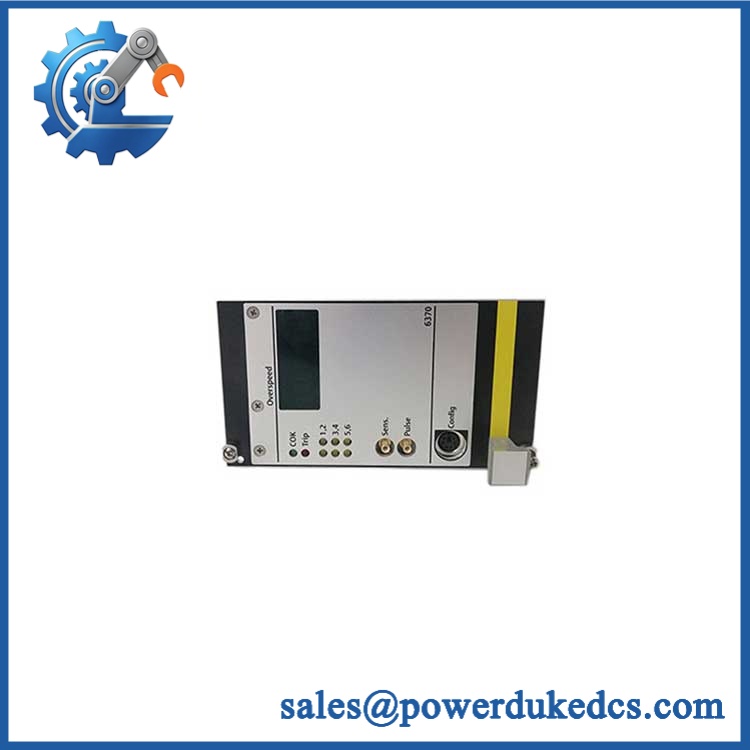
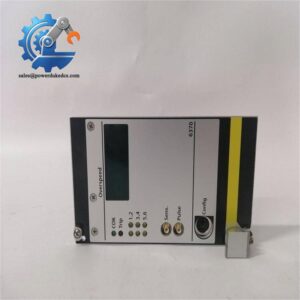
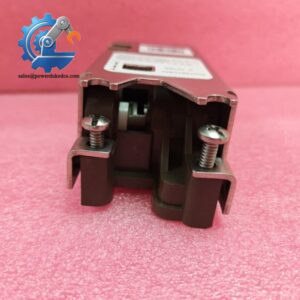
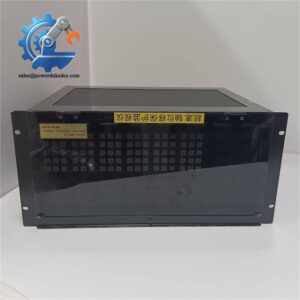
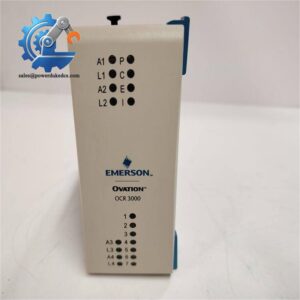
Emerson A6370D/DP
Quality Assurance & Testing SOP
Supplier Pre-Shipment QA Protocol
- OEM traceability and anti-counterfeit visual inspection: Verify Emerson nameplate, /DP part number, serial number, hardware revision, labeling quality, connector condition, PCB markings, and visible manufacturing details against the expected product configuration.
- Mechanical inspection: Check the front panel, card guide interface, ejector hardware, SUB-D connectors, F48 connector, mounting points, and enclosure for impact or deformation.
- Power-on self-test: Apply controlled system power and verify startup behavior, display initialization, OK/Trip indication, channel status LEDs, and absence of abnormal fault indications.
- Speed-input simulation: Inject controlled test signals across the supported measurement range and confirm stable speed detection and expected response behavior. The A6370 family supports 0 to 20 kHz speed inputs.
- Analog I/O load testing: Verify the 0/4 to 20 mA outputs under a controlled load below the specified 500 Ω maximum and compare measured output against test references.
- Digital output testing: Exercise the available backplane status and function outputs, checking switching behavior and fault-state response.
- Pulse output verification: Confirm pulse-output generation within the specified 0 to 20 kHz range where applicable.
- Profibus communication test: For the /DP variant, establish Profibus DP-V0 communication and verify device recognition and data exchange at an appropriate configured baud rate. Emerson specifies up to 12 Mbit/s and a maximum of 31 devices on the interface.
- Configuration and firmware record: Record hardware revision, displayed firmware version, serial number, and final test results before packing.
- ESD-safe packing: Package the module in ESD-safe material suitable for electronic equipment transport, following Emerson’s handling guidance.
Procurement-Driven FAQ
Is the Emerson /DP genuinely in stock and what is the cutoff for overnight shipping?
Stock quantity should be confirmed against the physical unit before the purchase order is released. For urgent shutdown requirements, request same-day confirmation of quantity, serial or revision details, QC status, and carrier pickup time. Do not treat an overnight service level as confirmed until the shipment cutoff and carrier collection have been agreed.
How do you control the condition of obsolete or surplus /DP units?
Condition should be established by physical inspection and recorded QC results rather than by label alone. The required checks include part number, serial number, hardware revision, mechanical condition, power-up behavior, display status, speed-input response, outputs, and Profibus communication where applicable. For surplus inventory, the test report should accompany the commercial documentation.
What are the warranty terms and return policies for defective units?
The exact warranty period should be stated on the quotation and pro forma invoice for the supplied unit. For a defective-on-arrival claim, retain the serial number, installation observations, fault information, and commissioning test results so the unit can be evaluated under the agreed RMA process.
Are there firmware compatibility issues that should be reported to the engineering team?
Yes. Firmware history matters on AMS 6300 SIS installations. Emerson’s current manual documents firmware variants 1.02, 1.04, and 2.00, while an earlier Emerson notice specifically identified an incompatibility between 1.04 and earlier 1.02 systems. Confirm the installed firmware across the system and compare the replacement revision before energizing the rack.
Does the /DP require a new rack or wiring changes?
A like-for-like /DP replacement is intended for the existing AMS 6300 SIS architecture rather than a new control platform. The monitor interfaces with the A6371 backplane, which carries the analog, digital, power, and relay connections. Verify the exact backplane type and installed system configuration before replacement.



 Start Chat


