

Description
- Brand: Honeywell
- Full Model Number: S81-U1002-1
- Lifecycle Status: Legacy / lifecycle-risk spare; current Honeywell documentation still identifies it as the mandatory H-S81-HS CPU board.
- Core Function: H-S81-HS fire detection and control system CPU / central processing card
- Top 3 Technical Specs: Renesas H8-2318 25 MHz microcontroller | 4 MB battery-backed SRAM + 2 MB Flash | 10/100Base-T Ethernet with RJ45
- Stock & Condition: New surplus / tested refurbished; physical stock, serial number and condition require lot-level verification
Module 3: Obsolescence & Supply Chain Deep Dive
A failed S81-U1002-1 can become a system-level outage risk because this is not an ordinary I/O card. Honeywell identifies it as the system central unit for the H-S81-HS architecture, handling information from the panel cards while providing flash memory, buffered SRAM, watchdog supervision and Ethernet communications. The CPU can operate alone or in a redundant pair, allowing the secondary processor to assume control when the primary fails. Its published electrical specification is 22–29 VDC at approximately 70 mA, with an operating range of -5 to 50°C.
For a plant that still depends on an installed H-S81-HS system, replacing the CPU card can carry a much lower TCO than redesigning the fire-control architecture simply because a legacy processor has become difficult to source. The existing cabinet, I/O architecture, field wiring and application configuration can remain in service. Honeywell’s documentation is particularly useful here: it states that the S81-U1002-1 is hot-swappable and that CPU replacement can be performed without shutting down the system, although configuration synchronization temporarily blocks new events and control actions. That makes a verified spare strategically valuable — especially where emergency procurement would otherwise turn a failed CPU into a prolonged maintenance window.
Module 4: Compatibility & Replacement Matrix
| Approval Point | Assessment |
|---|---|
| Replacement Class | Drop-in replacement for the same H-S81-HS S81-U1002-1 CPU position |
| System Compatibility | Native H-S81-HS CPU card; Honeywell documentation identifies it as the system central unit |
| Software Compatibility | Configuration synchronization required after replacement; verify the replacement CPU can accept the existing configuration |
| Hardware Modification | Normally none for a like-for-like CPU replacement |
| Estimated Switch Time | ~15–45 minutes for physical exchange and initial startup; allow additional time for configuration synchronization and verification |
| Engineering Effort | Low–Moderate for same-part replacement; higher if configuration recovery is required |
| TCO Position | Usually favorable versus replacing the complete H- control architecture |
Honeywell’s installation manual explicitly describes replacement of the S81-U1002-1 during operation: remove the two retaining screws, extract the failed CPU, install the replacement, secure it, and wait for synchronization. The manual warns that new events are blocked while synchronization completes.
Field Traps — Watch Out
Configuration synchronization: A physically identical CPU is not automatically a fully commissioned CPU. The replacement must synchronize with the active system configuration; procurement should confirm that the required configuration file and transfer method are available before the spare is installed. Honeywell describes an online configuration-transfer process for this CPU family.
Battery and storage conditions: The S81-U1002-1 contains lithium-battery-backed SRAM. Honeywell’s manual specifically warns about battery handling when storage temperatures exceed specified limits. For warehouse stock, verify storage history and battery condition rather than treating shelf storage as equivalent to tested service readiness.
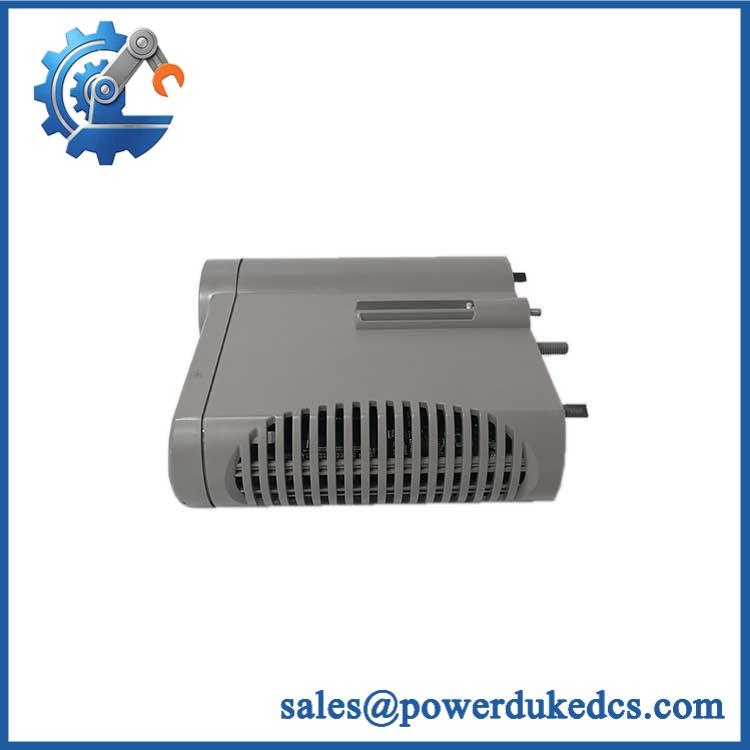
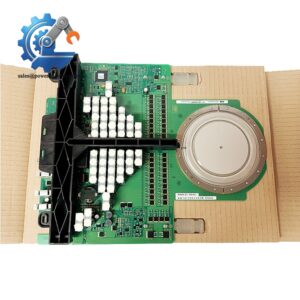
Honeywell S81-U1002-1
Module 5: Quality Assurance & Testing SOP
For a safety-related CPU card, cosmetic inspection is only the first gate. A proper incoming and pre-shipment process should establish both board identity and functional behavior.
- Part identity verification: Record Honeywell nameplate markings, exact part number, revision, serial number and date/lot information.
- OEM anti-counterfeit visual inspection: Examine PCB layout, component markings, connectors, labels, solder quality and evidence of unauthorized rework or substituted components.
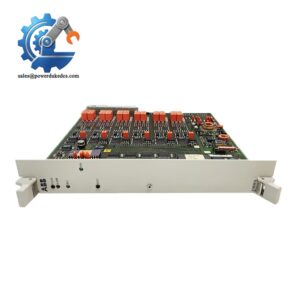
- Mechanical inspection: Check the front-panel assembly, ejector/locking mechanism, fixing points, card edge and all connectors for damage or contamination.
- Battery inspection: Verify the battery-backed SRAM arrangement, inspect for leakage or corrosion, and document battery condition before energization.
- Power-input test: Apply a controlled 22–29 VDC supply and verify current behavior against the expected operating range.
- Power-on self-test (POST): Verify startup diagnostics and front-panel status indications, including LINK, ACT, RUN and WDO LED behavior.
- Ethernet communication test: Connect the RJ45 interface and verify 10/100Base-T link establishment and data communication.
- Redundancy test: Where the test rack permits, operate two CPU cards in primary/secondary configuration and confirm expected standby behavior.
- Configuration-transfer test: Validate the ability to receive and synchronize an approved configuration file without abnormal CPU or watchdog faults.
- Final QC release: Record test results, LED states, supply measurements, serial traceability and photographs; package using ESD protection and controlled mechanical cushioning.
The Honeywell product documentation identifies the CPU as hot-swappable, redundancy-capable up to SIL3, and equipped with an external watchdog and internal operating system. Those functions should be considered in the acceptance test rather than limiting inspection to a simple power-on check.
Module 6: Procurement & Lifecycle FAQ
1. Is Honeywell genuinely in stock, and what is the emergency-shipping cutoff?
A catalog listing should not be treated as physical inventory confirmation. For an urgent requirement, request confirmation of the , quantity available, serial/label photographs, condition, test status and same-day carrier cutoff before releasing the PO. Current supplier listings demonstrate that this part remains commercially obtainable, but availability varies by inventory holder.
2. How do you verify the condition and authenticity of an obsolete or surplus ?
Require serial-number traceability, OEM anti-counterfeit inspection, PCB and connector examination, battery inspection, controlled power-up, Ethernet communication testing and configuration-transfer verification. A tested CPU provides substantially stronger procurement evidence than a unit sold solely on visual condition.
3. Are there firmware or configuration compatibility issues engineers should check before the PO?
Yes. The CPU contains its operating system and supports online configuration transfer, so engineers should confirm that the replacement is compatible with the installed H- configuration and that the configuration file is available. Honeywell also documents single and redundant CPU operation, making the active/standby architecture relevant during replacement.
4. Does replacing require a complete system shutdown?
Honeywell’s installation manual states that CPU replacement can be performed during operation without system shutdown. However, the manual also notes that during synchronization, new events are blocked and no control action is carried out until the fault condition clears. The maintenance procedure therefore requires controlled execution and post-replacement verification.
5. What warranty and return terms should procurement require?
The PO should define the accepted condition, functional-test scope, warranty duration, DOA criteria, return period and evidence required for a failure claim. For this CPU, specify that acceptance includes verification of power operation, status LEDs, Ethernet communication and configuration synchronization rather than cosmetic inspection alone.



 Start Chat


