

Description
- SST SST-PB3-CLX | Factory Tested Fieldbus Adapter
2. At-A-Glance Executive Brief
- Model: SST-PB3-CLX
- Brand: SST (Woodhead / Molex SST Technologies)
- Series: SST PROFIBUS Interface Family
- Part Type: ControlLogix PROFIBUS Scanner Module
- Core Function: Provides PROFIBUS DP master communication capability for Allen-Bradley ControlLogix PLC systems.
- Key Specs:
- Single-slot ControlLogix chassis module.
- PROFIBUS DP scanner functionality.
- Supports cyclic data exchange between ControlLogix processors and PROFIBUS devices.
- Used for integrating drives, remote I/O, and field devices into Rockwell automation architectures.
- Configured through RSLogix / Studio 5000 environments with SST configuration tools.
3. Product Introduction
Structure B — Technical Direct
Installed in an Allen-Bradley ControlLogix rack, the SST-PB3-CLX operates as a communication bridge between the Logix controller platform and PROFIBUS DP networks. The module occupies a standard ControlLogix slot and handles PROFIBUS master communication, allowing the PLC to exchange process data with distributed field devices.
In field deployments, this type of interface module is commonly installed in factories where existing PROFIBUS equipment must remain connected to newer ControlLogix control systems (—especially during phased automation upgrades). Verify firmware revision, RSLogix project configuration, GSD file compatibility, and network baud rate before replacement. A communication module can power up normally while still failing to exchange valid process data if the configuration does not match.
4. Core Technical Specifications
| Parameter | Value |
|---|---|
| Manufacturer | SST Technologies |
| Model | SST-PB3-CLX |
| Product Type | PROFIBUS DP Scanner Module |
| Host Platform | Allen-Bradley ControlLogix |
| Module Format | Single-slot chassis module |
| Network Protocol | PROFIBUS DP |
| Communication Role | PROFIBUS Master / Scanner |
| PROFIBUS Interface | RS-485 |
| Supported Devices | PROFIBUS DP slaves |
| Configuration Software | SST PROFIBUS Configuration Tool |
| PLC Integration | Logix Controller via backplane |
| Data Exchange | Cyclic I/O data transfer |
| Diagnostic Functions | Network status and communication diagnostics |
| Mounting Method | ControlLogix chassis insertion |
| Power Supply | ControlLogix backplane power |
| Operating Temperature | Industrial automation range (application dependent) |
| Cooling Method | ControlLogix rack convection cooling |
| Approximate Weight | 0.3–0.5 kg |
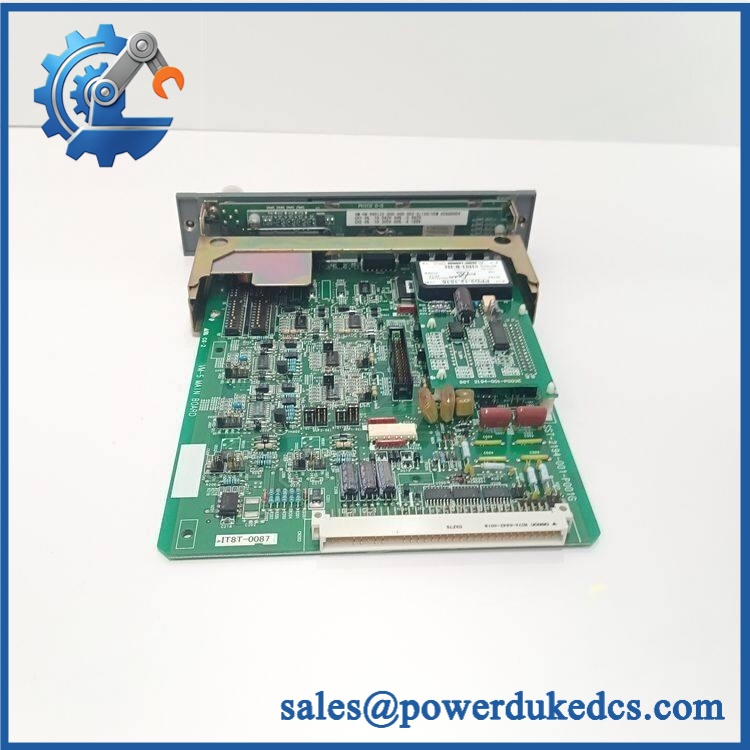
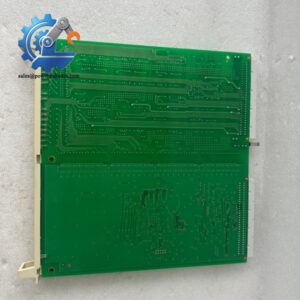
SST SST-PB3-CLX
5. Application Scenarios & Pain Points
Micro-case study approach:
A production line upgrade replaces an older PLC platform while dozens of PROFIBUS drives and remote I/O stations remain operational. Instead of rewiring every field device, the engineering team installs an SST-PB3-CLX module to preserve the existing PROFIBUS infrastructure.
- Automotive Manufacturing: Connects PROFIBUS servo drives, valve islands, and remote I/O stations to ControlLogix systems.
- Process Automation: Supports integration of legacy PROFIBUS instruments where complete field replacement is impractical.
- Packaging Machinery: Maintains communication with distributed devices requiring deterministic fieldbus exchange.
- Water Treatment Plants: Provides PLC access to existing PROFIBUS-based equipment networks.
- Factory Modernization Projects: Helps extend installed PROFIBUS assets during gradual migration programs.
For cabinets exposed to 50°C+ internal temperatures, inspect rack airflow and power loading. Communication modules may appear functional while heat-related component aging causes intermittent network failures.
6. Common Error Codes & Diagnostic Symptoms
Symptom/Code: PROFIBUS Network Fault / Bus Error LED Active
→ Diagnosis: Incorrect baud rate, missing termination, damaged RS-485 wiring, or slave addressing conflict may prevent network communication.
→ Action: Verify PROFIBUS wiring and configuration, then replace the SST-PB3-CLX if hardware failure is confirmed.
Symptom/Code: Module Not Recognized by ControlLogix Rack
→ Diagnosis: Possible backplane connection issue, incompatible firmware revision, or failed module electronics.
→ Action: Check chassis slot configuration and replace the module if initialization fails.
Symptom/Code: PLC Running but PROFIBUS Data Frozen
→ Diagnosis: Communication task failure, incorrect I/O mapping, or network timeout condition.
→ Action: Review configuration files and replace the communication module if diagnostics indicate hardware failure.
7. Cross-Reference & Lifecycle Migration
- Platform Compatibility: Designed for Allen-Bradley ControlLogix systems requiring PROFIBUS connectivity.
- Network Replacement Consideration: Often used where PROFIBUS devices remain installed during ControlLogix migration projects.
- Firmware Requirement: Confirm SST-PB3-CLX firmware compatibility with the ControlLogix controller and RSLogix/Studio 5000 project.
- Configuration Requirement: PROFIBUS device addresses, GSD files, and I/O mappings must be restored after replacement.
- Lifecycle Status: Legacy / Limited Availability
For spare inventory planning, store a complete backup package containing module firmware version, PROFIBUS configuration file, device list, and ControlLogix project archive.
8. Field Engineer’s Tech Notes (Anti-Pitfall Guide)
- Do not replace the module before checking PROFIBUS termination.
A missing terminator resistor or incorrect shield connection can mimic a failed communication module. - Watch the slot configuration.
ControlLogix projects identify modules by type and revision. A hardware replacement with different firmware may require an updated module definition.
9. Strict QA & Testing SOP
A professional inspection process for SST-PB3-CLX should include:
Step 1 — Incoming Inspection
- Verify model marking: SST-PB3-CLX.
- Record serial number and hardware revision.
- Inspect chassis connector, label, and enclosure condition.
- Check for oxidation or mechanical damage.
Step 2 — Electrical Verification
- Install in a compatible ControlLogix chassis.
- Confirm module power-up sequence.
- Verify backplane communication.
Step 3 — Communication Testing
- Connect to a PROFIBUS test network.
- Verify master initialization.
- Test cyclic data exchange with PROFIBUS devices.
- Confirm diagnostic reporting.
Step 4 — Configuration Verification
- Check firmware revision.
- Verify device configuration.
- Confirm GSD files and I/O mapping.
Step 5 — Packaging Control
- Place module inside anti-static ESD packaging.
- Protect edge connectors during shipment.
- Attach inspection records.
Test videos, communication logs, and inspection photographs are available for quality verification.
10. Buyer’s FAQ (Dynamic Q&A)
Q1. Can the SST-PB3-CLX be hot-swapped from a ControlLogix rack?
A: No. Communication modules should normally be replaced after following the approved shutdown procedure. Removing the module during operation may interrupt PROFIBUS communication.
Q2. “How can I verify this is a genuine SST-PB3-CLX?”
A: Check the SST label, model number, serial information, hardware revision, connector condition, and supplier test documentation.
Q3. Does the module include PROFIBUS configuration files?
A: The hardware module does not replace the engineering project. PROFIBUS device configuration, GSD files, and Logix mapping must be restored from the original project backup.
Q4. What warranty information should be requested?
A: Request written warranty terms, functional test records, and condition classification such as New Original, New Surplus, or refurbished. Communication modules should be tested before integration into production systems.



 Start Chat


