

Description
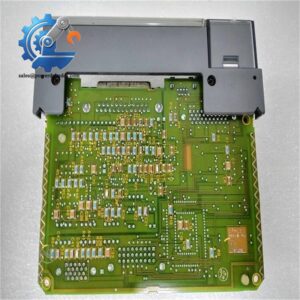
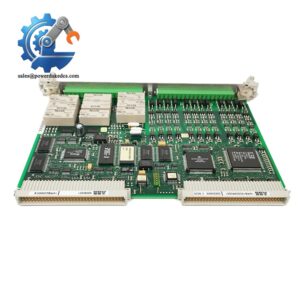
- Model: 3ASC25H214 DATX130
- Brand: ABB
- Series: 3ASC25H214 / DATX130
- Core Function: Industrial control system interface and I/O processing
- Type: Control / I/O Interface Module
- Key Specs: ABB industrial automation hardware; DATX130 designation; legacy control-system application
- Condition: New Surplus, non-refurbished
Product Introduction
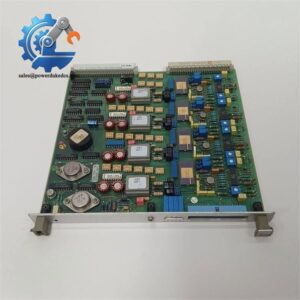
ABB 3ASC25H214 DATX130 is a legacy ABB industrial automation module used for control-system interfacing and signal processing. It is mainly relevant to maintenance teams keeping older ABB control platforms in service, where an exact hardware replacement is often safer than changing the system architecture.
For procurement, the key point is availability rather than chasing a newer-looking substitute. This is a legacy part, so stock can be limited and lead time can vary. If the installed unit is approaching failure, holding 1–2 units as buffer stock can reduce an unplanned shutdown. Exact electrical function, firmware compatibility, and cabinet configuration should be checked against the original ABB documentation before replacement.
Key Technical Specifications
| Parameter | Specification |
|---|---|
| Manufacturer | ABB |
| Model | 3ASC25H214 DATX130 |
| Product Designation | DATX130 |
| Hardware Family | 3ASC25H214 |
| Product Type | Industrial control / I/O interface module |
| Application | ABB legacy automation and control systems |
| Installation | System rack / control cabinet installation |
| Communication | System-dependent; verify against original configuration |
| Power Supply | System-dependent; verify from original hardware documentation |
| I/O Configuration | Application-dependent |
| Operating Temperature | Please confirm from the original ABB manual |
| Firmware | Version-dependent; verify before replacement |
| Condition | New Surplus, non-refurbished |
| Lifecycle Status | Legacy hardware; availability may be limited |
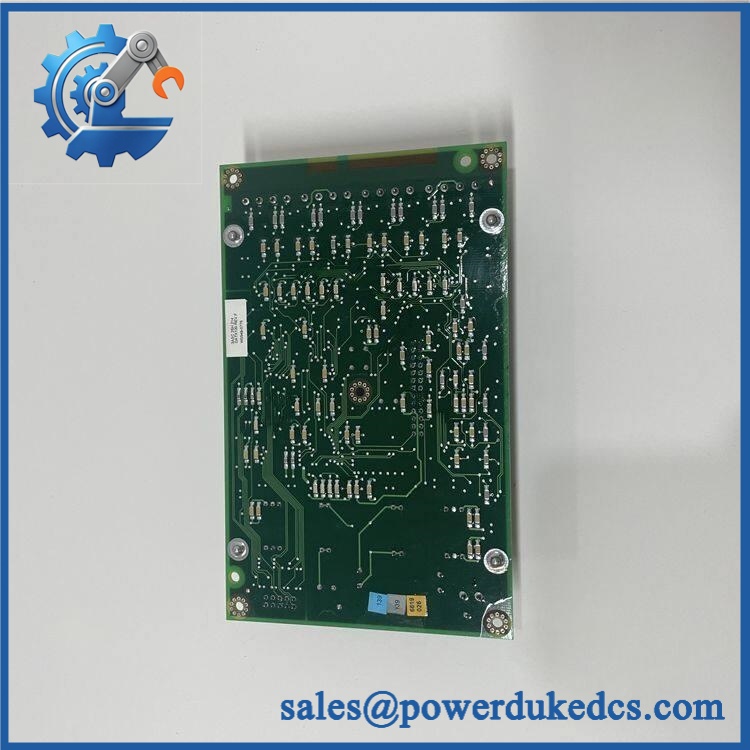
ABB 3ASC25H214 DATX130
Installation & Configuration Guide
Stage 1: Pre-Installation — About 10 minutes
⚠️ Safety first. This is legacy industrial control hardware. Do not remove the module while the cabinet is energized unless the original ABB system documentation explicitly confirms hot-swapping capability.
- Notify the production team and confirm the planned shutdown window.
- Put the controlled equipment into a safe state.
- Isolate the control-system power, including UPS-fed circuits where applicable.
- Wait for the specified discharge period.
- Wear an ESD wrist strap and use an antistatic mat.
- Photograph the existing module, rack position, labels, connectors, and wiring.
- Record the old module’s serial number and firmware information if available.
- Back up the current control configuration before removal.
Do not guess the terminal assignment. Legacy ABB hardware can have configuration details that are not obvious from the front label.
Stage 2: Remove the Existing Module — About 5 minutes
- Confirm the cabinet is de-energized.
- Mark each cable or connector before removal.
- Photograph the connector arrangement from several angles.
- Release the module’s mechanical retaining mechanism.
- Remove the module vertically and avoid twisting the connector.
- Inspect the backplane connector for bent contacts, oxidation, or contamination.
- Keep the removed unit for comparison until commissioning is complete.
Stage 3: Install the Replacement — About 5 minutes
- Verify the model and hardware designation against the removed unit.
- Check the module for physical damage or corrosion.
- Confirm connector orientation.
- Set any applicable switches, jumpers, or address configuration to match the original.
- Insert the module carefully into the correct rack position.
- Lock the retaining mechanism.
- Reconnect cables according to the photographs and wiring documentation.
- Check that every connector is fully seated.
Important: Do not assume that a visually similar ABB module has identical electrical or pin assignments.
Stage 4: Power-On & Testing — About 10 minutes
- Check the cabinet wiring before applying power.
- Verify the control-system supply voltage against the ABB documentation.
- Power the control rack.
- Observe the module’s status indicators.
- Check for system diagnostics or hardware alarms.
- Verify communication with the associated controller.
- Confirm the expected I/O or interface signals.
- Compare actual module identification with the engineering configuration.
- Run a controlled functional test.
- Keep the system under observation for at least 30 minutes.
If communication fails: check rack position, connector seating, configuration, firmware revision, and controller compatibility before assuming the replacement module is defective.
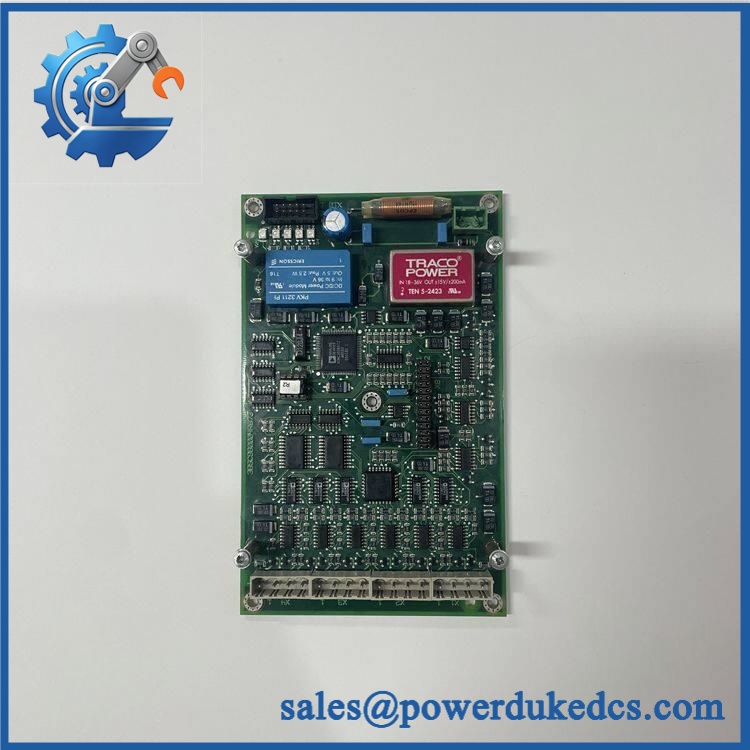
ABB 3ASC25H214 DATX130
FAQ
1. Is ABB 3ASC25H214 still available?
It is a legacy ABB part, so availability depends heavily on current inventory. For a planned replacement, buffer stock is worth considering because waiting for a rare legacy module can cost more than holding one spare.
2. Can I directly replace my old with this unit?
Usually, the replacement should match the exact hardware designation and system configuration. Do not rely only on the name. Check the original part label, rack position, connector arrangement, firmware, and ABB documentation before installation.
3. My ABB system has a different firmware version. Will it work?
It depends on the controller and software environment. A newer firmware revision is not automatically backward-compatible. Record the existing revision before ordering and request a compatible revision when possible.
4. Can this module be hot-swapped?
Do not assume that it can. Hot-swap capability depends on the specific ABB platform and rack design. Unless the applicable ABB manual explicitly permits live replacement, shut down and isolate the equipment before removing the module.
5. How should I avoid configuration mistakes during replacement?
Three simple checks help:
- Photograph every switch, jumper, and connector.
- Compare the old and replacement units side by side.
- Verify the final configuration against the ABB wiring and system documentation.
That sounds basic. It prevents a surprising amount of commissioning work.
6. Is the unit new or refurbished?
The listed condition is New Surplus, non-refurbished. For procurement, request serial-number photos, physical-condition photos, and available test records before shipment. A Test Report or inspection photos can also help document the unit’s condition.
7. What should I check before buying?
For a legacy module, check model identity, hardware revision, firmware revision, condition, serial number, stock location, lead time, warranty, and return terms. Price alone is not the full cost. A cheaper module with a long delivery time can create a much higher shutdown cost.



 Start Chat


