

Description
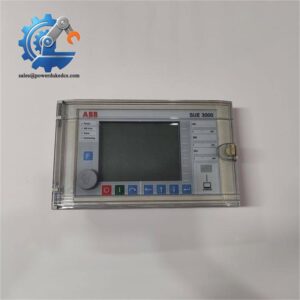
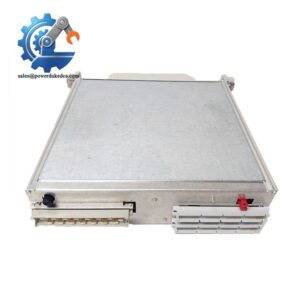
- ABB 500ITM02 | Genuine ABB Automation Interface Asset
Unboxing & Physical Snapshot
- Brand & Model: ABB 500ITM02
- Product Family: ABB AC500 / S500 modular automation system. S500 modules are designed for centralized and remote I/O expansion within ABB PLC architectures.
- Product Type: Interface Terminal Module (ITM) used with ABB S500 I/O module assemblies.
- Primary Function: Provides the physical terminal connection interface between field wiring and the associated S500 automation module.
- Approximate Physical Dimensions: Approximately 125 × 80 × 40 mm (4.9 × 3.1 × 1.6 in), depending on terminal configuration.
- Estimated Shipping Weight: Approximately 0.15–0.25 kg (0.3–0.6 lb) including ESD packaging.
- Mounting Style: Modular S500 plug-in terminal assembly.
- Connection Type: Removable field wiring terminal interface.
- Front/Side Features:
- Terminal connection points
- Module identification marking
- Mechanical locking features
- Bus interface connection
- Housing Construction: Industrial polymer enclosure designed for cabinet environments.
- Cooling Method: Natural convection cooling.
- What’s in the Box:
- ABB 500ITM02 interface terminal module
- Terminal accessories when supplied
- Anti-static ESD packaging
- Documentation when available
Product Introduction
The ABB 500ITM02 serves as the physical wiring interface layer inside the S500 automation ecosystem. It provides the connection point between plant field conductors and the electronic I/O module, allowing maintenance teams to replace electronic assemblies without disturbing the entire cabinet wiring arrangement (which is especially important during controlled shutdown maintenance windows).
This component contains no application logic, but its condition directly affects signal reliability. Inspect the terminal screws, spring contacts, retaining clips, and plastic housing before installation. A worn terminal interface can create intermittent field faults that appear to originate from the controller or I/O electronics.
Core Technical Specifications
| Parameter | Value |
|---|---|
| Manufacturer | ABB |
| Model Number | 500ITM02 |
| Product Family | AC500 / Automation System |
| Product Type | Interface Terminal Module |
| Function | Field wiring termination interface |
| Mounting Method | modular mounting system |
| Connection Style | Plug-in terminal interface |
| Rated Supply Interface | 24 VDC system environment |
| Power Consumption | No independent power consumption |
| Heat Dissipation | Negligible passive dissipation |
| Installation Position | Control cabinet mounting |
| Cooling Method | Natural convection |
| Weight | Approximately 0.15–0.25 kg |
| Protection Method | Mechanical terminal protection |
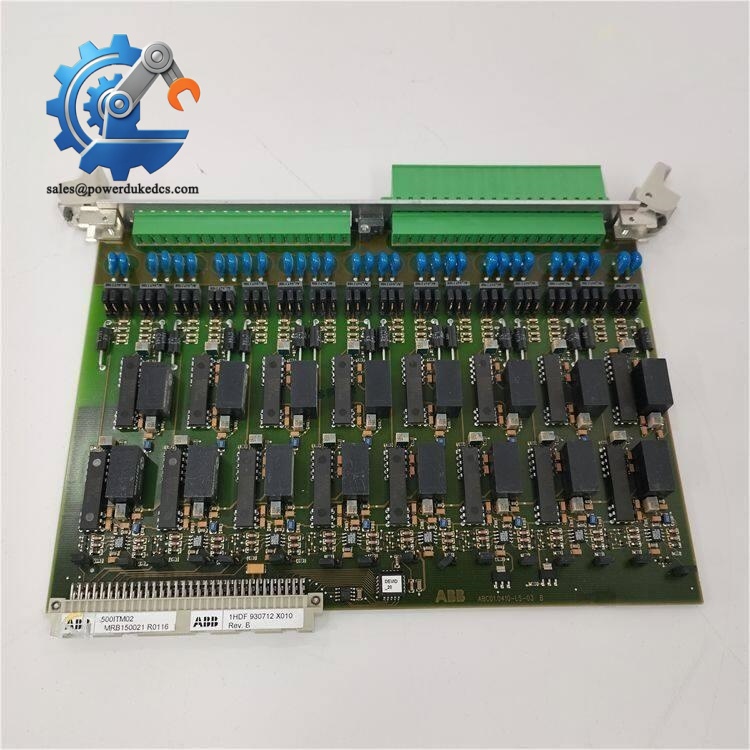
ABB 500ITM02
Global Compliance & Industry Certifications
Expected regulatory approvals and compliance considerations for the ABB 500ITM02 include:
- CE Mark — applicable when installed as part of a compliant ABB AC500/ automation system.
- UL/cUL Recognition — may apply depending on the complete PLC assembly and regional certification requirements.
- RoHS Compliance — applicable for current manufacturing revisions.
- IEC 61131-2 Industrial Control Equipment Requirements — relevant to PLC system components.
- ATEX/IECEx — requires assessment of the complete hazardous-area installation, including enclosure, wiring, and approved associated equipment.
- Marine approvals such as DNV GL — only applicable when included within a certified marine automation package.
Terminal interface components are important in compliance audits because poor connection practices can create overheating points, insulation failures, or unreliable protective bonding.
Verify specific lot certifications with OEM.
Long-Term Storage & Asset Preservation Guide
- Keep the ABB 500ITM02 sealed inside its original anti-static packaging until required. The terminal contacts should remain protected from dust and oxidation.
- Maintain warehouse humidity below 60% RH. Moisture exposure can degrade contact surfaces and reduce long-term connection stability.
- Store away from corrosive vapors, salt air, and conductive dust. These contaminants can attack terminal materials over extended storage periods.
- Inspect the retaining clips, terminal blocks, and housing condition during scheduled spare inventory checks.
- Record the part revision and storage inspection date for asset traceability.
Physical Installation Prerequisites
- Install the 500ITM02 only with compatible ABB I/O modules.
- Confirm the correct terminal assignment before connecting field conductors.
- Ensure the DIN rail or mounting carrier is mechanically secure.
- Leave at least 50 mm clearance above and below cabinet assemblies where natural convection cooling is required.
- Verify protective grounding of the control cabinet before field wiring connection.
- Tighten terminal connections according to ABB installation requirements.
- Keep signal wiring separated from high-current power cables and variable-frequency drive wiring.
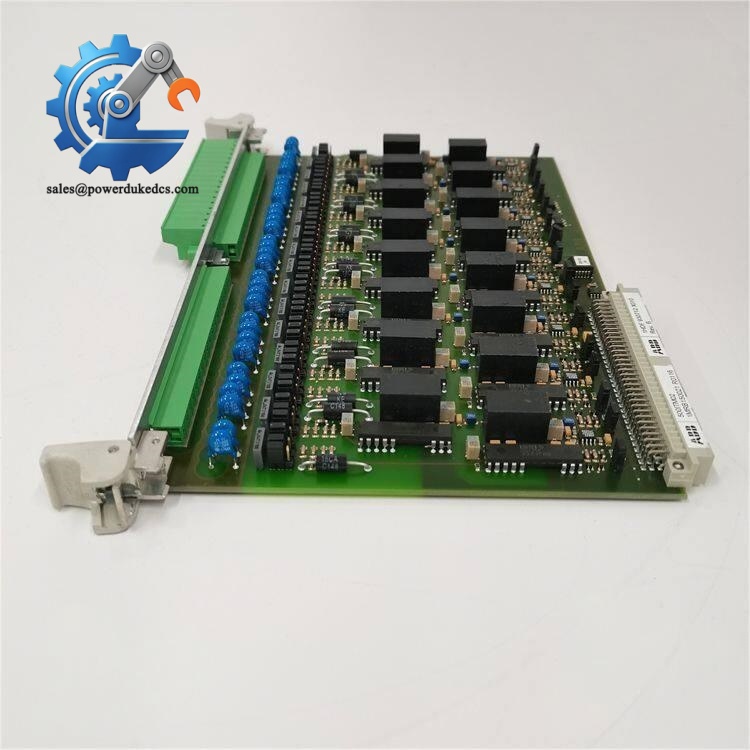
ABB 500ITM02
Buyer’s FAQ (Logistics & Compliance Focus)
Q: What HS Tariff Code is commonly used for the ABB 500ITM02?
A: Interface modules and PLC-related terminal components are commonly evaluated under HS classifications associated with electrical control equipment, often within headings such as 8537. Final classification depends on customs interpretation in the importing country.
Q: Does Country of Origin affect ABB 500ITM02 import documentation?
A: Yes. COO records support customs declarations, supplier qualification, and industrial asset audits. Maintain the ABB label, packaging records, and purchasing documents with the spare part.
Q: Is shipping insurance recommended for this terminal module?
A: Recommended. Although the module is lightweight, damaged terminal housings, cracked retaining features, or contaminated contacts may not be visible immediately after transport.
Q: Does the ABB 500ITM02 contain firmware or require programming?
A: No. The 500ITM02 is a passive interface component and does not contain firmware, memory, or application software. Verify mechanical and electrical compatibility with the installed module before replacement.



 Start Chat


