

Description
Module 2: The 10-Second Procurement Snapshot
- Brand: ABB Bailey
- Full Model Number: INNPM12
- Lifecycle Status: Legacy / obsolete
- Core Function: Provides INFI-NET process network communication
- Product Type: Network Interface Module
- Top 3 Technical Specs: INFI-NET network interface; 10 Mbps network communication; INFI 90 / Network 90 architecture
- System Compatibility: ABB Bailey INFI 90 / Network 90 systems
- Network Role: Process-level communication interface
- Stock & Condition: New Surplus / Tested Refurbished; confirm actual inventory
Module 3: Supply Chain & Technical Deep Dive
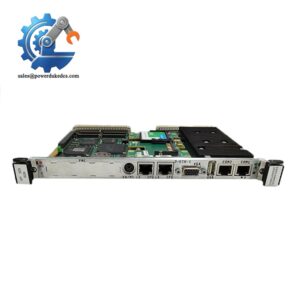
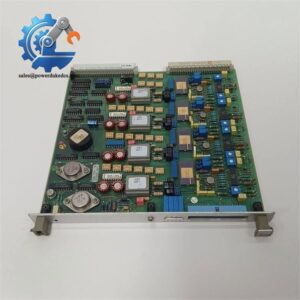
When an older Bailey DCS network module fails, the problem quickly becomes larger than a single circuit board. Loss of the network interface can affect communication between controllers, operator stations, and other process-level nodes. INNPM12 is an ABB Bailey INFI-NET process communication module intended for legacy INFI 90 and Network 90 architectures.
For maintenance teams, the economic argument is mainly downtime avoidance. Keeping one tested spare can cost far less than an extended DCS outage or an unplanned migration project. This is a legacy network component, so availability and lead time should be treated as supply-chain risks. Exact network configuration, firmware revision, station addressing, and installed system generation should be checked against the site documentation before purchasing a replacement.
Module 4: Migration, Compatibility & Field Traps
Replacement Matrix
| Replacement Scenario | Assessment | Required Action |
|---|---|---|
| Same INNPM12 hardware and revision | Drop-in Replacement Candidate | Match module identification and system configuration |
| Same hardware with different firmware | Software Compatibility Check | Verify firmware against the existing INFI-NET system |
| Different NPM family module | Not Automatically Compatible | Check network architecture and configuration |
| Modern Ethernet communication module | Migration Required | Engineering and system redesign may be necessary |
⚠️ Field Traps: Watch Out
Network configuration: Do not assume a replacement network module will automatically inherit the existing station configuration. Record the existing node information and configuration before shutdown.
Firmware mismatch: Legacy DCS modules can have strict revision dependencies. Record the installed firmware before removing the failed unit, then compare it with the replacement.
Network cabling: Photograph every network connection. Check connector condition and cable routing before commissioning the new module.
Redundant network paths: If the installation uses redundant communication paths, verify both paths independently. A module can appear operational while one network path remains unavailable.
ESD: Use an antistatic wrist strap and ESD-safe work surface when handling the circuit board.
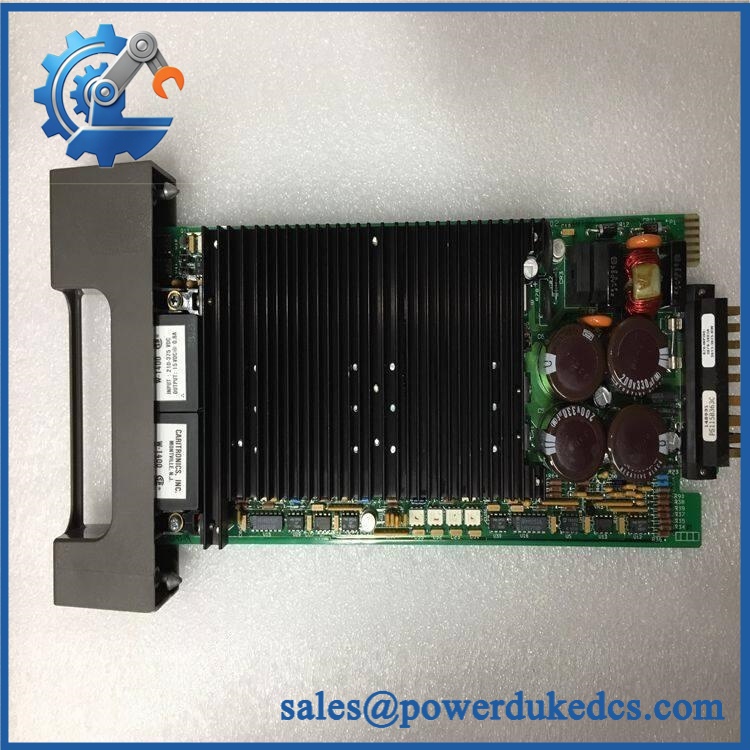
ABB INNPM12
Module 5: Quality Assurance & Testing SOP
1. Incoming Inspection
- Verify ABB Bailey identification.
- Confirm INNPM12 marking.
- Record serial number and hardware revision.
- Inspect PCB and connectors.
- Check for corrosion or physical damage.
- Look for burn marks or previous repair evidence.
- Photograph the nameplate and board identification.
2. OEM Authenticity Inspection
- Inspect ABB/Bailey markings.
- Compare board layout with an approved reference.
- Verify connector positions.
- Check PCB revision markings.
- Review available traceability information.
- Document any identification discrepancy.
3. Power-On Self-Test
Using a compatible Bailey INFI 90 test environment:
- Apply the specified module supply.
- Monitor startup behavior.
- Check available RUN / ERR / diagnostic LEDs.
- Confirm module initialization.
- Monitor communication status.
- Record diagnostic indications.
The exact supply requirement and LED states should be confirmed against the applicable ABB/Bailey manual for the installed hardware revision.
4. Network Communication Test
A suitable test rack should verify:
- Module recognition by the DCS.
- INFI-NET communication.
- Network link status.
- Communication with the applicable process nodes.
- Station addressing.
- Error and diagnostic reporting.
- Stable data transfer during continuous operation.
5. Extended Run Test
Where the correct legacy DCS test environment is available:
- Operate the module continuously.
- Monitor network communication.
- Check for intermittent communication loss.
- Monitor module temperature.
- Record diagnostic events.
- Verify stable communication over the test period.
A Test Report should record the part number, serial number, hardware revision, firmware revision, test rack, network configuration, test duration, and results.
6. Final QC & Packaging
- QC inspection completed.
- ESD-safe bag sealed.
- Connector protection installed.
- Shock protection added.
- QC label applied.
- Test report retained with the inventory record.
Test photographs or video can be provided when available.
Module 6: Procurement-Driven FAQ
1. Is ABB INNPM12 genuinely in stock, and can it ship immediately?
Physical inventory should be verified against the actual warehouse unit. For an urgent DCS requirement, confirm the exact model, hardware revision, condition, test status, quantity, and dispatch cutoff before placing the order.
2. How do you verify an obsolete INNPM12 before shipment?
The inspection should cover ABB/Bailey identification, PCB condition, connectors, hardware revision, and available traceability. Where a compatible INFI 90 test rack is available, network initialization and communication should also be tested.
3. What warranty applies to a surplus ?
Request written warranty terms before the PO is released. The agreement should specify the warranty period, failure documentation required, return procedure, and replacement or refund conditions.
4. Could firmware compatibility prevent a replacement from working?
Yes. The physical model number is not the only consideration. Record the firmware revision of the failed or existing module and compare it with the replacement and the installed INFI-NET system before commissioning.
5. Can a newer ABB network module replace ?
Not automatically. A newer communication module may use a different network architecture, configuration method, or system-generation requirement. Treat the replacement as a migration project unless ABB documentation confirms direct compatibility.




 Start Chat


