

Description
- SST-PB3-PCU-2-B | Original PROFIBUS Automation Hardware
2. At-A-Glance Executive Brief
- Model: SST-PB3-PCU-2-B V1.1.3
- Brand: SST (Woodhead / Molex)
- Series: SST PROFIBUS DP PC Interface Card
- Part Type: PCI PROFIBUS Communication Interface Card
- Core Function: Provides a PC-based gateway to PROFIBUS DP networks, allowing industrial computers to operate as PROFIBUS Master or Slave devices.
- Primary Use: PLC communication, industrial test systems, engineering stations, SCADA interfaces, and legacy automation networks.
- Key Specifications:
- Dual-channel PROFIBUS DP communication
- DP-V0 Master / Slave support
- DP-V1 Master support
- PCI 3.3V / 5V universal interface
- Communication speed up to 12 Mbps
- Typical Deployment: Automation PCs, control room engineering workstations, and industrial communication gateways.
3. Product Introduction
The SST-PB3-PCU-2-B V1.1.3 installs inside an industrial PC to provide direct PROFIBUS connectivity between computer-based applications and field automation networks. The card contains dedicated communication processing hardware, reducing dependence on the host computer for real-time bus handling (which is important when maintaining older PLC systems that still rely on PROFIBUS infrastructure).
In field deployments, this interface card is commonly maintained as a spare for engineering stations, diagnostic PCs, and legacy automation systems. Verify PCI slot compatibility, driver version, PROFIBUS configuration files, and application software support before replacement. A physically identical card may still require matching communication software to reconnect correctly.
4. Core Technical Specifications
| Parameter | Value |
|---|---|
| Manufacturer | SST / Woodhead / Molex |
| Model Number | SST-PB3-PCU-2-B V1.1.3 |
| Product Type | PROFIBUS DP PCI Interface Card |
| Communication Protocol | PROFIBUS DP |
| Channel Count | 2 Channels |
| Operating Modes | DP-V0 Master, DP-V0 Slave, DP-V1 Master |
| Bus Interface | PCI 3.3V / 5V Universal Slot |
| PROFIBUS Connector | 9-pin D-Sub Female |
| Communication Speed | 9.6 kbps to 12 Mbps |
| Processor | ColdFire 5272 dedicated communication processor |
| Software Interface | DLL / LIB / OPC DA / CommDTM |
| Operating System Support | Windows-based industrial systems |
| Installation Method | Internal PC expansion slot |
| Operating Temperature | 0°C to +60°C |
| Storage Temperature | Approx. -40°C to +85°C |
| Relative Humidity | 5–95% non-condensing |
| Weight | Approx. 140 g |
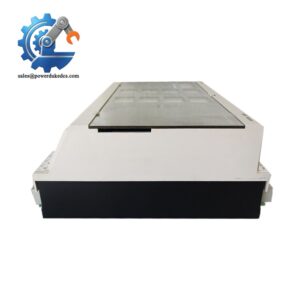
SST-PB3-PCU-2-B
5. Application Scenarios & Pain Points
When a PROFIBUS engineering PC loses communication with field devices, the SST-PB3-PCU-2-B is often inspected as a key hardware interface point.
- PLC engineering stations: Used for commissioning and diagnostics where technicians need direct access to PROFIBUS networks. A failed interface card can prevent online programming and troubleshooting.
- Factory automation systems: Supports communication between industrial PCs and PROFIBUS devices operating in production environments with long cable distances.
- Legacy Siemens PROFIBUS networks: Many older S7-based installations continue operating with PROFIBUS devices, requiring compatible PC communication hardware during maintenance cycles.
- Test and simulation systems: Used in development environments where engineers emulate PROFIBUS Master or Slave behavior.
- Process plants: Installed in maintenance computers where network diagnostics are required during scheduled shutdowns.
6. Common Error Codes & Diagnostic Symptoms
Symptom/Code: PROFIBUS Network Not Detected / No Bus Activity
→ Diagnosis: Possible driver failure, incorrect configuration, PCI recognition issue, or damaged PROFIBUS communication interface.
→ Action: Verify software installation and replace the SST-PB3-PCU-2-B card if hardware failure is confirmed.
Symptom/Code: DP Master Timeout / Slave Station Missing
→ Diagnosis: Incorrect GSD configuration, baud-rate mismatch, cable fault, or communication channel failure.
→ Action: Check network parameters and replace the interface card if the channel hardware is defective.
Symptom/Code: Card Not Recognized by PC BIOS or Driver
→ Diagnosis: PCI slot compatibility issue, failed onboard processor, or damaged card electronics.
→ Action: Test another PCI slot and replace the card if recognition remains unavailable.
7. Cross-Reference & Lifecycle Migration
- Related Models:
- SST-PB3-PCU — single-channel PROFIBUS PCI interface card.
- SST-PB3-PCU-2 — dual-channel PROFIBUS PCI interface card.
- Compatibility Notes:
- Confirm PCI bus type.
- Verify supported Windows operating system.
- Confirm SST driver and configuration software version.
- Match PROFIBUS application software compatibility.
- Firmware Requirements:
Firmware and driver compatibility may need verification when replacing older cards. The card revision should match the installed communication software environment. - Lifecycle Status: Legacy / Limited Industrial Availability
- Still used in installed PROFIBUS systems.
- Recommended stock strategy: Maintain tested spare cards for critical engineering computers and diagnostic stations.
- Migration Strategy:
Modern replacements may use PCI Express or USB-based PROFIBUS interfaces, but migration requires application software validation and driver testing.
8. Field Engineer’s Tech Notes (Anti-Pitfall Guide)
- Do not replace the card without saving the PROFIBUS project files first.
The hardware replacement alone does not restore network parameters, station addresses, or diagnostic settings. - Check the PC hardware before blaming the communication card.
Older industrial PCs may have unstable PCI slots, outdated drivers, or operating system compatibility issues (especially after long service periods).
9. Strict QA & Testing SOP
Step 1 — Incoming Inspection
- Verify SST-PB3-PCU-2-B V1.1.3 identification label.
- Record hardware revision and serial information.
- Inspect PCB surface, PCI edge connector, and PROFIBUS port.
- Photograph condition.
Step 2 — Electrical Inspection
- Check PCI connector condition.
- Verify no visible component damage.
- Inspect for contamination or corrosion.
Step 3 — PC Recognition Test
- Install card into compatible PCI test system.
- Confirm BIOS detection.
- Verify driver installation.
Step 4 — PROFIBUS Communication Test
- Connect to PROFIBUS test network.
- Verify Master/Slave communication.
- Test communication speed settings.
- Confirm stable data exchange.
Step 5 — Packaging Control
- Place card inside ESD shielding packaging.
- Protect the PCI connector.
- Add moisture protection for international shipment.
Test videos are available for verified inspection records.
10. Buyer’s FAQ (Dynamic Q&A)
Q: Can the SST-PB3-PCU-2-B be removed while the automation PC is running?
A: No. This is an internal PCI communication card. Shut down the industrial PC completely before removal to avoid hardware damage and operating system faults.
Q: How do I confirm this is an original SST-PB3-PCU-2-B V1.1.3?
A: Verify the SST/Molex identification label, PCB markings, revision number, PCI connector condition, and supplier inspection records.
Q: Does this card include the latest firmware and drivers?
A: The card may require matching SST software drivers and configuration tools. Confirm the installed operating system and application environment before replacement.
Q: What warranty information should be requested before purchase?
A: Confirm warranty duration, functional communication testing, return conditions, and whether test documentation is provided. For legacy PROFIBUS hardware, verified testing records reduce commissioning risk.



 Start Chat


