

Description
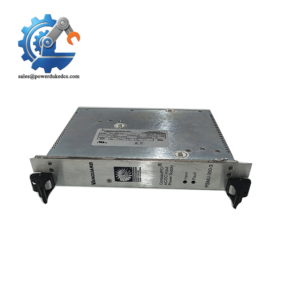
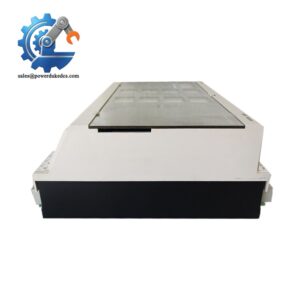
- SST SST-PFB-CLX | New Original ControlLogix PROFIBUS Adapter
2. At-A-Glance Executive Brief
- Model: SST-PFB-CLX
- Brand: SST (SST / Woodhead / Molex industrial communication product family)
- Series/System: Allen-Bradley ControlLogix Platform
- Part Type: PROFIBUS-DP Scanner / Communication Interface Module
- Core Function: Provides PROFIBUS-DP master communication capability for Rockwell Automation ControlLogix systems.
- Key Specs:
- ControlLogix chassis compatible communication module
- PROFIBUS-DP network scanner functionality
- Supports integration of PROFIBUS field devices into Logix-based control systems
- Uses ControlLogix backplane communication
- Suitable for legacy fieldbus migration projects
3. Product Introduction
Inside a ControlLogix rack, the SST-PFB-CLX occupies a communication module position and connects the Logix controller environment with PROFIBUS-DP field networks. The module handles PROFIBUS master communication tasks, allowing distributed drives, remote I/O stations, and field instruments to exchange process data with the ControlLogix processor.
A plant migration project often reaches a difficult point when existing PROFIBUS equipment must remain operational while the main PLC platform changes. The SST-PFB-CLX provides a practical interface layer for these installations (—especially where replacing hundreds of field devices would create unnecessary downtime). Verify firmware revision, RSLogix/Studio 5000 compatibility, and PROFIBUS configuration files before replacement.
4. Core Technical Specifications
| Parameter | Value |
|---|---|
| Manufacturer | SST |
| Model | SST-PFB-CLX |
| Product Type | PROFIBUS-DP Scanner Module |
| Compatible Platform | Allen-Bradley ControlLogix |
| Communication Network | PROFIBUS-DP |
| Module Function | PROFIBUS Master / Scanner |
| Backplane Interface | ControlLogix 1756 chassis |
| Field Interface | PROFIBUS 9-pin D-sub connector |
| Maximum PROFIBUS Nodes | Up to 125 devices (network dependent) |
| PROFIBUS Speed | Up to 12 Mbps |
| Configuration Software | SST PROFIBUS configuration tools |
| Data Exchange | Cyclic I/O communication |
| Diagnostics | PROFIBUS network diagnostics |
| Mounting Method | ControlLogix rack slot installation |
| Power Source | ControlLogix backplane supply |
| Operating Temperature | Industrial automation environment |
| Cooling Method | Control cabinet airflow |
| Weight | Approx. 0.3–0.5 kg |
SST SST-PFB-CLX
5. Application Scenarios & Pain Points
A production cell still depends on PROFIBUS devices, but the control platform has moved toward ControlLogix. The SST-PFB-CLX helps maintain communication without replacing the entire field installation.
- Automotive manufacturing: Connects PROFIBUS motor drives, valve islands, and remote I/O stations to ControlLogix controllers.
- Packaging machinery: Maintains communication with legacy PROFIBUS actuators and instrumentation.
- Process plants: Supports gradual migration from older fieldbus architectures.
- Water treatment systems: Integrates distributed PROFIBUS devices into modern PLC control systems.
- Machine retrofit projects: Reduces engineering effort when upgrading existing automation cabinets.
In a large production line with 100+ PROFIBUS devices, replacing every field node can require extensive wiring changes and extended commissioning time.
6. ? Common Error Codes & Diagnostic Symptoms
Symptom/Code: PROFIBUS Network Fault / Bus Error Active
→ Diagnosis: Possible incorrect baud rate, termination problem, damaged cable, or failed communication interface.
→ Action: Verify PROFIBUS wiring and configuration, then replace SST-PFB-CLX if module hardware failure is confirmed.
Symptom/Code: Module Not Detected in ControlLogix Rack
→ Diagnosis: Possible backplane communication issue, incorrect slot configuration, or failed module electronics.
→ Action: Check rack power and slot settings, then replace module.
Symptom/Code: I/O Data Frozen or Intermittent Updates
→ Diagnosis: Possible PROFIBUS communication instability, device addressing conflict, or corrupted configuration.
→ Action: Verify network diagnostics and reload configuration.
7. Cross-Reference & Lifecycle Migration
- Compatibility Notes:
- SST-PFB-CLX is designed specifically for ControlLogix systems requiring PROFIBUS connectivity.
- Verify:
- ControlLogix controller firmware
- RSLogix 5000 / Studio 5000 version
- PROFIBUS GSD files
- Network configuration database
- Related Product Family:
- SST PROFIBUS communication modules for Rockwell Automation architectures.
- Similar communication products may not provide identical scanner functionality.
- Firmware / Configuration Requirements:
- Module firmware revision should match the installed ControlLogix environment.
- PROFIBUS configuration must be restored after replacement.
- Lifecycle Status:
- Status: Legacy / Limited Availability
- Maintain tested spare modules for systems where PROFIBUS field devices remain in operation.
- Migration Strategy:
- Archive PROFIBUS configuration files.
- Record node addresses and baud rate settings.
- Keep a tested communication module available for critical production cells.
8. Field Engineer’s Tech Notes (Anti-Pitfall Guide)
- Do not replace the module without saving the PROFIBUS database.
The hardware alone does not contain all network information. GSD files, node addresses, and parameter settings must be preserved before removal. - Check PROFIBUS termination before replacing the scanner.
Many communication faults originate from incorrect termination resistors or cable shielding problems, not from the SST module itself.
9. Strict QA & Testing SOP
A controlled inspection process for SST-PFB-CLX should include:
Step 1 — Incoming Inspection
- Verify SST model label.
- Confirm complete part number.
- Record serial number and hardware revision.
- Inspect enclosure and connector condition.
Step 2 — Physical Examination
- Check:
- ControlLogix backplane connector
- PROFIBUS port
- Housing condition
- Mounting clips
Step 3 — Electrical Testing
- Install into a compatible ControlLogix chassis.
- Verify backplane recognition.
- Check module power consumption.
- Confirm startup diagnostics.
Step 4 — Communication Testing
- Connect PROFIBUS test devices.
- Verify master communication.
- Confirm cyclic data exchange.
- Check diagnostic reporting.
Step 5 — Packaging Control
- Use anti-static shielding packaging.
- Protect communication connectors.
- Apply shock protection for international shipping.
Test videos are available for selected inspected units.
10. Buyer’s FAQ (Dynamic Q&A)
Q: Can the SST-PFB-CLX be hot-swapped from an active ControlLogix rack?
A: Do not assume live replacement is acceptable. Removing communication modules may interrupt PROFIBUS data exchange and affect connected equipment. Follow the plant maintenance procedure.
Q: How do I verify this is a genuine SST-PFB-CLX module?
A: Check the SST label, model number, hardware revision, serial information, and supplier inspection records. Communication modules should be verified before installation in production systems.
Q: Does the SST-PFB-CLX include the latest firmware?
A: Firmware depends on the supplied hardware revision. Confirm compatibility with the ControlLogix controller firmware and SST configuration software before commissioning.
Q: What warranty applies to this communication module?
A: Warranty depends on product condition and supplier terms. Confirm whether the module is new original, unused surplus, refurbished, or tested before purchase.



 Start Chat


