

Description
- TOSHIBA 2N3A3110-C | Legacy Industrial Automation Spare
2. At-A-Glance Executive Brief
- Model: TOSHIBA 2N3A3110-C
- Brand: Toshiba
- Series: Toshiba industrial control hardware; exact system family should be confirmed from the equipment nameplate.
- Part Type: Industrial control PCB/module.
- Core Function: This part number should be treated as a system-specific Toshiba replacement assembly until the associated equipment model and board revision are confirmed.
- Primary Use: Toshiba industrial automation and control equipment.
- Key Specs: Board-level construction, OEM-specific interface architecture, and system-dependent power and communication requirements.
- Identification Priority: Match the complete 2N3A3110-C designation, PCB revision, connector arrangement, and installed equipment model before procurement.
3. Product Introduction
A wrong control board can create a surprisingly expensive maintenance event: the replacement may physically fit the rack yet fail initialization because the hardware revision, firmware image, or system configuration does not match. For Toshiba 2N3A3110-C, exact equipment identification should therefore precede any substitution decision.
In field deployments, this type of OEM board is best managed as a controlled spare rather than a generic PLC component. Record the complete nameplate information and board markings before removal (the connector layout and PCB revision are useful evidence when confirming interchangeability). Because publicly available documentation does not provide enough verified data for this exact part number, electrical ratings should not be assumed from similarly numbered Toshiba assemblies.
4. Core Technical Specifications
| Parameter | Value |
|---|---|
| Manufacturer | Toshiba |
| Part Number | 2N3A3110-C |
| Product Type | OEM Industrial Control Board / Module |
| Application | Toshiba industrial control equipment |
| System Compatibility | Equipment-specific; verify before installation |
| Hardware Revision | C |
| Communication Interface | System-dependent; verify from equipment documentation |
| Power Supply | System-dependent; do not assume |
| Mounting | OEM equipment/rack dependent |
| Cooling | Equipment-dependent |
| Dimensions | Not reliably published for this exact assembly |
| Weight | Not reliably published for this exact assembly |
| Firmware | System-dependent |
| Operating Temperature | Verify against the host equipment manual |
| Certification | Verify exact board/system documentation |
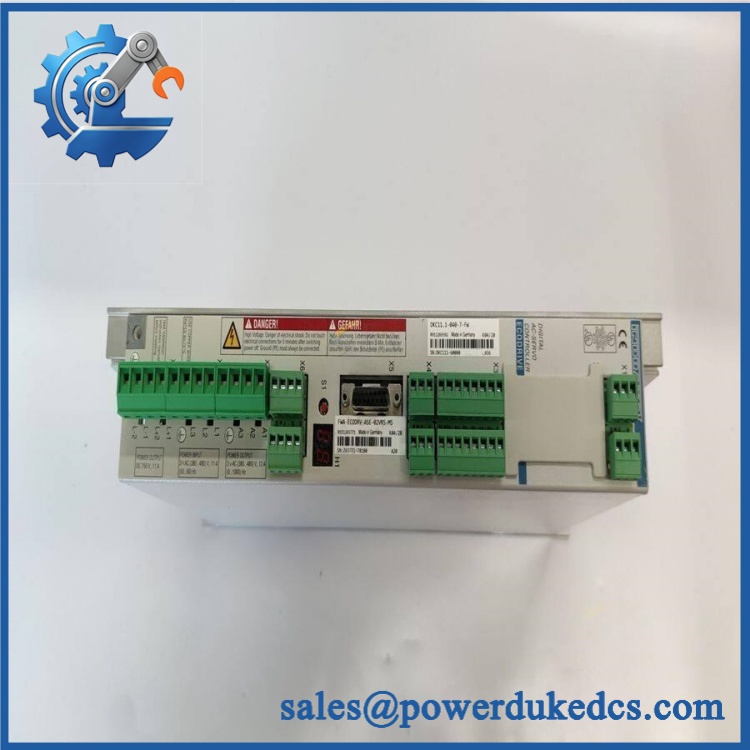
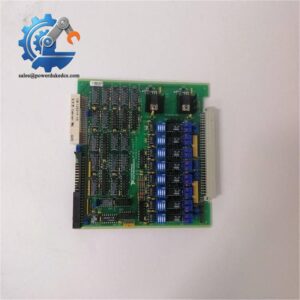
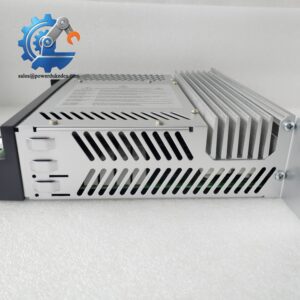
TOSHIBA 2N3A3110-C
Procurement note: Do not populate a commercial datasheet with estimated voltage, current, dimensions, or weight when the exact Toshiba assembly cannot be positively identified. Those figures should come from the OEM manual, nameplate, or physical inspection.
5. Application Scenarios & Pain Points
For a legacy Toshiba control installation, component identity is often more important than superficial physical similarity.
- Industrial control cabinets: The 2N3A3110-C may serve as a system-specific electronic assembly where a board-level failure requires replacement rather than field repair.
- Legacy equipment maintenance: Plants retaining older Toshiba automation hardware can encounter extended lead times, making verified spare inventory important.
- Scheduled shutdowns: During a maintenance outage, a correctly identified spare can eliminate the need to troubleshoot a questionable board under time pressure.
- OEM equipment refurbishment: Used or new-surplus inventory should be matched by complete part number, revision, and host equipment model before acceptance.
- High-temperature cabinets: If the host cabinet operates around 50°C, verify the board’s actual thermal specification rather than applying a generic industrial temperature rating.
6. Common Error Codes & Diagnostic Symptoms
Symptom/Code: Control Board Not Recognized
→ Diagnosis: Possible board failure, connector contamination, incompatible hardware revision, or configuration mismatch.
→ Action: Verify the host system and board revision; replace with a confirmed-compatible 2N3A3110-C.
Symptom/Code: Controller Initialization Failure
→ Diagnosis: Internal electronics, memory, firmware, or system configuration may prevent successful startup.
→ Action: Check system diagnostics and configuration before replacing the board.
Symptom/Code: Intermittent Control / Communication Fault
→ Diagnosis: Suspect degraded connector contacts, unstable power, PCB damage, or an intermittent communication interface.
→ Action: Inspect the backplane/terminal connections and perform bench testing before declaring the board defective.
7. Cross-Reference & Lifecycle Migration
- Exact Replacement: No alternate Toshiba part number should be treated as a direct replacement without OEM or system-level verification.
- Revision Control: The “-C” suffix is significant and should be retained in purchasing records.
- Firmware: Firmware requirements cannot be confirmed from the part number alone; determine whether the host system stores configuration or firmware externally.
- Migration: A newer Toshiba controller may require changes to wiring, software, communication architecture, and engineering configuration. Do not classify a newer-generation board as a drop-in replacement without documentation.
- Lifecycle Status: Legacy / Availability to Be Verified.
- Buffer Stock: For production-critical equipment, retain a tested spare after confirming the exact host system.
8. Field Engineer’s Tech Notes (Anti-Pitfall Guide)
- Photograph the old board before removing it.
Capture the complete label, PCB revision, connector positions, DIP-switch settings, and cable routing. This evidence can prevent an avoidable configuration error during reinstallation. - Do not energize an unverified substitute.
Similar Toshiba boards can have different pin assignments or supply requirements (a wrong connection can damage both the replacement PCB and the host chassis).
9. Strict QA & Testing SOP
Step 1 — Incoming Inspection
- Confirm TOSHIBA 2N3A3110-C.
- Record serial number, PCB revision, and manufacturing markings.
- Photograph both PCB sides where permitted.
- Inspect connectors, retaining hardware, and components.
Step 2 — Physical Inspection
- Check the PCB for corrosion, cracked solder joints, burned components, and mechanical impact.
- Inspect edge contacts and terminal connectors under magnification.
Step 3 — Electrical Verification
- Verify resistance between relevant supply rails before energization.
- Confirm supply requirements from the host-equipment documentation.
- Check for abnormal current consumption during controlled power-up.
Step 4 — Functional Test
- Install into a compatible Toshiba test environment.
- Confirm board recognition.
- Verify applicable I/O or communication functions.
- Monitor operating stability under controlled conditions.
Step 5 — Final Packaging
- Place the PCB in an ESD shielding bag.
- Add connector protection and shock-absorbing material.
- Record the tested serial number and inspection date.
Test videos are available for verified inspection records.
10. Buyer’s FAQ (Dynamic Q&A)
Q: Can I use another Toshiba board with a similar number?
A: Not without verification. The complete part number, revision, connector arrangement, and host equipment model must match the approved replacement documentation.
Q: Is the 2N3A3110-C hot-swappable?
A: Do not assume so. Unless the host Toshiba system specifically documents live replacement, isolate power before removing the board.
Q: How do I verify a New Original unit?
A: Check the Toshiba identification label, complete part number, revision marking, serial number, PCB condition, and original packaging. For new-surplus stock, request photographs of the actual unit rather than relying on a catalog image.
Q: What warranty should I request?
A: Confirm the warranty period, functional-test coverage, return conditions, and whether the supplied unit is New Original, New Surplus, or Refurbished. For a legacy control board, that distinction should appear clearly on the quotation and commercial documentation.



 Start Chat


