

Description
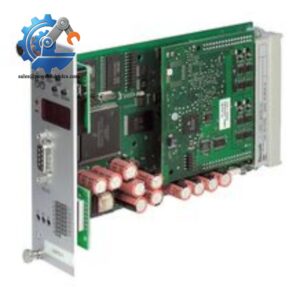
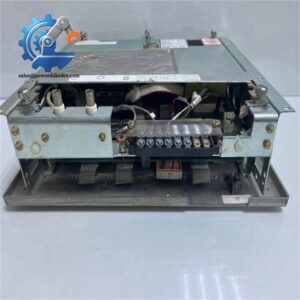
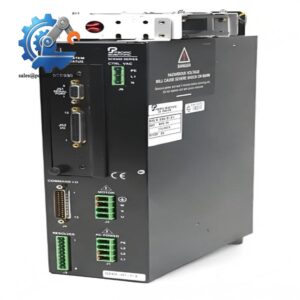
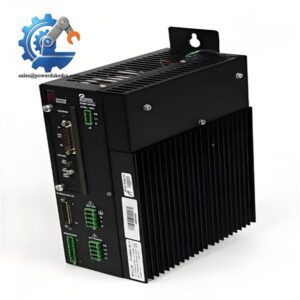
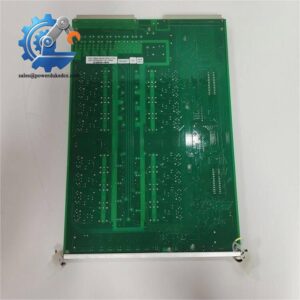
- TOSHIBA UTNH23A | New Surplus Industrial Communication Module Available for Toshiba Systems
At-A-Glance Executive Brief
- Model: TOSHIBA UTNH23A
- Brand: Toshiba
- Series: TOSLINE / Toshiba Industrial Automation Network
- Part Type: Network Interface Module
- Core Function: Provides communication connectivity between Toshiba PLC systems and distributed automation devices through the TOSLINE network architecture.
- Key Specs: Toshiba proprietary industrial network interface, PLC communication support, remote I/O connectivity, legacy automation system compatibility.
- Typical Use: Factory automation lines, production machinery, process control systems, and Toshiba PLC installations.
Product Introduction
A production line built around a legacy PLC network can experience extended downtime when a communication interface module fails. The TOSHIBA UTNH23A is a network interface module designed for Toshiba industrial automation systems, supporting communication between PLC controllers and connected field-level equipment.
Within Toshiba control architectures, the UTNH23A functions as a communication gateway between controller hardware and distributed devices. This type of module remains important in long-service industrial installations where maintaining the original PLC platform is more practical than performing a complete automation migration.
Core Technical Specifications
| Parameter | Value |
|---|---|
| Manufacturer | Toshiba |
| Model | UTNH23A |
| Product Type | Network Interface Module |
| Automation Family | Toshiba PLC / TOSLINE Network |
| Communication Function | Industrial Network Interface |
| Network Type | Toshiba Proprietary Control Network |
| Application | PLC Communication and Remote I/O Integration |
| Installation Type | Control Cabinet Module |
| System Role | Data Exchange Between PLC Nodes |
| Typical Industries | Manufacturing, Process Automation, Machine Control |
| Replacement Category | Legacy PLC Spare Module |
| Lifecycle Status | Limited Availability |
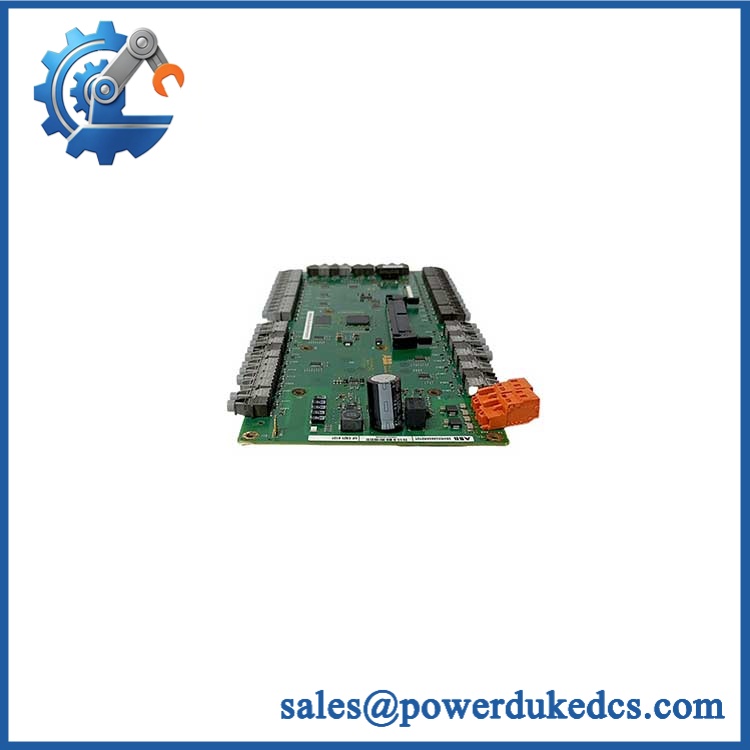
TOSHIBA UTNH23A
Application Scenarios & Pain Points
During a factory maintenance shutdown, engineers may replace the UTNH23A when PLC communication faults prevent remote stations or production equipment from exchanging data.
In automotive manufacturing plants, Toshiba network modules support long-running automation cells where replacing the complete PLC system would require extensive software validation.
For process equipment using Toshiba PLC platforms, communication module failures can isolate field stations while the main controller continues operating.
With a working installed, existing network communication remains available between PLC nodes and connected automation equipment. Without it, operators may see network alarms, offline stations, or unavailable remote data.
In older control cabinets exposed to vibration and temperatures above 50°C, checking connector conditions and power stability should be part of the diagnostic process before module replacement.
? Common Error Codes & Diagnostic Symptoms
Symptom/Code: Network Communication Error / Station Offline Alarm
→ Diagnosis: The may have lost network communication due to internal interface failure, incorrect settings, or damaged communication wiring.
→ Action: Verify network conditions and replace the module if hardware failure is confirmed.
Symptom/Code: PLC Cannot Detect Remote Node
→ Diagnosis: Communication interface malfunction may prevent the controller from recognizing connected devices.
→ Action: Check node configuration and replace the module if the communication path remains unavailable.
Symptom/Code: Intermittent Data Exchange Failure
→ Diagnosis: Aging electronic components, poor contacts, or unstable communication circuitry may cause random network interruptions.
→ Action: Replace the module and verify stable network operation.
Cross-Reference & Lifecycle Migration
- Original Model: TOSHIBA
- Product Family: Toshiba PLC / TOSLINE communication hardware.
- Compatibility: Replacement should be confirmed against the installed Toshiba PLC series, network configuration, and existing communication topology.
- Revision Matching: Verify the complete model marking before substitution because Toshiba industrial modules may have similar physical designs with different functions.
- Firmware Requirement: Depending on the PLC platform, communication parameters or system configuration files may need to be restored after replacement.
- Lifecycle Status: Legacy / Limited
- The is associated with older Toshiba automation systems.
- Plants maintaining legacy PLC equipment often keep tested communication modules as spare inventory to avoid extended production interruptions.
Field Engineer’s Tech Notes (Anti-Pitfall Guide)
- Do not assume a communication fault means the module has failed.
Check network cables, termination settings, and node addresses first. A wiring issue can produce the same symptoms as a defective . - Record PLC network parameters before replacement.
A replacement module may power up normally but fail communication if the original network configuration is not restored correctly.
Strict QA & Testing SOP
A professional inspection process for the includes:
- Inbound Verification
- Confirm Toshiba model marking and module identification.
- Check labels, connectors, and physical condition.
- Visual Inspection
- Inspect PCB condition, terminals, communication ports, and mounting points.
- Check for corrosion, contamination, or impact damage.
- Power-Up Testing
- Install into a compatible Toshiba PLC test environment.
- Verify startup indicators and module recognition.
- Communication Testing
- Connect to a compatible Toshiba network configuration.
- Verify communication exchange between PLC nodes.
- Check stability during continuous operation.
- Functional Verification
- Confirm network response and diagnostic status.
- Record test results before shipment.
- Final Packaging
- Apply anti-static protection.
- Use protective packaging suitable for international transportation.
Test videos and inspection records are available for qualified purchasing requests.
Buyer’s FAQ
Q1: What Toshiba systems use the ?
A: The is associated with Toshiba industrial automation communication systems, particularly legacy PLC network applications.
Q2: Can I replace my existing without changing software?
A: A direct replacement is possible when the PLC system, network configuration, and module revision match. Verify parameters before installation.
Q3: Is the obsolete?
A: It is considered legacy hardware. Availability depends on existing inventory and maintenance stock from industrial automation suppliers.
Q4: What should I check before purchasing a replacement?
A: Confirm the exact model number, physical label, connector layout, PLC compatibility, testing documentation, and warranty terms before ordering.



 Start Chat


