

Description
Module 2: The 10-Second Procurement Snapshot
- Brand: ABB Bailey
- Full Model Number: IMSET01
- Lifecycle Status: Legacy / Obsolete
- Core Function: System event timing for INFI 90 systems
- Top 3 Technical Specs: INFI 90 system module; event timing function; Harmony rack architecture
- Stock & Condition: New Surplus; tested inventory subject to physical stock confirmation; expedited shipping available for confirmed stock
Module 3: Supply Chain & Technical Deep Dive
A failed timing module in an older Bailey control system can become a sourcing headache because the installed architecture may depend on a specific legacy board. The IMSET01 is associated with ABB Bailey’s INFI 90 control-system hardware and is identified as a System Event Timer module. It belongs to the class of system-level modules used to maintain coordinated timing and event information within the control architecture.
From a TCO perspective, retaining a verified spare can make sense when the plant still depends on an established INFI 90 installation. Replacing one board is often less disruptive than changing the surrounding control architecture simply because a legacy component is difficult to source. Exact timing performance, rack compatibility, and system configuration should be confirmed against the applicable ABB documentation before purchase or installation.
Module 4: Migration, Compatibility & Field Traps
Replacement Matrix
| Replacement Category | Assessment |
|---|---|
| Drop-in Replacement | Applicable when replacing the same IMSET01 configuration |
| Software Compatible | Verify against the installed INFI 90 system revision |
| Hardware Modification | Normally not required for an exact replacement |
| Engineering Approval | Recommended before commissioning |
⚠️ Field Trap 1: Verify the System Architecture
Do not purchase the board based only on the “System Event Timer” description.
Check the existing:
- INFI 90 rack
- Module location
- Associated system modules
- Hardware revision
- Cable arrangement
- System software revision
Record the old module configuration before removal.
⚠️ Field Trap 2: Do Not Assume Timing Compatibility
Timing-related hardware can affect event records, sequence-of-events data, diagnostics, and control-system time correlation.
If the replacement has a different hardware revision, verify the applicable system documentation before putting the rack back into service.
⚠️ Field Trap 3: ESD and Connector Damage
Legacy PCB assemblies can be damaged during careless handling.
Use an ESD wrist strap and grounded work surface. When removing the board, pull evenly from the designated extraction points rather than stressing the PCB or backplane connector.
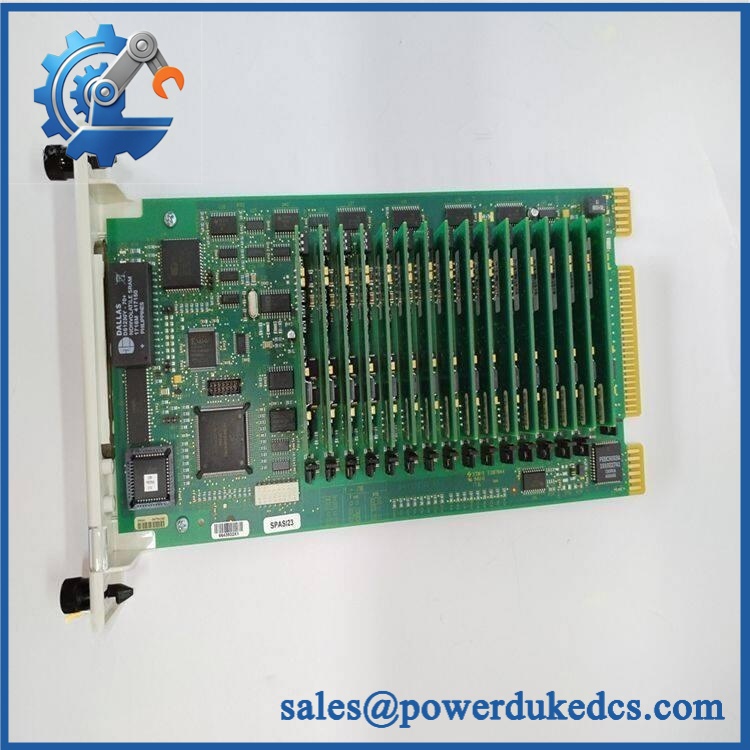
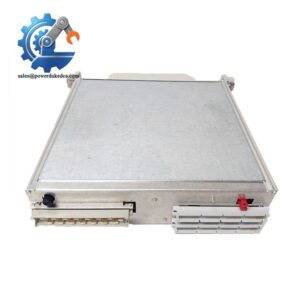
ABB IMSET01
Module 5: Quality Assurance & Testing SOP
The IMSET01 should be checked as a control-system module, not simply sold on the basis of a visual inspection.
1. OEM Identification Check
- Verify ABB Bailey identification.
- Confirm IMSET01 marking.
- Record serial number where available.
- Photograph the nameplate.
- Check labels for alteration.
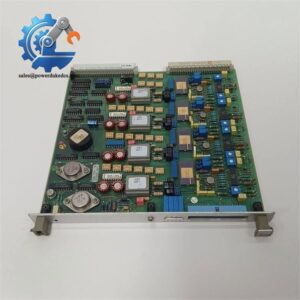
- Compare the PCB layout with the expected module.
2. Physical Inspection
Inspect for:
- Corrosion
- Oxidation
- Burn marks
- Damaged components
- Bent connector pins
- Cracked PCB areas
- Missing components
- Solder rework
- Storage contamination
Connector condition matters.
3. Power-On Self-Test
Using an appropriate compatible INFI 90 test environment:
- Install the module in the correct rack position.
- Apply the specified system power.
- Observe startup indications.
- Check module status LEDs where fitted.
- Confirm system recognition.
- Record diagnostic messages.
4. System Timing Verification
Where the correct test equipment and INFI 90 environment are available:
- Verify module initialization.
- Confirm event-timing operation.
- Check system event records.
- Verify time-related diagnostic status.
- Monitor operation for stability.
- Compare observed behavior with the applicable system documentation.
A bench power test alone is not sufficient evidence of complete system functionality.
5. Configuration Verification
Before shipment:
- Record hardware revision.
- Record firmware information where applicable.
- Photograph module configuration.
- Document rack position.
- Compare available configuration data with the customer’s original module.
6. Final QC
- Test Report completed
- Serial number recorded
- Power-on results documented
- System test results documented where available
- QC approval completed
- ESD packaging applied
- Protective cushioning installed
- Shipping carton sealed
Test photographs and available Test Reports can be provided for procurement review.
Module 6: Procurement-Driven FAQ
1. Is ABB IMSET01 actually in stock, and when can it ship?
Physical inventory should be confirmed against the exact model before the PO is released.
For an emergency maintenance requirement, confirm the actual quantity, condition, shipping location, and carrier cutoff. Legacy inventory can change quickly.
2. How do you verify the condition of an obsolete ?
The inspection covers the model marking, PCB condition, connectors, components, and evidence of previous repair.
For tested stock, request the serial-number record, inspection photographs, and Test Report corresponding to the actual unit.
3. What warranty and return terms should procurement require?
The quotation should clearly specify the warranty duration, covered functional failures, return authorization process, and inspection requirements.
For obsolete control-system hardware, the pre-shipment test record is particularly useful because it establishes the unit’s documented condition before dispatch.
4. Are there firmware or compatibility issues I should warn my engineers about?
Potential compatibility should be checked against the installed INFI 90 system revision and rack configuration.
Do not assume that every -related board revision is interchangeable without verification. Confirm the hardware revision and applicable ABB documentation before commissioning.
5. What information should I send for an urgent replacement quote?
Provide:
- nameplate photo
- PCB photo
- Existing rack position
- Associated module information
- Hardware revision
- System revision
- Quantity required
- Required delivery date
For this type of legacy spare, a clear photo of the existing board and rack position is highly useful. It reduces the chance of ordering a visually similar but unsuitable assembly.



 Start Chat


