

Description
Module 2: The 10-Second Procurement Snapshot
- Brand: ABB Bailey
- Full Model Number: INICT01
- Lifecycle Status: Legacy / mature INFI 90 spare
- Core Function: INFI-NET to computer data transfer interface
- Top 3 Technical Specs: INFI-NET interface; computer transfer function; INFI 90 architecture
- Stock & Condition: New Surplus / Tested Refurbished; physical stock confirmed before shipment
Module 3: Supply Chain & Technical Deep Dive
When an older Bailey INFI 90 system loses its computer interface module, the failure can interrupt engineering access, data acquisition, configuration, and process-control communications. ABB Bailey INICT01 is identified in the INFI-NET documentation as an INFI-NET to Computer Transfer Module. It works as part of the computer interface architecture, handling functions that include data acquisition, configuration, process control, and system status communication.
For spare-parts planning, this is a low-frequency but potentially high-impact item. ABB’s own industrial automation spare-parts material lists INICT01 as an I-90 “Infi-Net Computer Transfer Module,” confirming its position within the legacy INFI 90 spare-parts family. Exact interface configuration should be checked against the installed system before purchase. The sensible inventory target is usually 1 tested spare, rather than several units sitting unused for years.
Module 4: Migration, Compatibility & Field Traps
Replacement Matrix
| Approval Item | Assessment |
|---|---|
| Replacement Type | Direct replacement candidate for an existing INICT01 |
| Exact Part Match | INICT01 |
| System Family | Bailey INFI 90 / INFI-NET |
| Software Compatibility | Verify computer interface and INFI 90 configuration |
| Firmware Requirement | Check installed revision before commissioning |
| Hardware Modification | Normally not required for an exact replacement |
| Engineering Approval | Required before restoring computer communications |
⚠️ Field Trap 1 — INICT01 vs INICT03
Do not substitute another computer-transfer module merely because the front panel or part family looks similar. The ABB/Bailey documentation treats and INICT03 as separate INFI-NET-to-computer transfer modules. Their system configuration and interface requirements should be checked before substitution.
⚠️ Field Trap 2 — DIP Switch Configuration
The related INFI-NET computer-interface documentation includes configuration procedures involving node and loop addressing for the network interface portion of the system. Record the existing configuration before removing hardware.
Take clear photographs.
Record every switch position.
Do not rely on memory.
⚠️ Field Trap 3 — Legacy Computer Interface
The computer side of an INFI 90 installation may depend on older interface hardware and software. Before ordering, identify the actual engineering workstation or host interface connected to the module. A physically correct replacement does not automatically resolve a host-side compatibility problem.
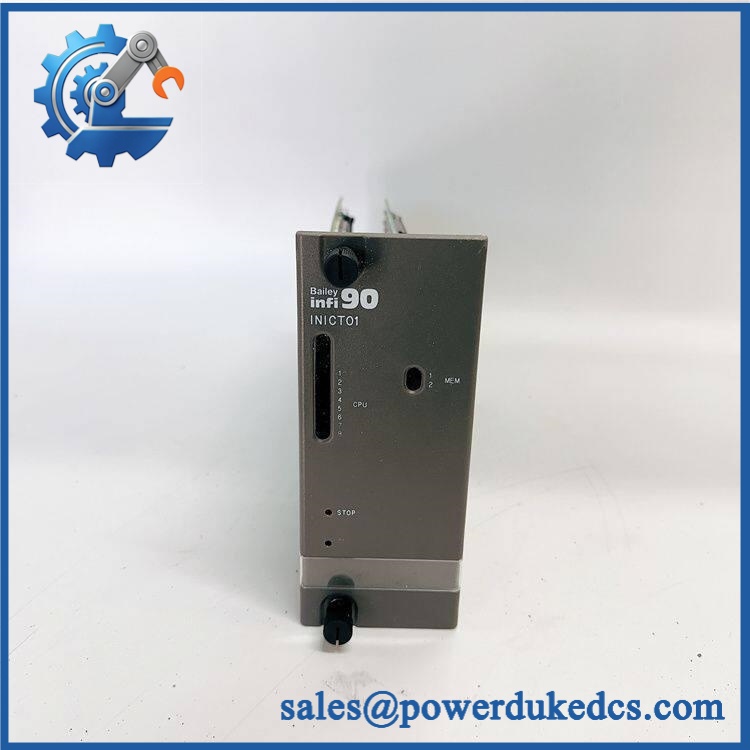
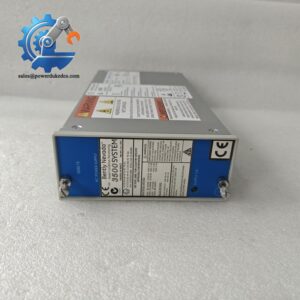
ABB INICT01
Module 5: Quality Assurance & Testing SOP
Legacy communication hardware requires more than a visual inspection.
1. OEM Identification Inspection
- Verify ABB Bailey identification.
- Confirm marking.
- Record serial number and hardware revision.
- Inspect PCB and connectors.
- Check for corrosion, cracked components, heat discoloration, or repair traces.
- Compare connector arrangement with an approved reference unit.
- Photograph the identification label.
2. Power-On Self-Test
Using a compatible INFI 90 test environment:
- Apply the specified system power.
- Check startup behavior.
- Observe module status LEDs.
- Check for abnormal diagnostic indications.
- Monitor current draw where the test setup permits.
- Observe operating temperature during extended operation.
3. INFI-NET Communication Test
The relevant test should verify the actual function of the module rather than merely confirming that it powers up.
- Connect to a compatible INFI 90/INFI-NET test system.
- Confirm module recognition.
- Verify INFI-NET communication.
- Test computer-interface communication.
- Check data acquisition.
- Check system-status communication.
- Verify configuration access where supported.
The Bailey documentation specifically identifies data acquisition, configuration, process control, and system status among the computer-interface functions.
4. Extended Functional Test
Run the module under the approved test configuration.
Record:
- Communication status
- Diagnostic status
- Interface response
- Data-transfer behavior
- Any intermittent communication errors
- Test duration
For an outage-critical spare, retain the complete test record.
5. Final QC
- Part number recorded
- Serial number recorded
- Hardware revision recorded
- Power-up test completed
- INFI-NET communication test completed
- Test results archived
- ESD packaging applied
- Protective cushioning installed
- QC inspection signed
- Shipment photographs retained
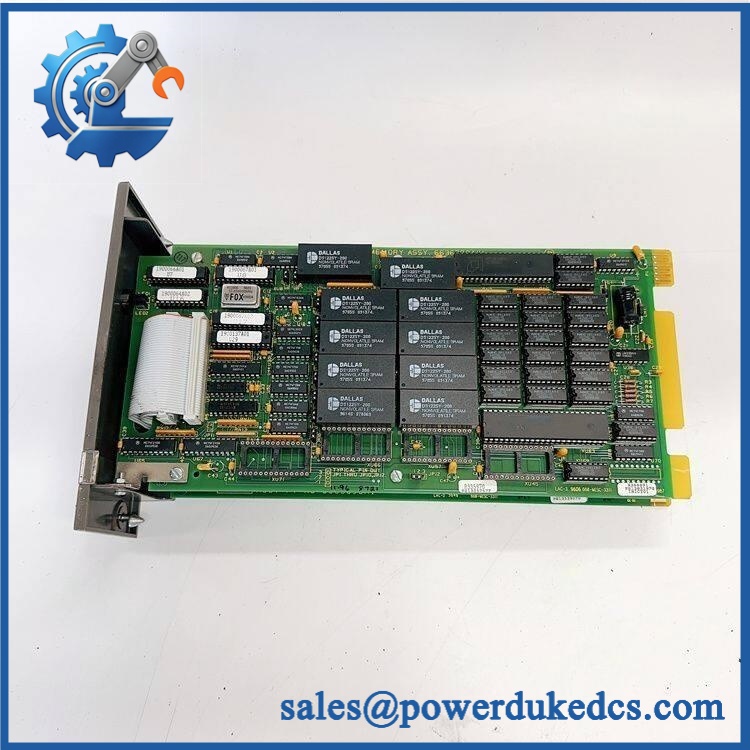
ABB INICT01
Module 6: Procurement-Driven FAQ
1. Is ABB physically in stock, and when can it ship?
Physical inventory should be confirmed against the actual unit. For an emergency INFI 90 requirement, confirm quantity, condition, test status, and shipping cutoff before placing the order. ABB’s spare-parts material also identifies within its I-90 spare-parts inventory.
2. How do you verify the condition of a surplus ?
The inspection should cover the OEM identification label, serial number, PCB condition, connectors, power-up behavior, diagnostic status, and INFI-NET communication. A compatible test system provides much stronger evidence than a visual inspection alone.
For a tested unit, request the actual test report and product photographs.
3. What warranty applies if the module fails after installation?
The commercial warranty should be stated on the quotation or purchase order. Confirm the warranty duration, failure-claim procedure, return authorization requirements, and replacement or refund terms before purchasing.
4. Could an replacement have configuration problems?
Yes. The physical module may be correct while the network or computer-interface configuration is wrong. Preserve the existing configuration before removal and verify the replacement against the installed INFI-NET architecture.
5. Can INICT03 replace ?
Do not assume so. The Bailey documentation identifies and INICT03 as separate INFI-NET-to-computer transfer modules. Treat them as different engineering items until the installed system documentation confirms interchangeability.
For a production-critical legacy INFI 90 system, one tested in buffer stock is a practical inventory position. It limits downtime exposure without tying excessive capital into a slow-moving spare.





 Start Chat


