

Description
- Model: KUC755AE117
- Brand: ABB
- Series: ABB KUC Series
- Core Function: Drive control and signal processing
- Type: Control module
- Key Specs: Industrial drive control; board-level spare; ABB KUC platform
- Condition: New Original (New Surplus), non-refurbished
Product Introduction
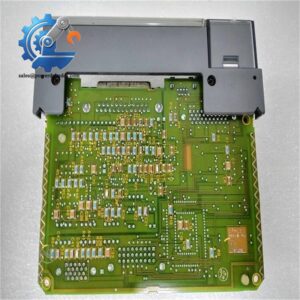
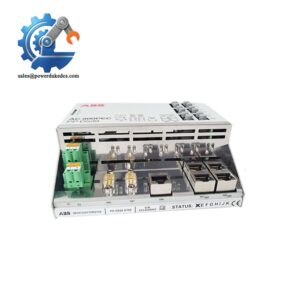
ABB KUC755AE117 is an industrial control module used within compatible ABB drive and power-control equipment. It handles control-related processing and interfaces with the surrounding drive hardware, making it a board-level spare for maintenance and replacement work.
For a maintenance stockroom, this is the kind of electronic spare worth tracking by exact part number. Hardware revision, firmware, connector layout, and the host drive configuration can affect replacement results. Keep one unit as buffer stock when failure would stop a critical production line.
Key Technical Specifications
| Parameter | Specification |
|---|---|
| Manufacturer | ABB |
| Model | KUC755AE117 |
| Product Family | KUC Series |
| Product Type | Industrial control module |
| Application | ABB drive and power-control equipment |
| Main Function | Control and signal processing |
| Installation | Internal equipment assembly |
| Interface | Dependent on host equipment |
| Power Requirement | Dependent on host system |
| Firmware | Verify against installed system |
| Operating Temperature | Refer to applicable ABB documentation |
| Environmental Rating | Refer to applicable ABB documentation |
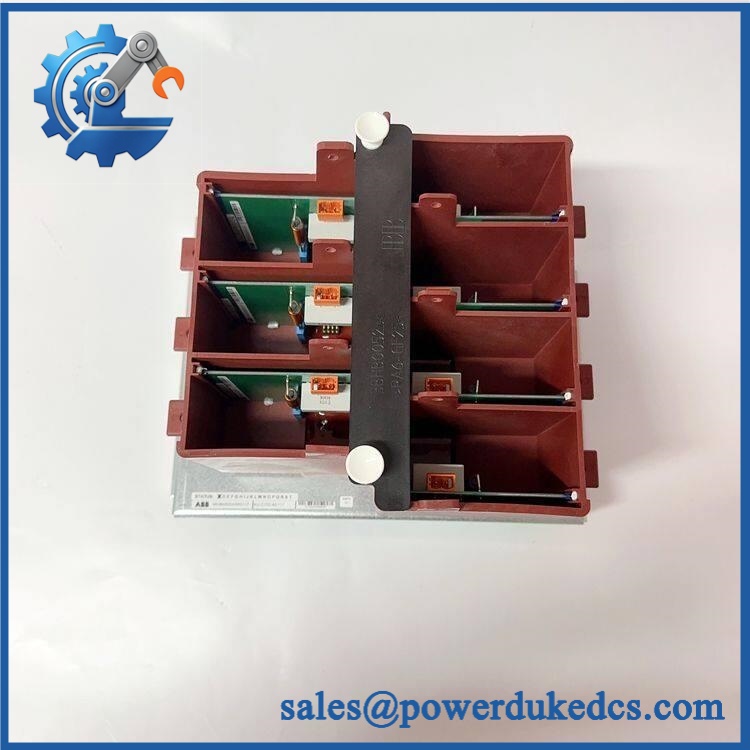
ABB KUC755AE117
Technical note: Publicly available information for this exact ordering code is limited. Do not assume voltage, I/O count, connector pinout, or firmware compatibility from a visually similar ABB board. Verify the original nameplate and host-equipment manual before installation.
Installation & Configuration Guide
Stage 1: Pre-Installation — About 10 minutes
⚠️ Safety first.
- Schedule the equipment shutdown with the production team.
- Put the controlled equipment into a safe condition.
- Isolate the main and control power, including UPS-fed circuits where applicable.
- Follow the host equipment’s DC-bus discharge procedure.
- Use an ESD wrist strap and antistatic mat.
Record the old board before touching it.
Take clear photographs of:
- Nameplate and part number
- Serial number
- Connector positions
- Cable labels
- DIP switches or jumpers
- Board location inside the cabinet
- Existing diagnostic indications
Save the current drive configuration if the engineering software supports backup.
Stage 2: Remove the Existing Module — About 5 minutes
- Confirm that electrical isolation has been completed.
- Label every cable before removal.
- Photograph the wiring from several angles.
- Release the board retaining mechanism.
- Disconnect each connector by its housing.
- Remove the board carefully.
- Inspect the mating connectors for bent pins, contamination, or mechanical damage.
Do not pull a cable by the wire itself.
Stage 3: Install the Replacement — About 5-10 minutes
- Verify KUC755AE117 against the old nameplate.
- Compare the connector arrangement.
- Reproduce documented DIP-switch or jumper settings, if present.
- Align the board with the correct guide or connector.
- Seat it fully without excessive force.
- Reconnect cables according to the photographs.
- Check each connector mechanically.
- Confirm that no loose hardware remains inside the cabinet.
Do not guess the wiring. A similar-looking connector does not prove identical pin assignments.
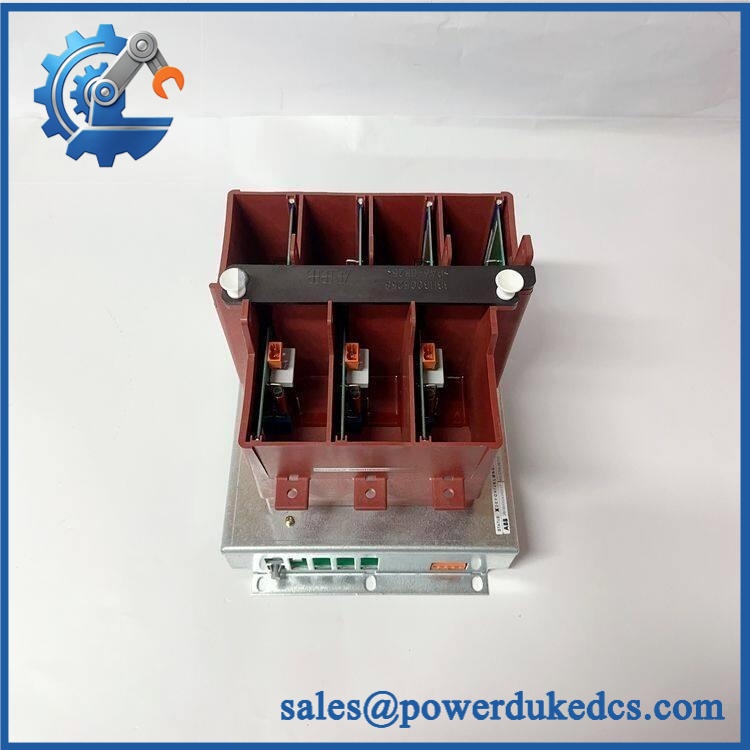
ABB KUC755AE117
Stage 4: Power-On & Testing — About 10-15 minutes
Before power-up:
- Check all connectors.
- Check the board mounting.
- Remove tools and loose materials.
- Confirm the correct power-isolation procedure has been completed.
- Verify that the replacement board is installed in the correct position.
After energizing:
- Observe available status LEDs.
- Check the drive or controller diagnostic screen.
- Read hardware and firmware information where supported.
- Compare the configuration with the saved backup.
- Check communication status.
- Test control commands at low risk.
- Verify feedback and status signals.
- Run the equipment under controlled conditions.
- Monitor the system for at least 30 minutes.
If an alarm appears, record the exact code before resetting it.
Replacement Risk Checklist
Firmware Revision Mismatch
A replacement board can have a different firmware revision from the installed unit. That difference may affect communication or configuration.
Before replacement: record the old firmware.
After replacement: read the new revision and compare it.
Well, technically the board may power up normally and still fail at the system level. That is why a simple LED check is not enough.
DIP Switch or Jumper Settings
If the board uses hardware configuration switches, photograph them before removal.
Copy each position rather than relying on memory.
❗ Take the photo. Then take another close-up. It is one of the easiest ways to avoid an unnecessary second shutdown.
Connector and Wiring Differences
Check the wiring diagram before reconnecting cables.
Do not assume that a connector with the same physical shape has identical pin assignments. If the ABB manual for the host equipment specifies a particular terminal arrangement, follow that documentation.
Power Requirements
The board’s actual power requirements should be checked against the host equipment documentation.
Do not substitute a generic 24 V DC assumption for an ABB-specific specification.
ESD Protection
Keep the replacement inside its antistatic packaging until the installation point is ready.
Use:
- ESD wrist strap
- Antistatic work surface
- Proper grounding
- ESD-safe packaging
A damaged electronic board may show no visible physical mark.
Quality Inspection & Test Process
For a unit sold as New Original (New Surplus), the recommended incoming inspection sequence is:
1. Incoming Inspection
- Verify supplier and source records.
- Check original packing documentation where available.
- Verify serial number and nameplate.
- Inspect for corrosion, scratches, discoloration, or repair marks.
- Check included documentation and accessories where applicable.
2. Live Functional Test
Where the correct ABB host test environment is available:
- Power-on self-test
- LED status check
- Communication verification
- Applicable signal testing
- Extended operating observation
The exact test rack must match the supported ABB equipment. A generic test bench should not be presented as an ABB-certified test system.
3. Electrical Checks
Where applicable:
- Insulation resistance test
- Ground continuity
- Voltage verification
- Dielectric test according to the applicable procedure
Test voltage and acceptance limits must follow the relevant ABB documentation. Do not apply a generic hipot value without confirmation.
4. Firmware Verification
Record:
- Firmware revision
- Hardware revision
- Configuration data
- DIP-switch/jumper positions
Keep photographs with the Test Report.
5. Final QC and Packaging
- QC inspector confirmation
- ESD bag
- Protective cushioning
- Carton packaging
- QC label and inspection date
Test photos and available Test Reports can be provided for customer review.
Inventory Recommendation
For a critical production drive, consider:
- Min: 1 unit
- Max: 2 units
- Buffer stock: 1 unit for emergency replacement
- Reorder point: Based on supplier lead time + lead time variability
- Fast-moving stock: Replenish against actual consumption
- Slow-moving stock: Consider vendor-managed or consignment inventory
- EOL risk: Monitor ABB lifecycle status and consider a Last-time-buy before confirmed discontinuation
The correct stock level depends on failure frequency, supplier lead time, equipment criticality, and the cost of production downtime. Buying extra boards without considering carrying cost can create obsolete inventory.
Frequently Asked Questions (FAQ)
1. What is ABB KUC755AE117 used for?
It is an ABB KUC Series electronic control module intended for use in compatible industrial drive or power-control equipment. The exact application should be confirmed from the host equipment model and original documentation.
2. Can I replace my existing board directly?
Only after confirming the complete part identification.
Check:
- KUC755AE117 part number
- Hardware revision
- Firmware revision
- Host equipment model
- Connector and configuration details
A same-looking board is not enough evidence for a direct replacement.
3. My replacement board powers on but the system does not communicate. What should I check?
Check the firmware first, then the physical connections.
| Check | Action |
|---|---|
| Firmware | Compare old and new revisions |
| Connectors | Reseat and inspect pins |
| Configuration | Compare saved settings |
| Wiring | Verify every cable position |
| Host system | Check hardware configuration |
坦白讲, communication faults after board replacement are often configuration issues rather than a dead board.
4. Is this a good spare to keep in stock?
If failure of the associated drive can stop production, keeping 1 unit as buffer stock is reasonable.
For low-use equipment, calculate the total cost of ownership first. The decision should balance emergency downtime cost against storage, capital, and obsolescence risk.
5. Can this board be hot-swapped?
Do not assume hot-swap capability.
Unless the applicable ABB equipment manual explicitly permits live replacement, shut down and isolate the equipment before removing the board. This protects both the technician and the electronic assembly.
6. What information should I send before ordering?
Send a clear photograph of the existing nameplate and, if possible:
- Part number
- Hardware revision
- Serial number
- Host drive model
- Firmware revision
- Connector arrangement
- Quantity required
- Required delivery date
This information lets the supplier check the replacement more accurately before shipment.
7. How should I handle an old or discontinued ABB board?
Treat lifecycle status as an inventory issue, not just a purchasing issue. If the installed equipment is still production-critical, monitor EOL announcements and supplier availability.
A Last-time-buy can make sense before discontinuation, but only after estimating expected consumption and storage life. For a slow-moving spare, two extra units may cost more to hold than the emergency procurement risk they remove.




 Start Chat


