

Description
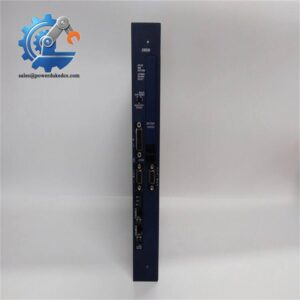
- Model: PM866
- Order Number: 3BSE050200R1
- Brand: ABB
- Series: AC 800M
- Core Function: Runs process control and automation applications
- Type: Processor unit / CPU controller
- Key Specs: 133 MHz MPC866; 64 MB memory; 2 × RJ45 Ethernet ports
- Condition: Confirm New Original (New Surplus) or refurbished status before purchase
Product Introduction
When an AC 800M controller goes down, the replacement needs to match more than the front label. ABB PM866 is an AC 800M processor unit containing the CPU, memory, real-time clock, status LEDs, INIT push button, and CompactFlash interface. The controller works with ABB Control Builder and can connect to S800 I/O and communication interfaces.
The documented PM866 platform uses a 133 MHz MPC866 processor and 64 MB memory. ABB also specifies 2 RJ45 Ethernet ports and 2 serial ports on the PM866/PM866A baseplate, with CPU redundancy supported by the PM866 platform.
Key Technical Specifications
| Parameter | Value |
|---|---|
| Manufacturer | ABB |
| Model | PM866 |
| Order Number | 3BSE050200R1 |
| Product Family | AC 800M |
| Product Type | Processor Unit / CPU |
| Processor | MPC866, 133 MHz |
| Memory | 64 MB |
| Application RAM | 51.389 MB |
| Firmware Storage | 4 MB Flash PROM |
| Power Supply | 24 V DC, 19.2–30 V DC |
| Typical Current | 210 mA |
| Maximum Current | 360 mA |
| Typical Power Dissipation | 5.1 W |
| Maximum Power Dissipation | 8.6 W |
| Ethernet | 2 × RJ45 |
| Serial Ports | 2 × RJ45 serial ports |
| Battery | Lithium, 3.6 V backup battery |
| Application Capacity | Up to 32 applications |
| Cycle Time | Down to 1 ms |
| Mounting | TP830 baseplate / AC 800M rail-mounted system |
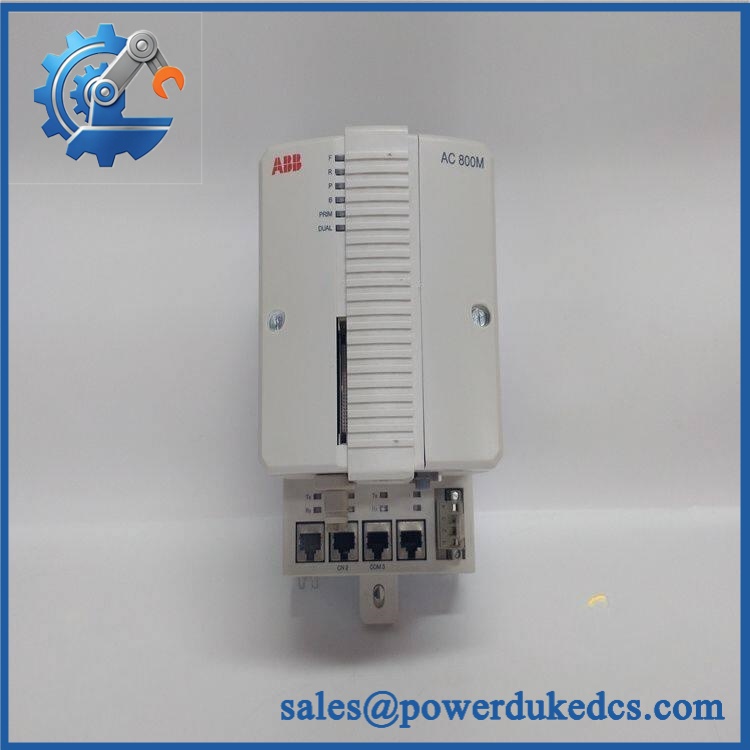
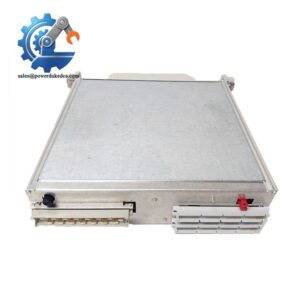
ABB PM866 3BSE050200R1
The electrical and performance figures above are based primarily on ABB’s current PM866AK01 documentation and ABB AC 800M hardware documentation. Verify the exact hardware revision represented by 3BSE050200R1 before applying revision-specific specifications.
Installation & Configuration Guide
Phase 1: Pre-Installation — 10–15 minutes
⚠️ Safety first.
- Notify the production department.
- Schedule the controller replacement during an approved maintenance window.
- Put the controlled process into a safe state.
- Follow the site’s lockout/tagout procedure.
- Isolate the relevant control power, including UPS sources where applicable.
- Verify that hazardous voltage is absent.
- Wear an ESD wrist strap.
- Prepare:
- PH1 screwdriver
- Approved multimeter
- ESD mat
- Labels and marker
- Camera/phone
- Backup storage device
- Back up the Control Builder project before removing the processor.
ABB notes that the AC 800M controller requires firmware and an application created separately using Control Builder M. Do not assume that installing the CPU automatically restores the application.
Phase 2: Record the Existing Controller — 5 minutes
Before touching the wiring, photograph:
- label
- Serial number
- Hardware revision
- Ethernet connections
- COM3 / COM4 connections
- TP830 baseplate
- CEX-Bus connections
- Battery condition
- CompactFlash configuration, if used
- LED status
- Controller installation position
Take the photos first.
That simple step can save a surprising amount of commissioning time.
Phase 3: Remove the Existing — 5–10 minutes
- Confirm power isolation.
- Remove any applicable front cover.
- Label connected cables.
- Disconnect communication and service connections.
- Release the controller from the baseplate using the ABB slide-and-lock mechanism.
- Pull the processor unit away from the baseplate carefully.
- Inspect the TP830 connector area.
- Check for bent contacts, dust, oxidation, or mechanical damage.
ABB describes the /PM866A as a processor unit mounted on a TP830 baseplate. The TP830 contains the termination board where most external connections terminate.
Phase 4: Install the Replacement — 5–10 minutes
- Check the complete ordering number.
- Compare the replacement hardware revision with the removed unit.
- Check the TP830 baseplate condition.
- Align the replacement processor with the baseplate.
- Use the specified slide-and-lock mechanism.
- Reconnect communication cables.
- Verify that each connector is fully seated.
- Check the controller position and mechanical alignment.
Do not force the module into the baseplate.
Phase 5: Firmware & Application Recovery — 10–20 minutes
- Restore power according to the approved commissioning procedure.
- Check controller LED indications.
- Connect the Control Builder engineering workstation.
- Identify the installed CPU.
- Check firmware revision.
- Compare it with the backup/project requirements.
- Load the required firmware if necessary.
- Restore the saved Control Builder application.
- Verify hardware configuration.
- Compile the project.
- Download the application.
- Place the controller into the required operating mode.
ABB documentation states that Control Builder M is used to create and load the application after the controller firmware has been loaded.
Phase 6: Functional Test — 15–30 minutes
Check the controller in this order:
- CPU diagnostic status
- Ethernet communication
- CEX-Bus communication
- S800 I/O communication
- Controller-to-controller communication
- HMI/SCADA communication
- Application execution
- Alarm status
- I/O response
- Process sequence
Run the system for at least the site’s required observation period.
Do not declare the replacement complete just because the CPU reaches RUN. Communication and application behavior still need verification.
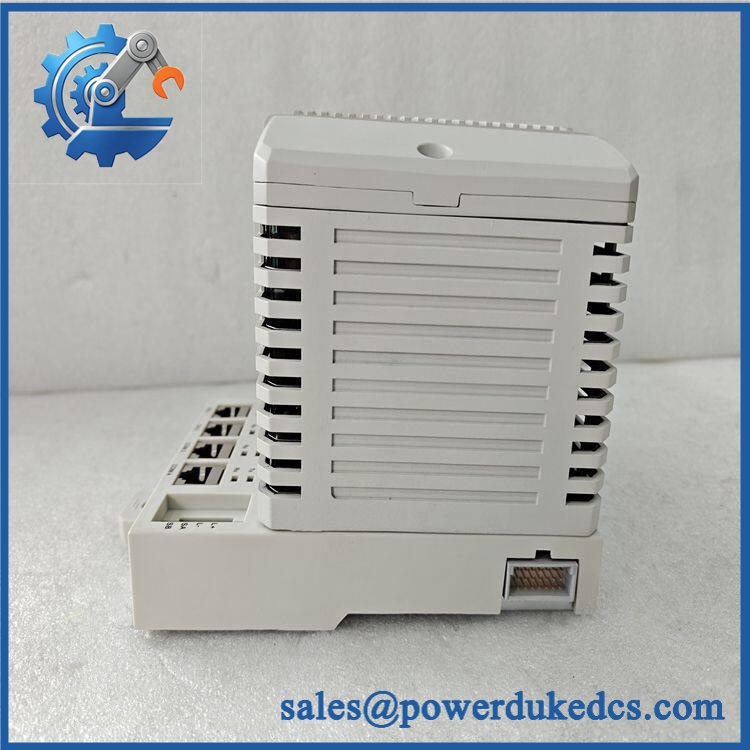
ABB PM866 3BSE050200R1
Quality Inspection SOP
1. Incoming Inspection
- Verify / 3BSE050200R1 identification.
- Record serial number.
- Check ABB label condition.
- Inspect housing for scratches, cracks, corrosion, or repair evidence.
- Inspect the baseplate interface.
- Check the battery area.
- Photograph the unit.
2. Live Functional Test
A meaningful test requires an appropriate AC 800M test environment.
Recommended checks:
- Power-on self-test
- CPU diagnostic status
- Ethernet communication
- Serial interface operation where applicable
- CEX-Bus communication
- S800 I/O communication
- Control Builder connection
- Application download
- RUN-state operation
- Diagnostic log review
A test report should identify the actual test rack, firmware, application and test duration.
3. Electrical Inspection
Where permitted by ABB procedures:
- 24 V DC supply verification
- Power consumption check
- Ground continuity where applicable
- Connector inspection
- Battery condition check
ABB specifies a 24 V DC supply range of 19.2–30 V DC for the documented PM866AK01 controller.
4. Firmware / Program Verification
Record:
- Firmware revision
- Hardware revision
- Controller serial number
- Control Builder version
- Application version
- Configuration backup
- Network configuration
Keep a copy with the warehouse record.
5. Final QC & Packing
- QC inspection completed
- Serial number recorded
- ESD bag sealed
- Anti-static cushioning installed
- Shock protection added
- Outer carton secured
- QC label attached
- Test report included where applicable
Common Questions
1. What is ABB 3BSE050200R1?
It is an AC 800M processor unit used as a controller CPU in ABB automation systems. The CPU board contains the processor, RAM, real-time clock, LEDs, INIT push button and CompactFlash interface.
2. How much memory does the have?
The ABB documentation for PM866AK01 specifies 64 MB memory, with 51.389 MB available for application RAM and 4 MB Flash PROM for firmware storage.
3. Can I directly replace my existing ?
Usually, the replacement process is straightforward when the complete hardware configuration matches.
Check:
| Item | Verify |
|---|---|
| Part number | 3BSE050200R1 |
| Hardware revision | Match installed system |
| Firmware | Compatible with project |
| Baseplate | compatibility |
| Application | Control Builder backup available |
| Communication | Ethernet/CEX-Bus configuration |
| I/O | S800 and other configured interfaces |
A CPU swap without an application backup is asking for trouble.
4. Does support Ethernet?
Yes. ABB’s /PM866A documentation specifies 2 RJ45 Ethernet ports, CN1 and CN2, for the Control Network. The baseplate also provides 2 RJ45 serial ports, COM3 and COM4.
5. What if the new CPU has a different firmware version?
Stop before downloading the application.
Record the old firmware first. Then verify the required firmware against the Control Builder project and installed AC 800M system version. A firmware mismatch can cause configuration or communication problems even when the physical CPU is correct.
6. Is a redundant controller?
The platform supports CPU redundancy, according to ABB documentation. The current PM866AK01 product page, however, identifies that specific article as non-redundant, so the exact article and hardware configuration must be checked before making a redundancy claim for a particular unit.
7. Should I keep one as spare stock?
For a production-critical AC 800M installation, 1 verified spare is a sensible starting point.
Recommended policy:
- Min: 1 unit
- Max: 1–2 units
- Reorder Point: 1 unit
- Buffer Stock: Keep in ESD-controlled storage
- Configuration: Maintain a tested Control Builder backup
- Review: Every 6–12 months
For this type of CPU, the carrying cost of one spare is often small compared with an extended control-system outage. Avoid excessive stocking, though. A last-time-buy should be based on installed-base demand and lifecycle information, not fear-driven purchasing.




 Start Chat


