

Description
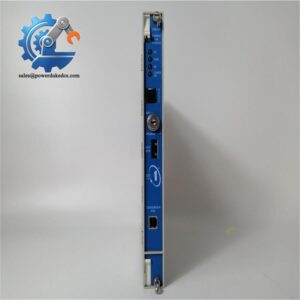
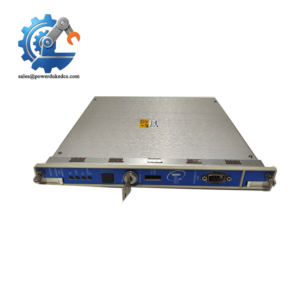
- Model: FloBoss S600+
- Brand: BENTLY
- Series: FloBoss Flow Computer Series
- Core Function: Calculates and manages gas flow measurement
- Type: Flow computer / measurement controller
- Key Specs: Multi-stream measurement; custody-transfer applications; configurable flow calculations
Identification note: FloBoss is associated with Emerson / Remote Automation Solutions rather than Bently Nevada. Verify the manufacturer marking on the physical unit before publication or purchase.
Product Introduction
The FloBoss S600+ is a high-performance flow computer designed for gas and liquid measurement applications where flow calculations, metering data, and process inputs must be handled locally. It is typically used in pipeline, metering, and custody-transfer systems.
For spare-parts control, configuration matters as much as the model number. I/O configuration, firmware, communication options, and application files should be checked before replacement. A used unit with the wrong configuration can look identical on the shelf but still require engineering work before commissioning.
Key Technical Specifications
| Parameter | Specification |
|---|---|
| Product | FloBoss S600+ |
| Product Type | Flow computer |
| Typical Application | Gas and liquid flow measurement |
| Measurement Function | Flow calculation and metering |
| Application Area | Pipeline and custody-transfer metering |
| I/O | Configuration dependent |
| Communication | Configuration dependent |
| Firmware | Version dependent |
| Power Supply | Configuration dependent; verify nameplate |
| Display | Configuration dependent |
| Enclosure / Mounting | System-dependent |
| Operating Temperature | Verify against specific hardware revision |
| Dimensions | Verify against supplied unit |
| Weight | Verify against supplied unit |
| Certification | Verify according to application and installed configuration |
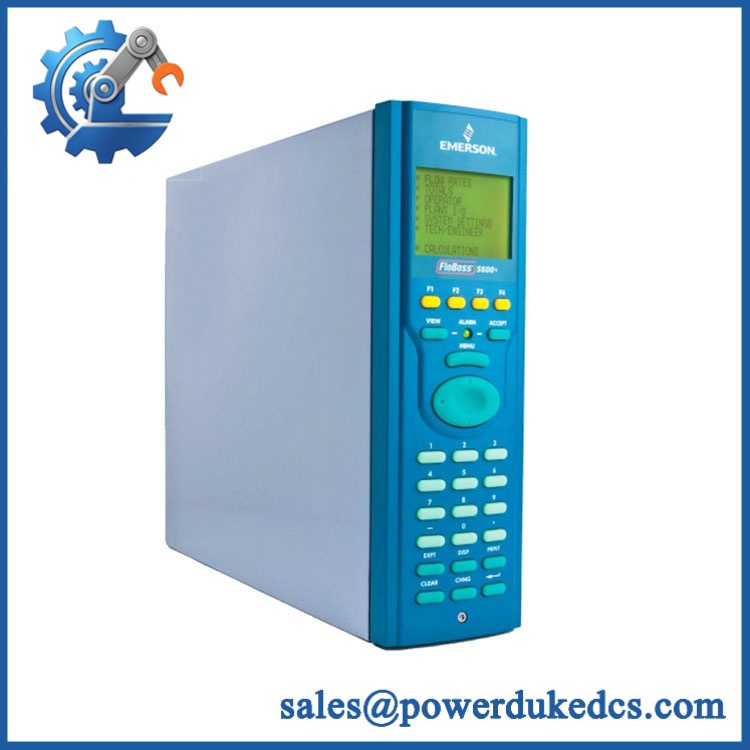
BENTLY FLOBOSS S600+
Technical note: Do not publish a fixed I/O count, voltage, temperature range, communication protocol, or certification without checking the exact S600+ hardware configuration. FloBoss systems were supplied with different options.
Stocking Recommendation
For a metering station where flow-computer failure can interrupt measurement or require manual intervention, 1 tested spare is a sensible starting point.
| Inventory Factor | Recommendation |
|---|---|
| Criticality | Medium to High |
| Minimum Stock | 1 unit |
| Maximum Stock | 1–2 units |
| Buffer Stock | 1 tested unit for critical stations |
| Reorder Point | Based on supplier lead time and site criticality |
| Fast-Moving Parts | JIT replenishment |
| Slow-Moving Unit | Vendor-held or shared regional stock |
| EOL Exposure | Evaluate a controlled last-time-buy |
| Multi-Site Strategy | Cross-site sharing where configurations match |
| TCO | Include calibration, configuration, testing, storage, and obsolescence |
Do not mix hardware configurations in one generic stock code. Keep configuration and firmware records with the physical spare.
Installation & Configuration Guide
Estimated replacement time: 30–60 minutes for a prepared like-for-like replacement. Configuration recovery may take considerably longer.
Stage 1: Pre-Installation — 10 minutes
⚠️ Safety first.
- Notify operations and confirm the approved maintenance window.
- Put the metering system into its approved safe state.
- Isolate power according to the site procedure.
- Confirm the instrument loop conditions are safe.
- Wear an ESD wrist strap when handling the electronics.
- Photograph the existing unit.
- Record:
- Full model number
- Serial number
- Hardware revision
- Firmware version
- I/O wiring
- Communication connections
- Configuration parameters
Back up the application configuration before removal. The configuration file may be more valuable than the physical controller.
Stage 2: Remove the Existing Unit — 5–10 minutes
- Confirm the unit is de-energized.
- Label each field connection.
- Photograph the terminal arrangement.
- Disconnect communication cables.
- Disconnect power and I/O wiring.
- Release the mounting hardware.
- Remove the unit without stressing the terminal blocks.
Keep the old unit until the replacement has completed functional testing.
Stage 3: Install the Replacement — 10 minutes
- Verify the model and hardware revision.
- Check the replacement against the photographs.
- Confirm the power-supply requirement.
- Mount the unit securely.
- Reconnect power.
- Restore I/O wiring one circuit at a time.
- Reconnect Ethernet, serial, or other communication interfaces as applicable.
- Check cable shielding and grounding.
Do not assume the replacement contains the same application configuration.
Stage 4: Configuration and Testing — 15–30 minutes
- Power up the flow computer.
- Check startup diagnostics.
- Confirm the firmware version.
- Load the approved application configuration if required.
- Verify:
- Engineering units
- Meter configuration
- Gas composition parameters
- Flow calculation settings
- Alarm limits
- Communication settings
- Date/time
- Check live process values against the field instruments.
- Confirm communication with the host SCADA or metering system.
- Verify totalizers and historical data.
- Record the replacement serial number in the maintenance system.
Custody-transfer applications require extra care. Configuration changes can affect calculated quantities and compliance records.
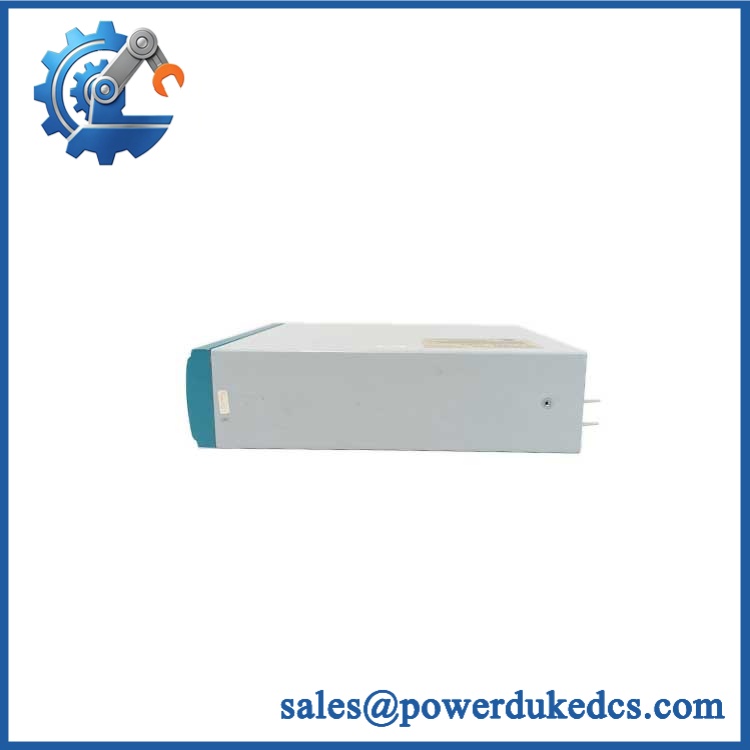
BENTLY FLOBOSS S600+
Quality Inspection & Test SOP
1. Incoming Inspection
- Verify supplier traceability.
- Check serial number and model marking.
- Inspect enclosure and connectors.
- Look for corrosion, impact marks, or unauthorized repair.
- Check display and keypad condition where fitted.
- Verify accessories supplied with the unit.
2. Functional Test
Use a suitable flow-computer test setup or approved simulation environment.
Check:
- Power-up diagnostics
- Display and keypad operation
- Analog inputs
- Digital inputs
- Digital outputs
- Pulse/frequency inputs where configured
- Communication interfaces
- Flow calculations
- Alarm functions
- Totalizers
Generate a Test Report.
3. Configuration Verification
Record the installed:
- Firmware revision
- Application configuration
- I/O allocation
- Communication parameters
- Meter factors
- Engineering units
- Alarm settings
Back up the final configuration.
4. Electrical Checks
Perform electrical testing according to the manufacturer’s specified limits and the site’s approved procedure.
Do not apply generic hipot or insulation-test voltages to connected electronics without confirming that the procedure is permitted.
5. Final QC and Packaging
- QC inspection completed.
- Configuration recorded.
- ESD protection applied.
- Protective packaging installed.
- Serial number attached to the inventory record.
- QC date recorded.
Test photographs and configuration records should stay with the spare-parts file.
Technical Pitfalls Before Replacement
1. Firmware Mismatch
A replacement can boot normally and still fail to operate correctly with the existing application.
Example: A site installs a later firmware revision, then discovers that an existing application file requires a different software environment.
Avoid it: Record the existing firmware before removal and confirm the supported configuration before purchasing.
2. Configuration File Missing
This one hurts.
The physical unit may be correct, but the metering configuration may be lost. Recovering meter parameters manually can take much longer than installing the hardware.
Before removal, back up the application and configuration files.
3. I/O Configuration Difference
Two units with the same basic model can have different installed options.
Check the actual I/O arrangement rather than assuming every S600+ has the same terminals.
4. Communication Settings
Serial and network parameters must match the host system.
Check:
- Address
- Baud rate where applicable
- Parity
- Node settings
- IP configuration where applicable
- Protocol configuration
A single wrong parameter can leave the flow computer healthy but invisible to SCADA.
5. Metering Parameters
For custody-transfer work, configuration errors can affect calculated flow.
Verify meter factors, pressure, temperature, gas composition, engineering units, and calculation parameters against the approved configuration record.
Frequently Asked Questions
1. Is BENTLY FloBoss S600+ the correct manufacturer name?
Verify the physical nameplate before publishing the product. FloBoss is associated with Emerson’s Remote Automation Solutions product family, while Bently Nevada is a separate industrial instrumentation brand. A supplier listing may contain an incorrect brand association.
2. Can I directly replace my existing FloBoss +?
Usually, a like-for-like replacement is the simplest route, but configuration must be checked.
Compare:
| Check | Existing Unit | Replacement |
|---|---|---|
| Model | Required | Required |
| Hardware revision | Record | Match/verify |
| Firmware | Record | Verify |
| I/O configuration | Record | Match |
| Application file | Back up | Restore |
| Communication | Record | Reproduce |
The safest replacement is not simply the unit with the closest-looking front panel. It is the unit with the correct hardware and configuration.
3. Can I use a used unit as a spare?
Yes, provided its condition and configuration are verified.
For a critical metering station, I would prefer a tested unit with a documented firmware revision and configuration backup over an untested unit described only as “working.”
4. Does the + support custody-transfer metering?
It is associated with flow-computer applications that can support custody-transfer measurement, but the exact certification and approved configuration depend on the hardware, software, application, and jurisdiction.
Verify the certification package for the actual unit.
5. What should I ask a supplier before buying?
Request:
- Actual product photographs.
- Full model and hardware revision.
- Serial number where available.
- Firmware revision.
- I/O configuration.
- Condition: New Surplus, used, or refurbished.
- Functional-test report.
- Warranty period.
- Lead time.
- Country of origin.
That information gives procurement enough data to compare the total cost of ownership, rather than comparing price alone.
6. My existing unit failed. What should I preserve?
Preserve the configuration first.
Save the application file, communication settings, meter parameters, firmware information, and wiring photographs before removing anything that still communicates.
That data can reduce commissioning time substantially.
7. Should I keep one or two units in stock?
For a critical metering station, one tested spare is the normal starting point. Two units make more sense when supplier lead time is long, the station is difficult to access, or a failure has a high operational or commercial impact.
For multiple sites, cross-site sharing can reduce duplicate inventory—provided the hardware revisions and configurations are genuinely interchangeable.



 Start Chat


