

Description
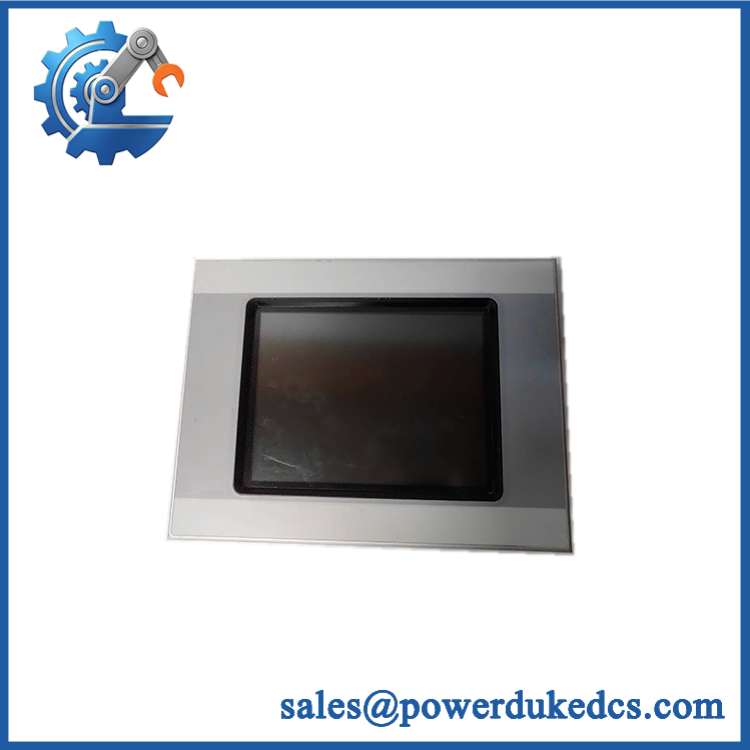
- EATON XV-440-12TSB-1-10 | Factory Replacement Touch Display
2. At-A-Glance Executive Brief
- Model: EATON XV-440-12TSB-1-10
- Brand: Eaton / Moeller
- Series: XV400 Operator Panels
- Part Type: HMI Touch Panel / Operator Interface Terminal
- Core Function: Provides machine visualization, operator control, PLC communication, and process monitoring through a 12.1-inch TFT touchscreen interface.
- Primary Use: Industrial machine control panels, PLC-based automation systems, production equipment interfaces, and operator stations.
- Key Specifications:
- 12.1-inch TFT color display
- SVGA resolution: 800 × 600 pixels
- 24 VDC power supply
- Ethernet, RS232, and CAN communication interfaces
- Infrared touch technology
- PLC functionality support
- Typical Deployment: Packaging machines, manufacturing lines, process skids, and OEM automation cabinets.
3. Product Introduction
The EATON XV-440-12TSB-1-10 is installed as the operator-facing interface within an industrial control architecture. Mounted on the cabinet door, it provides visualization of machine status, alarm handling, parameter entry, and communication with connected PLC systems. The unit belongs to the XV400 HMI family and integrates display, touch input, and automation communication functions into one enclosure.
In field deployments, this type of HMI is often maintained as a production-critical spare because a damaged display can stop operator access even when the PLC and field devices remain operational. Check the installed project files, communication settings, and memory card configuration before replacement (especially on older machines where software archives may no longer exist).
4. Core Technical Specifications
| Parameter | Value |
|---|---|
| Manufacturer | Eaton / Moeller |
| Model Number | XV-440-12TSB-1-10 |
| Product Family | XV400 |
| Product Type | HMI Touch Operator Panel |
| Display Type | TFT Color LCD |
| Display Size | 12.1 inch |
| Resolution | 800 × 600 pixels (SVGA) |
| Touch Technology | Infrared touch screen |
| Colors | 65,536 / 256 selectable colors |
| Brightness | Approx. 350 cd/m² |
| Contrast Ratio | Approx. 350:1 |
| Backlight | 2 × CCFL, software dimmable |
| Backlight Life | Approx. 50,000 hours |
| Processor | 32-bit RISC CPU, 400 MHz |
| DRAM Memory | 64 MB |
| Flash Memory | Approx. 1.5 MB available |
| NVRAM | Approx. 32 KB |
| Supply Voltage | 24 VDC |
| Power Consumption | Typical 14 W / Maximum 32 W |
| Heat Dissipation | Maximum 32 W |
| Communication Ports | Ethernet, RS232, CAN |
| Expansion Slots | 2 × CompactFlash, 2 × communication module slots |
| Front Protection | IP65 |
| Rear Protection | IP20 |
| Operating Temperature | 0°C to +50°C |
| Storage Temperature | -20°C to +60°C |
| Weight | Approx. 4.5 kg |
| Dimensions (W × H × D) | Approx. 279 × 93 × 361 mm |
EATON XV-440-12TSB-1-10
5. Application Scenarios & Pain Points
A failed HMI panel can disable machine operation because operators lose access to commands, diagnostics, and production parameters.
- Packaging equipment: Used for recipe selection, production monitoring, and alarm acknowledgement where operators require immediate feedback during high-speed cycles.
- Assembly lines: Provides machine status visualization and manual control functions across automated workstations.
- Process skids: Installed on compact control cabinets where PLC communication and operator access are required in limited space.
- OEM machinery: Many equipment builders use XV400 panels as a standardized interface platform, reducing redesign effort during machine production.
- Legacy automation upgrades: Existing XV400 installations may remain in service for many years, requiring replacement panels to preserve machine availability.
6. Common Error Codes & Diagnostic Symptoms
Symptom/Code: Touch Input Not Responding
→ Diagnosis: Possible infrared touch sensor contamination, damaged touch layer, or controller fault.
→ Action: Clean the front glass, verify calibration, and replace the XV-440-12TSB-1-10 if the touch hardware fails.
Symptom/Code: Display Backlight Failure / Dark Screen
→ Diagnosis: Aging CCFL backlight tubes, inverter failure, or display power circuit issues.
→ Action: Verify power supply and replace the HMI panel if display hardware is defective.
Symptom/Code: PLC Communication Timeout
→ Diagnosis: Incorrect communication parameters, damaged Ethernet/serial cable, or interface hardware failure.
→ Action: Check project configuration and replace the panel if communication ports fail.
7. Cross-Reference & Lifecycle Migration
- Related Models:
- XV-430-12TSB-1-10
- XV-460-12TSB-1-10
- XV-440-12TSB-1-20
- XV-440-12TSB-1-50
These models belong to the same XV400 12.1-inch panel family but may differ in PLC features, communication options, or memory configuration.
- Replacement Considerations:
- Confirm cutout dimensions.
- Verify communication modules.
- Confirm project software compatibility.
- Check CompactFlash card contents.
- Firmware / Project Migration:
Replacement may require restoring the HMI application, communication drivers, and operator screen project. - Lifecycle Status: Legacy / Mature Product
- Commonly found in installed Eaton automation systems.
- Maintain tested spare units for machines where downtime has a high operational cost.
- Migration Strategy:
Newer Eaton visualization platforms may require software conversion, wiring changes, and engineering validation before replacement.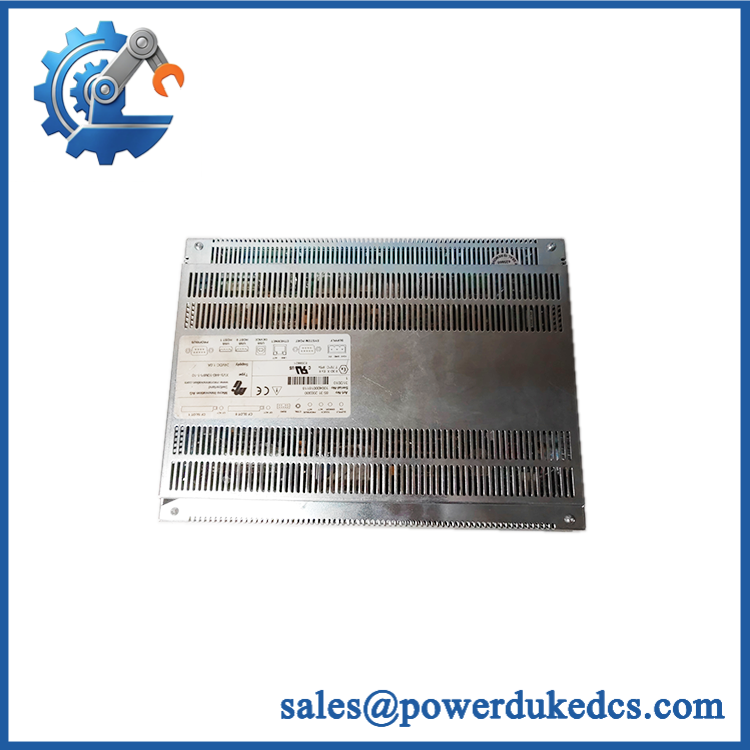
EATON XV-440-12TSB-1-10
8. Field Engineer’s Tech Notes (Anti-Pitfall Guide)
- Do not remove the CompactFlash card before documenting its contents.
Older HMI systems often store the runtime application and configuration data externally. Losing that card can turn a simple hardware replacement into a software recovery task. - Check cabinet depth before installation.
The rear housing extends significantly behind the mounting surface. Confirm clearance for connectors, cables, and ventilation paths (crowded cabinets can trap heat around the anodized metal enclosure).
9. Strict QA & Testing SOP
Step 1 — Incoming Inspection
- Confirm Eaton XV-440-12TSB-1-10 identification.
- Record serial number and hardware revision.
- Inspect front glass, touch surface, connectors, and housing.
- Photograph physical condition.
Step 2 — Electrical Testing
- Apply controlled 24 VDC supply.
- Verify startup sequence.
- Measure current consumption.
- Confirm display illumination.
Step 3 — Display & Touch Testing
- Test full screen response.
- Verify touch calibration.
- Check brightness adjustment.
- Inspect for dead pixels.
Step 4 — Communication Testing
- Test Ethernet communication.
- Verify RS232 and CAN interfaces where applicable.
- Confirm PLC communication stability.
Step 5 — Packaging Control
- Protect the display surface.
- Secure rear connectors.
- Use anti-static and shock-resistant packaging.
Test videos are available for verified inspection records.
10. Buyer’s FAQ (Dynamic Q&A)
Q: Can the Eaton XV-440-12TSB-1-10 be replaced while the machine is running?
A: No. The HMI is connected directly to the control network and power supply. Shut down the machine safely before removing the panel.
Q: How do I verify this is an original Eaton XV-440-12TSB-1-10?
A: Check the Eaton/Moeller label, complete model number, serial information, display condition, connector layout, and inspection documentation.
Q: Does the replacement HMI include the machine program?
A: Not necessarily. The hardware unit may require restoration of the original runtime application, CompactFlash contents, communication settings, and PLC connection parameters.
Q: What warranty information should be confirmed before purchase?
A: Confirm warranty duration, display and touch testing coverage, return conditions, and whether functional inspection records are included. For legacy HMI replacements, tested hardware reduces commissioning delays.



 Start Chat


