

Description
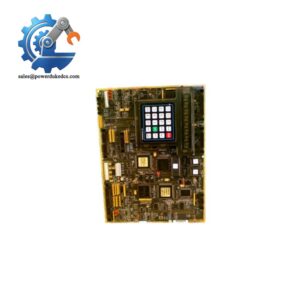
- Model & Brand: GE 369B1860G0031, identified by GE Vernova as MPU56, a Nexus Controller. The same catalog number is also described in some inventory records as an MPU56 SoC Communication Control Module.
- Product Family: Nexus / OnCore Control System
- Part Type: MPU56 Nexus Controller / communication control module.
- Physical Dimensions: A reliable OEM dimensional value for the exact MPU56 assembly was not located in the reviewed public records. Do not use the dimensions of MPU55, MPU57, or another Nexus module as a substitute.
- Estimated Shipping Weight: Commercial listings report approximately 1.5 kg to 2 kg. These figures are supplier estimates, not a verified GE net-weight specification.
- Construction: Electronic controller assembly intended for the Nexus/OnCore control-system architecture.
- What’s in the Box: Normally the MPU56 controller assembly. Cables, mounting hardware, software media, configuration files, or auxiliary modules should not be assumed unless specifically listed.
- Receiving Record: Capture the complete 369B1860G0031 / MPU56 identification, serial number, hardware revision, firmware revision, connector condition, and certification markings.
Product Introduction
The 369B1860G0031 occupies the controller layer of GE’s Nexus / OnCore control system. GE Vernova’s current documentation explicitly maps to catalog number 369B1860G0031 and describes it as a Nexus Controller. The adjacent MPU55 and MPU57 use different catalog numbers, so the MPU designation is not interchangeable across the family.
Communication capability is a major part of this hardware’s role. An Intertek IEC 61850 certificate identifies , hardware version 369B1860G0031, in a tested Nexus client system running Optimum V2.73 firmware. The certificate records successful testing of IEC 61850 functions including basic exchange, reporting, direct control, buffered reporting, and time synchronization.
For a controlled replacement, distinguish the physical controller from the installed software image. A New Original hardware unit does not by itself prove that it contains the same firmware build, configuration database, or application image as the failed field unit (that distinction matters during an outage).
Core Technical Specifications
| Parameter | Value |
|---|---|
| Manufacturer | General Electric (GE) / GE Vernova |
| Catalog Number | 369B1860G0031 |
| Controller Designation | |
| Product Family | Nexus / OnCore Control System |
| Functional Type | Nexus Controller / Communication Control Module |
| Related Controller | MPU55 = 369B1860G0030 |
| Related Controller | MPU57 = 369B1860G0032 |
| IEC 61850 Status | IEC 61850 conformance testing documented for hardware |
| Certified Test Hardware | 369B1860G0031 |
| Tested Software Reference | Optimum V2.73 firmware |
| Communications Role | Nexus control-system processing and communications |
| Application Layer | Industrial turbine/control-system architecture |
| Firmware | Version-specific; must be verified from the actual controller |
| Memory | Supplier listings report 256 MB RAM and 128 MB flash, but these figures are not confirmed in the reviewed OEM certificate/documentation |
| Power Input | Supplier listings report 24 VDC or 48 VDC; exact OEM input specification should be verified from the applicable Nexus hardware manual |
| Power Consumption | Supplier listings report approximately 10 W typical / 15 W maximum; not treated here as certified OEM values |
| Operating Temperature | Supplier listings report approximately -20°C to +60°C; verify against the exact hardware/configuration |
| Humidity | Supplier listings report 5%–95%, non-condensing |
| Approximate Unit Weight | 1.5–2.0 kg reported by commercial listings |
| Exact Dimensions | Not reliably established from the reviewed OEM records |
The 256 MB RAM, 128 MB flash, 10 W typical / 15 W maximum power figures, 24/48 VDC input, and -20°C to +60°C temperature range appear in commercial listings, but those specifications should be regarded as secondary data until confirmed against the exact GE/Nexus manual applicable to the unit.
The strongest current OEM evidence is the identity and catalog number together with the IEC 61850 certification record. GE Vernova’s certification documents explicitly list (369B1860G0031) as a Nexus Controller.
Application Scenarios & Pain Points
When a Nexus control system loses its communication controller, the symptom can extend well beyond one data channel. Supervisory communication, controller coordination, or higher-level network functions may be affected even when downstream I/O hardware remains powered.
Within turbine-control installations, the belongs to the controller infrastructure rather than a simple analog or digital field-I/O layer. GE’s current module documentation places it alongside Nexus I/O modules such as MAI, MHT, MAO, MDI, and MDO families.
For IEC 61850-enabled architectures, the controller’s communication role becomes especially important. Intertek’s certification identifies the hardware and documents tested IEC 61850 exchange, reporting, control, and time-synchronization functions with Optimum V2.73 firmware.
At 50°C+ cabinet temperatures, thermal margin deserves direct verification. Commercial references quote a -20°C to +60°C operating range, but because this is a controller-level device, cabinet temperature and installed configuration should be checked against the applicable OEM environmental specification before release.
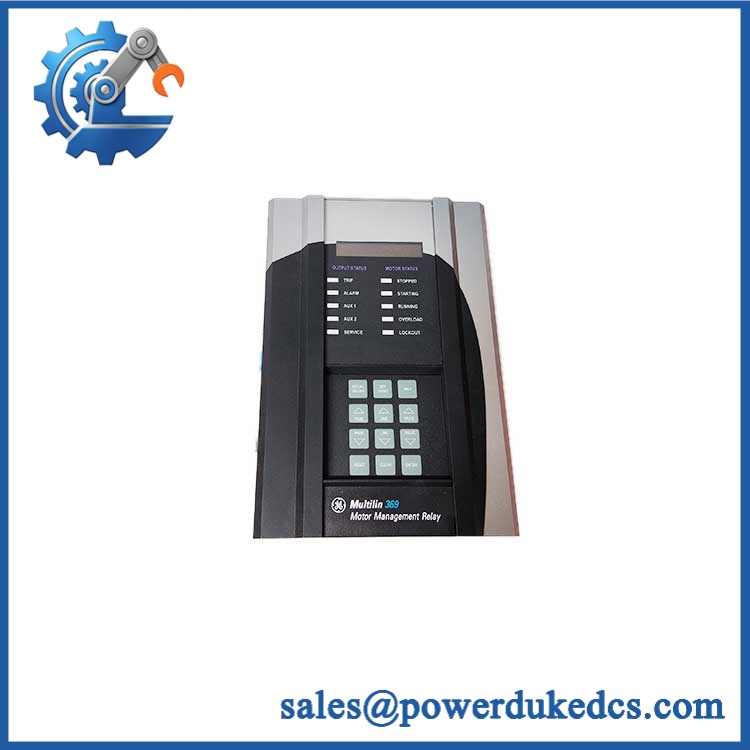
GE 369B1860G0031
🚨 Common Error Codes & Diagnostic Symptoms
No reliable public source reviewed provides a universal standalone numeric fault-code table specifically for the 369B1860G0031 hardware. Diagnosis should therefore begin with controller status, communications diagnostics, firmware information, and system-level alarms.
Symptom/Code: Controller communication lost / not communicating → Diagnosis: Possible power loss, network-path failure, controller hardware fault, or software/firmware issue. → Action: Verify controller power and network status first; replace the after the external communication path is proven healthy.
Symptom/Code: Repeated controller restart or watchdog behavior → Diagnosis: Possible unstable power, hardware fault, corrupted application/firmware image, or thermal condition. → Action: Capture restart logs and firmware information, verify the supply and cabinet temperature, then replace the controller when the fault is confirmed to follow the .
Symptom/Code: IEC 61850 communication failure while local controller functions remain available → Diagnosis: Possible network configuration, firmware compatibility, protocol-stack, or controller communication-interface issue. Intertek’s certificate shows that IEC 61850 behavior is part of the tested environment. → Action: Check the installed firmware and network configuration against the approved system baseline before replacing hardware.
🚨 Cross-Reference & Lifecycle Migration
Cross-Reference
The documented controller relationships are:
- MPU55 — 369B1860G0030
- — 369B1860G0031
- MPU57 — 369B1860G0032
GE Vernova’s certification documentation identifies all three as separate Nexus Controller catalog numbers. There is no evidence in the reviewed material that MPU55 or MPU57 should be treated as automatic drop-in replacements for .
A separate parts inventory describes 369B1860G0031 as an SoC Communication Control Module, which reinforces its communication-controller role but should not override the GE Vernova designation of “Nexus Controller.”
Firmware Requirement
Firmware matching may be required. Intertek’s IEC 61850 certification explicitly identifies Optimum V2.73 firmware with hardware 369B1860G0031.
Do not assume that a replacement contains the same firmware as the failed field unit. Before changeout, record the existing controller’s firmware, boot information, configuration image, and communication settings whenever the old unit remains accessible.
Lifecycle Status
Status: Current documented Nexus/OnCore hardware; availability depends on project and service-channel status.
GE Vernova’s recent regulatory documentation still lists / 369B1860G0031 as a Nexus Controller, and the part appears in current certification documentation. That is evidence of continued documented product identity, but it is not sufficient by itself to guarantee unrestricted new-production availability for every market or service organization.
For buffer stock, store the exact catalog number and controller designation. Where IEC 61850 or turbine-control software is involved, maintain the firmware/configuration baseline with the hardware asset.
Field Engineer’s Tech Notes
Warning 1 — Do not swap controllers without recording the software state.
A controller replacement can restore hardware availability while leaving the system on the wrong firmware or configuration. Record the existing firmware revision, network identity, and application baseline before removing a functional unit.
Warning 2 — Verify the network path before condemning the .
An apparent controller failure may actually originate in power distribution, cabling, switch configuration, or the upstream communication architecture. GE’s Nexus architecture contains dedicated communication and I/O hardware around the MPU controller (which makes external fault isolation worthwhile before opening the controller enclosure).
Strict QA & Testing SOP
Step 1 — Identity verification
Confirm 369B1860G0031 / against the physical label. Record the serial number, hardware revision, production/date information, and certification marks.
Step 2 — Mechanical inspection
Check the enclosure, retaining hardware, connectors, ventilation surfaces, PCB condition where accessible, and any signs of impact or contamination.
Step 3 — Power pre-check
Verify the required supply range from the exact Nexus hardware documentation before energizing the unit. Do not rely on the 24/48 VDC figures found in commercial listings without engineering confirmation.
Step 4 — Controlled startup
Power the on an approved test platform and monitor startup status, diagnostic indicators, and controller initialization.
Step 5 — Firmware capture
Record the installed firmware/software image. Where the test environment supports it, compare the result with the plant’s approved baseline.
Step 6 — Communication testing
Verify the applicable Nexus communication interfaces and network status. Where an IEC 61850-capable test environment is available, test the applicable communication services against the approved project configuration.
Step 7 — Functional observation
Check controller processing behavior, system diagnostics, communication stability, and restart behavior during an extended powered test.
Step 8 — IEC 61850 validation
Where applicable, use the approved IEC 61850 test environment to verify exchange, reporting, control, and time-synchronization behavior consistent with the certified software/hardware combination. Intertek’s certificate documents these function classes for under Optimum V2.73.
Step 9 — Documentation
Record serial number, firmware version, test platform, test results, photographs, and inspection status. Keep the evidence associated with the physical asset.
Step 10 — ESD and export packaging
Protect the controller in ESD shielding material, immobilize all connectors, use shock-absorbing packaging, and record final gross shipping weight.
Test videos are available for applicable tested units.
Buyer’s FAQ
Can I hot-swap the ?
Do not assume so. This is a controller-level Nexus component, not a routine plug-in field I/O block. Replacement procedure depends on the installed Nexus architecture, redundancy arrangement, power distribution, and approved turbine-control maintenance procedure.
How do I verify a New Original 369B1860G0031?
Request photographs of the , including the full GE catalog number, hardware revision, serial number, connectors, and packaging. GE Vernova documentation explicitly identifies 369B1860G0031 as , so that identity should be visible on the supplied unit.
Does the replacement need the same firmware?
Potentially, yes. An Intertek certification record identifies Optimum V2.73 with hardware 369B1860G0031, demonstrating that the hardware can participate in a firmware-specific certified configuration. Match the replacement firmware and application configuration to the installed control-system baseline rather than assuming the latest available image is acceptable.
What warranty should I expect?
Warranty depends on the supplier’s written terms and the condition category of the controller. For a critical Nexus spare, obtain the warranty period, functional-test scope, serial number, firmware information, and return conditions before purchase. A supplier’s warranty should not be described as a GE factory warranty unless GE has expressly issued that coverage.



 Start Chat


