

Description
- Brand: GE
- Full Model Number: HE700GEN200
- Lifecycle Status: Legacy / Obsolete
- Core Function: PLC CPU / central processing module
- Top 3 Technical Specs: 486DX2 processor; 1 MB battery-backed RAM; 256 KB flash memory
- PLC Family: GE Fanuc Series 90-70
- Processor: Intel 486DX2
- Memory: 1 MB RAM; 256 KB flash
- Programming Port: RS-485 serial port
- Battery: Internal lithium battery
- Stock & Condition: Exact physical stock and condition to be confirmed before PO; New Surplus or Tested Stock subject to quotation
The HE700GEN200 is associated with the GE Fanuc Series 90-70 PLC platform and is described in specialist technical listings as a high-performance CPU module using an Intel 486DX2 processor. Available references report 1 MB of battery-backed RAM, 256 KB of flash memory, and an RS-485 serial interface. These specifications should be checked against the actual module label and applicable GE documentation before engineering approval.
Obsolescence & Supply Chain Deep Dive
A failed HE700GEN200 can become a sourcing constraint when a plant continues operating a legacy Series 90-70 control system. CPU availability is particularly important because the processor module affects the PLC’s program execution and communications architecture; substituting a visually similar Series 90-70 CPU without checking memory, firmware, rack compatibility, and configuration can create commissioning delays. Exact-part-number inventory therefore has value when the immediate objective is restoring an existing controller rather than redesigning the control system.
From a TCO perspective, retaining the existing Series 90-70 platform can avoid the engineering labor, application conversion, I/O replacement, testing, and commissioning associated with a migration to a newer PLC family. The purchase decision should account for downtime exposure and engineering hours, not only the spare-part price. For an obsolete CPU, however, lifecycle planning remains important: maintain at least one verified spare, preserve the application backup, document firmware and configuration, and establish a migration path before the installed controller becomes the sole point of failure.
Compatibility & Replacement Matrix
| Approval Item | HE700GEN200 Assessment | Buyer Action |
|---|---|---|
| Replacement Type | Exact-part-number replacement candidate for an existing compatible Series 90-70 installation | Verify the complete HE700GEN200 identification |
| Firmware | Firmware/configuration dependent | Record the installed CPU firmware before replacement |
| Hardware Modification | Normally not required for an exact compatible CPU replacement | Confirm rack and backplane compatibility |
| Application Program | Must be restored or retained from the existing controller | Maintain a verified PLC program backup |
| Memory Configuration | CPU-specific | Verify application memory requirements |
| Communication | Serial interface requirements must match the existing system | Confirm RS-485 wiring and protocol configuration |
| Estimated Physical Replacement | Approximately 0.5–2 hours for qualified personnel | Excludes program restoration and commissioning |
| Commissioning | Required | Verify CPU diagnostics, program execution, I/O, and communications |
Field Traps — Watch Out
- Firmware mismatch: A CPU that physically fits the rack may still require compatible firmware and application configuration. Record the installed revision before removing the original module.
- Battery-backed memory: The reported 1 MB battery-backed RAM makes battery condition a procurement concern. Check battery status and preserve the PLC program before removing an installed CPU.
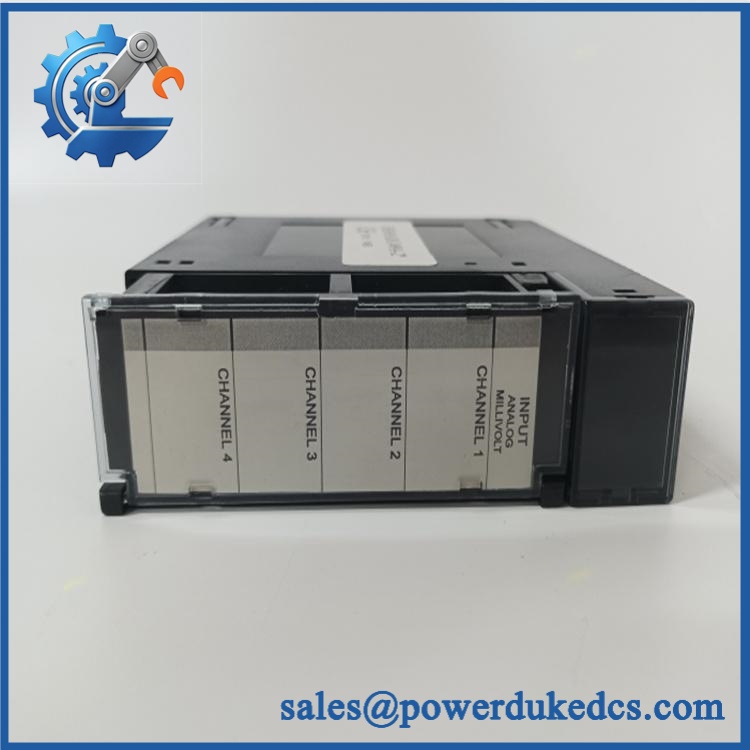
GE HE700GEN200
Quality Assurance & Testing SOP
For a legacy PLC CPU, testing should establish both hardware condition and the ability to execute a representative control program.
- Part-number verification: Confirm the module identification reads HE700GEN200 and record all visible revision information.
- OEM anti-counterfeit visual inspection: Inspect GE/GE Fanuc markings, PCB artwork, component markings, connectors, solder quality, and evidence of unauthorized repair.
- Physical inspection: Check the enclosure, PCB, backplane connector, mounting hardware, battery area, and serial interface.
- Battery inspection: Check the installed battery for leakage, corrosion, swelling, or expired service condition.
- Power-on self-test (POST): Install the CPU in an approved compatible test rack and verify normal startup and diagnostic behavior.
- CPU diagnostic test: Check status LEDs and available diagnostic information for abnormal fault conditions.
- Memory test: Verify RAM operation using the approved Series 90-70 diagnostic procedure.
- Program execution test: Load a controlled test application and verify normal CPU execution.
- RS-485 communication test: Establish communication with an approved programming or control workstation and verify serial communication.
- I/O test: Connect a compatible Series 90-70 test rack and exercise representative digital and analog I/O where applicable.
- Load testing: Run the CPU with a representative program and I/O workload while monitoring diagnostic status and communication stability.
- Extended run test: Operate the module continuously under controlled conditions when the customer’s QA requirement calls for burn-in.
- Final QA record: Record model, revision, serial information, battery condition, diagnostic results, test program, communication results, test date, and inspector approval.
Because CPU compatibility depends on the complete Series 90-70 rack and application configuration, a successful bench power-up alone should not be treated as proof of field compatibility.
Procurement & Lifecycle FAQ
Is the GE genuinely in stock, and what is the cutoff for emergency shipping?
Physical inventory should be confirmed before the PO is released. Request the exact model number, revision, condition, test status, battery condition, included accessories, packing completion, carrier, and same-day shipping cutoff when the requirement is time-critical.
How do you verify the condition and authenticity of an obsolete ?
Request photographs of the actual CPU showing its identification label, connectors, PCB, and battery area. For tested stock, request evidence of installation in a compatible Series 90-70 rack, CPU diagnostics, program execution, and serial communication testing.
Are there any firmware compatibility issues I should warn my engineers about before issuing the PO?
Yes. The installed CPU’s firmware and application configuration should be documented before replacement. A physically compatible CPU does not automatically establish application compatibility. Preserve the existing PLC program and configuration backup before removing the original module.
Is the a direct replacement for other Series 90-70 CPU modules?
Do not assume interchangeability based solely on Series 90-70 rack compatibility. CPU memory capacity, firmware, communications, application requirements, and supported system configuration should be checked against the installed module before approving an alternate part number.
What are the warranty and return terms?
The quotation should specify warranty duration, DOA coverage, return window, battery condition, and functional-test coverage. For obsolete PLC CPUs, clearly identify whether the unit is New Surplus, Tested Refurbished, or repaired stock, and document the tests supporting that condition.



 Start Chat


