

Description
- Brand: GE Fanuc
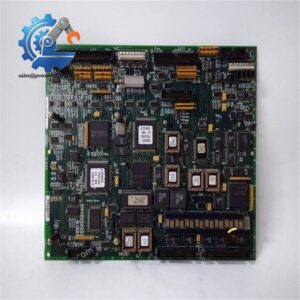
- Full Model Number: IC693CMM321-JJ
- System/Series Family: Series 90-30 PLC
- Core Function: TCP/IP Ethernet interface between a Series 90-30 PLC and Ethernet network devices
- Top 3 Hardcore Specs: TCP/IP Ethernet | Up to 16 server connections | RS-232 + RS-485 + AAUI interfaces
- Network Interface: AAUI Ethernet port; 10Base-T available on applicable hardware versions
- Serial Ports: RS-232 Station Manager | RS-485 software loader
- PLC Compatibility: Series 90-30 CPU firmware 6.50 or later for full functionality
- Module Width: Single slot
- Revision: JJ
- Stock Status: New surplus, factory sealed, or fully tested refurbished subject to exact inventory confirmation
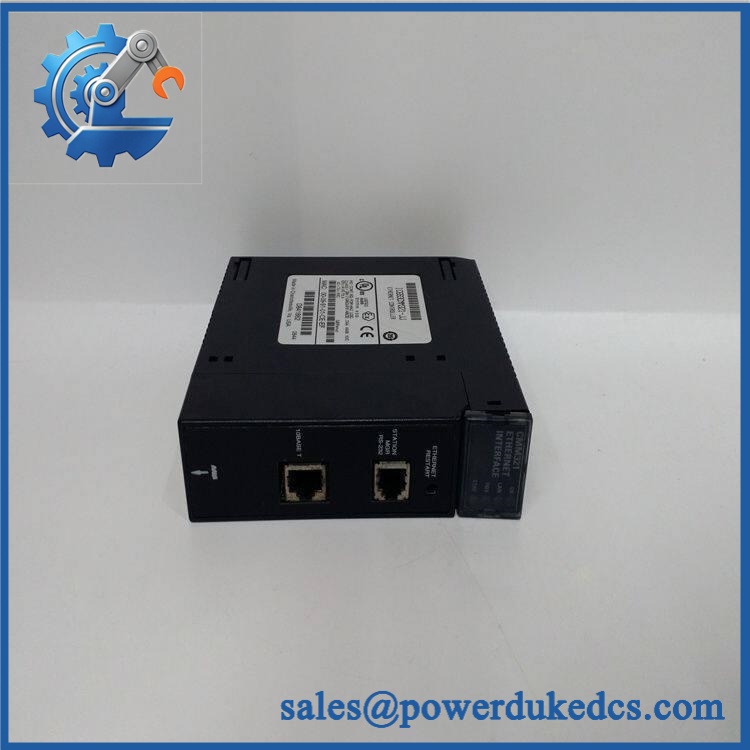
GE IC693CMM321-JJ
Module 3: Technical Product Introduction
A failed Ethernet interface can isolate a legacy Series 90-30 PLC from its HMI, SCADA host, engineering workstation, or other controllers even when the CPU and I/O remain operational. The GE Fanuc IC693CMM321-JJ provides the TCP/IP Ethernet interface for a Series 90-30 PLC, supporting client and server communication functions. The module connects the PLC to an Ethernet LAN and can communicate with host computers and other GE control devices. ([turn1search0]turn1search0)
The JJ revision is significant for legacy-system replacement. GE documentation identifies IC693CMM321-JJ as a specific hardware revision and states that module version -JJ can be upgraded to -JK using the specified upgrade strategy. The documentation also identifies firmware 3.12 compatibility with Series 90-30 CPU firmware 6.50 or later, with restrictions on earlier CPU firmware. ([turn1search24]turn1search24) The hardware provides an RS-232 Station Manager port, an RS-485 software-loader interface, and an Ethernet network interface; applicable 10Base-T versions provide an RJ-45 port, while earlier hardware may require an AAUI connection and external transceiver. ([turn0search0]turn0search0)
Module 4: Application Scenarios & Field Realities
- In a legacy Series 90-30 control cabinet, the CMM321 can restore Ethernet connectivity between the PLC and supervisory equipment. Before replacing it, record the existing IP configuration, station address, network topology, and PLC communication blocks.
- For PLC-to-PLC Ethernet communication, the module can operate as a client and initiate communications with other compatible Ethernet interfaces through the PLC application using the appropriate communication request functions. Server operation allows the module to respond to requests from external devices. ([turn1search9]turn1search9)
- Where an older HMI or SCADA system depends on the original Ethernet interface, preserve the existing network configuration before swapping hardware. A replacement with different firmware can require compatibility checks even when the physical module is identical.
- On systems using older AAUI Ethernet infrastructure, verify the actual physical interface before ordering. The CMM321 family includes hardware versions with different Ethernet connection arrangements; some versions provide 10Base-T directly, while others rely on AAUI plus an external transceiver. ([turn0search0]turn0search0)
Module 5: Migration, Compatibility & Installation Traps
Replacement Matrix
| Replacement Type | Assessment | Engineering Requirement |
|---|---|---|
| Drop-in Replacement | Yes, for a confirmed IC693CMM321-JJ installation | Match revision, Ethernet interface, PLC firmware, network configuration, and installed accessories |
| Software Compatible | Configuration-dependent | Verify CMM321 firmware, CPU firmware, Logic Developer version, communication blocks, and IP settings |
| Hardware Modification Required | Potentially required when changing hardware revisions or Ethernet interface versions | Verify AAUI/10Base-T interface, transceiver, cable, and upgrade requirements |
Field Traps — Watch Out
1. CPU firmware compatibility: GE documentation specifies CPU firmware 6.50 or later for full functionality with the relevant CMM321 firmware, while earlier CPU firmware has restrictions. Check the CPU revision before installing the replacement. ([turn1search24]turn1search24)
2. JJ versus JK: The documentation specifically identifies -JJ → -JK as an available upgrade path. Do not assume that a later revision is automatically equivalent in every application; verify the installed CPU firmware and application requirements first. ([turn1search24]turn1search24)
3. Ethernet connector type: The CMM321 family has evolved across hardware revisions. The technical manual notes that earlier versions may not have a 10Base-T port, while applicable versions provide the RJ-45 interface. Verify the physical connector on the existing unit before ordering a replacement. ([turn0search0]turn0search0)
4. PLC slot configuration: The CMM321 installs in a Series 90-30 baseplate. Record the original slot number and configuration before removal; the Ethernet interface must be correctly configured within the PLC application. ([turn0search0]turn0search0)
5. Network parameters: A replacement module does not eliminate the need to restore the original network configuration. Verify IP address, subnet information, station configuration, communication parameters, and connected host devices before returning the PLC to service.
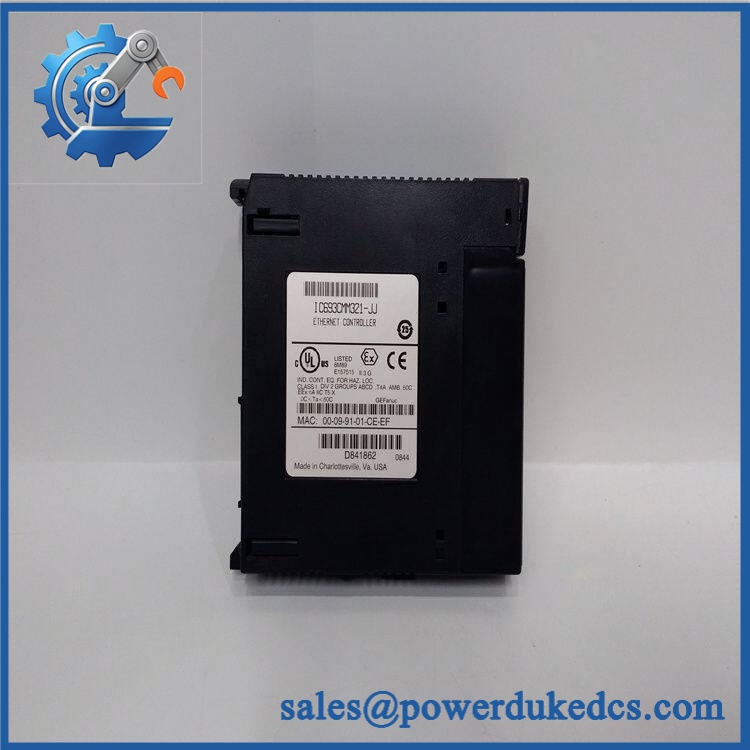
GE IC693CMM321-JJ
Module 6: Quality Assurance SOP
Before shipment, each GE IC693CMM321-JJ should undergo a documented inspection sequence appropriate to Series 90-30 Ethernet hardware.
- Step 1 — Part-number verification: Record IC693CMM321-JJ, serial number, hardware revision, firmware revision where accessible, and all visible GE Fanuc identification.
- Step 2 — OEM anti-counterfeit visual inspection: Inspect GE Fanuc labels, PCB markings, front-panel legends, Ethernet connector, serial ports, LEDs, terminal/interface hardware, and manufacturing identifiers. Photograph the complete identification label.
- Step 3 — Physical condition inspection: Check the enclosure, backplane connector, Ethernet interface, serial connectors, LEDs, locking mechanism, PCB, and shielded areas for corrosion, contamination, cracked components, bent contacts, or evidence of repair.
- Step 4 — Power verification: Install the module in a compatible Series 90-30 test baseplate and verify the appropriate backplane supply conditions before energizing.
- Step 5 — Power-on self-test (POST): Energize the module and verify OK, LAN, FDX, and STAT status indications where applicable. Record startup behavior and diagnostic indications. ([turn0search0]turn0search0)
- Step 6 — Ethernet interface verification: Connect the module to a suitable test network and verify link/activity behavior and basic TCP/IP communication.
- Step 7 — PLC communication test: Establish communication between the CMM321 and a compatible Series 90-30 CPU. Verify that the Ethernet interface initializes correctly and exchanges representative data.
- Step 8 — Client/server verification: Where the test environment permits, verify both the client communication path and server response behavior. The module supports communication with multiple devices, with technical specifications reporting up to 16 server connections. ([turn1search0]turn1search0)
- Step 9 — Station Manager verification: Test the RS-232 Station Manager interface where suitable equipment is available. Confirm that diagnostic/status access is functioning.
- Step 10 — Firmware and compatibility record: Record the installed module revision and firmware information and compare them with the customer’s Series 90-30 CPU firmware before release.
- Step 11 — Final photographic record: Photograph the complete module, model/revision label, Ethernet interface, serial ports, LEDs, backplane connector, and final packaging.
QA release criterion: A successful LED test does not establish network compatibility. A fully tested IC693CMM321-JJ should have documented hardware inspection, power-up diagnostics, Ethernet communication, PLC interface, and applicable serial-interface checks. For field replacement, the JJ revision, CPU firmware, Ethernet connector type, network configuration, and application communication requirements should all be confirmed before commissioning.



 Start Chat


