

Description
- Brand: GE Fanuc / GE Intelligent Platforms
- Full Model Number: IC754VSI06STD-LH
- Product Type: QuickPanel View Operator Interface / HMI
- System/Series Family: QuickPanel View
- Core Function: Touchscreen operator interface for industrial machine and process control applications
- Top 3 Hardcore Specs: 6-inch display class | Color TFT LCD | Touchscreen operator interface
- Display Type: Color TFT LCD
- Input Method: Touchscreen
- Operating System: Windows CE-based QuickPanel View platform
- Stock Status: New surplus / condition to be confirmed per available unit
The IC754VSI06STD-LH belongs to GE’s QuickPanel View family of industrial operator interfaces. The IC754 series was designed for graphical machine and process visualization, operator controls, alarm presentation, and data entry. The model designation indicates the 6-inch class QuickPanel View platform; detailed electrical, communications, and display specifications should be checked against the exact hardware revision before replacement.
Module 3: Technical Product Introduction
A failed HMI can leave a machine fully energized but effectively unmanageable: the PLC continues executing its logic while operators lose access to commands, alarms, setpoints, and process information. GE IC754VSI06STD-LH is a QuickPanel View operator interface intended to provide that human-machine interface layer. It is suited to installations where the existing control program, screen configuration, and communications architecture were built around the QuickPanel View platform.
The important replacement criteria are not simply screen size. Verify the display assembly, touchscreen technology, power input, serial/Ethernet interfaces, memory configuration, firmware/operating environment, and application project before approving a substitute. For a legacy HMI, the stored project is often the critical asset. —A physically compatible panel without the correct application image may power up normally and still fail the site’s functional acceptance test.
Module 4: Application Scenarios & Field Realities
- On automated production machinery, the QuickPanel View interface can provide operator access to machine modes, start/stop commands, alarms, counters, and process parameters. During replacement, document the existing screen layout and communication settings before disconnecting the original unit.
- For legacy PLC-controlled equipment, the HMI often communicates with the controller through a defined serial or Ethernet protocol. A replacement should therefore be checked against the PLC driver and project configuration, not just the panel’s mechanical dimensions.
- During an emergency HMI replacement, preserve the original application project whenever possible. Replacing the hardware without recovering the project can turn a one-component failure into a full HMI redevelopment task.
- In cabinets with long operating histories, inspect the touchscreen, power supply, connector contacts, and cooling path together. An intermittent display fault can originate from the cabinet environment rather than from the LCD assembly itself.
Module 5: Migration, Compatibility & Installation Traps
Replacement Matrix
| Replacement Type | IC754VSI06STD-LH Assessment |
|---|---|
| Drop-in Replacement | Potentially yes for the same IC754VSI06STD-LH hardware revision and cabinet configuration |
| Software Compatible | Project and firmware dependent; application transfer or conversion may be required |
| Hardware Modification Required | Not normally expected for an exact replacement; verify cutout, connectors, power, and communication interfaces first |
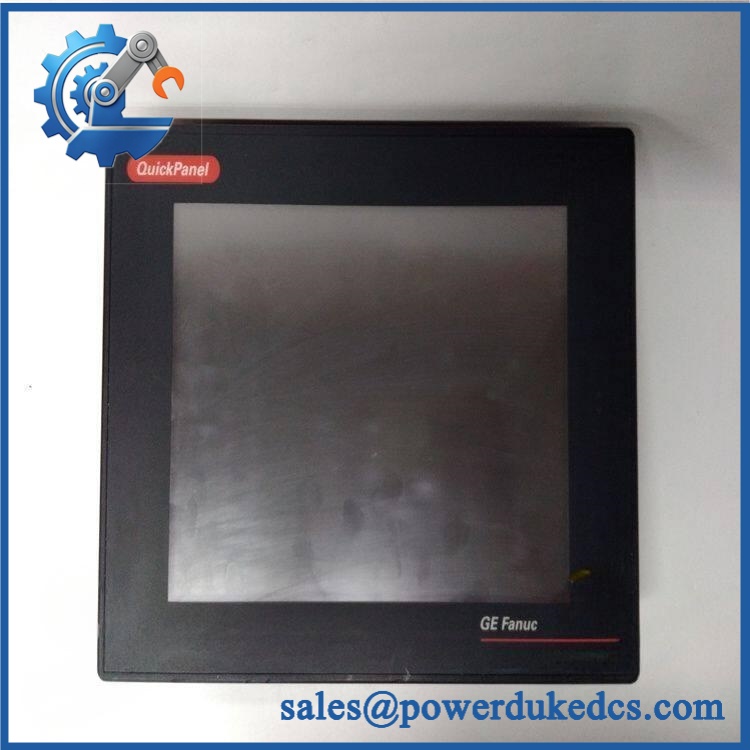
GE IC754VSI06STD-LH
Field Traps — Watch Out
1. Do not assume the application project will transfer automatically.
QuickPanel View units depend on their configured HMI application. Record the existing project, firmware version, communication drivers, PLC address settings, and screen configuration before removing the failed panel.
2. Verify the exact suffix.
The IC754VSI06STD-LH designation should be matched exactly. Similar IC754 models can differ in display configuration, communications hardware, memory, or other options. A visually similar QuickPanel is not automatically an electrical or software replacement.
3. Check the cabinet cutout before installation.
The front-panel dimensions and mounting arrangement must match the existing enclosure. Do not enlarge a cabinet opening simply to accommodate a similar-looking panel until the complete replacement specification has been confirmed.
4. Preserve PLC communication parameters.
Document baud rate, parity, station/node address, Ethernet configuration, PLC driver, and protocol settings where applicable. A replacement HMI with incorrect communication parameters can appear fully functional while displaying stale or missing process data.
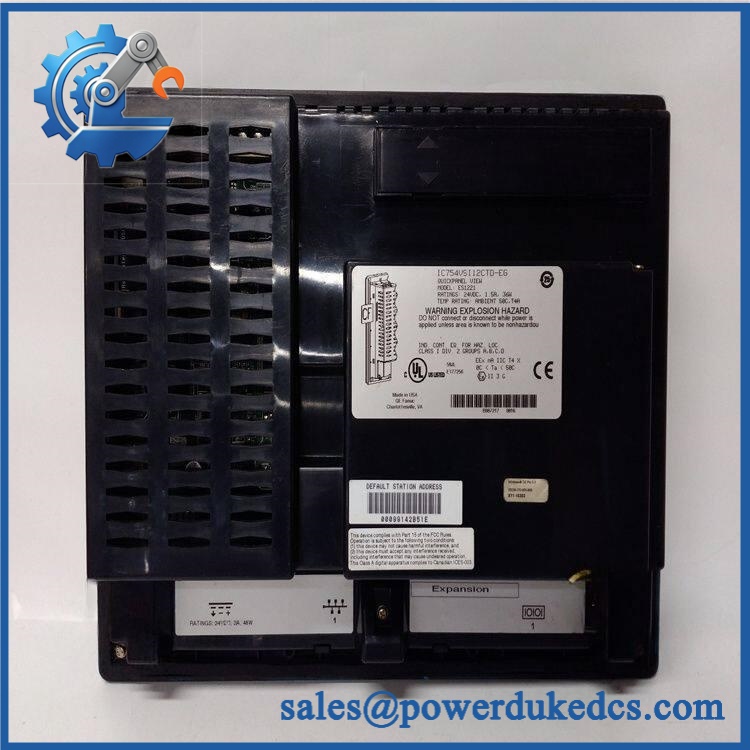
GE IC754VSI06STD-LH
Module 6: Quality Assurance SOP
Before shipment, each available should pass a documented inspection sequence:
- OEM identification inspection — Verify GE/GE Fanuc markings, complete model number, serial information, labels, and hardware revision where available.
- OEM anti-counterfeit visual inspection — Examine the front bezel, LCD assembly, touchscreen surface, PCB workmanship, connectors, labels, and fasteners for signs of unauthorized modification.
- Physical inspection — Check the display for scratches, dead areas, cracks, discoloration, delamination, and uneven backlighting; inspect all rear connectors and mounting hardware.
- Power-on test — Apply the specified input supply under controlled conditions and verify normal startup without abnormal alarms or resets.
- Display test — Check the LCD across the usable screen area for abnormal pixels, brightness irregularities, flicker, or display distortion.
- Touchscreen test — Test representative points across the entire touch area and confirm accurate cursor/command registration.
- Communication handshake verification — Connect the HMI to a compatible test controller or communication simulator and verify the applicable interface establishes communication.
- Application/project verification — Where the customer’s project or a suitable test application is available, load the appropriate environment and confirm screen navigation, data exchange, alarms, and operator inputs.
- Interface inspection — Verify serial/Ethernet and other installed communication interfaces according to the exact hardware configuration.
- Extended stability test — Operate the unit continuously under controlled conditions to identify intermittent display, touchscreen, power, or communication faults.
- Final visual inspection — Recheck the bezel, screen, connectors, labels, and mounting points after testing.
- Test record and packaging — Record model number, revision, test results, inspection date, and packaging condition before dispatch.
QA note: This is an HMI/operator interface rather than a PLC CPU. A generic CPU-style RUN/ERR POST test should not be claimed unless the exact IC754 hardware revision provides those diagnostics. Display, touchscreen, power, communication, and application-level verification are the relevant acceptance checks.



 Start Chat


