

Description
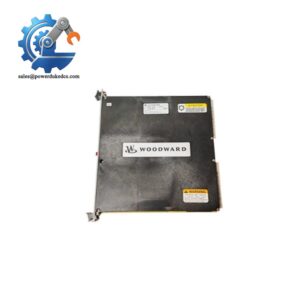
- Woodward 5466-253 | Steam Turbine Control Compatibility
2. At-A-Glance Executive Brief
- Model: Woodward 5466-253
- Series: MicroNet Digital Control System
- Part Type: Speed Input / Speed Sensor Interface Module
- Core Function: Receives and processes turbine speed signals from magnetic pickup devices or proximity probes for MicroNet-based control applications.
- Key Specifications:
- Designed for high-speed turbine monitoring and control loops.
- Supports multiple speed sensing channels.
- Installed through the MicroNet chassis backplane.
- Used in turbine governor, compressor, and prime mover control systems.
- Typical Procurement Category: Industrial automation spare, turbine control replacement module, legacy MicroNet support component.
3. Product Introduction
Within a turbine control cabinet, the Woodward 5466-253 Speed Input Module occupies a critical position between field speed sensors and the MicroNet processor network. A failed speed input channel can trigger shutdown logic, unstable governor response, or unsuccessful startup sequences. In field deployments, technicians usually inspect the sensor wiring, terminal modules, and this input card together because signal interruption can originate from multiple points (especially on aging rotating equipment).
The 5466-253 was designed for MicroNet digital control platforms where accurate speed feedback is required for turbine protection and regulation. This module supports legacy migration projects where plants maintain existing Woodward control infrastructure instead of replacing complete cabinets. Careful part-number matching remains essential because similar MicroNet cards may share the same physical dimensions while performing different signal-processing functions.
4. Core Technical Specifications
| Parameter | Value |
|---|---|
| Manufacturer | Woodward |
| Model Number | 5466-253 |
| Product Family | MicroNet Digital Control |
| Module Type | Speed Input Module |
| Application | Turbine speed sensing and monitoring |
| Input Signal Type | Magnetic pickup / speed sensor signals |
| Installation Method | MicroNet chassis backplane mounting |
| Field Connection | Field Terminal Module (FTM) interface |
| Processing Platform | MicroNet CPU controlled |
| Communication | Internal MicroNet bus |
| Typical Use | Turbine governor and prime mover control |
| Power Source | Supplied through MicroNet chassis |
| Cooling Method | Cabinet airflow |
| Operating Environment | Industrial control cabinet |
| Configuration | Application dependent |
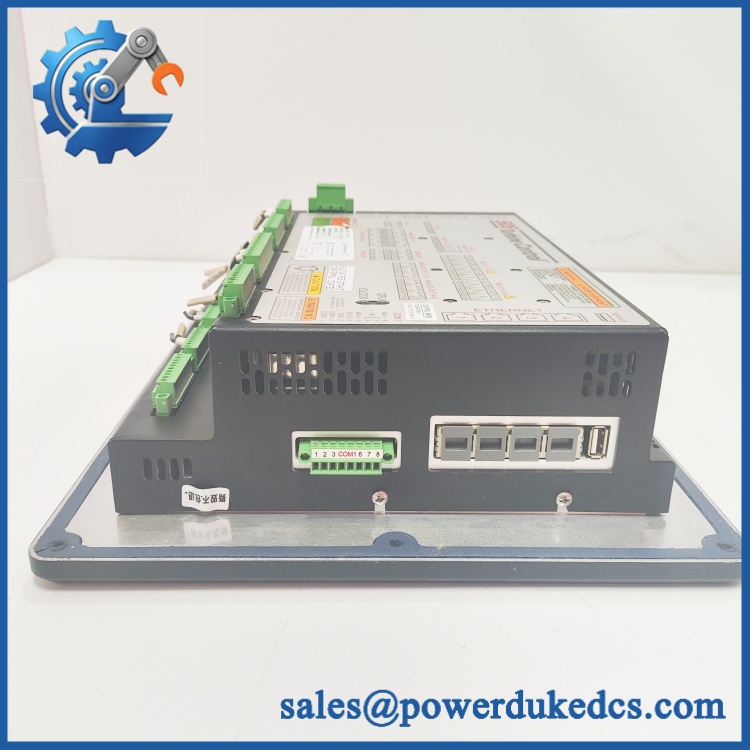
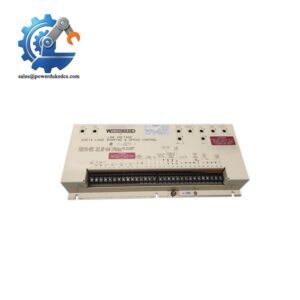
Woodward 5466-253
5. Application Scenarios & Pain Points
During a turbine startup sequence, a failed speed input channel can prevent synchronization because the controller cannot confirm shaft acceleration. Plants often identify this condition through unstable RPM feedback or failed permissive logic.
For steam turbine modernization projects, the 5466-253 is commonly retained when operators choose a controlled legacy migration path instead of replacing the entire MicroNet platform.
In gas compressor stations, accurate speed feedback is required to protect rotating machinery operating continuously under demanding conditions, including cabinets exposed to 50°C+ ambient temperatures.
Without a properly functioning speed input module, the control system may receive noisy, missing, or incorrect speed values, causing unnecessary trips and diagnostic delays.
With a tested replacement module installed, maintenance teams can restore the existing control architecture while preserving approved application settings and wiring designs.
6. Common Error Codes & Diagnostic Symptoms
Symptom/Code: Speed signal missing / RPM value remains zero
→ Diagnosis: The module may not be receiving valid magnetic pickup input, or the input circuitry may have failed.
→ Action: Verify sensor wiring first, then replace the 5466-253 module if field signals are confirmed.
Symptom/Code: Unstable speed feedback / fluctuating RPM indication
→ Diagnosis: Possible degraded input channel processing, connector oxidation, or intermittent backplane contact.
→ Action: Inspect connectors and replace the module if instability remains.
Symptom/Code: MicroNet chassis reports I/O module communication fault
→ Diagnosis: Internal module communication failure or backplane connection issue.
→ Action: Reseat the card and replace the module if the fault persists.
7. Cross-Reference & Lifecycle Migration
- Compatible Platform: Woodward MicroNet Digital Control architecture.
- Related MicroNet Speed/Analog Modules: Compatibility must be confirmed by chassis slot assignment, application software, and FTM wiring.
- Replacement Consideration: Do not assume a visually similar MicroNet I/O module is a direct substitute. Signal type, channel allocation, and software configuration must match.
- Firmware Requirement: The 5466-253 itself is an I/O hardware module; firmware compatibility is normally controlled through the MicroNet CPU/application software rather than independent flashing of the I/O card.
- Lifecycle Status: Legacy / Supported Through Spare Market.
- Meaning: Maintain controlled warehouse stock where installed systems remain operational.
- Recommended strategy: Hold tested replacement units for critical turbine assets and maintain configuration records.
8. Field Engineer’s Tech Notes (Anti-Pitfall Guide)
- Do not install the card while the MicroNet chassis is energized.
Backplane insertion under power can damage electronic interfaces and create misleading diagnostic results. - Verify the FTM and wiring documentation before replacement.
A speed input module may fit physically but still fail if the field termination wiring does not match the expected channel arrangement. - Handle the edge connector carefully.
Finger oils and contamination can increase contact resistance over time (especially in older turbine cabinets with frequent maintenance activity).
9. Strict QA & Testing SOP
Step 1 — Incoming Inspection
- Confirm manufacturer label and full part number.
- Record serial number and hardware revision.
- Inspect PCB condition, connector pins, and housing.
- Photograph module condition before testing.
Step 2 — ESD Handling Verification
- Open packaging only at an ESD-controlled workstation.
- Confirm anti-static bag condition.
- Protect edge connectors during handling.
Step 3 — Electrical Examination
- Check for visible component damage.
- Verify connector continuity.
- Inspect power-related circuits through approved test procedures.
Step 4 — Live Rig Testing
- Install module in a compatible MicroNet test chassis.
- Verify communication with controller hardware.
- Simulate speed input signals.
- Confirm channel response and diagnostic status.
Step 5 — Final Documentation
- Record test results.
- Package using anti-static materials.
- Attach inspection report and traceability label.
Test videos are available for verification procedures when required.
10. Buyer’s FAQ (Dynamic Q&A)
Q: Can the Woodward 5466-253 be hot-swapped during operation?
A: No. Unless the complete MicroNet system documentation specifically permits online replacement, remove power before exchanging the module. Hot insertion may damage the backplane interface.
Q: How do I confirm this is a genuine Woodward 5466-253 and not a refurbished substitute?
A: Check the nameplate, serial number, hardware markings, packaging condition, and supplier traceability records. New Original and New Surplus units should have clear identification history.
Q: Does replacing this module require changing the turbine control software?
A: Usually not by itself. However, verify MicroNet CPU software, application configuration, and I/O mapping before commissioning.
Q: What warranty should I expect when purchasing a 5466-253 spare?
A: Warranty terms depend on supplier policy and test documentation. Request inspection records, functional test results, and replacement coverage details before purchase.
Procurement Note: For installed Woodward MicroNet systems, the 5466-253 should be managed as a controlled spare rather than a general inventory item. Keep the module together with system drawings, FTM references, and application records to reduce restoration time during turbine outages.



 Start Chat


