

Description
- Model: 9906-619
- Brand: Woodward
- Series: 723PLUS Digital Control
- Part Type: Low-Voltage Digital Control Hardware
- Core Function: Provides the hardware platform for programmable engine and generator control applications, including speed sensing, load sharing, and control of systems using magnetic pickups or proximity switches.
- Key Specs: 18–40 VDC input, two speed inputs, four analog inputs, three analog outputs, eight discrete inputs, three discrete outputs, two LON channels, and a rack-position sensor for mechanical load-sharing functions.
Product Introduction
In a generator control panel, the
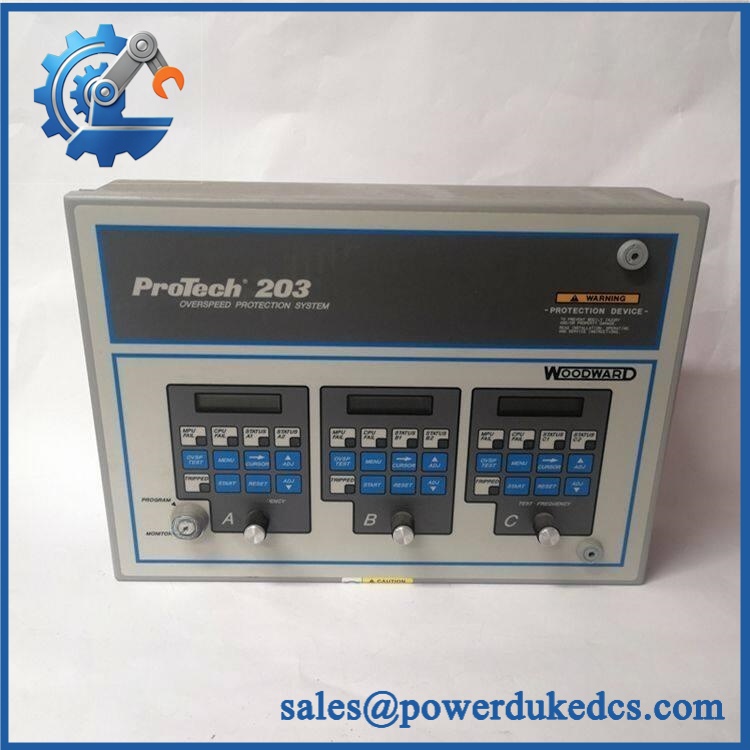
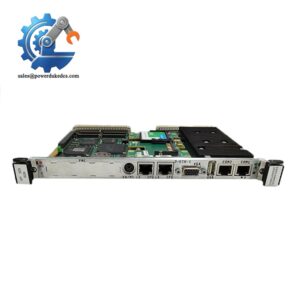
WOODWARD 9906-619
Load-sharing applications are also supported through dedicated circuitry and external system accessories.
This is hardware only; the part does not contain application software. That distinction matters during a replacement because the installed control application, set points, and system configuration must be preserved or restored separately (especially on long-running generator systems). The low-voltage version accepts 18–40 VDC, with 24 or 32 VDC identified as nominal operating values.
Core Technical Specifications
| Parameter | Value |
|---|---|
| Manufacturer | Woodward |
| Model | 9906-619 |
| Series | 723PLUS Digital Control |
| Product Type | Low-Voltage Digital Control Hardware |
| Manual | Woodward Manual 02877 |
| Supply Voltage | 18–40 VDC |
| Nominal Voltage | 24 or 32 VDC |
| Speed Inputs | 2 |
| Speed Sensor Compatibility | Magnetic Pickup (MPU) / Proximity Switch |
| Analog Inputs | 4 |
| Analog Outputs | 3 |
| Discrete Inputs | 8 |
| Discrete Outputs | 3 |
| Communication | 2 LON channels |
| Load-Sharing Support | Integrated circuitry and connections |
| Rack Position Sensor | Included for mechanical load-sharing functions |
| Operating Temperature | −40°C to +70°C |
| Storage Temperature | −55°C to +105°C |
| Approx. Dimensions | 16.25 × 11.5 × 2.375 in |
| Hardware Software | No software included in the hardware assembly |
The channel counts and system functions above are documented in 723PLUS hardware references. Some secondary listings show different I/O descriptions, so the applicable revision of Woodward Manual 02877 should take precedence for engineering acceptance.
Application Scenarios & Pain Points
Consider a parallel-generator installation where one control unit begins producing unstable speed behavior. The actual cause may be the controller, speed pickup, actuator, or configuration. Having a verified 9906-619 spare reduces the time needed to isolate the electronic hardware from the field devices.
Diesel and Gas Generator Sets
For generator applications, the 723PLUS can be configured for speed control and load-sharing functions. Its two speed inputs support MPU or proximity-switch sensing, while configurable I/O allows the same hardware platform to serve different control arrangements.
Parallel Generator / Droop Applications
In multi-generator systems, the 9906-619 supports circuitry and connections associated with load-sharing. A rack-position sensor is also identified for mechanical load-sharing functions.
Industrial Prime Movers
Compressor, pump, and mechanical-drive packages can use programmable 723PLUS controls where engine speed and actuator behavior must be coordinated with external process equipment.
Marine and Remote Power Equipment
The 723PLUS family supports applications in which remote service access is limited and spare hardware identification must be exact. A wrong voltage variant can create an immediate commissioning problem: 9906-619 is the low-voltage model, while 9906-620 is the high-voltage counterpart.
High-Ambient Control Cabinets
The published operating range reaches +70°C, but cabinet temperature remains an important maintenance variable. In hot engine rooms or poorly ventilated panels, inspect power connections, ventilation, and heat-related intermittent faults before replacing electronics.
Common Error Codes & Diagnostic Symptoms
Symptom/Code: Unstable Speed / Repeated Speed Signal Dropout
→ Diagnosis: Possible MPU or proximity-switch signal loss, incorrect sensor setup, field wiring problems, or failure in one of the controller’s speed-input circuits.
→ Action: Verify sensor waveform, frequency, wiring, and configuration; replace the 9906-619 when the fault follows the hardware.
Symptom/Code: Load-Sharing Failure / Generator Will Not Share Load Correctly
→ Diagnosis: Possible controller hardware failure, incorrect load-sharing configuration, or communication/accessory problems within the parallel-generation system.
→ Action: Verify the load-sharing network and configuration, then substitute a tested 9906-619 when controller-dependent behavior is confirmed.
Symptom/Code: Multiple I/O Channels Unresponsive
→ Diagnosis: A common power, hardware, configuration, or internal I/O fault is more likely when several unrelated channels fail simultaneously.
→ Action: Check the 18–40 VDC supply and field wiring first; replace the control hardware after external causes are eliminated.
Avoid assigning a generic numeric fault code to the 9906-619 without the installed 723PLUS application and Woodward diagnostic documentation. This model is a programmable control hardware platform, so observed symptoms can depend heavily on the loaded application.
Cross-Reference & Lifecycle Migration
The 9906-619 belongs to a three-model hardware group documented for the 723PLUS platform:
- 9906-619: Low-voltage version
- 9906-620: High-voltage version
- 9906-700: Low-voltage version with modified actuator filtering
These should not be treated as interchangeable solely because they share the 723PLUS designation. Supply voltage and actuator-filtering characteristics can materially affect system compatibility.
Software / configuration: The 9906-619 is described as hardware only, with no software version associated with the physical assembly. Consequently, a replacement should be assessed together with the existing 723PLUS application, set points, and configuration rather than assuming that replacing the chassis alone restores the machine.
Firmware flashing: Do not assume a firmware flash is required. The more important engineering question is whether the replacement hardware is compatible with the installed 723PLUS application and configuration. Preserve the existing configuration before hardware removal whenever possible.
Lifecycle position: Current secondary-market sources continue to list the 9906-619 as available, but that does not establish current OEM production status. For a plant still dependent on 723PLUS hardware, a sensible buffer strategy is to maintain at least one tested, traceable spare and retain configuration records for rapid replacement.
Field Engineer’s Tech Notes
First warning: verify the supply-voltage class before power-up. The 9906-619 is specifically the 18–40 VDC low-voltage model. Do not substitute the visually similar 9906-620 without confirming the system voltage requirements.
Second warning: do not assume the control is plug-and-run after replacement. Because the hardware does not contain the application software, the control may require restoration of the proper application and set points before the engine can be commissioned correctly. Check configuration compatibility first (this is where many avoidable startup delays originate).
Strict QA & Testing SOP
1. Inbound inspection
Confirm the exact WOODWARD 9906-619 part number, hardware markings, serial information, chassis condition, connectors, and terminal strips.
2. Variant verification
Check that the unit is the low-voltage 9906-619, not 9906-620 or 9906-700. Record the nameplate photograph as part of the inspection package.
3. Electrical inspection
Inspect all power terminals, connector pins, and exposed interfaces for oxidation, contamination, bent contacts, or mechanical damage.
4. Controlled power-up
Apply an appropriate controlled 18–40 VDC supply and verify startup behavior, current draw, indicators, and absence of abnormal heating.
5. Speed-input test
Simulate representative MPU and/or proximity-switch signals through the available speed-input circuitry. Confirm stable signal acquisition and expected response.
6. Analog I/O verification
Exercise representative analog-input and analog-output channels against the applicable hardware documentation. Record measured values and deviations.
7. Discrete I/O test
Verify the eight discrete inputs and three discrete outputs using an appropriate test fixture and controlled loads.
8. Load-sharing / communications test
Where the test facility supports it, verify the load-sharing interface and LON communication channels. Confirm that external accessories can communicate correctly with the control hardware.
9. Extended run test
Operate the unit through a sustained test cycle, monitoring supply stability, I/O response, communication behavior, and temperature.
10. Final QC and packaging
Record serial number, test results, photographs, condition, and technician approval. Package using ESD protection and shock-resistant materials.
11. Documentation evidence
Provide the inspection and functional-test report with the shipment. Test videos can also be supplied to document power-up and representative I/O verification.
Buyer’s FAQ
Q: Is 9906-619 the same as 9906-620?
A: No. Both are 723PLUS hardware models, but 9906-619 is the low-voltage version and 9906-620 is the high-voltage version. Verify the installed control-system voltage before ordering.
Q: Can I simply install a replacement and start the engine?
A: Not necessarily. The 9906-619 is hardware only and does not contain the application software. Configuration, set points, and application compatibility must be confirmed before commissioning.
Q: How can I verify a “New Original” 9906-619?
A: Request clear nameplate photographs, serial information, physical-condition photographs, and a documented functional-test report. For an older Woodward control, traceability is more useful than a generic condition statement.
Q: What warranty should I require?
A: The warranty should identify the exact unit supplied, coverage period, condition classification, and test status. For a critical generator control, request the QC report and serial traceability as part of the purchase documentation.




 Start Chat


