

Description
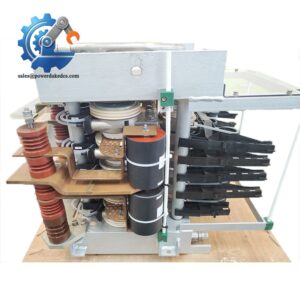
- Model: AC389AE01
- Brand: ABB
- Series: ABB industrial automation control system
- Core Function: Provides control and interface functions in ABB automation equipment
- Type: Industrial control / interface module
- Key Specs: AC389AE01 reference; ABB automation application; exact electrical and communication specifications require host-system confirmation
- Condition: New Surplus, subject to actual stock verification
Product Introduction
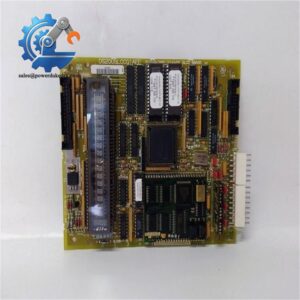
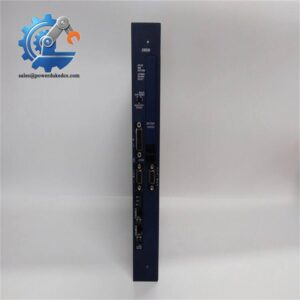
ABB AC389AE01 is an industrial automation spare module used within compatible ABB control equipment. For maintenance teams, the important point is simple: match the complete part reference and the host system before ordering, rather than selecting a replacement from appearance alone.
Legacy ABB parts often have limited public documentation. That makes the original nameplate, hardware revision, connector arrangement, and cabinet position especially useful. For a critical production asset, one tested buffer unit can reduce emergency sourcing pressure without creating excessive inventory.
Key Technical Specifications
| Parameter | Specification |
|---|---|
| Manufacturer | ABB |
| Model | AC389AE01 |
| Product Category | Industrial automation spare module |
| Product Type | Control / interface module |
| Application | ABB industrial control equipment |
| Host System | Must be confirmed from installed equipment |
| Supply Voltage | Not verified from a primary ABB source |
| Communication Interface | Not verified |
| I/O Configuration | Not verified |
| Operating Temperature | Not verified |
| Dimensions | Not verified |
| Weight | Not verified |
| Firmware | To be confirmed by host-system configuration |
| Hardware Revision | Check actual nameplate |
| Lifecycle | Legacy reference; current status requires confirmation |
| Condition | Confirm actual stock condition |
| Warranty | Confirm before purchase |
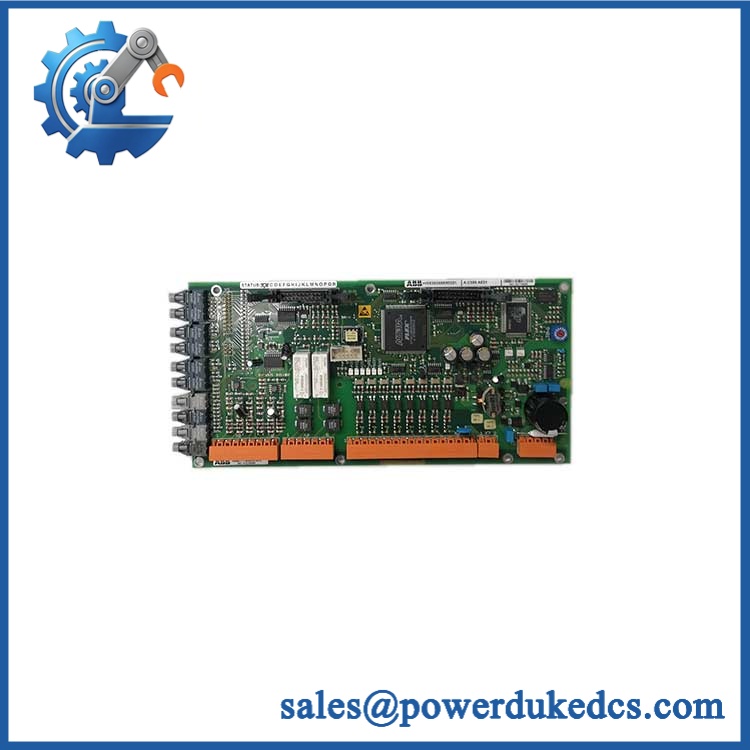
ABB AC389AE01
Technical data should not be inferred from similar ABB model numbers. Use the applicable ABB manual or product documentation for electrical installation values.
Installation & Configuration Guide
Estimated replacement time: 30–60 minutes
Stage 1 — Pre-Installation: 10 minutes
⚠️ Safety first.
- Notify production about the planned shutdown.
- Put the controlled process into a safe state.
- Disconnect control-system power.
- Isolate UPS power where applicable.
- Wait for the discharge time specified by the equipment manual.
- Put on an ESD wrist strap.
Prepare:
- PH1 screwdriver
- Multimeter
- ESD wrist strap
- ESD mat
- Cable labels
- Marker
- Phone or camera
- Wiring diagram
- ABB system documentation
Before removal, photograph everything.
Record:
- Full module label
- Part number
- Serial number
- Hardware revision
- Connector arrangement
- Cable positions
- DIP switches
- Jumpers
- Rack location
Stage 2 — Remove the Existing Module: 5–10 minutes
- Confirm that the equipment is de-energized.
- Label each cable.
- Take close-up photos of the connectors.
- Remove retaining hardware.
- Disconnect cables carefully.
- Release the module from the rack or mounting system.
- Remove it without twisting the PCB.
Inspect the connector area for:
- Bent pins
- Corrosion
- Dust
- Burn marks
- Loose terminals
Never pull on the cable itself.
Stage 3 — Install the Replacement: 10 minutes
- Check the complete AC389AE01 reference.
- Compare the replacement with the removed module.
- Check hardware revision.
- Compare connectors and mechanical mounting.
- Reproduce documented jumper or DIP-switch settings.
- Insert the module into the correct position.
- Secure the retaining hardware.
- Reconnect cables using the photos and wiring diagram.
- Perform a second connector check.
Do not assume that a physically similar ABB module has the same pinout.
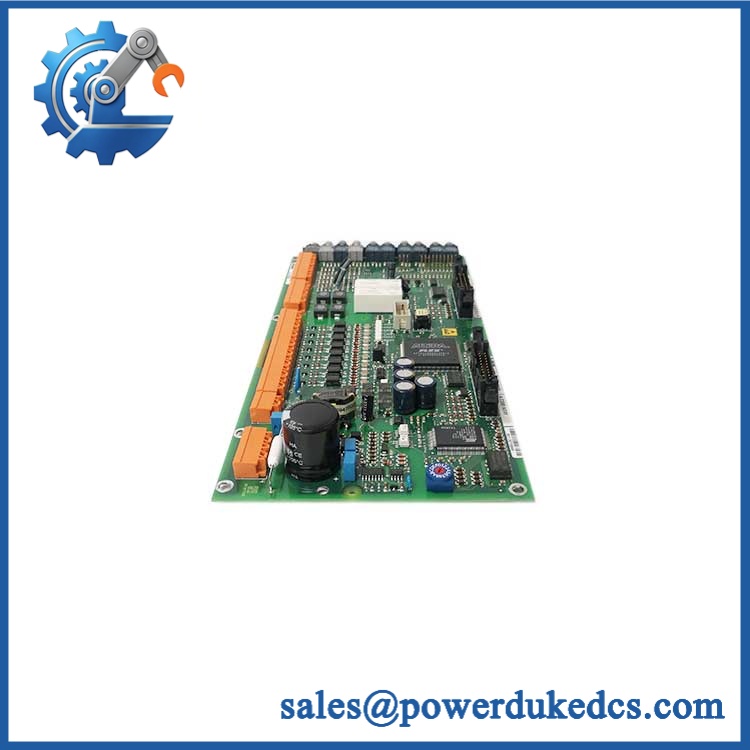
ABB AC389AE01
Stage 4 — Power-On & Testing: 10–30 minutes
Before power-on:
- Verify all connections.
- Check connector seating.
- Verify the supply according to the host-system manual.
- Remove tools and loose hardware.
Power up according to the ABB service procedure.
Check:
- Status LEDs.
- Controller diagnostics.
- Communication status.
- Relevant control or I/O signals.
- HMI/SCADA communication.
- Alarm history.
- Normal process behavior.
Allow the system to operate under controlled conditions.
Record:
- Replacement date
- Technician
- Module serial number
- Hardware revision
- Firmware information, if applicable
- Test result
If communication fails, stop and diagnose. Check wiring, configuration, revision, and host compatibility before repeated power cycling.
Quality Inspection SOP
1. Incoming Inspection
Verify:
- Supplier traceability
- ABB identification label
- Part number
- Serial number
- Hardware revision
- PCB condition
- Connector condition
- Corrosion
- Scratches
- Repair marks
- Yellowing or aging
- Documentation
Photograph the actual unit before testing.
2. Live Test
Use the compatible ABB host system or an approved test setup where available.
Check:
- Power-up behavior
- LED status
- Communication
- Relevant signals
- Controller diagnostics
- Continuous operation
Generate a Test Report identifying the actual tested unit.
3. Electrical Testing
Where applicable:
- Insulation resistance
- Ground continuity
- Supply-voltage verification
- Withstand-voltage testing
The test limits must come from the applicable ABB documentation.
Do not apply a generic electrical test value without confirming that it is suitable for this module.
4. Firmware / Configuration Verification
Record:
- Firmware revision, if applicable
- Hardware revision
- DIP-switch positions
- Jumper positions
- Configuration parameters
Back up the original configuration before removing the old module.
5. Final QC and Packaging
After testing:
- QC inspector signs the test record
- Place the module in an ESD bag
- Add bubble protection
- Use a rigid carton
- Attach QC identification
- Record inspection date
Test photos or videos can be provided when available.
Spare Inventory Recommendation
For an older ABB component, use failure criticality and lead time variability to set buffer stock.
| Situation | Recommended Stock Policy |
|---|---|
| Critical production system | 1 tested spare on site |
| Several identical systems | 1–2 shared spares |
| Long supplier lead time | Increase safety stock |
| Low annual consumption | Keep stock low |
| EOL risk | Consider a last-time-buy |
| Frequent consumption | JIT replenishment |
| Slow-moving spare | Consignment or vendor-managed stock |
| Untested used unit | Test before critical-stock entry |
Holding too many legacy boards can create obsolete inventory.
For a high-cost production shutdown, however, keeping one tested insurance unit may have a much better total cost of ownership than emergency procurement.
Technical Replacement Risks
1. Hardware Revision Mismatch
Older ABB equipment may contain multiple hardware revisions.
Check the complete label.
If the replacement revision differs, verify the approved replacement relationship before installation.
2. Connector and Pinout Differences
A connector that fits mechanically may still have different electrical assignments.
Check the wiring diagram.
Do not transfer cables based only on physical position.
3. Firmware / Configuration Difference
Where firmware is relevant, record the installed revision before replacement.
If the replacement has a different revision, confirm compatibility with the host controller before commissioning.
4. Power Supply Capacity
Never estimate cabinet power from a generic product listing.
Calculate the complete system load from the ABB documentation. Leave suitable power margin for the rack and connected equipment.
5. ESD
Use:
- ESD wrist strap
- ESD mat
- ESD-safe packaging
- Edge handling of the PCB
Do not touch exposed contacts unnecessarily.
A static discharge can damage electronics without leaving an obvious visual mark.
FAQ
1. What is ABB AC389AE01 used for?
is an ABB industrial automation spare reference. The exact function and host-system relationship should be confirmed from the original equipment documentation before ordering.
For a replacement request, provide the complete label photo and host-system model.
2. Can I directly replace my existing ?
It may be a direct replacement when the part number, hardware revision, configuration, and host system all match.
Check:
| Item | Verification |
|---|---|
| Part number | |
| Hardware revision | Compare |
| Connector layout | Compare |
| Host system | Confirm |
| Configuration | Copy and verify |
| Firmware | Check if applicable |
3. Can this ABB module be hot-swapped?
Do not assume it can.
Unless the applicable ABB manual specifically allows live replacement for the exact system, use a controlled shutdown and power isolation procedure.
4. My system is old. Should I keep a spare?
For a critical production system, one tested spare is a reasonable starting point.
If the supplier lead time is long or the part is approaching EOL, review a controlled last-time-buy. Avoid excessive stock when the entire host system may soon be replaced.
5. How do I verify the correct replacement?
Use three pieces of information:
- Photograph the original module label.
- Provide the complete part number.
- Provide the host-system and cabinet information.
A clear label photo can prevent an expensive wrong-part shipment.
6. Is New Original?
The actual condition depends on the stock unit.
The quotation should clearly identify:
- New Surplus
- Used
- Refurbished
- Repaired
For critical applications, request actual photos, serial-number information, test records, and warranty terms before purchase.
7. What is the purchase price?
Any online price should be treated as a reference price. Final pricing depends on stock condition, test status, warranty, availability, and market supply.
For inventory planning, compare the purchase cost with emergency freight, carrying cost, and the financial impact of a production stoppage.




 Start Chat


