

Description
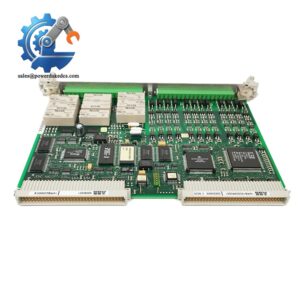
- Model: GFD233A103
- Order Number: 3BHE022294R0103
- Brand: ABB
- Series: PEC80 LIN
- Core Function: PEC80 LIN system spare module
- Type: Industrial control spare part
- Key Specs: NS=8; ABB Type Designation: GF D233 A
- Lifecycle: No longer for sale; replacement planning is recommended.
- Stocking Status: Suitable as buffer stock for critical equipment, subject to verified system compatibility
- Condition: Confirm New Original / New Surplus condition before purchase
Product Introduction
ABB GFD233A103, order number 3BHE022294R0103, is identified by ABB product data as a GF D233 A: PEC80 LIN (NS=8) spare part. It belongs to the PEC80 LIN product designation and is intended for use as a replacement component in the corresponding ABB system. ABB’s product record lists it as a spare part with a minimum order quantity of 1 piece.
The important purchasing point is lifecycle status. The ABB product record marks this item as “No longer for sale.” For a plant that still depends on the PEC80 LIN platform, keeping 1 unit as buffer stock can make economic sense because an unexpected stock-out may cost far more than the carrying cost of one spare. Technical interface details, firmware requirements, and system compatibility should be checked against the installed equipment documentation before replacement.
Key Technical Specifications
| Parameter | Value |
|---|---|
| Manufacturer | ABB |
| Model | GFD233A103 |
| Order Number | 3BHE022294R0103 |
| ABB Type Designation | GF D233 A: PEC80 LIN (NS=8) |
| Product Family | LIN |
| Product Category | Spare Part |
| NS Value | 8 |
| Minimum Order Quantity | 1 piece |
| Made to Order | No |
| Lifecycle Status | No longer for sale |
| Country/Territory Listed | China / Thailand |
| Customs Tariff Number | 85049090 |
| ABB Gross Weight Record | 0.001 kg* |
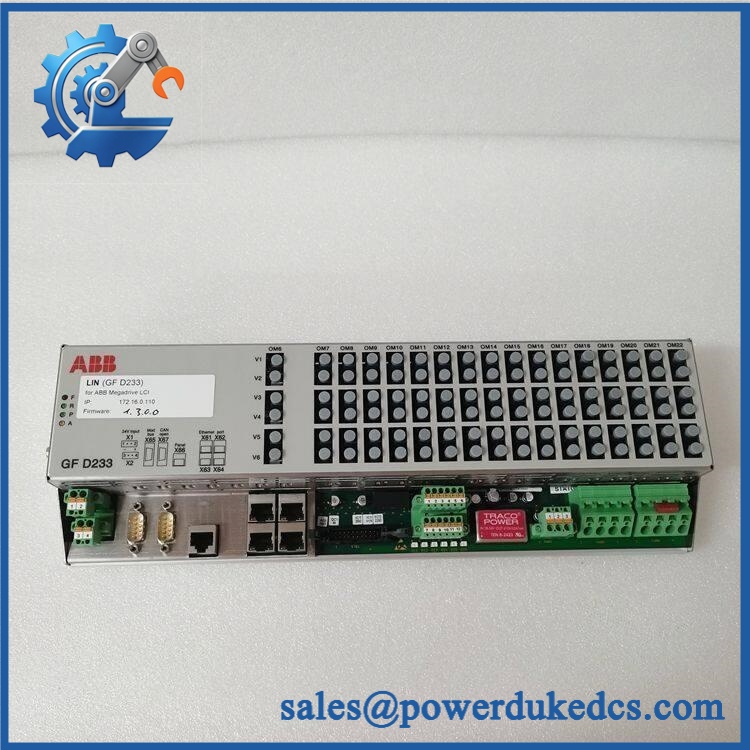
ABB GFD233A103 3BHE022294R0103
*The ABB product record shows 0.001 kg as gross weight. This value is unusually low for a complete physical module, so do not use it as the shipment weight without checking the actual packed item.
Installation & Configuration Guide
Important: The available ABB product data identifies the item and lifecycle status, but it does not provide enough verified installation information for this specific part. The exact mounting method, connector pinout, supply voltage, firmware requirements, and commissioning procedure should therefore be taken from the applicable ABB LIN documentation.
Phase 1: Pre-Installation — Allow 10–15 minutes
- Schedule a controlled maintenance window.
- Put the controlled equipment into a safe operating state.
- Isolate the relevant power sources according to the site’s electrical safety procedure.
- Verify absence of hazardous voltage with an approved meter.
- Wear an ESD wrist strap and use an ESD-safe work surface.
- Record the existing module’s:
- Full type designation
- Serial number
- Firmware revision, if accessible
- Connector arrangement
- Switch or jumper settings
- Take clear photos before removing anything.
Do not assume the replacement has identical configuration.
Phase 2: Remove the Existing Module — Allow 5–10 minutes
- Confirm the equipment is de-energized.
- Label each connected cable before removal.
- Photograph connector positions and cable routing.
- Release the module using the manufacturer’s specified retaining mechanism.
- Remove the module without twisting or forcing the connector.
- Inspect the mating connector for bent pins, contamination, or mechanical damage.
If the old module has configuration labels, keep them with the maintenance record.
Phase 3: Install the Replacement — Allow 5–10 minutes
- Check the replacement part number against the approved BOM.
- Inspect the housing and connectors before installation.
- Copy the documented configuration from the old unit only where the ABB manual confirms the settings are applicable.
- Align the module correctly with its mating connector.
- Secure the module using the specified hardware.
- Reconnect cables according to the wiring documentation.
- Check that no connector is partially seated.
Do not guess connector pin assignments.
Phase 4: Power-Up and Verification — Allow 10–20 minutes
- Perform a final wiring inspection.
- Verify the supply voltage against the applicable ABB manual.
- Restore power under controlled conditions.
- Observe the module and system diagnostic indications.
- Check the controller/system diagnostic screen.
- Confirm communication with the associated control system.
- Verify the installed identification and configuration.
- Run the approved functional test.
- Monitor the system for abnormal alarms or diagnostic messages.
Do not apply the generic 24 V DC or 0.5 N·m values from another module’s procedure unless the specific ABB documentation confirms them.
Maintenance Record
Record:
- Replacement date
- Removed module serial number
- Installed module serial number
- Firmware revision
- Test result
- Technician name
- Any diagnostic codes
- Photos of the completed installation
A test report can be supplied with the spare where the seller has actually performed the stated inspection or functional test. Do not claim a live test unless one was performed.
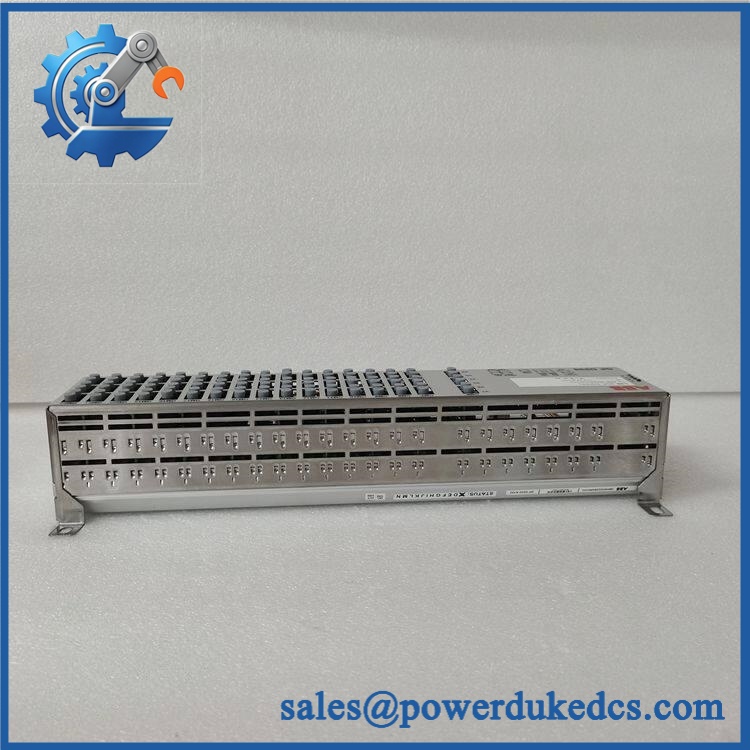
ABB GFD233A103 3BHE022294R0103
Quality Inspection SOP
For inventory control, this part should be processed like a critical spare rather than treated as ordinary warehouse stock.
1. Incoming Inspection
- Verify the supplier’s packing list.
- Check traceability documents where available.
- Record the serial number.
- Inspect labels and identification.
- Check for corrosion, scratches, cracks, or repair marks.
- Check supplied accessories against the agreed packing list.
2. Functional Test
A live test should only be reported when a suitable LIN test environment is available.
The test record should include:
- Test equipment
- Test configuration
- Power-on result
- Diagnostic result
- Communication result
- Functional result
- Test date
- Technician
Do not substitute an AC800M test rack simply because it is an ABB system. The test platform must support the actual equipment and interface being tested.
3. Electrical Inspection
Where applicable and permitted by the ABB service documentation:
- Insulation resistance test
- Protective earth continuity
- Supply voltage verification
- Connector inspection
Test voltage and acceptance limits must come from the applicable ABB documentation.
4. Firmware and Configuration
Record:
- Firmware revision
- Hardware revision
- Serial number
- Switch/jumper settings
- Configuration file, if applicable
Keep the original configuration with the spare’s inventory record.
5. Final Packing
Use:
- ESD-safe packaging
- Protective cushioning
- Suitable outer carton
- QC identification label
Photos of the item, label, and packing condition are useful for customer verification.
Common Questions
1. Is ABB GFD233A103 3BHE022294R0103 still available from ABB?
The ABB product record marks this item as “No longer for sale.” That makes the secondary spare-parts market particularly relevant for existing installations. Availability, condition, and remaining stock should be confirmed before issuing a purchase order.
2. What exactly is 3BHE022294R0103?
ABB identifies it as GF D233 A: LIN (NS=8). The record classifies it as a spare part and lists a minimum order quantity of 1 piece.
3. Can I directly replace my old GFD233A unit with this version?
Not automatically.
Check these items first:
- Full type designation
- Hardware revision
- System configuration
- Connector arrangement
- Firmware or software requirements
Part-number similarity is not enough. For an installed legacy system, a pre-installation compatibility check is cheaper than discovering a mismatch during a production outage.
4. Can this part be stocked as an emergency spare?
Yes, if the plant still operates equipment that depends on the corresponding LIN configuration. A practical inventory policy is 1 unit of buffer stock for a critical, low-usage spare, rather than multiple units sitting unused.
Because the ABB record says the item is no longer for sale, a controlled last-time-buy strategy may also be worth evaluating.
5. What should I check before buying a used or surplus unit?
Use a receiving checklist:
| Check | What to verify |
|---|---|
| Identity | Full ABB part number |
| Label | Legible and consistent |
| Serial number | Recorded and traceable where possible |
| Physical condition | No corrosion or obvious repair marks |
| Connectors | No bent or damaged contacts |
| Configuration | Compatible with installed system |
| Test evidence | Actual test report, if claimed |
| Packaging | ESD protection |
A warehouse photo is useful. A functional test report is better.
6. My replacement does not communicate. What should I check?
Start with the basics before changing firmware.
Three checks:
- Compare the installed part and hardware revision with the old unit.
- Compare the recorded configuration and system parameters.
- Check diagnostic messages and communication status.
Well, technically, a communication problem can come from configuration rather than the module itself. Do not immediately flash firmware. Record the existing revision first.
7. How should I manage this spare from an inventory-cost perspective?
Treat it as a critical slow-moving spare.
A sensible starting policy is:
- Min: 1 unit
- Max: 1–2 units, depending on site criticality
- Reorder trigger: When the available quantity falls below the approved minimum
- Procurement: Preferred supplier with verified traceability
- Lifecycle: Monitor EOL status and replacement availability
- Cross-site sharing: Check sister plants before purchasing another unit
- TCO: Compare purchase price + storage + testing + obsolescence against the cost of a production outage
For a discontinued component, carrying one verified spare can be financially sensible. Hoarding ten units without a consumption forecast is not.



 Start Chat


