

Description
- Model: PFCA401
- Brand: ABB
- Series: PFCA Series
- Core Function: Industrial control signal processing
- Type: Control module
- Key Specs: ABB industrial control platform; electronic control assembly; maintenance replacement spare
- Condition: New Original (New Surplus), non-refurbished
Product Introduction
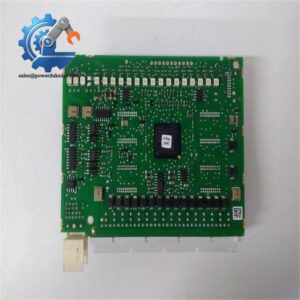
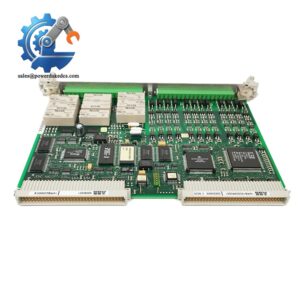
ABB PFCA401 is an industrial electronic control module designed for use in compatible ABB control equipment. It performs control-related processing and interfaces with the surrounding hardware, making it a relevant spare for maintenance teams supporting older ABB installations.
For critical equipment, keeping the exact board number on the shelf can be cheaper than waiting for emergency sourcing. The practical approach is simple: verify the host system, hardware revision, firmware requirements, and connector configuration before installation.
Key Technical Specifications
| Parameter | Specification |
|---|---|
| Manufacturer | ABB |
| Model | PFCA401 |
| Product Family | PFCA Series |
| Product Type | Industrial control module |
| Application | ABB industrial control equipment |
| Main Function | Control and signal processing |
| Installation | Internal control assembly |
| Communication | Dependent on host system |
| Power Supply | Dependent on host equipment |
| Firmware | Verify against installed system |
| Operating Temperature | Refer to applicable ABB documentation |
| Environmental Specification | Refer to applicable ABB documentation |
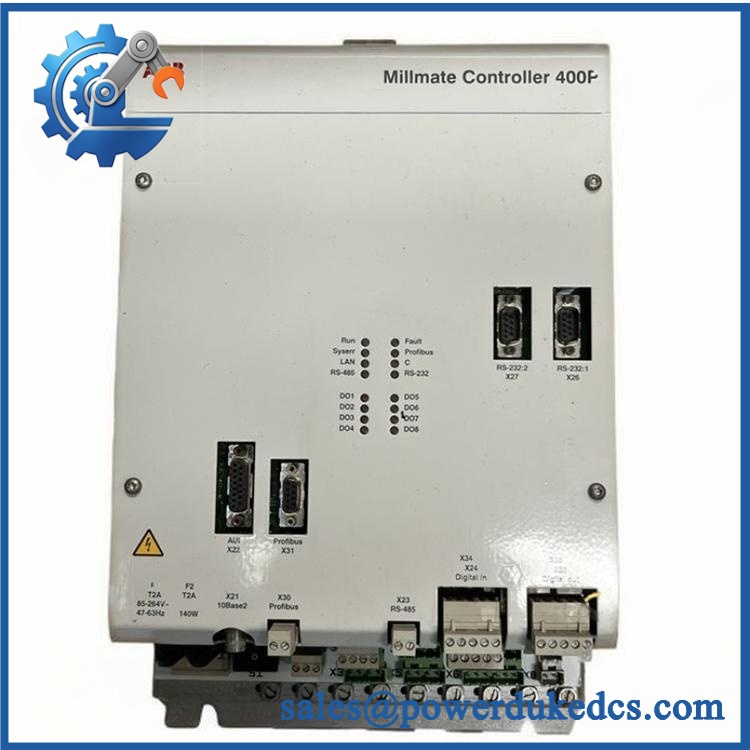
ABB PFCA401
Technical note: Exact voltage, I/O capability, connector pinout, firmware compatibility, and environmental ratings should be verified against the ABB manual for the specific host system. Do not infer these values from a visually similar board.
Installation & Configuration Guide
Stage 1: Pre-Installation — About 10 minutes
⚠️ Safety first.
- Notify the production team and confirm the shutdown window.
- Put the controlled equipment into a safe state.
- Disconnect main and control power, including UPS supplies where applicable.
- Follow the host system’s discharge procedure.
- Wear an ESD wrist strap and use an antistatic work surface.
Before removing the old board, record its condition.
Take close photographs of:
- Part number and nameplate
- Serial number
- Connector positions
- Cable labels
- DIP switches or jumpers
- Board location
- LED status
- Cabinet layout
Back up the current system configuration whenever the applicable ABB software permits it.
Stage 2: Remove the Existing Module — About 5 minutes
- Verify power isolation.
- Label each cable before disconnecting it.
- Photograph the wiring from multiple angles.
- Release the board retaining mechanism.
- Disconnect connectors using their housings.
- Remove the board carefully.
- Inspect mating connectors for bent pins or contamination.
Do not pull on individual wires. That small mistake can damage both the cable and terminal.
Stage 3: Install the Replacement — About 5-10 minutes
- Confirm PFCA401 against the old part number.
- Compare the replacement board’s physical layout.
- Copy the old DIP-switch or jumper configuration where applicable.
- Align the board with the correct guide and connector.
- Seat it without excessive force.
- Reconnect each cable using the labels and photographs.
- Check that every connector is fully seated.
- Verify that the board is mechanically secure.
Do not guess the wiring. Connector shape alone does not prove identical electrical pin assignments.
Stage 4: Power-On & Testing — About 10-15 minutes
Before energizing:
- Check every connector.
- Check board mounting.
- Remove tools and loose hardware.
- Confirm the correct power-isolation procedure has been completed.
- Verify that PFCA401 is installed in the correct location.
After power-up:
- Check available LED indicators.
- Read system diagnostic information.
- Check hardware and firmware information where available.
- Compare configuration data with the saved backup.
- Check communication status.
- Test control signals under controlled conditions.
- Verify feedback and status indications.
- Run the associated equipment through a controlled operating cycle.
- Monitor the system for at least 30 minutes.
If an alarm appears, record the exact diagnostic code before resetting it.
Technical Pitfalls Before Replacement
Firmware Revision Mismatch
A board can power up normally and still fail to communicate with the existing system.
Before removal: record the old firmware revision.
After installation: read and compare the new revision.
If the revisions differ, check the ABB compatibility documentation before attempting a firmware change.
DIP Switch / Jumper Errors
If hardware configuration is present, photograph it before removal.
Copy each switch position carefully.
❗ Photograph first. Remove second.
This takes less than a minute and can prevent a second shutdown.
Terminal and Cable Compatibility
Review the applicable wiring diagram before reconnecting cables.
Do not assume that two ABB boards with similar connectors use identical pin assignments. Verify terminal numbers and signal types.
Power Supply Differences
Do not assume a generic 24 V DC specification unless the applicable ABB documentation confirms it.
Check the host equipment’s power budget and the replacement board’s specified supply requirements.
ESD Damage
Use:
- ESD wrist strap
- Antistatic mat
- ESD-safe packaging
- Proper grounding
Winter conditions are especially problematic in dry workshops. A static discharge may leave no visible damage while affecting electronic components.
Quality Inspection & Test Process
For a unit supplied as New Original (New Surplus), use the following inspection sequence.
1. Incoming Inspection
- Verify supplier and source records.
- Check original packing documentation where available.
- Confirm the nameplate and part number.
- Check the serial number.
- Inspect for corrosion, scratches, yellowing, or repair marks.
- Check available manuals and accessories.
2. Live Functional Test
Where a suitable ABB test environment is available:
- Power-on self-test
- LED status verification
- Applicable communication test
- Applicable I/O or signal test
- Extended operating observation
The test equipment must be appropriate for the exact host system. A generic test bench should not be described as an ABB factory test system.
3. Electrical Testing
Where applicable:
- Insulation resistance
- Ground continuity
- Supply-voltage verification
- Dielectric testing according to the applicable procedure
Test limits must come from the relevant ABB documentation. Do not apply generic test voltages without confirmation.
4. Firmware and Configuration Verification
Record:
- Firmware revision
- Hardware revision
- DIP-switch positions
- Jumper settings
- Configuration data
Keep photographs with the Test Report.
5. Final QC and Packaging
- QC inspection approval
- ESD bag
- Protective cushioning
- Carton packaging
- QC label with inspection date
Test photographs and available Test Reports can be provided for customer review.
Spare Inventory Recommendation
For a production-critical ABB control system:
- Min: 1 unit
- Max: 2 units
- Buffer stock: 1 unit
- Reorder point: Supplier lead time + lead time variability
- Fast-moving demand: Replenish based on actual consumption
- Slow-moving demand: Consider consignment or vendor-managed inventory
- EOL exposure: Review lifecycle status and plan a Last-time-buy when appropriate
Do not build a large stock only because the part is difficult to source. Compare the expected downtime cost with inventory carrying cost and obsolescence risk.
Frequently Asked Questions (FAQ)
1. What is ABB PFCA401 used for?
is an ABB industrial electronic control module intended for compatible ABB control equipment. Its exact system function depends on the host equipment and associated hardware configuration.
2. Can I install directly as a replacement?
A direct replacement should be confirmed from the complete part identification and host system.
Check:
- Part number
- Hardware revision
- Firmware revision
- Host equipment model
- Connector and configuration details
A similar-looking PCB is not enough.
3. My system does not work after the board replacement. What should I check?
Start with configuration rather than repeatedly restarting the equipment.
| Item | Check |
|---|---|
| Board seating | Fully inserted and mechanically secured |
| Wiring | Every connector returned to its original position |
| Firmware | Compatible with the host system |
| Configuration | Matches the saved system data |
| Diagnostics | Record exact alarm or fault code |
One missed connector can look like a software problem. Check the physical installation first.
4. Is suitable for buffer stock?
If the associated equipment is production-critical, keeping 1 unit on-site is a reasonable starting point.
For low-use equipment, calculate the total cost of ownership. Storage cost, capital tied up in inventory, shelf aging, and obsolescence all matter.
5. Does support hot swapping?
Do not assume hot-swapping is supported.
Unless the applicable ABB manual explicitly permits live replacement, isolate the equipment before removing the module. Electronic boards should be handled under proper ESD conditions.
6. What should I provide when requesting a quotation?
Send a clear photograph of the existing module and include:
- Part number
- Hardware revision
- Serial number
- Host equipment model
- Firmware revision, if available
- Required quantity
- Required delivery date
That information helps the supplier verify the correct spare rather than matching only the product name.
7. How should I manage this spare if ABB no longer supports the equipment?
Treat lifecycle risk as part of inventory planning.
If the equipment remains critical, monitor EOL information and supplier availability. A Last-time-buy may be justified before confirmed discontinuation.
For a slow-moving item, however, buying several units without a consumption forecast can create unnecessary obsolete inventory.




 Start Chat


