

Description
Module 2: The 10-Second Procurement Snapshot
- Brand: ABB
- Full Model Number: XVC767AE102 3BHB007209R0102
- Short Model: XVC767AE102
- Lifecycle Status: Legacy / availability dependent
- Core Function: Drive control and power-converter management
- Product Type: Drive control board / electronic module
- Top Technical Specs: XVC767AE series; 3BHB007209R0102; ABB industrial drive application
- Stock & Condition: New Surplus; physical stock confirmation required
- Replacement Basis: Exact part-number match recommended
Module 3: Supply Chain & Technical Deep Dive
When a legacy ABB drive loses its control electronics, the expensive part is often the production interruption—not the circuit board itself. XVC767AE102 3BHB007209R0102 is an ABB spare-part reference that should be purchased by exact identification rather than by a similar-looking board number. For maintenance teams, keeping a verified spare on hand can reduce the time between fault isolation and drive recovery.
The TCO case is straightforward: replacing an exact control assembly can avoid a larger drive-level replacement when the power section remains serviceable. However, public technical information for this specific assembly is limited, so parameters such as supply voltage, processor specification, memory capacity, communication interfaces, and firmware revision should not be guessed. Confirm those values against the installed drive documentation and the physical nameplate before issuing a purchase order.
Module 4: Migration, Compatibility & Field Traps
Replacement Matrix
| Replacement Scenario | Assessment | Required Action |
|---|---|---|
| Same XVC767AE102 / 3BHB007209R0102 | Drop-in Replacement candidate | Verify hardware revision and drive model |
| Same hardware with different firmware | Software Compatibility Check | Compare installed firmware before commissioning |
| Similar XVC767AE family number | Not automatically compatible | Confirm schematic and BOM |
| Different board revision or connector layout | Hardware Modification may be required | Obtain engineering approval first |
⚠️ Field Traps: Watch Out
Part-number mismatch: The complete identification is XVC767AE102 3BHB007209R0102. Do not approve a substitute solely because it begins with XVC767AE.
Firmware mismatch: Record the existing board firmware before removal if the drive software provides access to it. A different firmware revision can affect startup behavior, parameter handling, or communication.
Configuration loss: Photograph every switch, jumper, connector, and board position before removal. Keep the original configuration record with the maintenance work order.
ESD exposure: Use an antistatic wrist strap and ESD-safe work surface. Avoid touching exposed PCB contacts.
⚠️ Do not assume a physically identical board is electrically equivalent. Verify the drive model, board revision, firmware, and connector arrangement.
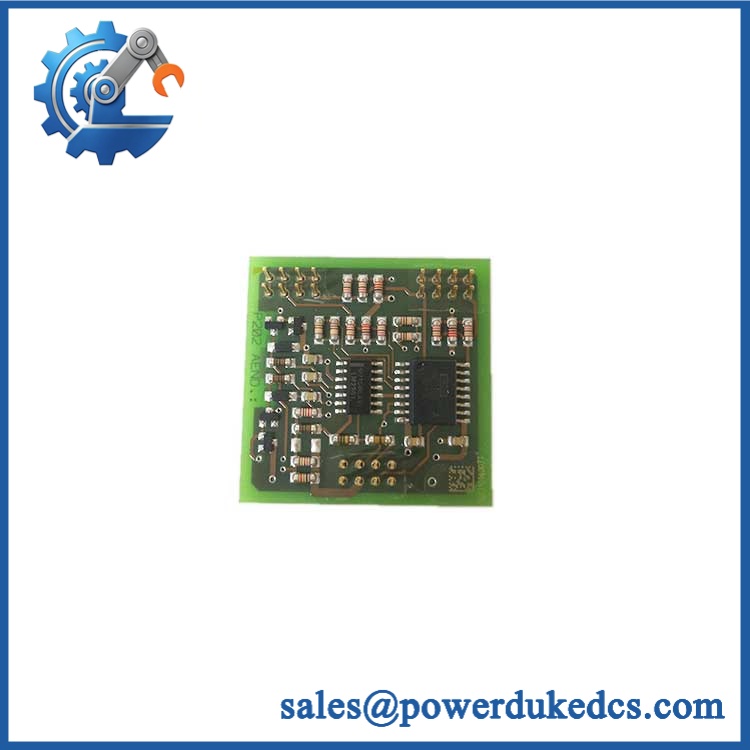
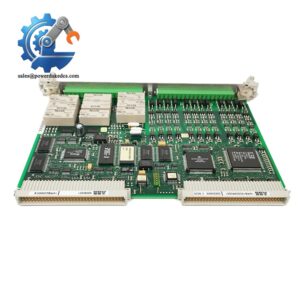
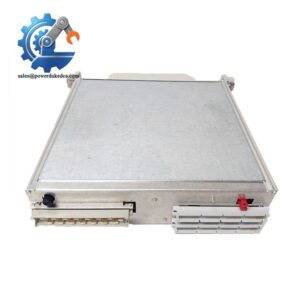
ABB XVC767AE102
Module 5: Quality Assurance & Testing SOP
1. Incoming Inspection
- Verify ABB identification label.
- Confirm XVC767AE102 marking.
- Confirm 3BHB007209R0102 part number.
- Record serial and manufacturing information where available.
- Inspect PCB, connectors, terminals, and mounting points.
- Check for corrosion, cracks, burn marks, or repair evidence.
2. OEM Authenticity Inspection
- Inspect ABB label construction and markings.
- Compare PCB layout against an approved reference unit.
- Check component placement and connector configuration.
- Review available traceability documentation.
- Photograph the board before testing.
3. Power-On Self-Test
Using the appropriate ABB drive test environment:
- Apply the manufacturer’s specified power.
- Monitor startup sequence.
- Check available RUN / ERR / diagnostic indicators.
- Confirm controller initialization.
- Record any diagnostic codes.
The exact LED meanings depend on the associated drive and board revision.
4. Functional Testing
Where the correct test rack is available:
- Verify board initialization.
- Check communication with the drive control system.
- Read accessible configuration data.
- Confirm relevant control signals.
- Test available I/O interfaces.
- Monitor diagnostic status.
I/O load testing must match the actual interfaces on this board. A generic PLC test routine should not be applied without documentation.
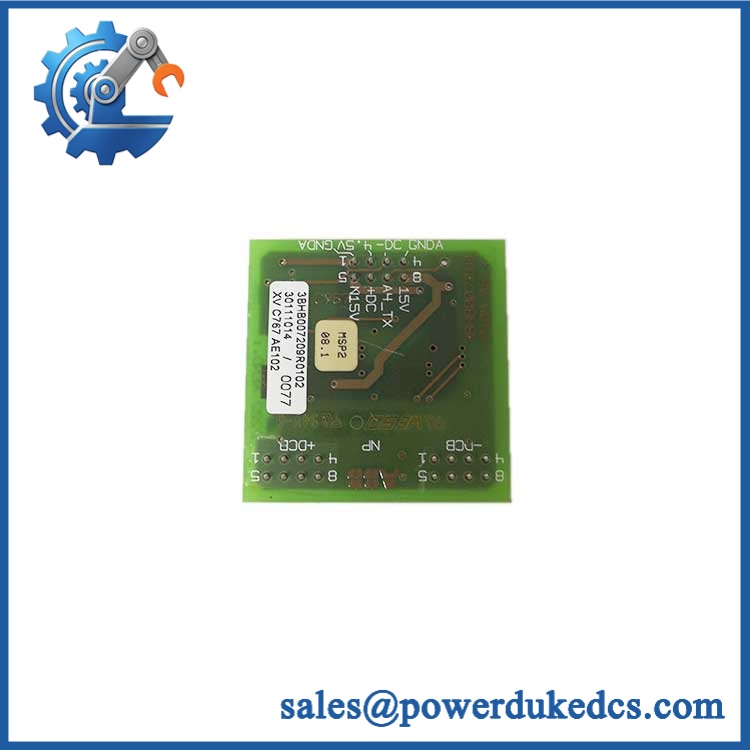
ABB XVC767AE102
5. Extended Test
For a suitable test setup:
- Operate the board under controlled conditions.
- Monitor temperature behavior.
- Check communication stability.
- Record alarms and diagnostic events.
- Document the test duration.
A formal Test Report should record the part number, serial number, firmware revision, test date, test equipment, and results.
6. Final QC & Packaging
- QC inspection completed and signed.
- Board sealed in ESD-safe packaging.
- Connector protection installed where required.
- Shock-absorbing material added.
- QC identification label attached.
- Test documentation retained with the inventory record.
Test photos or videos can be provided when available.
Module 6: Procurement-Driven FAQ
1. Is 3BHB007209R0102 physically in stock?
Physical stock should be confirmed before the PO is released. For an urgent shutdown, request confirmation of the exact part number, condition, serial/lot information, test status, and dispatch cutoff.
2. How do you verify a surplus unit before shipment?
The unit should pass identification, visual, connector, PCB, and appropriate electrical/functional inspections. For drive-control electronics, testing should use a compatible ABB test environment whenever available.
3. What warranty should I request for this legacy ABB board?
Ask for the warranty period and defective-unit procedure in writing. The commercial terms should define the claim window, required failure evidence, return process, and replacement or refund arrangement.
4. Can my engineer install this board without checking firmware?
No. Firmware should be recorded before removing the existing board. Compare the replacement revision with the drive’s current software configuration before commissioning.
5. Is interchangeable with another XVC767AE board?
Not automatically. The identification should be matched against the drive BOM, hardware revision, firmware requirements, connector arrangement, and applicable ABB documentation. A similar prefix is not sufficient evidence for a direct replacement.



 Start Chat


