

Description
- Brand: GE / GE Grid Solutions
- Full Model Number: D20 EME210BASE-T
- System/Series Family: GE D20 / D20MX / D200 RTU Platform
- Core Function: 10BASE-T Ethernet interface for D20-series substation RTU communication
- Top 3 Hardcore Specs: 10BASE-T Ethernet; 10 Mbps data rate; RJ45 physical interface
- Installation: D20MX/D200 chassis left-most slot; J1 connection to D20EME Ethernet module
- Configuration: JP1/JP2 jumper-defined LAN operating modes
- Required Cable: Interface cable P/N 977-0298
- Stock Status: New Surplus / Fully Tested Refurbished — verify the exact unit condition before ordering
Technical references identify the D20 EME210BASE-T as an Ethernet/network card used with D20MX and D200 chassis, with a 10BASE-T interface and jumper-configurable operating modes.
Module 3: Commercial-Technical Deep Dive
A failed Ethernet interface on a legacy D20 RTU can turn a normally remote-controlled substation into a local-maintenance problem. The GE D20 EME210BASE-T provides the 10BASE-T Ethernet path used by the D20/D200 architecture for SCADA and engineering communications. Its role is specific: this is not a generic modern Ethernet adapter. The module interfaces with the D20EME board through J1 and is documented for installation in the left-most slot of compatible D20MX and D200 chassis. That physical architecture matters when replacing a field card because slot location, interconnect cable, and jumper configuration all affect commissioning.
At 10 Mbps, this module is clearly tied to a legacy RTU communication architecture rather than current high-speed Ethernet infrastructure. That does not automatically make replacement difficult; it means the surrounding network must be engineered for the D20 interface rather than assuming modern auto-negotiation behavior will work. Published technical references identify the module as 10BASE-T and associate it with D20/D200 substation applications, while another source specifically notes the required P/N 977-0298 interface cable and JP1/JP2 configuration. Keeping a tested spare on-site can reduce restoration time when loss of Ethernet communication removes remote SCADA visibility. —Confirm the exact D20 chassis revision and installed network topology before dispatch.
Module 4: Compatibility & Installation Traps
Migration/Compatibility
For an existing D20/D20MX/ installation that specifies D20 EME210BASE-T, the intended replacement approach is a like-for-like module exchange. Available documentation does not support treating it as a universal plug-in Ethernet card for unrelated GE platforms. The module has a defined chassis position, J1 interface connection, and jumper configuration, so a cabinet drawing or existing BOM should be checked before installation.
A firmware upgrade should not be assumed merely because the board is being replaced. Compatibility can depend on the installed D20 architecture and firmware revision, so record the existing CPU/module id
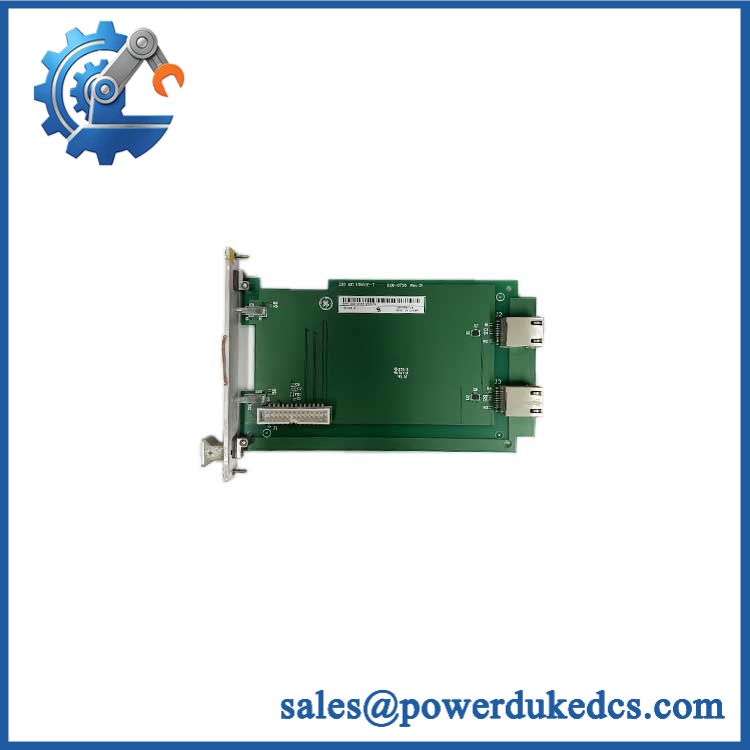
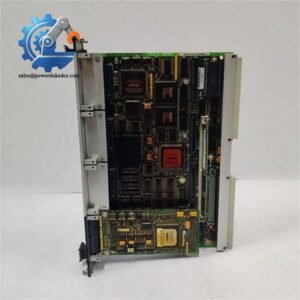
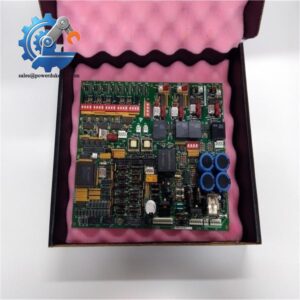
GE D20 EME210BASE-T
entification before removing the failed card. Where the objective is a migration away from the legacy D20 platform, this is a separate engineering project rather than a simple EME210BASE-T substitution.
⚠️ Field Traps (Watch Out)
- Wrong chassis position or missing interconnect: References specify installation in the left-most D20MX/ chassis slot and connection to the D20EME through J1. The required interface cable is identified as P/N 977-0298. Do not assume a standard Ethernet patch lead replaces this internal connection.
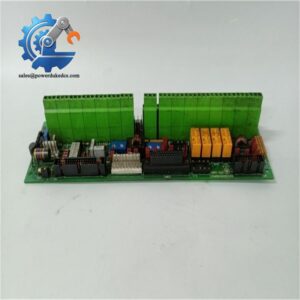
- JP1/JP2 configuration errors: Operational modes are defined by jumper positions for LAN A and LAN B functions. Photograph the existing jumper arrangement before removal and verify it against the applicable D20 installation documentation. A board that powers up can still fail network commissioning when these settings are incorrect.
Module 5: Quality Assurance SOP
For surplus and legacy GE communications hardware, the pre-shipment process should establish both authenticity and functional condition:
- OEM anti-counterfeit visual inspection — verify GE identification markings, part number, connector arrangement, board revision, labels, hardware condition, and evidence of unauthorized component replacement.
- Serial and traceability check — photograph the complete board and record all visible identification data before testing.
- PCB and connector inspection — examine the RJ45 interface, J1 connector, jumper headers, solder joints, PCB surfaces, mounting hardware, and signs of oxidation or contamination.
- Power-on self-test (POST) — where the available D20 test configuration permits, energize the module and monitor the applicable status indications for abnormal ERR/RUN behavior.
- 10BASE-T link verification — establish a controlled Ethernet connection and verify link/activity behavior at the expected 10 Mbps interface level.
- Communication handshake verification — confirm the Ethernet path can establish the expected communication exchange with the applicable D20/D20EME test configuration.
- Jumper verification — compare JP1 and JP2 settings against the required LAN operating mode and record the final configuration in the test report.
- Interface-cable verification — confirm compatibility of the internal connection with P/N 977-0298 where applicable.
- Final QC release — attach photographs, identification data, test results, and packaging inspection records to the shipment file.
For an obsolete RTU communications module, “powers on” is not enough. The useful test result is evidence that the Ethernet interface establishes the expected link and communication behavior within the intended D20 architecture.
Module 6: CRO-Driven Buyer FAQ
1. Is the GE D20 EME210BASE-T obsolete?
The D20 platform is a legacy architecture, and current market documentation identifies the as an obsolete or difficult-to-source spare. That makes exact part-number verification important when purchasing replacement inventory. Available listings continue to identify the part as a D20/ Ethernet module, but current stock condition varies by supplier.
2. Is D20 a standard 10/100 Ethernet module?
No. The documented interface is 10BASE-T at 10 Mbps. It should not be treated as a modern 10/100/1000BASE-T network card. The connected network equipment and configuration should be checked for compatibility with the legacy D20 Ethernet implementation.
3. Can I hot-swap the D20 ?
Do not assume hot-swap capability. The module is installed in a D20/ chassis and forms part of the RTU communication architecture. Follow the site’s shutdown, isolation, and lockout procedure unless the specific D20 equipment documentation explicitly authorizes energized module removal.
4. Does the module require a special cable?
Yes, published installation references identify interface cable P/N 977-0298 for connecting the module to the D20EME Ethernet module. Verify the installed cabinet hardware before ordering, especially on older field installations where cables may already have been modified or replaced.
5. What warranty and technical support should I expect?
Warranty coverage depends on the condition and supplier terms of the specific unit. The quotation should state whether the board is new surplus, used, or tested refurbished, together with the warranty period. Technical support should reasonably cover part-number verification, chassis compatibility, jumper configuration, installation documentation, and available test evidence; site-specific SCADA engineering, network redesign, and commissioning remain application-level engineering activities.



 Start Chat


