

Description
- Brand: GE Fanuc
- Full Model Number: IC687BEM731
- System/Series Family: PACSystems RX7i
- Core Function: Ethernet interface module for RX7i PLC communications and remote I/O networking
- Top 3 Hardcore Specs: 10/100 Mbps Ethernet; TCP/IP communications; RX7i backplane interface
- Network Interface: Ethernet
- Communication: TCP/IP
- System Role: Bus/communications interface
- Stock Status: New Surplus / Factory-Sealed or Fully Tested Refurbished subject to actual inventory condition
Module 3: Technical Product Introduction
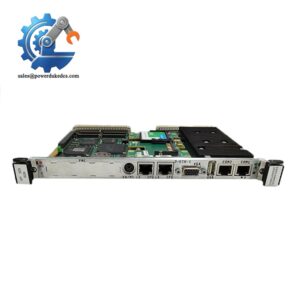
A failed Ethernet interface can isolate an otherwise operational RX7i control system from supervisory computers, programming stations, or distributed network devices. The GE IC687BEM731 is an Ethernet interface module for the PACSystems RX7i platform, providing network connectivity between the PLC architecture and Ethernet-based equipment. It belongs to the communications side of the RX7i system rather than the CPU or discrete I/O layer.
For replacement work, the key consideration is compatibility with the installed RX7i hardware and application architecture. The IC687BEM731 should be identified by its complete catalog number before procurement; older GE Fanuc documentation can use different product naming conventions than later PACSystems documentation. Network settings, node addressing, Ethernet configuration, and the application program should therefore be checked before commissioning. Avoid assuming that another RX7i communication module is interchangeable simply because it also uses an RJ45 Ethernet connection.
Module 4: Application Scenarios & Field Realities
- In an RX7i production-control cabinet, the IC687BEM731 can provide the Ethernet communication path required for PLC-to-network data exchange. If the PLC remains in RUN but external systems suddenly lose data, check the Ethernet interface and network configuration before disturbing the control program.
- For supervisory communication, Ethernet connectivity can link the RX7i system with higher-level control or monitoring equipment. A replacement module should be configured with the same network parameters as the original installation; otherwise, the physical link may come up while the application still cannot reach the expected device.
- During remote-I/O troubleshooting, determine whether the fault is actually inside the IC687BEM731. Check link status, cable integrity, switch-port status, node configuration, and the RX7i backplane connection first. A failed Ethernet link is not automatically evidence of a failed interface board.
- On older GE Fanuc installations, catalog-number accuracy becomes particularly important. Hardware from different RX7i communication generations can have similar physical interfaces while differing in firmware, configuration software, or supported network functions. Record the existing module’s exact label information before ordering.
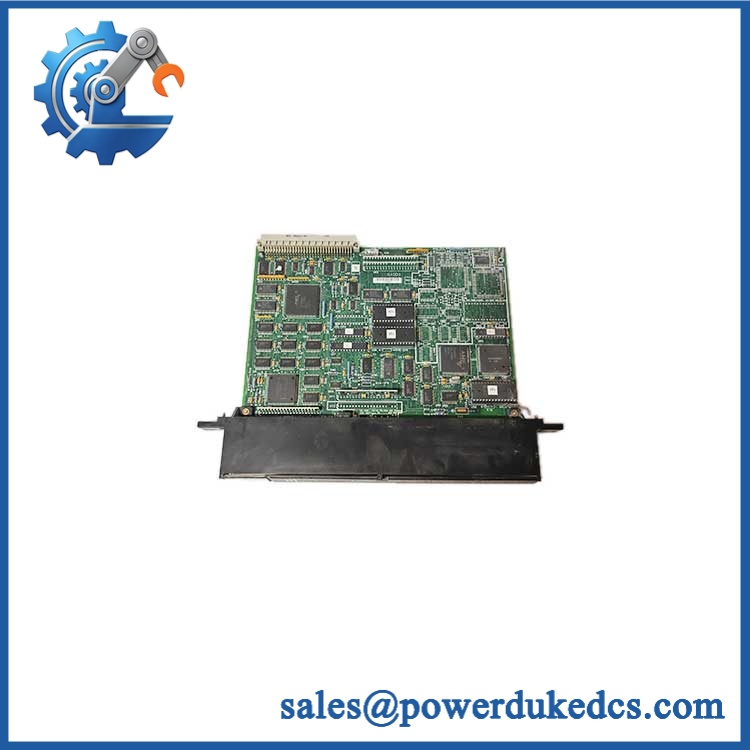
GE IC687BEM731
Module 5: Migration, Compatibility & Installation Traps
Replacement Matrix
| Replacement Case | Classification | Engineering Requirement |
|---|---|---|
| Existing IC687BEM731 replaced by the identical catalog number | Drop-in Replacement | Verify hardware revision, configuration, network address, and firmware |
| Different RX7i Ethernet interface with documented IC687BEM731 compatibility | Software Compatible | Verify firmware and configuration requirements |
| Different RX7i communication architecture | Hardware Modification Required | Reconfigure PLC hardware, network parameters, and application communications |
Field Traps — Watch Out
1. Ethernet link does not prove application communication.
A link LED can indicate a physical Ethernet connection while the PLC still has incorrect IP addressing, network configuration, or application-level communication settings. Compare the replacement module’s configuration with the original system records.
2. Do not overwrite the existing PLC configuration unnecessarily.
Before replacing the interface, record the existing hardware configuration and network parameters. If the RX7i system contains a production application, preserve the original project and configuration files before making changes.
Installation note: Remove power according to the site’s PLC maintenance procedure before removing the module from the RX7i rack. Observe ESD precautions and verify that the module is fully seated before restoring power.
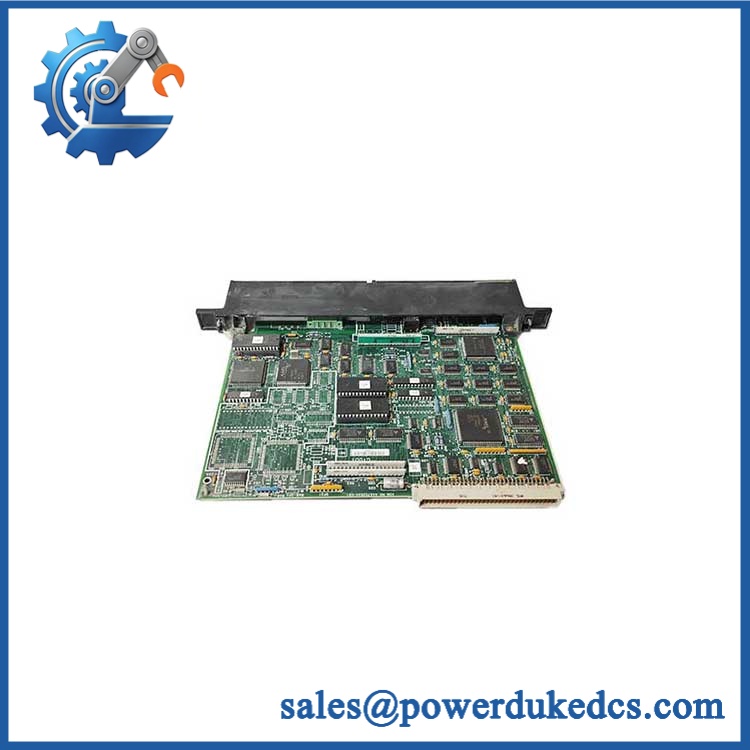
GE IC687BEM731
Module 6: Quality Assurance SOP
For an IC687BEM731, QA should cover physical identification, RX7i backplane operation, Ethernet link behavior, and communication functionality.
- Part-number verification: Confirm IC687BEM731 from the module label and purchasing record.
- OEM anti-counterfeit visual inspection: Check GE/GE Fanuc markings, catalog number, serial information, PCB construction, connectors, labels, and revision markings.
- Mechanical inspection: Examine the housing, backplane connector, Ethernet connector, mounting points, and front-panel indicators for damage.
- Power-on self-test (POST): Install the module in a compatible RX7i test rack and verify startup behavior and available status LEDs.
- Backplane verification: Confirm that the RX7i rack recognizes the communication module without hardware or configuration diagnostics.
- Ethernet link verification: Connect the module to a controlled Ethernet test network and verify physical link establishment.
- Network communication test: Verify Ethernet packet exchange with an approved test device and confirm that the configured network parameters operate as expected.
- TCP/IP communication verification: Establish a controlled TCP/IP communication session where supported by the test configuration.
- Application handshake verification: Confirm communication between the RX7i test controller and the connected Ethernet test device.
- Diagnostic verification: Check for communication, configuration, or hardware fault indications before and after the communication test.
- Final inspection: Recheck the Ethernet connector, backplane connector, housing, labels, and packaging after testing.
- Traceability: Record catalog number, serial number, hardware revision where visible, test configuration, test results, inspection date, and condition classification.
Procurement caution: The IC687BEM731 is an older GE Fanuc/PACSystems RX7i catalog number, so documentation and revision differences matter. For a production replacement, match the complete catalog number and existing system configuration rather than selecting solely by the phrase “RX7i Ethernet module.”




 Start Chat


