

Description
- Model: 51196655-100
- Brand: HONEYWELL
- Series: Experion PKS / Series C I/O Hardware
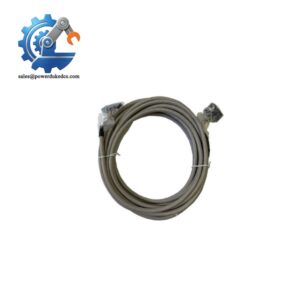
- Part Type: I/O Interface Cable Assembly
- Core Function: Provides electrical connection between Honeywell control system I/O hardware components, supporting reliable signal and power distribution inside the control cabinet.
- Key Specs:
- Honeywell original spare cable assembly.
- Used with Experion PKS control system hardware.
- Cabinet-mounted interconnection component.
- Designed for industrial DCS signal routing.
- Passive hardware component with no firmware.
- Requires verification of connector style and cable length before replacement.
Product Introduction
Structure B — Technical Direct
Installed inside Honeywell Experion PKS control cabinets, the HONEYWELL 51196655-100 functions as an interconnection cable assembly between compatible system hardware modules. The cable provides the physical electrical pathway required for communication, I/O signals, or power distribution depending on the installed cabinet configuration.
In field deployments, cable assemblies are often overlooked during troubleshooting because they do not contain active electronics (—yet a damaged connector, broken conductor, or poor contact can interrupt an entire I/O section). The 51196655-100 should be replaced with matching connector orientation, pin arrangement, and cable specification to maintain the original cabinet wiring design.
Core Technical Specifications
| Parameter | Value |
|---|---|
| Manufacturer | Honeywell |
| Part Number | 51196655-100 |
| Product Type | I/O Interface Cable Assembly |
| System Platform | Experion PKS / Honeywell Control Systems |
| Component Category | Passive Cabinet Interconnect |
| Function | Signal / power connection between system hardware |
| Firmware | Not Applicable |
| Communication Protocol | Dependent on connected modules |
| Connector Type | Configuration dependent |
| Cable Length | Verify from OEM drawing |
| Installation Location | Control cabinet / I/O rack |
| Mounting Method | Plug-in cable connection |
| Operating Environment | Industrial control cabinet |
| Temperature Rating | Dependent on cable specification |
| Approximate Weight | <1 kg (estimated) |
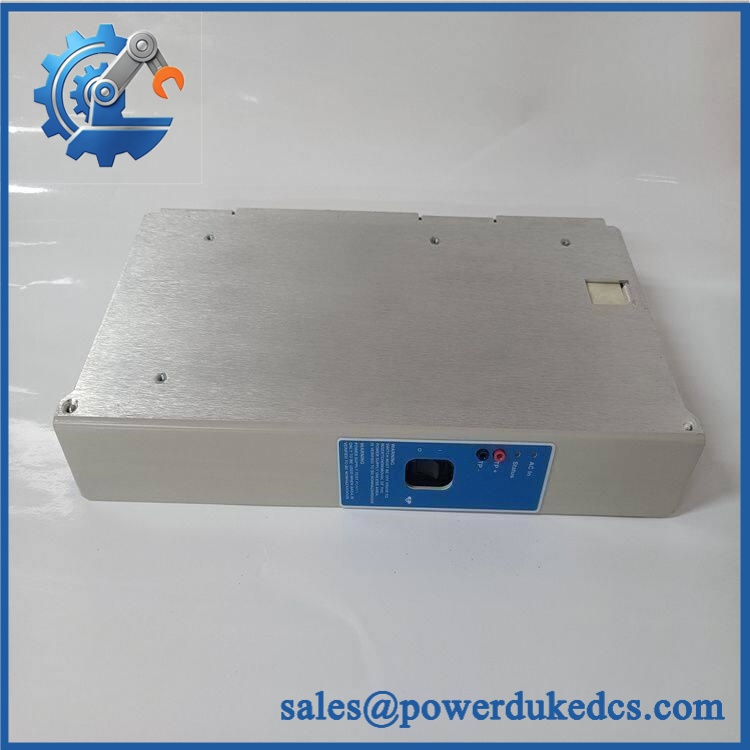
- HONEYWELL 51196655-100
Application Scenarios & Pain Points
With vs. Without comparison:
Without a correct 51196655-100 cable assembly, a healthy Honeywell I/O module may still appear offline because the physical signal path is interrupted. With the correct replacement cable installed, cabinet communication and field signal routing can be restored after verification.
- Process Control Cabinets: Used for internal wiring connections between Honeywell control components.
- Oil & Gas Facilities: Maintains signal integrity in continuous-operation DCS environments.
- Chemical Plants: Supports I/O cabinet restoration during maintenance activities.
- Power Generation Systems: Helps maintain reliable controller-to-I/O connections.
- Legacy Experion PKS Installations: Provides replacement support where original cabinet wiring must be preserved.
For cabinets exposed to vibration or temperature cycling above 50°C, inspect cable strain relief, connector locking mechanisms, and insulation condition.
Common Error Codes & Diagnostic Symptoms
Symptom/Code: I/O Module Communication Loss
→ Diagnosis: Damaged cable conductors, loose connectors, or poor contact resistance may interrupt the connection path.
→ Action: Inspect cable continuity and replace the 51196655-100 if wiring faults are confirmed.
Symptom/Code: Intermittent Channel Dropout
→ Diagnosis: Connector oxidation, mechanical stress, or vibration-related contact failure may create unstable signals.
→ Action: Check connector seating and replace the cable assembly if intermittent faults remain.
Symptom/Code: Cabinet Hardware Not Detected
→ Diagnosis: Incorrect cable routing, damaged interface cable, or incompatible replacement part may prevent module recognition.
→ Action: Verify part number and cabinet drawings before replacement.
Cross-Reference & Lifecycle Migration
- Compatible Platform: Honeywell Experion PKS control system hardware.
- Replacement Considerations:
- Confirm connector configuration.
- Verify cable routing path.
- Match original cabinet drawings.
- Record cable identification tags before removal.
- Firmware Requirement:
None. The 51196655-100 is a passive cable assembly. - Lifecycle Status: Legacy / Installed Base Support
For spare stock management, store cable assemblies in sealed packaging and avoid sharp bends. Connector damage during storage can create failures that are difficult to diagnose during emergency replacement.
Field Engineer’s Tech Notes (Anti-Pitfall Guide)
- Do not pull the cable directly from the connector body.
Always release the locking mechanism first. Excessive force can damage both the cable connector and the I/O module socket. - Document cable routing before removal.
Large Honeywell cabinets may contain multiple similar cables. Incorrect routing can create commissioning errors after maintenance.
Strict QA & Testing SOP
A professional inspection process for HONEYWELL 51196655-100 should include:
Step 1 — Incoming Inspection
- Verify part number label.
- Check connector condition.
- Inspect insulation and strain relief.
- Confirm no mechanical damage.
Step 2 — Electrical Testing
- Perform continuity testing.
- Verify pin-to-pin connection.
- Check insulation resistance where applicable.
Step 3 — Physical Verification
- Compare connector type.
- Confirm cable length.
- Check identification markings.
Step 4 — Installation Validation
- Install in compatible Honeywell cabinet hardware.
- Verify system communication.
- Confirm I/O status.
Step 5 — Packaging Control
- Store in protective packaging.
- Avoid moisture exposure.
- Protect connectors with caps or covers.
Inspection photographs, continuity test records, and packaging verification are available for quality review.
Buyer’s FAQ (Dynamic Q&A)
Q1. Can the Honeywell 51196655-100 be replaced while the system is operating?
A: No general hot-swap assumption should be made for passive cabinet cables. Follow the Honeywell system maintenance procedure before disconnecting cabinet wiring.
Q2. “How do I confirm this cable is the correct 51196655-100?”
A: Verify the Honeywell part number, connector arrangement, cable markings, cabinet drawing reference, and supplier inspection records.
Q3. Does the 51196655-100 include firmware?
A: No. This is a passive cable assembly and contains no programmable electronics.
Q4. What warranty information should be requested?
A: Request part traceability, physical inspection records, continuity test results, and warranty terms. Cable assemblies should be electrically verified before installation into operating control systems.



 Start Chat


