

Description
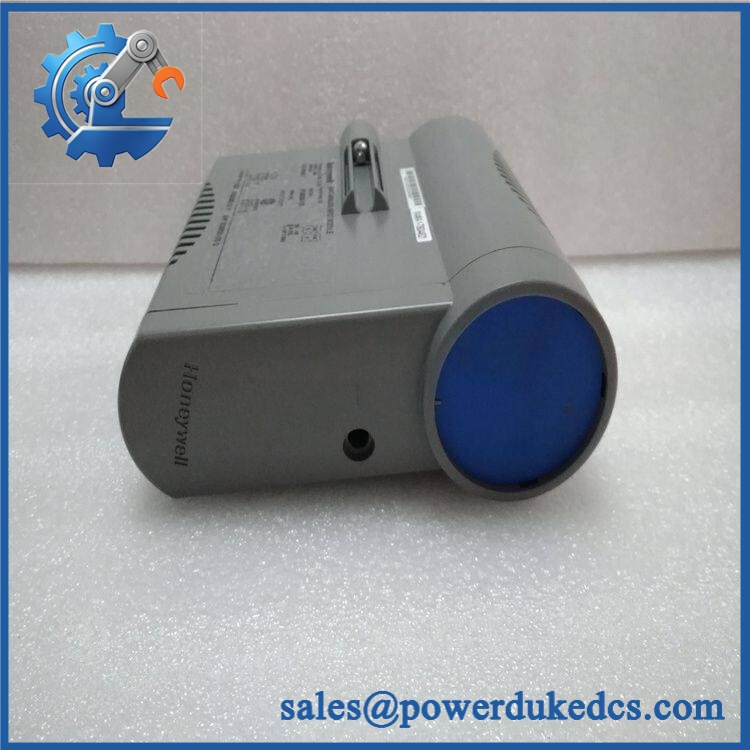
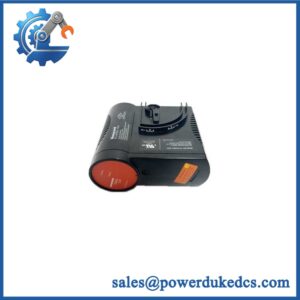
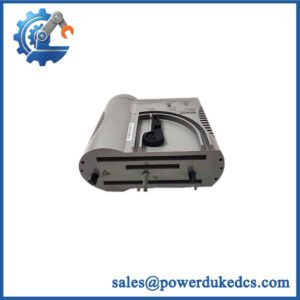
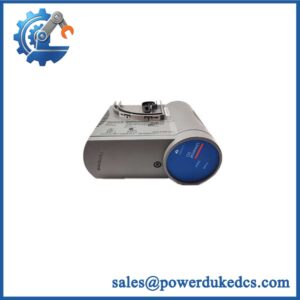
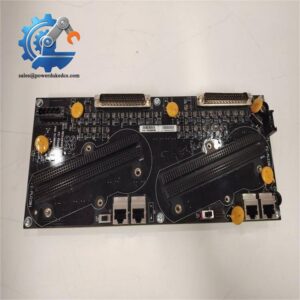
- HONEYWELL CC-PAIL51 | Factory Tested Process Control Spare
At-A-Glance Executive Brief
- Model: CC-PAIL51
- Brand: HONEYWELL
- Series/System: Honeywell Experion PKS Series-C I/O
- Part Type: Low Level Analog Input Module
- Core Function: Acquires temperature measurement signals from thermocouples and RTD sensors and transfers process values into the Honeywell DCS environment.
- Key Specs:
- 16-channel temperature input capability
- Supports Thermocouple (TC) and RTD sensors
- Channel-to-channel isolation
- Cold junction compensation for thermocouple inputs
- 1-second process value scanning
- Over-temperature detection protection
Product Introduction
Temperature measurement failures can create unstable process control, especially when critical heaters, reactors, or thermal equipment depend on accurate sensor feedback. The HONEYWELL CC-PAIL51 is a Series-C low-level analog input module designed for direct connection of thermocouple and RTD temperature sensors within Honeywell Experion PKS systems. It converts low-level temperature signals into reliable process variables for monitoring and control applications.
Installed as part of the Series-C I/O architecture, the CC-PAIL51 works with the dedicated CC-TAIL51 IOTA terminal assembly rather than operating as a standalone measurement device. Each channel can be configured for TC or RTD input, allowing flexible field deployment (—which is valuable when maintaining mixed instrumentation cabinets during plant expansions). Verify sensor type, wiring method, and channel configuration before replacement.
Core Technical Specifications
| Parameter | Value |
|---|---|
| Manufacturer | HONEYWELL |
| Model | CC-PAIL51 |
| Product Type | Low Level Analog Input Module |
| System Platform | Experion PKS Series-C I/O |
| Input Channels | 16 channels |
| Input Type | Thermocouple or RTD |
| Terminal Assembly | CC-TAIL51 IOTA |
| Channel Isolation | Fully isolated channel-to-channel and channel-to-power |
| Input Scan Rate | 1 second |
| Channel Bandwidth | 0 to 4.7 Hz (-3 dB) |
| Thermocouple Input Range | -20 to +100 mV |
| Thermocouple Voltage Range | -10 to +10 V |
| RTD Maximum Continuous Input | -1 to +2 V @ 100 mA |
| Gain Error | 0.050% full scale maximum |
| Temperature Stability | ±20 ppm maximum |
| Long-Term Drift | 500 ppm |
| Input Impedance | 1 MΩ (DC, thermocouple input) |
| Common Mode Voltage | ±250 VAC/VDC RMS |
| CMRR | 120 dB minimum |
| Crosstalk | 80 dB minimum |
| Operating Temperature | -40°C to +70°C |
| Storage Temperature | -40°C to +85°C |
HONEYWELL CC-PAIL51
Application Scenarios & Pain Points
A temperature input failure can hide a process condition before operators see the effect elsewhere in the plant. The CC-PAIL51 is commonly installed where reliable thermal measurement is required inside Honeywell process control systems.
- Refinery process units: Reads thermocouple signals from furnaces, heaters, and high-temperature equipment.
- Chemical plants: Monitors reactor temperature profiles and process vessel conditions.
- Power generation: Handles RTD measurements from motors, turbines, and auxiliary equipment.
- Food and pharmaceutical systems: Supports validated temperature monitoring loops.
- Manufacturing equipment: Integrates machine temperature sensors into centralized DCS control.
For systems containing hundreds of temperature measurement points, a single failed input card can complicate troubleshooting during scheduled maintenance windows.
? Common Error Codes & Diagnostic Symptoms
Symptom/Code: Temperature PV Bad / Input Channel Fault
→ Diagnosis: Possible open thermocouple circuit, incorrect RTD wiring, failed sensor, or damaged input channel.
→ Action: Verify field sensor continuity and replace CC- if the input circuit is defective.
Symptom/Code: Temperature Reading Frozen or Incorrect
→ Diagnosis: Possible A/D conversion issue, configuration mismatch, or unstable terminal connection.
→ Action: Check channel configuration and replace module if hardware diagnostics fail.
Symptom/Code: Multiple Channels Showing Abnormal Values
→ Diagnosis: Possible IOTA connection problem, power issue, or module-level failure.
→ Action: Inspect CC-TAIL51 connection and replace CC- when required.
Cross-Reference & Lifecycle Migration
- Related Hardware:
- CC- Low Level Analog Input Module
- CC-TAIL51 16-point IOTA terminal assembly
- Compatibility Requirements:
- Verify:
- Experion PKS Series-C version
- I/O chassis configuration
- IOTA type
- Sensor wiring method
- Channel configuration database
- Verify:
- Firmware / Configuration Notes:
- Replacement requires confirmation of module revision compatibility.
- Temperature input scaling and engineering units should be checked after installation.
- Lifecycle Status:
- Status: Active / Series-C Platform Supported
- Maintain tested spare inventory for critical temperature measurement loops.
- Migration Strategy:
- Archive I/O configuration files.
- Keep sensor wiring drawings updated.
- Record TC and RTD channel assignments.
Field Engineer’s Tech Notes (Anti-Pitfall Guide)
- Do not assume every temperature channel uses the same sensor type.
One cabinet may contain both thermocouple and RTD channels. Confirm configuration before moving wires. - Inspect the terminal assembly before replacing the module.
A damaged IOTA connector or loose field terminal can produce symptoms identical to a failed analog input card.
Strict QA & Testing SOP
A proper Honeywell CC- inspection process should include:
Step 1 — Incoming Inspection
- Verify Honeywell label.
- Confirm CC- model number.
- Record hardware revision and serial information.
Step 2 — Physical Examination
Inspect:
- Backplane connector
- PCB surface
- Housing condition
- Mounting clips
- IOTA connection interface
Step 3 — Electrical Testing
- Install into compatible Series-C test rack.
- Verify startup diagnostics.
- Check supply behavior.
- Confirm channel isolation.
Step 4 — Functional Testing
- Apply simulated thermocouple signals.
- Apply RTD simulator inputs.
- Verify all 16 channels.
- Check temperature conversion accuracy.
- Confirm DCS recognition.
Step 5 — Packaging Control
- Use ESD shielding bag.
- Protect connectors with covers.
- Apply shock-resistant export packaging.
Test videos are available for selected inspected units.
Buyer’s FAQ (Dynamic Q&A)
Q: Can the Honeywell CC- be hot-swapped?
A: Do not assume live replacement capability. Temperature input modules are connected to active process measurement loops and should be replaced according to site maintenance procedures.
Q: How do I verify this is a genuine Honeywell CC-?
A: Confirm the Honeywell identification label, module number, hardware revision, IOTA compatibility, and supplier inspection documentation.
Q: Does the CC- include firmware?
A: Firmware compatibility depends on the Series-C hardware revision and Experion PKS system version. Confirm compatibility before commissioning.
Q: What warranty applies to this temperature input module?
A: Warranty depends on the supplier and product condition. Confirm whether the unit is new original, unused surplus, refurbished, or tested before purchase.



 Start Chat


