

Description
- Model: CC-IP0101
- Brand: HONEYWELL
- Series: Experion PKS Series C I/O / Control System Network Hardware
- Part Type: Industrial Ethernet Interface Module
- Core Function: Provides communication connectivity between Honeywell control system components and industrial Ethernet-based networks.
- Key Specs:
- Supports Honeywell Experion PKS communication architecture.
- Industrial Ethernet interface hardware.
- Designed for process control network integration.
- Used in C300 controller and Series C system environments.
- Provides network communication without field signal termination functions.
- Requires system revision verification before replacement.
Product Introduction
Structure B — Technical Direct
Installed within the Honeywell Experion PKS control architecture, the CC-IP0101 functions as an industrial communication interface module that provides network connectivity between control system components and Ethernet-based infrastructure. The module operates as part of the system communication layer rather than a field signal acquisition device.
In field deployments, communication interface modules are often replaced during network upgrades, controller migrations, or fault recovery activities (—where a single failed network component can isolate multiple control nodes). Before installation, verify the cabinet slot assignment, network topology, firmware compatibility, and Experion PKS release requirements. A matching part number alone may not guarantee system compatibility.
Core Technical Specifications
| Parameter | Value |
|---|---|
| Manufacturer | Honeywell |
| Model | CC-IP0101 |
| Product Type | Industrial Communication Interface Module |
| System Platform | Honeywell Experion PKS |
| Series | Series C Control System Hardware |
| Communication Type | Ethernet-based industrial communication |
| Network Interface | IP communication interface |
| Application | Controller and system network connectivity |
| Mounting Type | Honeywell control chassis / rack installation |
| Configuration | Experion engineering tools |
| Firmware | Revision dependent |
| Diagnostics | Module health and communication status monitoring |
| Power Supply | System backplane supply |
| Operating Temperature | Industrial control environment |
| Storage Temperature | Dependent on OEM specification |
| Approximate Weight | 0.5–1 kg |
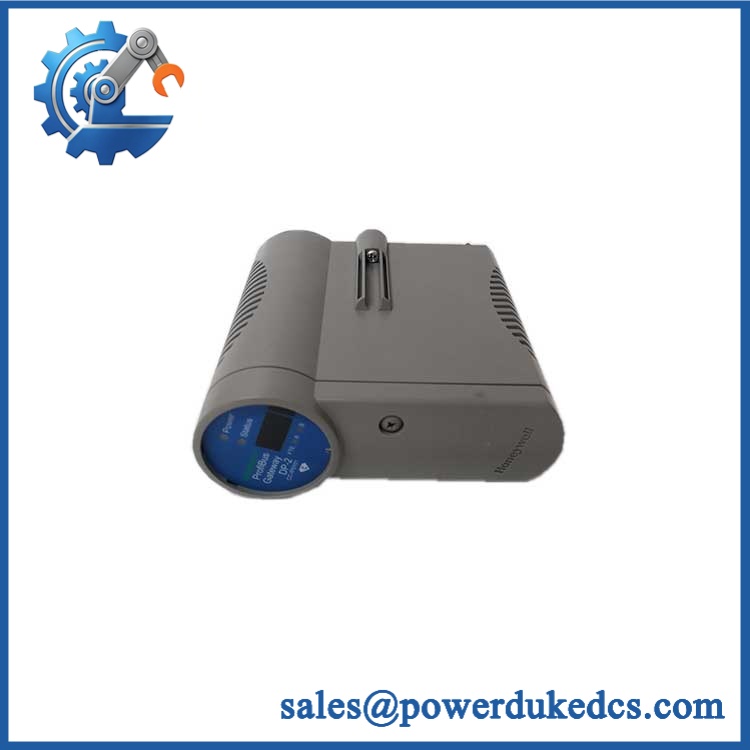
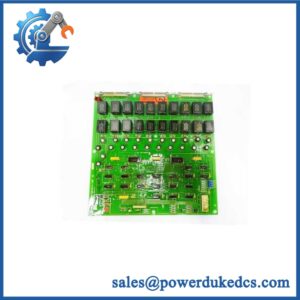
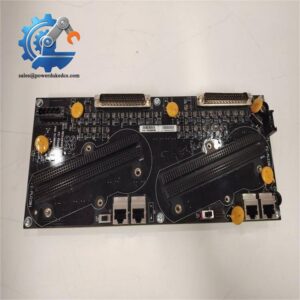
HONEYWELL CC-IP0101
Application Scenarios & Pain Points
With vs. Without comparison:
Without a functioning CC-IP0101 interface, Honeywell control hardware may remain powered but lose communication with higher-level systems. With a verified replacement installed, network connectivity can be restored after configuration checks.
- Process Automation Plants: Connects Experion PKS control components within plant networks.
- Oil & Gas Facilities: Supports communication infrastructure for continuous process monitoring.
- Chemical Manufacturing: Maintains network paths between controllers and engineering systems.
- Power Generation Sites: Supports control system communication during lifecycle maintenance.
- Legacy Honeywell Installations: Helps maintain existing automation assets during replacement projects.
For cabinets installed in areas with 50°C+ ambient conditions, inspect power supply loading, rack ventilation, and connector contact quality. Communication failures are sometimes caused by thermal stress rather than the interface module itself.
Common Error Codes & Diagnostic Symptoms
Symptom/Code: Network Communication Loss
→ Diagnosis: Failed Ethernet interface circuitry, damaged connector contacts, or incorrect network configuration may interrupt communication.
→ Action: Verify network parameters and replace CC-IP0101 if hardware diagnostics fail.
Symptom/Code: Controller Node Not Visible on Network
→ Diagnosis: Module initialization failure, firmware mismatch, or network addressing conflict may prevent node recognition.
→ Action: Check system configuration and replace the module if required.
Symptom/Code: Intermittent Communication Dropouts
→ Diagnosis: Loose connectors, cable faults, environmental interference, or degraded interface electronics may cause unstable links.
→ Action: Test network cabling and replace the communication module if faults remain.
Cross-Reference & Lifecycle Migration
- Platform Compatibility:
- Honeywell Experion PKS systems.
- Series C control architecture.
- Replacement Considerations:
- Confirm hardware revision.
- Verify Experion PKS software release compatibility.
- Record network configuration before replacement.
- Confirm IP addressing and node settings.
- Firmware Requirement:
Firmware compatibility depends on the installed Experion PKS release and module revision. Verify before commissioning. - Lifecycle Status: Legacy / Installed Base Support
For spare inventory management, store communication modules in sealed ESD packaging. Keep firmware revision records with the physical asset to avoid commissioning delays during emergency replacement.
Field Engineer’s Tech Notes (Anti-Pitfall Guide)
- Do not replace the communication module without documenting network settings first.
IP addresses, node assignments, and communication parameters may need to be restored after hardware replacement. - Inspect the Ethernet connection path before condemning the module.
Damaged cables, poor shielding, and connector contamination can create symptoms identical to a failed interface card.
Strict QA & Testing SOP
A professional inspection process for HONEYWELL CC-IP0101 should include:
Step 1 — Incoming Inspection
- Verify model label and hardware revision.
- Inspect Ethernet connectors.
- Check chassis mounting points.
- Record serial information.
Step 2 — Electrical Verification
- Apply approved system power.
- Verify module startup sequence.
- Check diagnostic indicators.
- Confirm current consumption.
Step 3 — Communication Testing
- Install in compatible Honeywell hardware.
- Verify network initialization.
- Test communication link stability.
- Confirm system recognition.
Step 4 — Configuration Review
- Verify firmware revision.
- Confirm Experion PKS compatibility.
- Record network parameters.
Step 5 — Packaging Control
- Use ESD-safe packaging.
- Protect communication ports.
- Include inspection documentation.
Functional test reports, diagnostic records, and inspection photographs are available for verification.
Buyer’s FAQ (Dynamic Q&A)
Q1. Can the Honeywell CC- be hot-swapped?
A: Replacement procedures depend on the Experion PKS hardware configuration. Follow approved maintenance procedures before removing communication hardware.
Q2. “How do I verify this is a genuine CC-?”
A: Confirm the Honeywell label, model number, hardware revision, connector layout, and supplier inspection documentation.
Q3. Does the CC- include the latest firmware?
A: Firmware version depends on the module revision. Confirm compatibility with the installed Experion PKS system before deployment.
Q4. What warranty information should be requested?
A: Request serial traceability, functional test results, physical inspection records, and warranty terms. Communication modules should be verified before integration into an operating control network.





 Start Chat


