

Description
- KONGSBERG CAN2DP | Industrial Fieldbus Adapter Available
2. At-A-Glance Executive Brief
- Model: KONGSBERG CAN2DP
- Brand: KONGSBERG
- Series/System: KONGSBERG Maritime Automation System (application dependent)
- Part Type: CAN bus to PROFIBUS-DP communication interface module
- Core Function: Converts communication data between CAN-based networks and PROFIBUS-DP fieldbus systems for integration of distributed marine automation equipment.
- Key Specs:
- CAN bus communication interface
- PROFIBUS-DP network connection
- Used for distributed control system integration
- Designed for marine and industrial automation cabinets
- Procurement Category: Communication gateway / automation network spare
3. Product Introduction
Within a KONGSBERG automation cabinet, the CAN2DP module sits between different communication layers, allowing CAN-based devices to exchange information with PROFIBUS-DP networks. This type of gateway is commonly installed where legacy field devices and newer automation segments must operate together without replacing the complete control architecture (—a common requirement during vessel upgrades and lifecycle extension projects).
Communication modules require careful verification before replacement. Confirm the network topology, node configuration, baud rate settings, and installed software database. A gateway with the correct connector type may still fail to communicate if the PROFIBUS parameters or CAN message mapping do not match the original configuration.
4. Core Technical Specifications
| Parameter | Value |
|---|---|
| Manufacturer | KONGSBERG |
| Model | CAN2DP |
| Product Type | CAN to PROFIBUS-DP Gateway |
| Primary Function | Industrial fieldbus protocol conversion |
| CAN Interface | CAN bus communication |
| PROFIBUS Interface | PROFIBUS-DP communication |
| Application | Marine automation and distributed control systems |
| Mounting Method | Control cabinet installation |
| Configuration | Network parameter dependent |
| Power Supply | Automation cabinet supply dependent |
| Communication Speed | Configuration dependent |
| Isolation | System design dependent |
| Operating Environment | Marine industrial environment |
| Firmware | Gateway firmware dependent |
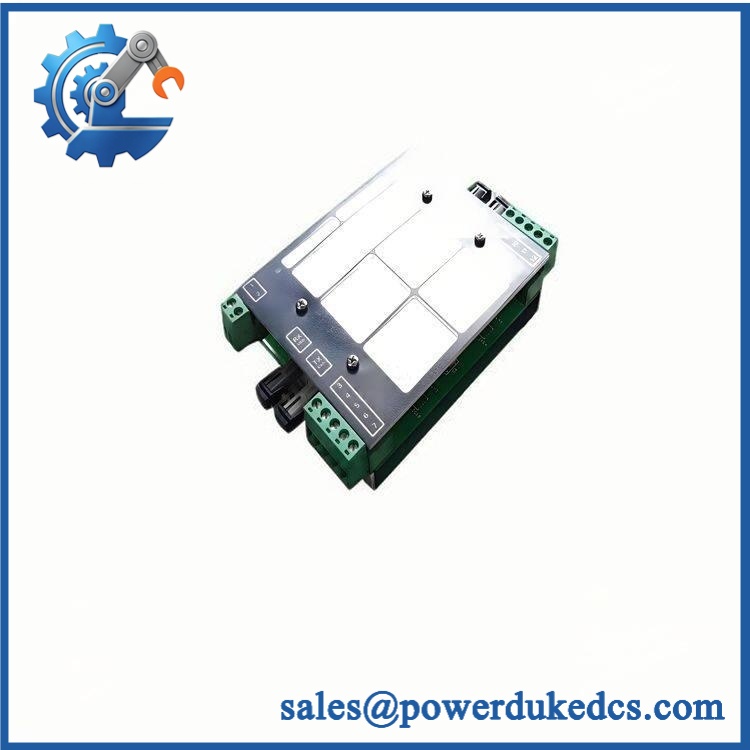
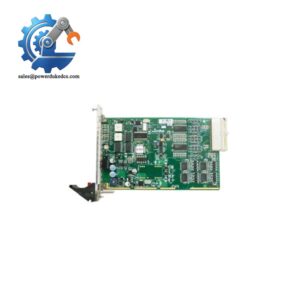
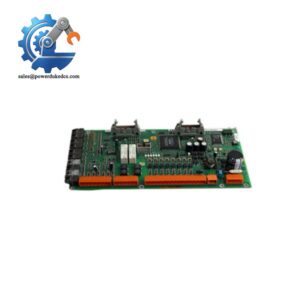
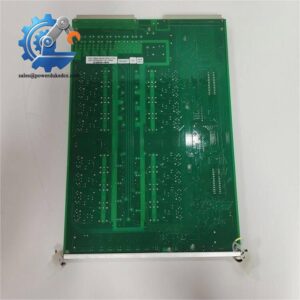
KONGSBERG CAN2DP
5. Application Scenarios & Pain Points
A vessel retrofit project often exposes communication compatibility issues when older field devices must remain in service. The CAN2DP module helps maintain communication between different automation generations.
- Engine monitoring systems: Connects CAN-based engine controllers with PROFIBUS-based automation networks used in ship control cabinets.
- Power management systems: Supports data exchange between generator-related equipment and supervisory automation layers.
- Offshore installations: Used where distributed devices are separated across large equipment areas and communication reliability is required.
- Marine retrofit programs: Helps extend the service life of existing KONGSBERG control systems without full replacement.
- Industrial automation cabinets: Applies to installations requiring protocol conversion between CAN networks and PROFIBUS-DP devices.
In installations with long cable runs exceeding 100 meters, incorrect termination or communication parameter settings can create intermittent network failures that are difficult to diagnose.
6. ? Common Error Codes & Diagnostic Symptoms
Symptom/Code: PROFIBUS communication fault / DP slave offline
→ Diagnosis: Possible incorrect PROFIBUS address, termination issue, or gateway communication failure.
→ Action: Verify network parameters and replace CAN2DP module if hardware failure is confirmed.
Symptom/Code: CAN bus timeout or missing device data
→ Diagnosis: Possible CAN interface failure, incorrect message mapping, or damaged communication circuitry.
→ Action: Check CAN wiring and configuration, then replace module.
Symptom/Code: Status indicator inactive after power-up
→ Diagnosis: Possible internal power circuit failure or firmware startup fault.
→ Action: Verify cabinet power supply and replace communication module.
7. Cross-Reference & Lifecycle Migration
- Compatibility Notes:
- CAN2DP replacement requires confirmation of the installed KONGSBERG system architecture.
- Equivalent-looking communication converters may not support the same CAN message mapping or PROFIBUS configuration.
- Firmware / Configuration Requirements:
- Gateway configuration may need to be restored after replacement.
- Verify node addresses, communication speed, and mapping tables before commissioning.
- Lifecycle Status:
- Status: Legacy / Support Dependent.
- For older vessels and offshore systems, maintaining tested spare units is recommended due to increasing replacement lead times.
- Migration Strategy:
- Document current communication parameters before removing the existing unit.
- Keep configuration files with the spare module records.
- Confirm compatibility before planned maintenance shutdowns.
8. Field Engineer’s Tech Notes (Anti-Pitfall Guide)
- Do not replace communication gateways without recording settings first.
Network parameters are often stored in engineering databases rather than inside the physical module. Capture CAN identifiers, PROFIBUS address, and baud-rate settings before removal. - Check termination resistors before condemning the module.
A failed communication network is not always caused by the gateway itself. Incorrect cable shielding, grounding, or termination can create identical symptoms.
9. Strict QA & Testing SOP
A controlled inspection process should include:
Step 1 — Incoming Inspection
- Verify KONGSBERG label and CAN2DP model identification.
- Record serial number and hardware revision.
- Inspect connectors, enclosure, and mounting points.
Step 2 — Physical Condition Check
- Examine PCB condition where accessible.
- Check for corrosion, impact marks, or contamination.
- Verify connector pins are clean.
Step 3 — Communication Testing
- Power the module using a compatible test setup.
- Verify startup indicators.
- Test CAN communication response.
- Test PROFIBUS-DP network communication.
Step 4 — Configuration Verification
- Confirm communication parameters.
- Check protocol conversion behavior.
- Record diagnostic results.
Step 5 — Packaging
- Place unit in anti-static packaging.
- Add shock protection for international shipment.
- Maintain traceability records.
Test videos are available for selected inspected units upon request.
10. Buyer’s FAQ (Dynamic Q&A)
Q: Can the KONGSBERG CAN2DP be replaced while the system is powered?
A: Do not assume hot replacement capability. Communication gateways normally require controlled removal procedures unless the specific KONGSBERG cabinet documentation confirms online replacement.
Q: How do I verify this is a genuine KONGSBERG CAN2DP unit?
A: Check the manufacturer label, model marking, hardware revision, serial information, and supplier traceability records. Matching the part number alone is not sufficient for critical marine systems.
Q: Will the module automatically recover the old network settings?
A: Not always. CAN message mapping and PROFIBUS parameters may require restoration from engineering documentation or system backup files.
Q: What warranty applies to a CAN2DP spare?
A: Warranty depends on the unit condition and supplier terms. Confirm whether the module is new original, unused surplus, refurbished, or tested before purchase.



 Start Chat


