

Description
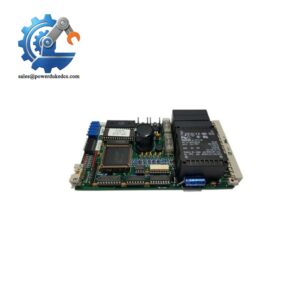
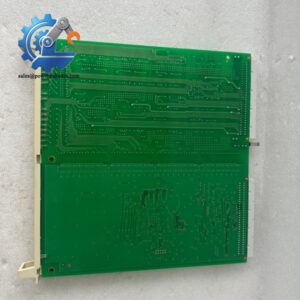
- TOSHIBA 2N3A8204-B | Factory Tested Control Board Module
2. At-A-Glance Executive Brief
- Model: TOSHIBA 2N3A8204-B
- Manufacturer: Toshiba
- Series: Toshiba Industrial Control / Drive Electronics Family
- Part Type: Control PCB / Electronic Circuit Board Assembly
- Core Function: Provides internal control, interface, and signal-processing functions within Toshiba industrial equipment.
- Key Specifications:
- OEM Toshiba electronic control board.
- PCB assembly format for industrial equipment integration.
- Designed for Toshiba automation and drive-related systems.
- Requires exact equipment matching before replacement.
- Typical Procurement Category: Industrial automation spare PCB, Toshiba legacy equipment replacement board, electronic control assembly.
3. Product Introduction
Inside Toshiba industrial equipment, the 2N3A8204-B control board assembly operates as an electronic processing and interface component responsible for equipment-level control functions. A failed PCB can create symptoms such as startup faults, communication interruptions, abnormal control behavior, or complete equipment shutdown. In field deployments, technicians normally verify incoming power, connected wiring, and surrounding control modules before replacing the board (many PCB failures are related to external electrical conditions).
The 2N3A8204-B is an OEM Toshiba circuit assembly used within specific industrial equipment configurations. Because Toshiba has produced many application-specific boards with similar physical layouts, replacement requires confirmation of the complete part number, board revision, installed machine model, and connector arrangement before installation.
4. Core Technical Specifications
| Parameter | Value |
|---|---|
| Manufacturer | Toshiba |
| Model Number | 2N3A8204-B |
| Product Type | Industrial Control PCB Assembly |
| Board Category | Electronic Control Circuit Board |
| Application | Toshiba industrial equipment systems |
| Function | Control signal processing / equipment interface |
| PCB Type | Multi-layer industrial PCB |
| Installation Method | Internal equipment mounting |
| Connector Interface | Equipment-specific connectors |
| Configuration Data | Machine dependent |
| Firmware Dependency | System dependent |
| Power Supply | Equipment supplied |
| Operating Environment | Industrial cabinet / machine enclosure |
| Cooling Method | Equipment airflow |
| Maintenance Classification | Controlled spare component |
| Weight | Verify exact revision |
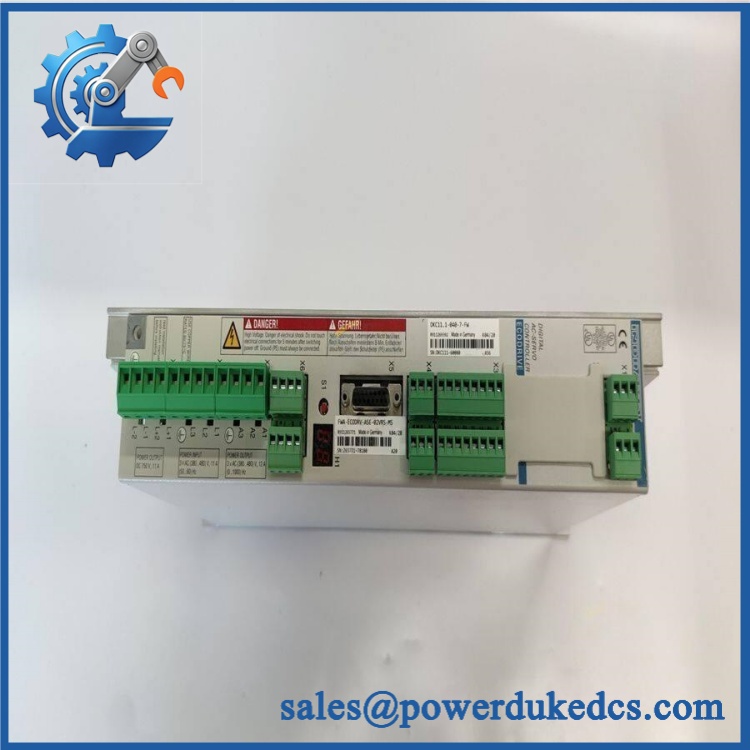
TOSHIBA 2N3A8204-B
5. Application Scenarios & Pain Points
During industrial equipment startup, a defective 2N3A8204-B board may prevent initialization sequences from completing, resulting in machine downtime.
For Toshiba drive and automation systems, this type of PCB supports internal control functions where signal processing accuracy affects equipment operation.
In manufacturing facilities operating legacy machinery, maintaining replacement boards helps avoid extended downtime caused by discontinued electronics.
When electrical noise or unstable power conditions occur, control PCBs may experience intermittent faults that are difficult to reproduce during troubleshooting.
Without a tested replacement board, maintenance teams may spend additional hours isolating whether the failure originates from the PCB, wiring, or external control devices.
6. Common Error Codes & Diagnostic Symptoms
Symptom/Code: Equipment controller does not complete startup sequence
→ Diagnosis: Possible PCB initialization failure, internal logic fault, or corrupted board-level data.
→ Action: Verify external power and connections, then replace the 2N3A8204-B if the board fails diagnostics.
Symptom/Code: Intermittent control signal loss
→ Diagnosis: Possible aging components, connector oxidation, or unstable PCB communication circuits.
→ Action: Inspect connections and replace the control board assembly.
Symptom/Code: Communication fault between control sections
→ Diagnosis: Possible interface circuit failure or damaged communication components.
→ Action: Test surrounding modules and replace the PCB if hardware failure is confirmed.
7. Cross-Reference & Lifecycle Migration
- Compatible Platform: Toshiba industrial equipment using the 2N3A8204-B board assembly.
- Replacement Considerations:
- Confirm exact part number.
- Verify PCB revision.
- Compare connector layout.
- Confirm installed machine model.
- Review original parameter settings before replacement.
- Firmware Requirement:
Depending on the equipment design, configuration data may need restoration after board replacement. Confirm with the machine documentation before commissioning. - Lifecycle Status: Legacy / Limited Availability.
- Recommended strategy: Maintain tested spare units for critical equipment.
- Keep board revision records and machine compatibility information with stored inventory.
8. Field Engineer’s Tech Notes (Anti-Pitfall Guide)
- Do not replace this PCB based only on appearance.
Toshiba equipment often uses application-specific boards with similar dimensions but different functions. - Inspect the connector pins before installation.
Poor contact conditions can reproduce symptoms of a defective control board. - Protect the PCB from electrostatic discharge.
Use an ESD workstation and shielding bag during handling and storage.
9. Strict QA & Testing SOP
Step 1 — Incoming Inspection
- Verify Toshiba identification label.
- Confirm complete part number: 2N3A8204-B.
- Record serial number and board revision.
- Photograph PCB condition.
Step 2 — Physical Examination
- Inspect PCB surface.
- Check connectors and mounting points.
- Look for corrosion, contamination, or component damage.
Step 3 — Electrical Inspection
- Verify power input circuits.
- Check connector continuity.
- Inspect critical electronic components.
Step 4 — Functional Testing
- Install into compatible Toshiba equipment or test fixture.
- Verify board recognition.
- Check control response.
- Confirm operating status.
Step 5 — Packaging Control
- Place PCB in anti-static shielding.
- Add moisture and shock protection.
- Include inspection documentation.
Test videos are available for verification procedures when required.
10. Buyer’s FAQ (Dynamic Q&A)
Q: Can the Toshiba 2N3A8204-B be replaced while equipment power is on?
A: No. Industrial PCB assemblies should only be removed after equipment shutdown and electrical isolation according to maintenance procedures.
Q: How can I verify a genuine Toshiba 2N3A8204-B board?
A: Check the Toshiba markings, complete part number, PCB identifiers, revision information, photos, and supplier test documentation.
Q: Does this control board include the machine application program?
A: Not always. Some Toshiba systems store parameters externally or in separate control units. Confirm configuration backup procedures before replacement.
Q: What should be requested before purchasing this legacy PCB?
A: Request condition details, inspection photos, functional test records, storage history, and warranty terms.
Procurement Note: The Toshiba 2N3A8204-B should be treated as a controlled industrial electronics spare. Store the PCB with equipment model information, revision records, and test documentation to reduce restoration time during unexpected failures.



 Start Chat


