

Description
Product Core Brief
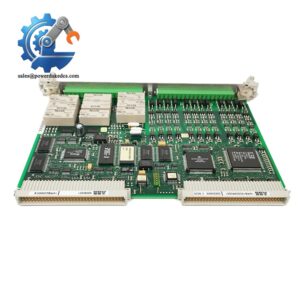
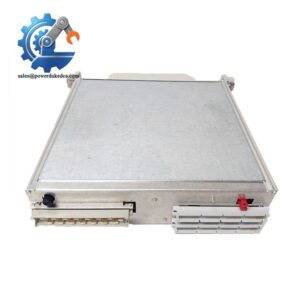
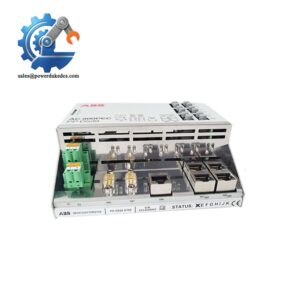
- Model: DSSR122 48990001-NK
- Brand: ABB
- Series: Advant Controller 400 Series
- Core Function: Establish SCSI bus communication between controller and local storage units
- Type: SCSI Interface Communication Module
- Key Specs: Single-ended SCSI interface, DIN rail mount, 24 V DC power supply
- Condition: New Surplus, no repair traces
⚠️ Discontinued product, limited stock available
Product Introduction
Key Technical Specifications
| Parameter | Details |
|---|---|
| Full Model Code | DSSR122 48990001-NK |
| Manufacturer | ABB |
| Supported System | Advant Controller 400 |
| Interface Type | Single-Ended SCSI |
| Supply Voltage | 24 V DC |
| Power Consumption | Max 11 W |
| Mounting Method | DIN rail installation inside control cabinet |
| Operating Temperature | -5 °C ~ +55 °C |
| Storage Temperature | -40 °C ~ +70 °C |
| Relative Humidity | 5% ~ 95% non-condensing |
| Protection Class | IP20 (for internal cabinet installation) |
| Standard Compliance | IEC 61131-2, IEC 61000 series EMC standards |
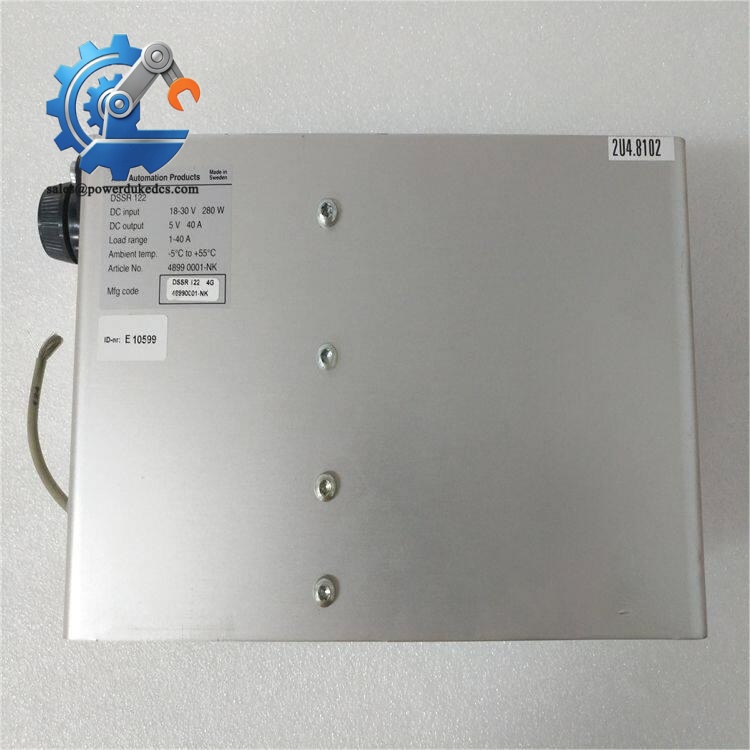
ABB DSSR122 48990001-NK
Installation & Configuration Guide
Phase 1: Pre-Installation (Estimated time: 12 minutes)
- Coordinate with operation staff to arrange planned equipment shutdown window
- Set all controlled equipment to safe status; stop automatic sequence programs
- Cut off rack main power, including auxiliary UPS power source
- Keep power disconnected for minimum 5 minutes to discharge internal capacitors
- ESD wrist strap and anti-static mat
- PH1 cross screwdriver
- Digital multimeter
- Mobile phone for photo documentation
- Adhesive labels for cable marking
- Export controller configuration files and store copies locally and remotely
- Take clear photos: cable arrangement, jumper positions, module slot number
- Record original module serial number for maintenance records
Phase 2: Removal of faulty module (Estimated time: 15 minutes)
- Label each SCSI cable and power wire before disconnection to avoid misconnection
- Loosen terminal screws in counter-clockwise direction and detach cables gently. Do not pull wires directly.
- Locate the DIN rail lock at module bottom. Push the latch down with flat screwdriver.
- Pull the module outward vertically away from the backplane connector. Do not twist during extraction.
- Inspect backplane pins. Remove dust with dry compressed air if contamination exists.
⚠️ Keep all configuration labels on the old module photographed before removal.
Phase 3: Install new DSSR122 module (Estimated time: 18 minutes)
- Wear ESD protection before unpacking the new module from anti-static packaging
- Double-check full model DSSR122 48990001-NK matches required part
- Adjust jumper settings according to photos taken from the old unit. Focus on SCSI ID address setting.
- Align module connector with rack backplane, push steadily until locking latch clicks into position
- Reconnect SCSI cables and 24 V DC power wires following pre-marked labels
- Tighten terminal screws with moderate force, avoid over-tightening that damages plastic terminals
[ ] Module lock fully engaged
[ ] SCSI ID jumpers configured correctly
[ ] All cables firmly connected
[ ] No loose debris left inside rack
Phase 4: Power-On & Functional Testing (Estimated time: 30 minutes)
- Measure input voltage: target value 24 V DC ±10%
- Confirm no short circuit between power positive and ground terminals
- Switch on control rack power supply first, do not activate field equipment immediately
- Watch module status indicators: steady green light means normal initialization; flashing red indicates fault condition
- Launch Advant engineering software and scan rack hardware
- Confirm system can detect connected SCSI storage devices
- Read stored historical data to verify complete communication link
- Maintain continuous running status for 30 minutes and monitor recurring alarms
- Storage not detected: Verify SCSI ID and check cable integrity
- Constant error alarms: Confirm jumpers match original configuration
- Intermittent communication loss: Inspect cabinet grounding and shield wiring
Frequently Asked Questions (FAQ)
A: Hot swap is not supported. Cutting SCSI connection while the system runs will lead to loss of local disk data and trigger critical controller faults. Always complete a controlled shutdown before replacement.
A: It fits standard Advant Controller 400 hardware racks. You still need to confirm the controller software revision. Some older firmware versions require minor parameter adjustment after hardware replacement.
A: DSSR122 is designed specifically for local hard disk connection inside Advant cabinets. Other similar interface boards target different peripheral devices. Cross-model substitution will result in communication failure, direct swap is not advised.
A: The available stock belongs to New Surplus inventory. It has never been installed on production equipment. Every unit passes full functional testing before shipment. Refurbished stock will be clearly marked separately if available.
A: We provide a 12-month warranty starting from shipment date. Warranty coverage excludes damage caused by incorrect wiring, static shock or unstable site power supply. We can supply test photos or video upon request before order confirmation.
A: Normally you do not need to reload control programs. Only verify storage device recognition inside engineering software. Save a backup before replacement to handle unexpected compatibility issues.
A: Limited stock on hand. Items can be dispatched within 1–3 working days after order confirmation. Since the product is officially discontinued by ABB, stock cannot be replenished once sold out.




 Start Chat


