

Description
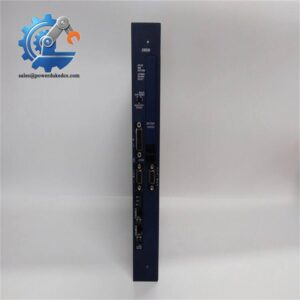
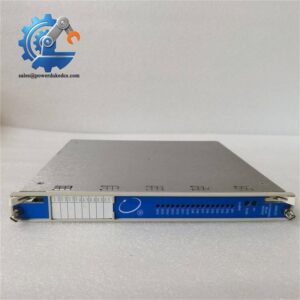
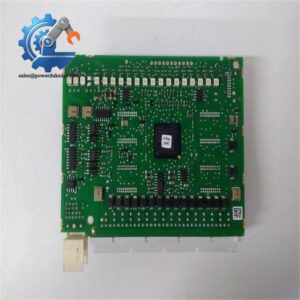
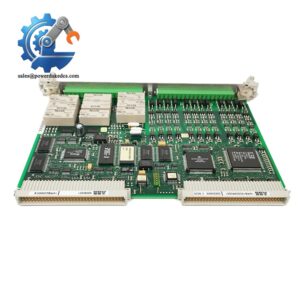
- ABB PFVI401 3BSE018732R1 Genuine OEM Fast Shipping
Module 2: The 10-Second Procurement Snapshot
- Brand: ABB
- Full Part Number: PFVI401 3BSE018732R1
- Product Type: Control Interface / I/O Interface Module
- System Family: ABB Advant / industrial control systems
- Lifecycle Status: Legacy / stock-dependent
- Core Function: Interfaces field signals with control-system electronics
- Top 3 Technical Specs: 24 VDC supply; 16 digital I/O channels; DIN-rail installation
- Interface: Digital signal interface
- Stock & Condition: New surplus / tested stock, subject to availability
- Replacement Policy: Match exact ABB part number before substitution
Module 3: Supply Chain & Technical Deep Dive
When an older ABB control cabinet loses an interface module, the replacement decision is more restrictive than simply matching the number of I/O points. PFVI401 3BSE018732R1 belongs to ABB’s legacy control hardware family, so the installed system configuration, terminal arrangement, and electrical interface must be checked before purchasing. For maintenance teams, the value of keeping an exact spare is mainly downtime avoidance.
From a TCO perspective, a verified spare can be cheaper than waiting for a legacy board while a production line remains stopped. The available product records identify this reference as a PFVI401 interface board, but detailed electrical specifications should not be assumed from generic PFVI401 descriptions. Confirm the exact voltage, I/O configuration, connector pinout, and environmental limits against the ABB manual or the physical nameplate before engineering approval.
Module 4: Migration, Compatibility & Field Traps
Replacement Matrix
| Replacement Type | Assessment | Engineering Action |
|---|---|---|
| Drop-in Replacement | Conditional | Match PFVI401 and 3BSE018732R1 exactly |
| Software Compatible | System-dependent | Verify the host control configuration |
| Hardware Modification | Not expected for an exact match | Confirm mounting and terminal arrangement |
| Cross-Reference Replacement | Requires approval | Do not substitute by appearance or I/O count |
⚠️ Field Trap 1: Terminal Pinout
Do not transfer wiring based only on terminal position.
Before removal, photograph the complete module and each terminal block. Record wire numbers and terminal designations. A similar interface board can use a different pin assignment.
One wrong field wire can create a commissioning problem that looks like a software fault.
⚠️ Field Trap 2: Supply Voltage
Do not assume the module’s operating voltage from the cabinet supply alone. Verify the actual ABB specification and measure the supply before installation.
If the replacement has a different electrical revision, stop and confirm compatibility with the system documentation.
⚠️ Field Trap 3: ESD
Use an ESD wrist strap and grounded work surface. Keep the PCB in its antistatic packaging until installation.
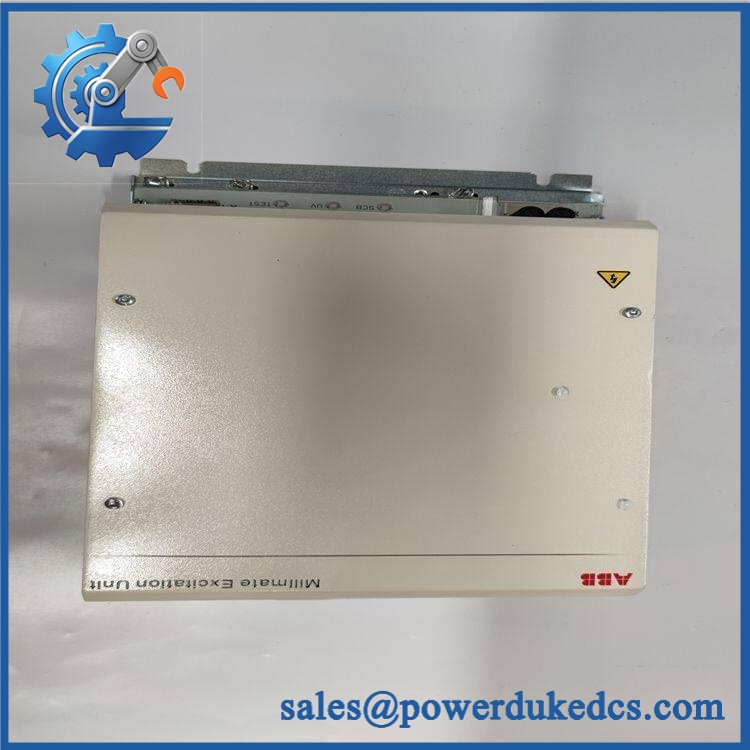
ABB PFVI401 3BSE018732R1
Module 5: Quality Assurance & Testing SOP
1. Incoming Identity Inspection
- Verify ABB marking.
- Confirm PFVI401.
- Confirm 3BSE018732R1.
- Record serial number and revision where available.
- Compare the physical label with the purchase order.
- Inspect the PCB and housing.
- Check connectors for bent or oxidized contacts.
- Look for corrosion, overheating, cracks, or previous repair.
- Perform OEM marking and anti-counterfeit visual inspection.
2. Electrical Inspection
Before energizing:
- Inspect all connectors.
- Check accessible power circuits.
- Check for visible PCB damage.
- Check for obvious shorts.
- Verify grounding provisions.
- Compare the hardware configuration with the approved reference unit.
Do not use generic acceptance limits. Voltage, insulation, and continuity criteria should follow the applicable ABB service procedure.
3. Power-On Self-Test
Using a compatible ABB control test rack:
- Install the module in the correct position.
- Apply the specified control power.
- Observe LED indicators.
- Check system recognition.
- Verify module status.
- Record abnormal diagnostic indications.
4. I/O Functional Test
Where the test system supports it:
- Apply simulated digital input signals.
- Check corresponding input states.
- Activate output channels.
- Verify output response.
- Check channel status through the control system.
- Record each tested channel.
For a critical spare, a visual inspection alone is not enough. Functional testing should be documented whenever a suitable test setup is available.
5. Extended Test
- Run the module under representative operating conditions.
- Monitor supply voltage.
- Check temperature rise.
- Monitor communication or system status.
- Record the test duration.
- Generate a Test Report.
6. Final QA and Packaging
- Record exact part number.
- Record revision.
- Record serial number.
- Photograph the tested unit.
- Apply QC status.
- Place the board in an ESD shielding bag.
- Add impact protection.
- Seal in a suitable carton.
Test photographs and available Test Report records can be supplied for procurement review before dispatch.
Module 6: Procurement-Driven FAQ
1. Is ABB PFVI401 3BSE018732R1 available for immediate shipment?
Legacy ABB inventory varies by warehouse and condition. For an urgent requirement, confirm physical stock, exact part number, product condition, and dispatch cutoff before placing the order.
A stock listing alone does not confirm that the unit is physically ready for shipment.
2. How do you verify a surplus PFVI401 before shipping?
The inspection starts with the complete ABB identification.
The part number, PCB condition, connectors, revision, serial information, and visible signs of previous repair are checked. For tested stock, the module should also undergo power-on and applicable I/O functional testing.
New surplus and tested used units should be quoted separately.
3. What warranty applies to this legacy ABB module?
Warranty depends on the supplier and the condition of the unit. The quotation should clearly state the warranty period, return conditions, and what constitutes a covered failure.
If a problem occurs after installation, retain the original label and packaging and record the control-system diagnostic information before removing the module.
4. Can I replace PFVI401 with another ABB interface module?
Not automatically.
Matching the connector or apparent I/O count is insufficient. The field wiring, electrical characteristics, system configuration, and module revision must all be checked.
For a production-critical application, use PFVI401 + 3BSE018732R1 as the primary purchasing reference and obtain engineering approval for any cross-reference.
5. What should my engineer check before installing the replacement?
Use this short checklist:
- Photograph the old module.
- Record every terminal and wire number.
- Confirm PFVI401 / 3BSE018732R1.
- Verify the supply voltage from the ABB documentation.
- Check the module revision.
- Confirm the correct rack or mounting position.
- Perform an ESD-safe installation.
- Test each applicable I/O point after power-up.
For an old control system, that preparation is cheap insurance. A ten-minute wiring record can save hours of fault finding.




 Start Chat


