

Description
- Brand: GE Fanuc
- Full Model Number: FS16
- System/Series Family: FANUC Series 16 CNC
- Core Function: CNC control hardware for machine-tool operation and motion control
- Top 3 Hardcore Specs: Series 16 architecture | CNC control | Multiple hardware configurations by machine builder
- Control Family: FANUC Series 16
- Application: CNC machine tools
- Stock Status: New surplus or tested refurbished subject to exact hardware identification
FS16 is associated with the FANUC Series 16 CNC control family rather than a conventional GE PLC module. FANUC technical documentation identifies Series 16 among its CNC control platforms, including Series 16-A, 16-B, and later 16-C configurations. The exact hardware cannot be determined from the short designation FS16 alone.
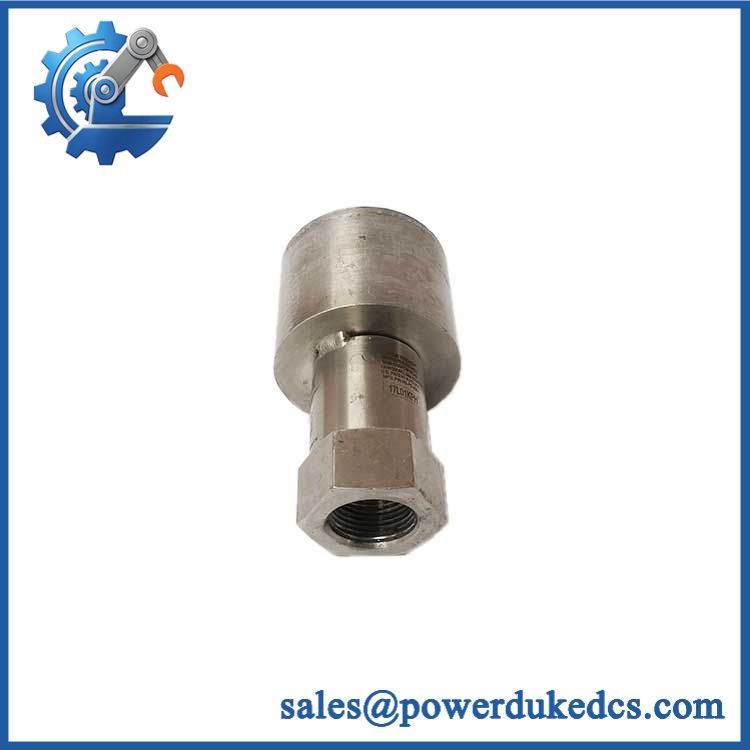
GE FS16
Module 3: Technical Product Introduction
A CNC replacement request becomes risky when only a family designation is provided. FS16 points to the FANUC Series 16 control family, but the actual control hardware depends on the specific Series 16 generation, machine-builder configuration, and board or assembly number. Series 16 systems were used for CNC machine tools, where the control handles program execution, axis control, PMC functions, and machine-interface operations. FANUC documentation distinguishes Series 16-A, 16-B, and 16-C configurations, so the exact suffix matters during spare-part selection.
For procurement, the critical technical data is therefore the complete FANUC identification rather than an assumed specification for “FS16.” A controller or PCB carrying a Series 16 designation may have different memory, interface, servo, PMC, or software configurations depending on the machine. This is an older CNC platform, and replacement work should focus on maintaining the existing control architecture rather than assuming that a newer CNC can be substituted without machine-level engineering. —The original machine-builder configuration is often more important than the generic CNC family name.
Module 4: Application Scenarios & Field Realities
- On older machining centers, a Series 16 control may remain tightly integrated with the machine builder’s PMC sequence, spindle control, servo system, and operator panel. When replacing hardware, document the existing control-unit and board numbers before removing anything.
- For CNC lathes and milling machines, the same Series 16 family designation does not guarantee identical hardware. Axis count, spindle configuration, PMC capacity, memory, and interface options can vary between machines.
- During a production outage, preserving the original CNC configuration can be faster than attempting a platform migration. Back up parameters, programs, PMC data, offsets, and diagnostic information before hardware replacement whenever the controller remains accessible.
- When the original control is unavailable, use the machine-builder model, FANUC control number, PCB identification, ROM/EPROM labels, and servo amplifier information to reconstruct the correct configuration. A bare “FS16” reference is insufficient for a reliable board-level substitution.
Module 5: Migration, Compatibility & Installation Traps
Replacement Matrix
| Replacement Type | Assessment | Engineering Requirement |
|---|---|---|
| Drop-in Replacement | Only after exact hardware identification | Match FANUC Series 16 generation, board number, revision, connectors, and machine configuration |
| Software Compatible | Configuration-dependent | Verify CNC parameters, PMC sequence, memory configuration, and installed software |
| Hardware Modification Required | Potentially required for a different Series 16 generation or retrofit | Do not assume cross-generation interchangeability |
Field Traps — Watch Out
1. “FS16” is not a sufficient ordering number: Series 16 documentation covers multiple generations, including 16-A, 16-B, and 16-C. A replacement should be matched using the complete FANUC part number or PCB/assembly identification, not merely the family name.
2. Parameter and PMC data: A successful power-up does not mean the CNC is ready for production. Machine-specific parameters, PMC ladder data, pitch-error compensation, tool offsets, spindle parameters, and axis-related settings can all affect machine operation.
3. Board-level identification: Before replacing a board, record every visible FANUC identification number, including A06B/A16B references where present, revision codes, ROM labels, and connector markings. Two boards with similar physical dimensions may have different functions.
4. Backup before removal: If the original CNC still boots, back up machine parameters and relevant data before touching the hardware. For a legacy Series 16 installation, that backup can be more valuable than the replacement board itself.
Module 6: Quality Assurance SOP
Because FS16 is a CNC family designation rather than a sufficiently specific board-level ordering number, QA should begin with hardware identification before electrical testing.
- Step 1 — Part-number verification: Record the complete FANUC model, Series 16 generation, PCB/assembly number, revision, serial number, and machine-builder identification where available.
- Step 2 — OEM anti-counterfeit visual inspection: Inspect FANUC labels, PCB markings, connector construction, component layout, ROM labels, date codes, fasteners, and manufacturing identifiers. Photograph all identification markings.
- Step 3 — Physical condition inspection: Check the PCB or CNC assembly for corrosion, contamination, cracked components, damaged connectors, bent pins, loose hardware, and evidence of previous repair or rework.
- Step 4 — Power-supply verification: Confirm the correct voltage and current requirements from the exact hardware documentation before energizing the unit. Do not apply power based solely on the FS16 family designation.
- Step 5 — Power-on self-test (POST): Energize the unit in an appropriate FANUC test environment and record display behavior, diagnostic codes, alarm states, and available status indicators.
- Step 6 — CNC interface verification: Where the appropriate test equipment is available, verify operator-panel communication, CNC initialization, memory access, and relevant interface functions.
- Step 7 — PMC verification: Check PMC-related operation where supported by the test setup. Confirm that expected input/output states can be monitored without connecting the unit to an uncontrolled machine circuit.
- Step 8 — Communication handshake verification: Test applicable serial or machine-interface communication according to the exact Series 16 configuration. Record successful communication and any diagnostic response.
- Step 9 — Configuration record: Preserve photographs and test data showing the exact hardware identification. Do not describe the unit as a complete drop-in replacement until the customer’s CNC and machine-builder configuration have been matched.
- Step 10 — Final photographic record: Photograph the complete unit, identification labels, PCB numbers, connectors, and packaging before shipment.
QA release criterion: A unit identified only as FS16 should not be represented as a confirmed drop-in replacement for a customer’s CNC. The exact FANUC hardware number, Series 16 generation, and machine configuration should be verified first.



 Start Chat


